1. הקדמה
This manual provides essential information for setting up, operating, and maintaining your NIMO 15.6-inch FHD Laptop Nimo N155. Please read this manual thoroughly before using your device to ensure proper function and longevity.

Figure 1: NIMO 15.6-inch FHD Laptop Nimo N155 Overview
The NIMO N155 laptop is equipped with an AMD Ryzen 7 6800H processor, 32GB DDR5 RAM, and a 1TB PCIe 4.0 SSD, designed for efficient performance in various computing tasks. It features a 15.6-inch Full HD IPS anti-glare display, a backlit keyboard, and an integrated fingerprint sensor for enhanced security and user experience.
2. וואָס איז אין דער קעסטל
באַשטעטיקן אַז אַלע זאכן זענען פאַראַן אין פּעקל:
- 1 x נימאָ N155 לאַפּטאָפּ
- 1 x טיפ-C 100W PD שנעלער טשאַרדזשער
- 1 x באַניצער מאַנואַל (דאָס דאָקומענט)
- Windows 11 היים אָפּערייטינג סיסטעם (פאַר-אינסטאַלירט)
3. ערשט סעטאַפּ
3.1. Charging the Laptop
Before first use, connect the laptop to the power adapter and charge it fully. The Type-C 100W PD Fast Charger provides rapid charging capabilities.
- Connect the Type-C charger to a power outlet.
- Plug the Type-C connector into one of the Type-C ports on your laptop.
- The charge LED indicator will illuminate, indicating that the laptop is charging.

Figure 2: Connecting the Type-C 100W PD Fast Charger
3.2. פּאַוערינג אויף
Press the power button located on the keyboard to turn on the laptop. Follow the on-screen instructions to complete the initial Windows 11 setup, including language selection, network connection, and user account creation.
4. Laptop Components and Ports
Familiarize yourself with the various components and ports of your NIMO N155 laptop.

Figure 3: Laptop Ports and Connectors
4.1. לינקע זייט פּאָרטן
- וסב 2.0 פּאָרט: For connecting older USB devices.
- וסב 3.0 פּאָרט: פֿאַר פֿאַרבינדן הויך-גיכקייט USB דעוויסעס.
- מיקראָ סד קאָרט שפּעלטל: For reading and writing to Micro SD cards.
- כעדפאָון דזשאַק: פֿאַר פֿאַרבינדן כעדפֿאָונז אָדער עקסטערנע רעדנערס.
- Kensington Lock Slot: צו זיכערן אייער לאַפּטאַפּ מיט אַ קאָמפּאַטיבלע שלאָס.
4.2. רעכטע זייט פּאָרטן
- אָפּצאָל געפֿירט: ינדיקייץ טשאַרדזשינג סטאַטוס.
- Type-C (PD/Charging) Port: Primarily for power delivery and charging.
- Type-C (Multifunction) Port: שטיצט דאַטן אַריבערפירן און אַרויסווייַזן רעזולטאַט.
- וסב 3.0 פּאָרץ (x2): פֿאַר פֿאַרבינדן הויך-גיכקייט USB דעוויסעס.
- הדמי פּאָרט: פֿאַר פֿאַרבינדן צו עקסטערנע דיספּלייז אָדער פּראָיעקטאָרן.
4.3. אינערלעכע קאָמפּאָנענטן
- פּראַסעסער: AMD Ryzen 7 6800H (8 Cores, 16 Threads, up to 4.7 GHz).
- גראַפיקס: Integrated AMD Radeon 680M GPU.
- באַראַן: 32GB DDR5 (upgradeable).
- סטאָרידזש: 1TB PCIe 4.0 SSD (upgradeable).
- ווייַז: 15.6-inch FHD (1920x1080) IPS Anti-Glare Display.
- Webקאַם: 2.0 MP with privacy shield.
- ווירעלעסס: 802.11a/b/g/n/ac (Wi-Fi 5) and Bluetooth 5.2.

Figure 4: AMD Ryzen 7 6800H Processor Details

Figure 5: High-Speed RAM and PCIe SSD
5. אפערירן דיין לאַפּטאָפּ
5.1. ווייַז
The 15.6-inch Full HD IPS display offers a resolution of 1920x1080 pixels. Adjust brightness and display settings through Windows settings (Right-click on desktop > Display settings).
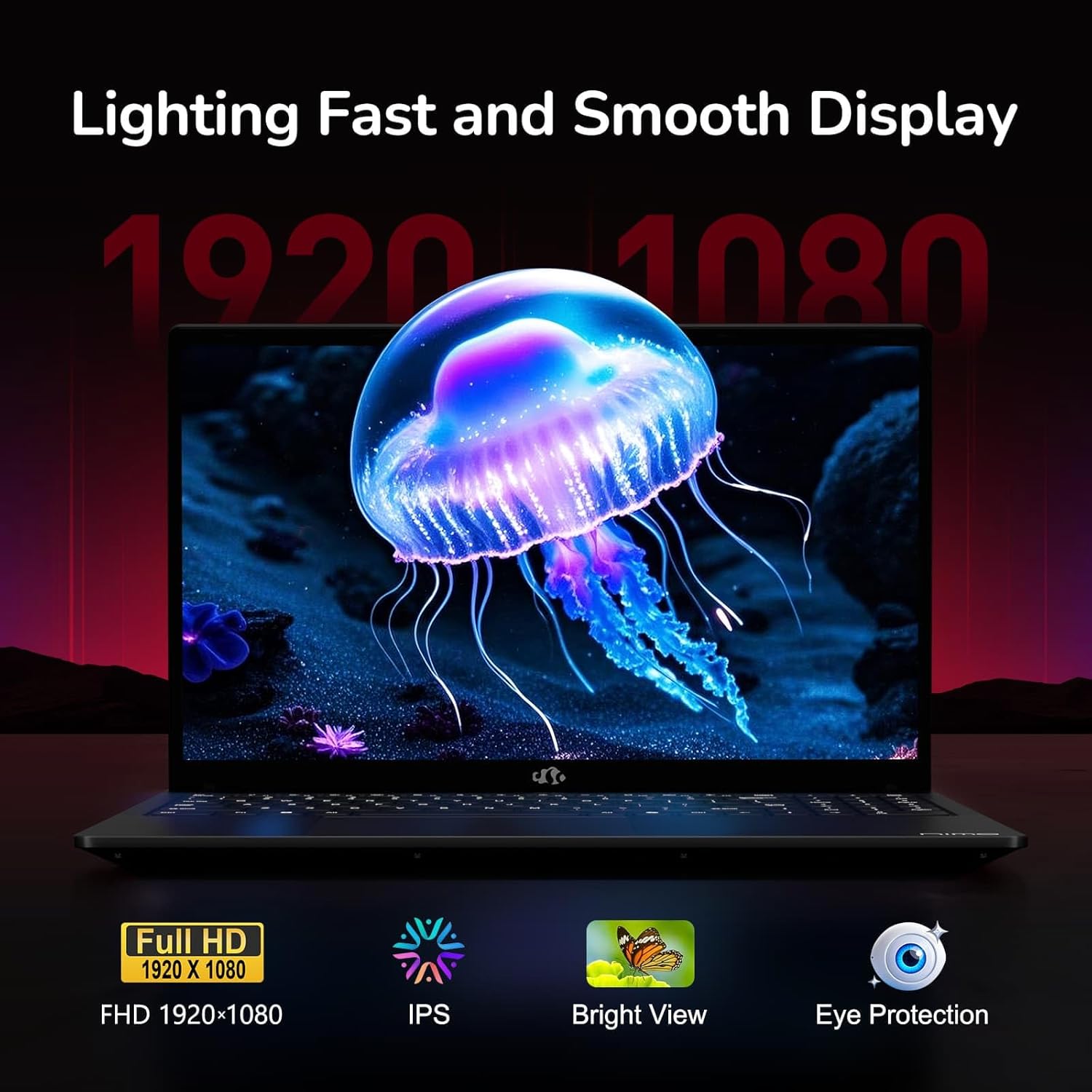
Figure 6: Laptop Display Features
5.2. קלאַוויאַטור און טאָוטשפּאַד
The laptop features a backlit keyboard and a responsive touchpad with multi-touch gesture support. The integrated fingerprint sensor is located on the touchpad for secure login.
- באַקלייט קלאַוויאַטור: דרוק Fn + Fx (where Fx is the backlight key, typically F3 or F4) to adjust keyboard backlight brightness.
- פינגערפּרינט סענסאָר: Enroll your fingerprints via Windows Settings > Accounts > Sign-in options for quick and secure access.
- Webcam Privacy Shield: Slide the physical cover over the webcam for privacy when not in use.

Figure 7: Keyboard and Input Features

Figure 8: Seamless Security Integration (Fingerprint and Webcam Shield)
5.3. מאַכט מאַנאַגעמענט
The laptop is equipped with a 4700mAh (53.58Wh) Lithium Polymer battery. Battery life can vary based on usage. To optimize battery life, adjust power settings in Windows and close unnecessary applications.

פיגור 9: באַטעריע ספּעסיפיקאַציעס
6. וישאַלט און קער
6.1. רייניקונג
- ניצט אַ ווייכן, לינט-פֿרייע שטאָף צו רייניקן דעם עקראַן און דעם אויסערן.
- פֿאַר שווערע מאַרקן, דampווישט דעם שטאָף מיט וואַסער אָדער אַ פאַרשטעלן רייניגער. פֿאַרמייַדט שטרענגע כעמיקאַליעס.
- זייט זיכער אז דער לאַפּטאַפּ איז אויסגעלאָשן און נישט אַרויסגעטראָגן פון דער פּלאַטע איידער איר רייניקט עס.
6.2. סטאָרידזש און האַנדלינג
- האַלט דעם לאַפּטאָפּ אין אַ קיל, טרוקן אָרט אַוועק פון דירעקט זונשייַן און עקסטרעמע טעמפּעראַטורן.
- פֿאַרמײַדט צו לייגן שווערע זאַכן אויף דעם לאַפּטאָפּ.
- Do not expose the laptop to liquids.
6.3. Upgrades
The NIMO N155 laptop supports detachable RAM and SSD, allowing for user upgrades. Refer to the official NIMO support website or contact customer service for detailed upgrade instructions to avoid voiding your warranty.
7. טראָובלעשאָאָטינג
This section addresses common issues you might encounter with your NIMO N155 laptop.
| פּראָבלעם | מעגלעך לייזונג |
|---|---|
| דער לאַפּטאָפּ גייט נישט אָן. | זיכער מאַכן אַז דער טשאַרדזשער איז ריכטיק פֿאַרבונדן און אַז די באַטאַרייע איז גענוג אָפּגעלאָדן. פּרוּווט אַן אַנדער עלעקטרישער אַוטלעט. |
| פאַרשטעלן איז ליידיק. | Check if the laptop is powered on. Adjust screen brightness. Connect to an external monitor to check if the issue is with the laptop's display. |
| Wi-Fi פֿאַרבינדונג פּראָבלעמען. | Ensure Wi-Fi is enabled in Windows settings. Restart your router and the laptop. Update Wi-Fi drivers. |
| קלאַוויאַטור באַקלייט אַרבעט נישט | Press the Fn key combined with the appropriate function key (e.g., F3 or F4) to toggle or adjust the backlight. |
| Fingerprint sensor not responding. | Ensure your finger is clean and dry. Re-enroll your fingerprints in Windows settings. Update fingerprint sensor drivers. |
If you encounter issues not listed here or require further assistance, please contact NIMO customer support.
8. טעכניש ספּעסאַפאַקיישאַנז
| שטריך | באַשרייַבונג |
|---|---|
| מאָדעל נאָמען | נימאָ N155 |
| ווייַז | 15.6-inch FHD (1920x1080) IPS Anti-Glare |
| פּראַסעסער | AMD Ryzen 7 6800H (8 קערנס, 16 פֿעדעם, ביז 4.7 GHz) |
| גראַפיקס | Integrated AMD Radeon 680M |
| באַראַן | 32GB DDR5 4800 MHz (Dual-channel, upgradeable) |
| סטאָרידזש | 1TB PCIe 4.0 SSD (upgradeable) |
| אָפּערייטינג סיסטעם | Windows 11 היים |
| ווירעלעסס קאַנעקטיוויטי | Wi-Fi 5 (802.11a/b/g/n/ac), בלועטוט 5.2 |
| פּאָרץ | 1x USB 2.0, 3x USB 3.0, 2x Type-C (1x PD, 1x Multifunction), 1x HDMI, 1x Micro SD, 1x Headphone Jack, 1x Kensington Lock |
| Webקאַם | 2.0 MP (with privacy shield) |
| באַטערי | 4700mAh / 53.58Wh Lithium Polymer |
| מאַכט אַדאַפּטער | Type-C 100W PD Fast Charger |
| דימענשאַנז (LxWxH) | 14.07 X 8.98 X 0.76 אינטשעס (357.4 X 228 X 19.2 מם) |
| וואָג | 3.8 פונט (1.7 קג) |
| ספּעציעלע פֿעיִקייטן | באַקלייט קלאַוויאַטור, פינגערפּרינט לייענער, HD אַודיאָ, נומערישער קלאַוויאַטור |
9. וואָראַנטי און שטיצן
9.1. פאַבריקאַנט'ס גאַראַנטיע
אייער NIMO N155 לאַפּטאַפּ קומט מיט אַ 2-יאָר פאַבריקאַנט ס וואָראַנטידי וואָראַנטי דעקט חסרונות אין מאַטעריאַלן און אַרבעט אונטער נאָרמאַל נוצן. ביטע האַלטן דיין קויפן באַווייַז פֿאַר וואָראַנטי קליימז.
9.2. צוריקקער פּאָליטיק
NIMO offers a 90-טאָגיקע פּראָבלעם-פֿרײַע צוריקקער פּאָליטיק from the date of purchase. For details on eligibility and the return process, please refer to your purchase documentation or contact customer support.
9.3. קונה שטיצן
For technical assistance, warranty claims, or any other inquiries, please visit the official NIMO support website or contact their customer service team. Contact information can typically be found on the NIMO brand store page or included documentation.
NIMO Brand Store: Visit NIMO Store on Amazon


