הקדמה
This manual provides essential information for setting up, operating, maintaining, and troubleshooting your HP 15.6 inch HD Laptop. Please read this guide thoroughly before using your device to ensure optimal performance and longevity.
סעטאַפּ
Unpacking the Laptop
נעמט פֿאָרזיכטיק אַרויס אַלע קאָמפּאָנענטן פֿון דער פּאַקעט. מאַכט זיכער אַז די פֿאָלגנדיקע זאַכן זענען פֿאַראַן:
- HP 15.6 inch HD Laptop
- AC מאַכט אַדאַפּטער און מאַכט שנור
- שנעלע אָנהייב גייד (אויב אַרייַנגערעכנט)
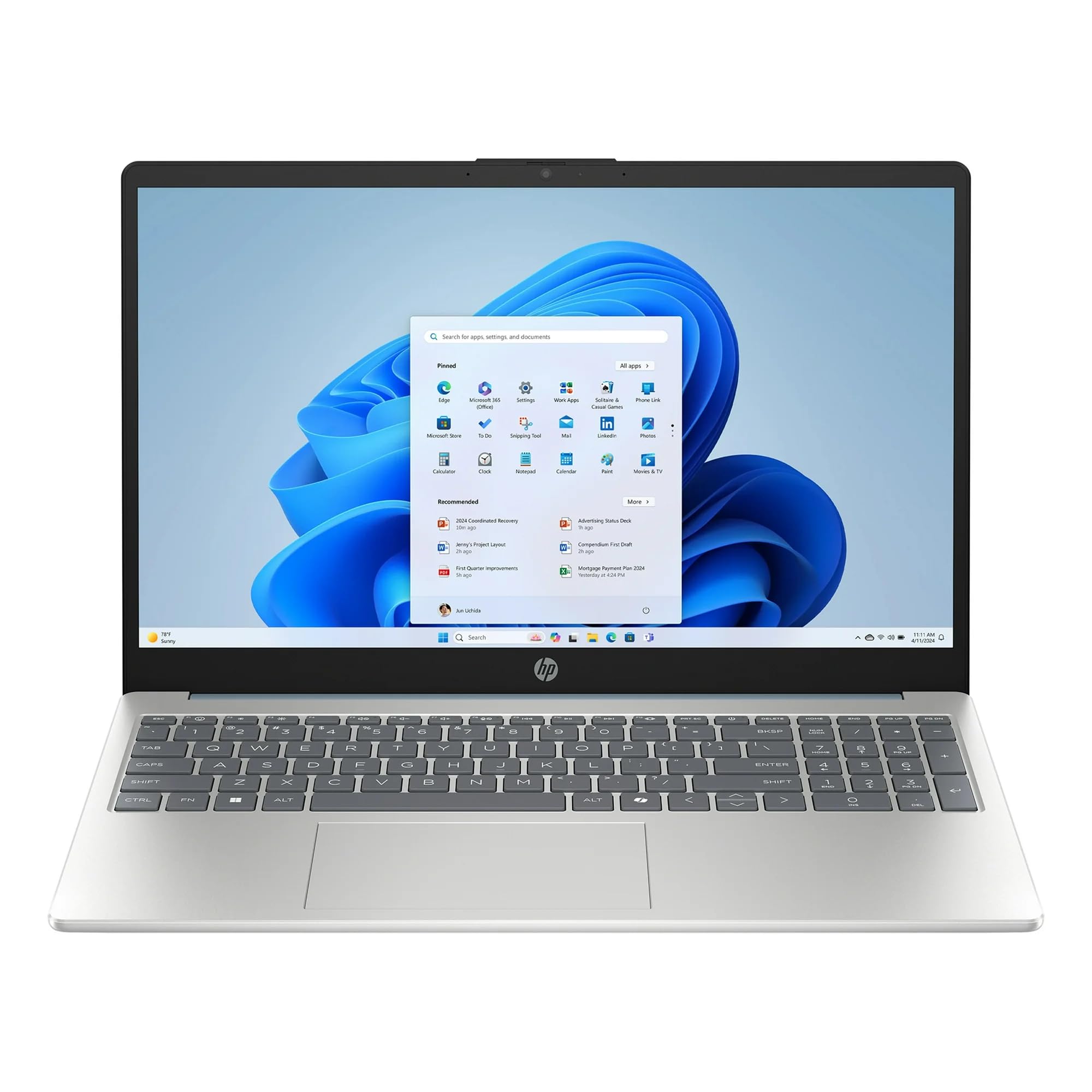
Image: The HP 15.6 inch HD Laptop, showcasing its display and keyboard layout. This is the main unit.
קאַנעקטינג מאַכט
- Connect the AC power adapter to the power connector on the side of the laptop.
- צאַפּן די מאַכט שנור אין אַ וואַנט ווענטיל.
- Allow the battery to charge for at least 30 minutes before initial use, or until the battery indicator shows a full charge.
Initial Boot-up and Windows 11 Setup
דריק דעם מאַכט קנעפּל צו אנצינדן דעם לאַפּטאָפּ. פֿאָלג די אינסטרוקציעס אויף דעם עקראַן צו פֿאַרענדיקן דעם Windows 11 Home סעטאַפּ פּראָצעס. דאָס נעמט אַרײַן אויסקלײַבן אײַער ראַיאָן, שפּראַך, פֿאַרבינדן זיך צו אַ Wi-Fi נעץ, און שאַפֿן אַ באַניצער חשבון.
אפערירן דעם לאַפּטאָפּ
קלאַוויאַטור און טאָוטשפּאַד
The laptop features a full-size keyboard and a multi-touch touchpad. Refer to the קלאַוויאַטור שאָרטקאַץ section for common key combinations.
קאַנעקטינג פּעריפעראַלס
Utilize the available ports for connecting external devices:
- וסב פּאָרץ: For mice, keyboards, external storage, etc.
- הדמי פּאָרט: For connecting to external monitors or TVs (if available).
- אַודיאָ דזשאַק: פֿאַר כעדפאָונז אָדער עקסטערנע רעדנערס.
ווירעלעסס קאַנעקטיוויטי
The laptop supports 802.11ac Wi-Fi and Bluetooth for wireless connections. Access network settings via the Windows 11 taskbar to connect to Wi-Fi networks or pair Bluetooth devices.
וישאַלט
רייניקונג פון דעם לאַפּטאָפּ
- ניצן אַ ווייך, לינט-פֿרייַ שטאָף אַ ביסל דampאָפּגעוואַשן מיט וואַסער אָדער אַ עקראַן רייניגער צו רייניקן דעם עקראַן.
- פֿאַר דער קלאַוויאַטור און שאַסי, ניצט אַ ווייכע, טרוקענע שטאָף. פֿאַרמייַדט שאַרפע כעמיקאַליעס.
באַטערי קער
To prolong battery life, avoid extreme temperatures and allow the battery to discharge partially before recharging. Do not leave the laptop plugged in constantly for extended periods if not in use.
ווייכווארג דערהייַנטיקונגען
Regularly check for and install Windows updates and HP driver updates to ensure system stability and security. Go to סעטטינגס > ווינדאָוס אַפּדייט צו פאַרוואַלטן דערהייַנטיקונגען.
טראָובלעשאָאָטינג
| פּראָבלעם | מעגלעך לייזונג |
|---|---|
| דער לאַפּטאָפּ גייט נישט אָן. | זיכער מאַכן אַז דער AC אַדאַפּטער איז זיכער פארבונדן און די עלעקטרישע אַוטלעט אַרבעט. פּרוּווט אַן אַנדער אַוטלעט. |
| Wi-Fi פֿאַרבינדונג פּראָבלעמען. | Check if Wi-Fi is enabled in Windows settings. Restart your router and the laptop. Update Wi-Fi drivers. |
| לאַנגזאַמע פאָרשטעלונג. | Close unnecessary applications. Check for background processes. Ensure sufficient free storage space on the 512GB SSD. Run a disk cleanup. |
| די באַטאַרייע איז נישט טשאַרדזשינג. | Verify the power adapter and cable are not damaged. Ensure the connection port is clean. |
ספּעסאַפאַקיישאַנז
| שטריך | דעטאַל |
|---|---|
| מאָדעל נאָמען | HP |
| פאַרשטעלן גרייס | 15.6 אינטשעס (HD דיספּליי) |
| פּראַסעסער | AMD Ryzen 5 (3.6 GHz) |
| באַראַן | 8GB DDR4 SDRAM |
| סטאָרידזש | 512GB SSD (PCIE x 2) |
| גראַפיקס | ינטעגראַטעד ינטעל UHD גראַפיקס |
| אָפּערייטינג סיסטעם | Windows 11 היים |
| ווירעלעסס קאַנעקטיוויטי | 802.11ac Wi-Fi, בלועטוט |
| דימענשאַנז (LxWxH) | 12.76 X 8.86 X 0.71 אינטשעס |
| וואָג | 6 פונט |
| קאָליר | Willow Green |
באַמערקונג: די ספּעסאַפאַקיישאַנז קענען זיין געביטן אָן באַמערקן.
וואָראַנטי אינפֿאָרמאַציע
This HP laptop typically comes with a standard manufacturer's warranty. Please refer to the warranty card included with your product or visit the official HP support website for detailed terms and conditions, including warranty duration and coverage specifics. Keep your proof of purchase for warranty claims.
שטיצן
For technical assistance, driver downloads, or further support, please visit the official HP support webפּלאַץ:
- HP שטיצן Webפּלאַץ: support.hp.com
- אָנליין דאָקומענטאַטיאָן: Additional manuals and guides may be available online.
When contacting support, have your laptop's serial number and model number ready. These can usually be found on a sticker on the bottom of the laptop or in the system information within Windows.