1. הקדמה
This manual provides detailed instructions for the setup, operation, maintenance, and troubleshooting of your MOFII 2.4GHz Wireless Keyboard and Mouse Combo. This combo features a gradient color design with retro typewriter-style round keycaps, an ergonomic design with foldable stands, and anti-slip pads for comfortable use. It utilizes 2.4GHz wireless technology for a stable connection.
2. פּעקל אינהאַלט
- MOFII Wireless Keyboard
- MOFII Wireless Mouse
- USB Receiver (located inside the mouse battery compartment)
- באַניצער מאַנואַל
- Cleaning Brush (for detachable keycaps)
3. סעטאַפּ אינסטרוקציעס
גיי די סטעפּס פֿאַר ערשט סעטאַפּ:
- ינסטאַלירן באַטעריז: The keyboard and mouse each require one AA battery (not included). Open the battery compartment on the underside of both the keyboard and mouse and insert the batteries, ensuring correct polarity.
- געפינען די USB ריסיווער: The USB receiver is stored in the battery compartment of the mouse. Carefully remove it.
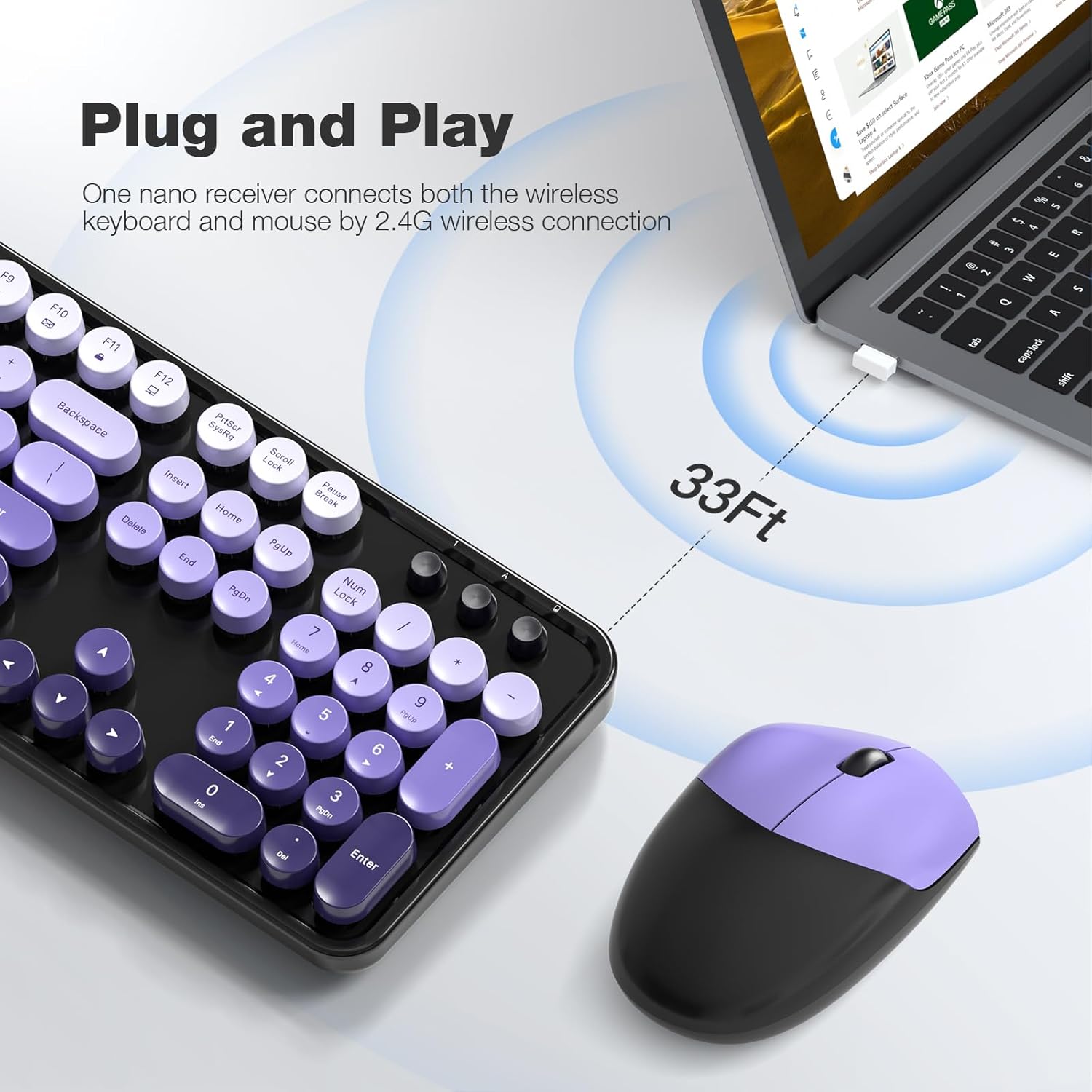
- פֿאַרבינדן ריסיווער: Plug the USB receiver into an available USB port on your computer (PC, laptop, desktop, etc.).
- מאַכט אויף: Turn on the keyboard and mouse using their respective power switches (usually located on the underside).
- אָטאַמאַטיק קשר: The keyboard and mouse will automatically connect to your computer. No additional drivers are required for most operating systems.

The 2.4GHz wireless technology provides a stable and reliable connection up to 33 feet (10 meters) without latency.
4. אַפּערייטינג ינסטרוקטיאָנס
4.1 קלאַוויאַטור פֿעיִקייטן
- גאַנץ גרייס אויסלייג: The 104-key layout includes a number pad for efficient data entry.
- מולטימעדיאַ קורץ-וועגן: Utilize the 13 multimedia shortcuts (Fn + F1-F12) to control audio/video playback, volume, web בראַוזינג און בליצפּאָסט.
- ערגאָנאָמיק פּלאַן: The keyboard features foldable stands on the underside to adjust the typing angle for improved comfort. Anti-slip pads prevent movement during use.

4.2 אַוטאָ סליפּ מאָדע
To conserve battery life, both the keyboard and mouse are equipped with a smart auto-sleep function. If inactive for 5 minutes, they will automatically enter sleep mode. To wake them up, simply click any key on the keyboard or move the mouse.

5. וישאַלט
5.1 רייניקונג
The keyboard features detachable round keycaps, allowing for easy cleaning. Use the included cleaning brush to remove dust and debris from between the keys. For deeper cleaning, carefully remove the keycaps and clean the keyboard base and keycaps separately with a soft, damp שטאָף. פאַרזיכערן אַז אַלע טיילן זענען גאָר טרוקן איידער ריאַסעמבאַלינג.

5.2 באַטערי פאַרבייַט
When the keyboard or mouse stops responding or experiences intermittent connectivity, it may be time to replace the AA batteries. Open the battery compartment on the underside of the device, remove the old battery, and insert a new AA battery, observing the correct polarity. Close the compartment securely.
6. טראָובלעשאָאָטינג
- קיין ענטפער פון קלאַוויאַטור/מויז:
- זיכער מאַכן אַז די באַטעריעס זענען ריכטיק אינסטאַלירט און נישט אויסגעשעפּט. טוישן אויב נייטיק.
- Check if the power switch on both devices is in the 'ON' position.
- איבערצייגט אז דער USB ריסיווער איז זיכער אריינגעשטעקט אין א ארבעטנדיקן USB פארט אויף אייער קאמפיוטער. פרובירט אן אנדערן USB פארט.
- Move the keyboard and mouse closer to the USB receiver to rule out range issues.
- פארשפּעטיקונג אדער איבערצייטיגע פארבינדונג:
- רעדוצירן אריינמישונג דורך אוועקרוקן אנדערע וויירלעסע דעווייסעס פונעם ריסיווער.
- זיכער מאַכן אַז עס זענען נישטאָ קיין גרויסע מעטאַלענע אָביעקטן צווישן די דעוויסעס און דעם ופנעמער.
- טוישן די באַטעריעס אויב זיי זענען נידעריק.
- Multimedia Keys Not Working:
- Ensure you are pressing the 'Fn' key simultaneously with the desired function key (F1-F12).
- Check your operating system settings for any conflicting hotkey configurations.
- מויז קורסאָר שפּרינגט אָדער איז נישט פּינקטלעך:
- זיכער מאַכן אַז דער מויז סענסאָר איז ריין און פריי פון שטויב אָדער דעבריס.
- Use the mouse on a suitable surface (e.g., a mouse pad) for optimal tracking.
7. ספּעסאַפאַקיישאַנז
| סאָרט | MOFII |
| מאָדעל | 2.4GHz Retro Typewriter Keyboard and Mouse Combo |
| קאָליר | Black Purple Gradient Color |
| קאַנעקטיוויטי טעכנאָלאָגיע | 2.4GHz ווירעלעס (USB ריסיווער) |
| קלאַוויאַטור אויסלייג | 104-Key Full-Size |
| ספּעציעלע שטריך | Round Keycaps, Ergonomic Design, Auto-Sleep Mode, Multimedia Shortcuts |
| קאַמפּאַטאַבאַל דעוויסעס | Laptop, Personal Computer, Desktop, Notebook, Smart TV |
| קאַמפּאַטאַבאַל אַפּערייטינג סיסטעמס | Windows 7/8/10/11/XP/Vista, Linux, Chrome |
| מאַכט מקור | 1x AA Battery (Keyboard), 1x AA Battery (Mouse) - באַטעריז ניט אַרייַנגערעכנט |
| פּונקט וואָג | 3.2 אונסעס |
| פּעקל דימענשאַנז | 17.76 X 5.43 X 3.03 אינטשעס |
8. וואָראַנטי און שטיצן
For warranty information and technical support, please refer to the product packaging or contact MOFII customer service directly. Keep your purchase receipt for warranty claims.


