הקדמה
This manual provides comprehensive instructions for the setup, operation, and maintenance of your memzuoix WM125B Wireless Mouse. Designed for comfort and precision, this 2.4GHz wireless mouse offers adjustable DPI settings and broad compatibility for various computing needs.
שליסל פֿעיִקייטן:
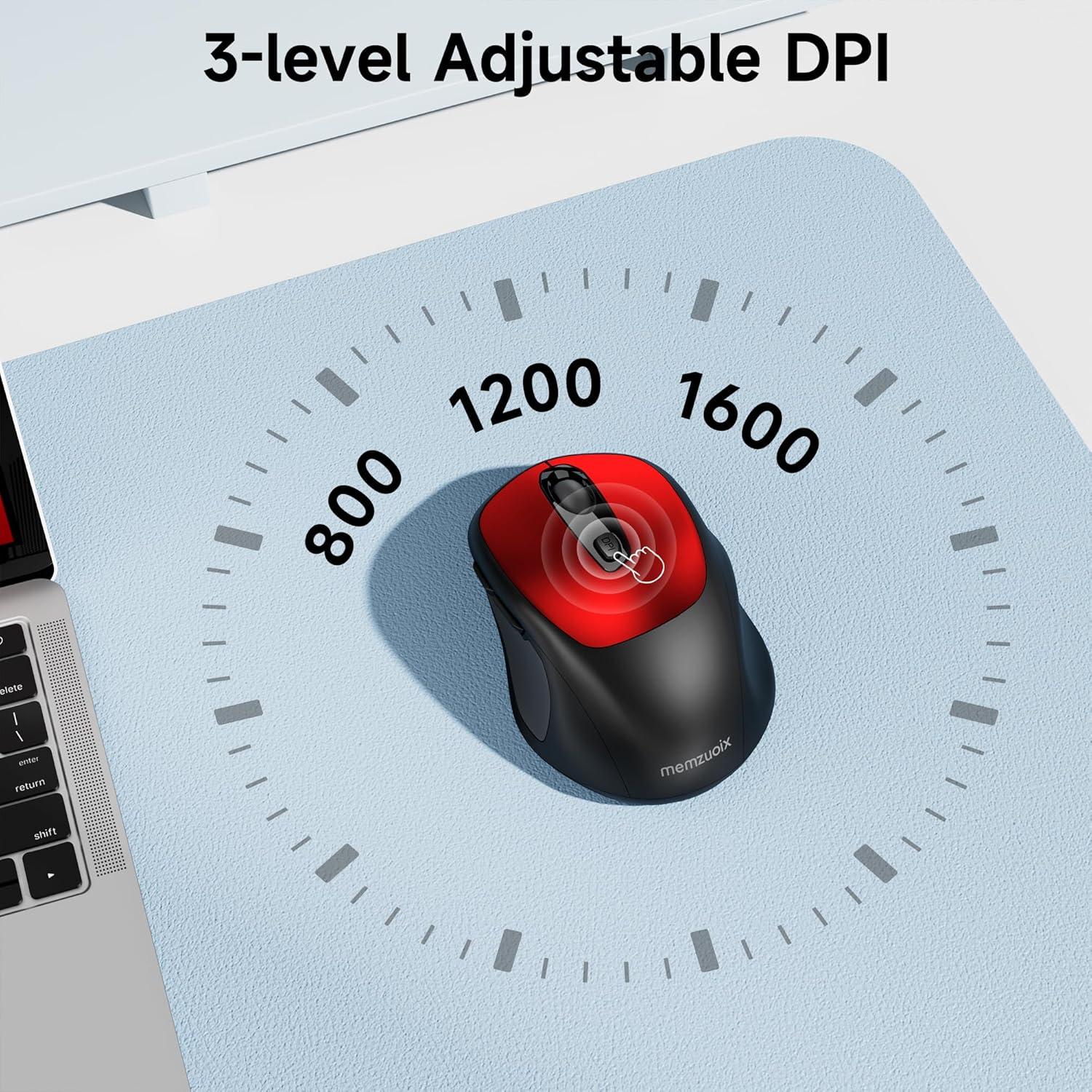
- 3 Adjustable DPI Levels: Easily switch between 800, 1200, and 1600 DPI for optimal control.
- Ergonomic & Ambidextrous Design: Contoured shape with rubberized side grips for comfortable use by both left and right-handed users.
- Plug & Play 2.4GHz Nano Receiver: Instant connectivity without software installation, offering a reliable 33ft range.
- דוראַבאַל בילד: Buttons and scroll wheel tested for 10 million clicks, ensuring long-term reliability.
- וניווערסאַל קאַמפּאַטאַבילאַטי: Works seamlessly with Windows, macOS, Linux, and ChromeOS devices.
- פּאָרטאַטיוו פּלאַן: Lightweight and compact, ideal for travel and on-the-go use.
סעטאַפּ גייד
1. ינסטאַלירן באַטעריז
- געפינט דעם דעקל פונעם באַטעריע־אָפּטייל אויף דער אונטערשטער זייט פון דער מויז.
- לײַכט שלעפּן אָדער הייבן דעם דעקל צו עפֿענען דעם אָפּטייל.
- אַרײַנשטעלן צוויי AAA באַטעריעס, און זיכער מאַכן אַז די פּאָלאַריטעט איז ריכטיק (+/-).
- לייג צוריק דעם דעקל פונעם באַטעריע־אָפּטייל ביז עס קליקט זיכער אַרײַן אין פּלאַץ.

2. פֿאַרבינדן דעם USB ריסיווער
- Locate the nano USB receiver, typically stored within the battery compartment of the mouse.
- Plug the USB receiver into an available USB port on your computer (PC, Mac, laptop, etc.).
- דער קאָמפּיוטער זאָל אויטאָמאַטיש דעטעקטירן און אינסטאַלירן די נויטיקע דרייווערס. קיין נאָך ווייכווארג אינסטאַלאַציע איז נישט נויטיק.

אַפּערייטינג ינסטראַקשאַנז
1. מאַכט אויף / אויסגעלאשן
Locate the ON/OFF switch on the underside of the mouse. Slide the switch to the 'ON' position to activate the mouse. Slide it to 'OFF' when not in use to conserve battery life.
2. קנעפּל פאַנגקשאַנז
- לינקס קנעפּל: ערשטיק גיט פֿונקציע.
- רעכט קנעפּל: צווייטע קליק פונקציע (קאנטעקסט מעניו).
- סקראָל ראָד: סקראָלן אַרויף/אַראָפּ דאָקומענטן און web pages. Can also be clicked for middle-button functionality.
- DPI קנעפּל: Cycles through DPI settings (800/1200/1600).
- פֿאָרווערטס קנעפּל: נאַוויגירט פאָרויס אין web בראַוזערז אָדער file עקספּלאָרערס.
- צוריק קנעפּל: נאַוויגירט צוריק אין web בראַוזערז אָדער file עקספּלאָרערס.
3. אַדזשאַסטירן DPI סענסיטיוויטי
דרוק די דפּי קנעפּל located below the scroll wheel to cycle through the available sensitivity settings: 800 DPI (for precise control), 1200 DPI (standard use), and 1600 DPI (for faster cursor movement). The mouse will indicate the change, often with a brief LED flash.
וישאַלט
1. רייניקונג
כּדי צו האַלטן די בעסטע פאָרשטעלונג, רייניקט רעגולער אייער מויז. ניצט אַ ווייכן, לינט-פֿרייע שטאָף אַ ביסל ווייכער.ampגעוואשן מיט וואַסער אָדער אַ מילדער רייניקונג לייזונג. פֿאַרמייַדן שטרענגע כעמיקאַלן אָדער אַברייסיוו מאַטעריאַלס. זיכער מאַכן אַז קיין פליסיקייט גייט נישט אַרײַן אין די אינעווייניקסטע קאָמפּאָנענטן פון דער מויז.
2. באַטערי פאַרבייַט
When the mouse's performance degrades or it stops responding, it may be time to replace the batteries. Follow the steps in the 'Install Batteries' section of this manual to replace the two AAA batteries. Dispose of old batteries responsibly according to local regulations.
טראָובלעשאָאָטינג
- מויז ענטפערט נישט:
- Ensure the mouse is switched 'ON' using the power switch on the underside.
- קאָנטראָלירט צי די באַטעריעס זענען ריכטיק אינסטאַלירט און האָבן גענוג אָפּצאָל. טוישט זיי אויב נייטיק.
- Verify that the USB receiver is securely plugged into a working USB port on your computer. Try a different USB port.
- ריסטאַרט דיין קאָמפּיוטער.
- Cursor movement is erratic or inaccurate:
- Ensure the mouse is used on a clean, non-reflective surface. Avoid glass or highly reflective surfaces.
- רייניקט דעם אָפּטישן סענסאָר אויף דער אונטערשטער זײַט פֿון דער מויז מיט אַ ווייכן שטאָף.
- Try adjusting the DPI setting using the DPI button.
- Connection issues or frequent disconnections:
- Ensure the mouse is within the effective operating range (approximately 33 feet) of the USB receiver.
- Avoid using the mouse near strong electromagnetic interference sources (e.g., other wireless devices, large metal objects).
- Re-pair the mouse with the receiver if possible (refer to manufacturer's website for specific pairing instructions if needed, as this model is typically plug-and-play).
ספּעסאַפאַקיישאַנז
| שטריך | דעטאַל |
|---|---|
| סאָרט | memzuoix |
| מאָדעל נומער | WM125B |
| קאַנעקטיוויטי טעכנאָלאָגיע | 2.4GHz ווירעלעס (USB נאַנאָ ריסיווער) |
| דפּי לעוועלס | 800 / 1200 / 1600 |
| נומער פון קנעפּלעך | 6 (לינקס, רעכטס, סקראָל ראָד, DPI, פאָרווערטס, צוריק) |
| באַוועגונג דעטעקשאַן טעכנאָלאָגיע | אָפּטיש |
| מאַכט מקור | 2 X AAA באַטעריז (ניט ינקלודעד) |
| פּונקט וואָג | 3.2 אונסעס |
| פּעקל דימענשאַנז | 4.8 X 3.23 X 1.85 אינטשעס |
| קאָליר | רויט |
| קאַמפּאַטאַבילאַטי | PC, Mac, Laptop (Windows, macOS, Linux, ChromeOS) |
וואָראַנטי און שטיצן
The memzuoix WM125B Wireless Mouse comes with a standard manufacturer's warranty. For specific warranty details, return policies, or technical support, please refer to the product packaging or contact memzuoix customer service directly through their official webפּלאַץ אָדער די זיצער ווו די פּראָדוקט איז פּערטשאַסט.
פֿאַר ווייטערדיקע הילף, ביטע באַזוכט די memzuoix Store on Amazon.
