1. הקדמה
This manual provides essential information for the proper use and maintenance of your TECLAST T65 Android 15 Tablet. Please read it thoroughly before using the device to ensure optimal performance and longevity.

2. וואָס איז אין דער קעסטל
באַשטעטיקן אַז אַלע זאכן זענען פאַראַן אין פּעקל:
- Android 15 T65 tablet x 1
- טשאַרדזשער רענטגענ 1
- טשאַרדזשינג קאַבלע X 1
- אינסטרוקציעס מאַנואַל X 1
- Ejection pin x 1
3. פּראָדוקט פֿעיִקייטן
3.1 אויסשטעלונג און וויזשוואַלן
- 13.4-אינטש IPS ווייַז: יקספּאַנסיוו viewing area with narrow bezels for an immersive experience.
- 1920x1200 HD Resolution: Delivers clear and detailed visuals.
- TDDI Technology: Reduces touch layers for brighter images and faster response.
- 120Hz High Refresh Rate: Ensures smooth animations and agile touch response.
- וויידוויין L1 שטיצע: Enables streaming of 1080P content from platforms like Netflix and YouTube.
- אויג שוץ מאָדעס: Includes Reading Mode, Eye Protection Mode, and Dark Mode for comfortable viewing.

3.2 פאָרשטעלונג און סטאָרידזש
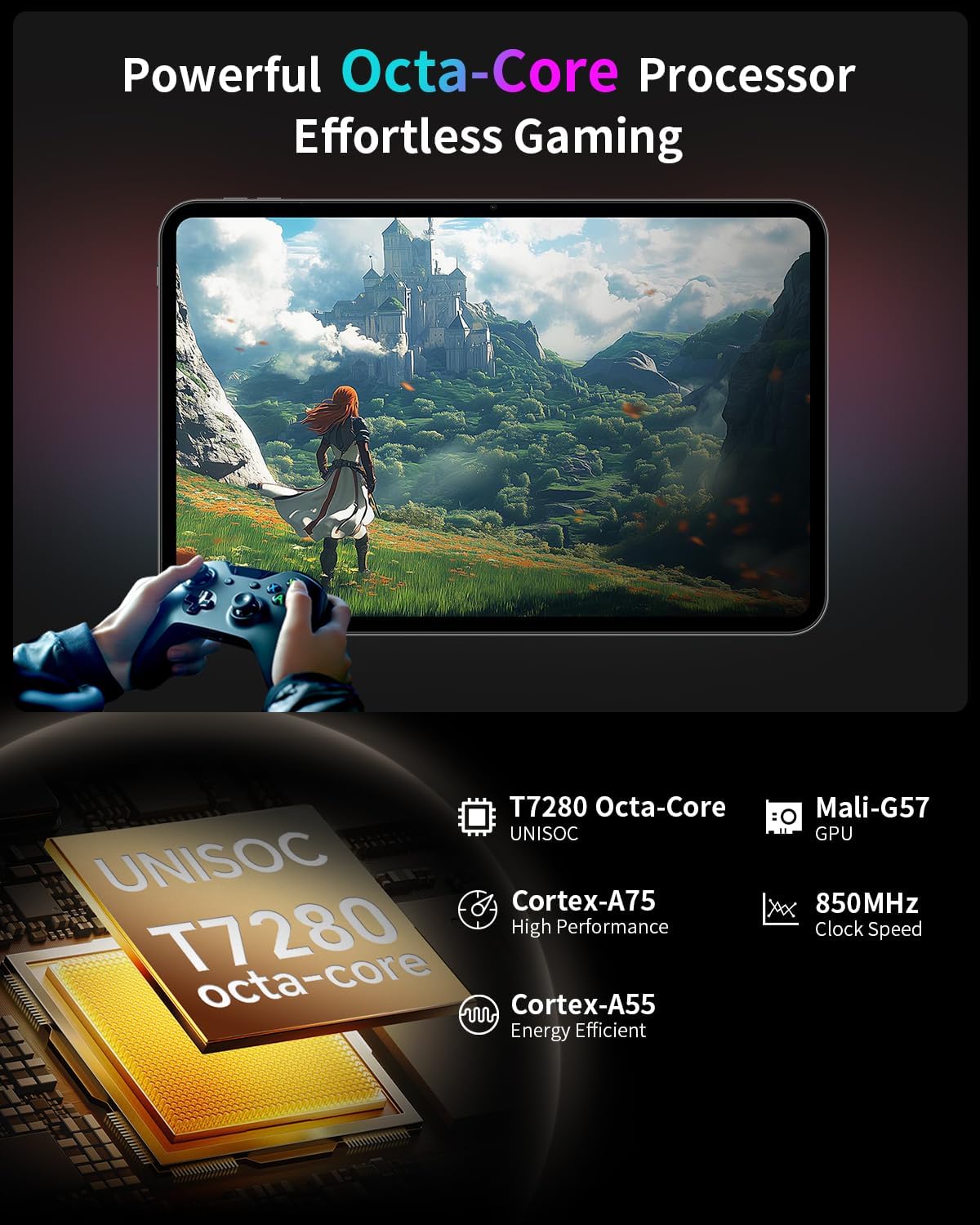
- אקטא-קאָר פּראַסעסער: Features a Unisoc T7280 CPU with A75 and A55 cores, clocking up to 2.2GHz for efficient performance.
- Mali-G57 GPU: Integrated graphics coprocessor for enhanced visual processing.
- 20GB (8GB+12GB Expansion) RAM: גיט ample memory for multitasking.
- 128 גיגאבייט אינערליכע סטאָרידזש: Sufficient space for applications and media.
- יקספּאַנדאַבאַל סטאָרידזש: Supports up to 1TB via TF (microSD) card (sold separately).
3.3 Operating System and User Experience
- Android 15 (GMS Certified): Offers a smooth, fast, and secure operating experience with enhanced privacy features.
- AI Intelligent Optimization: Improves system efficiency.
- Productivity Features: Includes split-screen function, Quick Sidebar for fast app launch, and Assistive Control for quick system navigation.
- פּאַרענטאַל קאָנטראָלס: Built-in Google Family Link for managing screen time, app usage, and device location for children.

3.4 קאָנעקטיוויטי און באַטאַרייע
- 8000 מאַה באַטאַרייע: Provides extended usage, up to 8 hours of video playback.
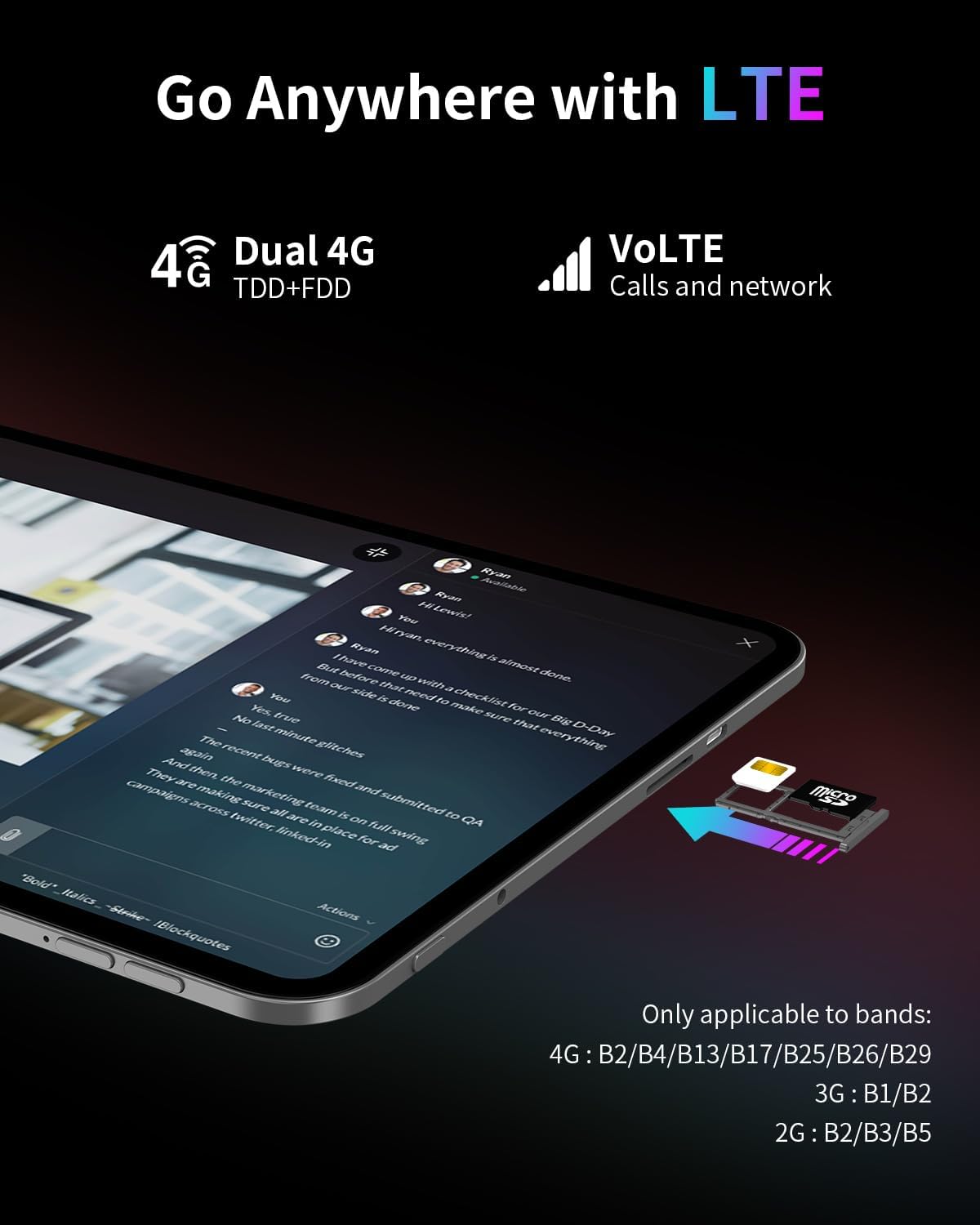
- 4G LTE קאָנעקטיוויטי: Supports mobile data for on-the-go internet access (bands: 4G: B2/B4/B13/B17/B25/B26/B29; 3G: B1/B2; 2G: B2/B3/B5).
- Dual-Band Wi-Fi (2.4GHz+5GHz): Supports 802.11a/b/g/n/ac for stable wireless internet.
- בלועטאָאָטה 5.0: פֿאַר פֿאַרבינדן וויירלעס אַקסעסאָריעס.
- גפּס: Supports BeiDou, GPS, GLONASS, and GALILEO for accurate navigation.
- OTG פאַנגקשאַנאַליטי: Allows connection of USB peripherals.
- וסב טיפּ-C: פֿאַר טשאַרדזשינג און דאַטן אַריבערפירן.
3.5 אַודיאָ
- SWEET 4 Sound System: Enhanced audio output.
- Smart K Intelligent Ampליפיער שפּאָן: Improves sound clarity.
- 3.5 מם כעדפאָון דזשאַק: פֿאַר דראָטיקע אַודיאָ פֿאַרבינדונגען.
4. סעטאַפּ
4.1 ערשט מאַכט אויף
- Press and hold the power button located on the side of the tablet until the TECLAST logo appears.
- פֿאָלגט די אינסטרוקציעס אויף דעם עקראַן צו אויסקלײַבן אײַער שפּראַך, פֿאַרבינדן זיך צו אַ Wi-Fi נעץ, און אויפֿשטעלן אײַער Google חשבון.
4.2 אריינשטעלן SIM/TF קארטל
- Locate the SIM/TF card slot on the side of the tablet.
- Use the provided ejection pin to gently press into the small hole next to the tray until it pops out.
- Place your Nano-SIM card(s) and/or TF card into the tray, ensuring correct orientation as indicated on the tray.
- Carefully reinsert the tray into the slot.
4.3 אויפלאָדן די טאַבלעט
- Connect the charging cable to the USB Type-C port on the tablet.
- Plug the other end of the cable into the provided charger, and then into a power outlet.
- די באַטאַרייע ייקאַן אויף דעם עקראַן וועט אָנווייַזן טשאַרדזשינג סטאַטוס.
5. אַפּערייטינג ינסטרוקטיאָנס
5.1 יקערדיק נאַוויגאַציע
- ריר דזשעסטשערז: צאַפּן צו סעלעקטירן, סווייפּן צו סקראָלן, צוקניפּן צו פארגרעסערן.
- היים פאַרשטעלן: צוטריט צו אַפּפּס, ווידזשעטס און נאָוטאַפאַקיישאַנז.
- Quick Sidebar: Swipe inward from the edge of the screen to access frequently used apps and system controls.
- Assistive Control: A virtual button providing quick access to system functions.
5.2 ווייַז סעטטינגס
- ברייטנאַס אַדזשאַסטמאַנט: Drag the brightness slider in the quick settings panel or navigate to Settings > Display.
- דערפרישן קורס: The tablet automatically adjusts to 120Hz for smoother visuals. This can be managed in Display settings.
- אויג שוץ מאָדעס: Activate Reading Mode, Eye Protection Mode, or Dark Mode from quick settings or Display settings to reduce eye strain.
5.3 קאַנעקטיוויטי
- ווי-פי: גייט צו סעטטינגס > נעץ און אינטערנעט > Wi-Fi צו פארבינדן זיך צו פארהאן נעטוואָרקס.
- מאָביל דאַטן: זיכער מאַכן אַז אַ סים קאַרטל איז אַרײַנגעשטעלט און מאָביל דאַטן איז ענייבאַלד אין סעטטינגס > נעץ און אינטערנעט > מאָביל נעץ.
- בלועטאָאָטה: פארבינדן מיט בלועטוט דעווייסעס דורך סעטינגס > פארבונדענע דעווייסעס > בלועטוט.
- גפּס: Location services can be managed in Settings > Location.
5.4 פּערענטאַל קאָנטראָלס
To set up parental controls, navigate to Settings > Digital Wellbeing & parental controls. You can use Google Family Link to manage screen time, monitor app usage, and set content restrictions for children's profiles.
6. וישאַלט
6.1 רייניקונג
- ניצט אַ ווייכן, לינט-פֿרייע שטאָף צו רייניקן דעם עקראַן און קערפּער פֿון דער טאַבלעט.
- פֿאַרמײַדן ניצן שטרענגע כעמיקאַלן, אַברייסיוו רייניגער, אָדער אַעראָסאָל ספּרײַס.
- פֿאַר שווערע פֿלעקן, אַ ביסל דampווישט דעם שטאָף מיט וואַסער אָדער אַ פאַרשטעלן-רייניקונג לייזונג.
6.2 באַטערי קער
- פֿאַרמײַדן אויסצושטעלן די טאַבלעט צו עקסטרעמע טעמפּעראַטורן.
- לאָזט נישט די טאַבלעט גאָר אָנגעלאָדן אָדער גאָר אויסגעלאָדן פֿאַר לענגערע פּעריאָדן.
- ניצט נאָר דעם אָריגינעלן טשאַרדזשער און קאַבל וואָס איז צוגעשטעלט מיטן אַפּאַראַט.
6.3 ווייכווארג דערהייַנטיקונגען
Regularly check for and install software updates to ensure optimal performance, security, and access to new features. Go to Settings > System > System update.
7. טראָובלעשאָאָטינג
7.1 פּראָסט ישוז און סאַלושאַנז
- טאַבלעט טוט זיך נישט אָן:
- Ensure the battery is charged. Connect the charger and wait a few minutes before attempting to power on again.
- Press and hold the power button for at least 10-15 seconds to perform a forced restart. - דער עקראַן רעאַגירט נישט:
- Restart the tablet.
- Ensure the screen is clean and free of moisture or debris. - ווי-פי קשר ישוז:
- Restart the tablet and your Wi-Fi router.
- Forget the network in Wi-Fi settings and reconnect.
- Ensure you are within range of the Wi-Fi signal. - אַפּפּס קראַשן אָדער פרירן:
- Close and reopen the app.
- Clear the app's cache and data in Settings > Apps.
- Ensure the app is updated to the latest version.
- Restart the tablet. - באַטעריע ווערט שנעל אויסגעשעפּט:
- Reduce screen brightness.
- Close unused apps running in the background.
- Disable Wi-Fi, Bluetooth, or GPS when not in use.
- Check for apps consuming excessive battery in Settings > Battery.
7.2 פאַבריק באַשטעטיק
Warning: A factory reset will erase all data on your tablet. Back up important data before proceeding.
To perform a factory reset, go to Settings > System > Reset options > Erase all data (factory reset).
8. ספּעסאַפאַקיישאַנז
| שטריך | באַשרייַבונג |
|---|---|
| מאָדעל נאָמען | T65 |
| סאָרט | TECLAST |
| אָפּערייטינג סיסטעם | אַנדרויד 15 |
| פאַרשטעלן גרייס | 13.4 אינטשעס |
| פאַרשטעלן האַכלאָטע | 1920 רענטגענ 1200 פּיקסעלס |
| דערפרישן קורס | 120 הז |
| פּראַסעסער | יוניסאָק ט7280 אָקטאַ-קאָר (2.2 גיגאַהערץ) |
| גראַפיקס קאָופּראַסעסער | Mali-G57 |
| באַראַן | 20GB (8GB LPDDR4 + 12GB Expansion) |
| פלאַש זכּרון גרייס | 128 גיגאבייט |
| יקספּאַנדאַבאַל סטאָרידזש | Up to 1TB TF Card (sold separately) |
| ווירעלעסס טיפּ | 802.11a/b/g/n/ac (Dual-Band Wi-Fi) |
| בלועטאָאָטה | בלועטאָאָטה 5.0 |
| סעליאַלער קאַנעקטיוויטי | 4G LTE (B2/B4/B13/B17/B25/B26/B29), 3G (B1/B2), 2G (B2/B3/B5) |
| גפּס | 4-Mode Satellite Positioning (BeiDou, GPS, GLONASS, GALILEO) |
| באַטאַרייע קאַפּאַציטעט | 8000 מאַה |
| דורכשניטלעך באַטאַרייע לעבן | 8 שעה (ווידעא ווידערשפּיל) |
| דערציען Webקאַם האַכלאָטע | 13 מפּ |
| פּונקט וואָג | 1.59 פונט (בעערעך 720 ג) |
| פּראָדוקט דימענשאַנז | 12 x 7.9 x 0.33 אינטשעס (אומגעפער 30.5 x 20.1 x 0.84 ס״מ) |
| קאָליר | גרוי |
9. וואָראַנטי און שטיצן
9.1 וואָראַנטי אינפֿאָרמאַציע
Please refer to the warranty card included in your product packaging for detailed warranty terms and conditions. Keep your proof of purchase for warranty claims.
9.2 קונה שטיצן
For any questions, technical assistance, or issues with your TECLAST T65 tablet, please contact TECLAST customer support. Most inquiries are answered within 24 hours.
You can typically find contact information on the official TECLAST website or through the seller's platform where you purchased the product.


