הקדמה
This manual provides essential information for the proper setup, operation, and maintenance of your Auusda 16-inch FHD Laptop, Model T161N. Please read this manual thoroughly before using your device to ensure optimal performance and longevity. Keep this manual for future reference.
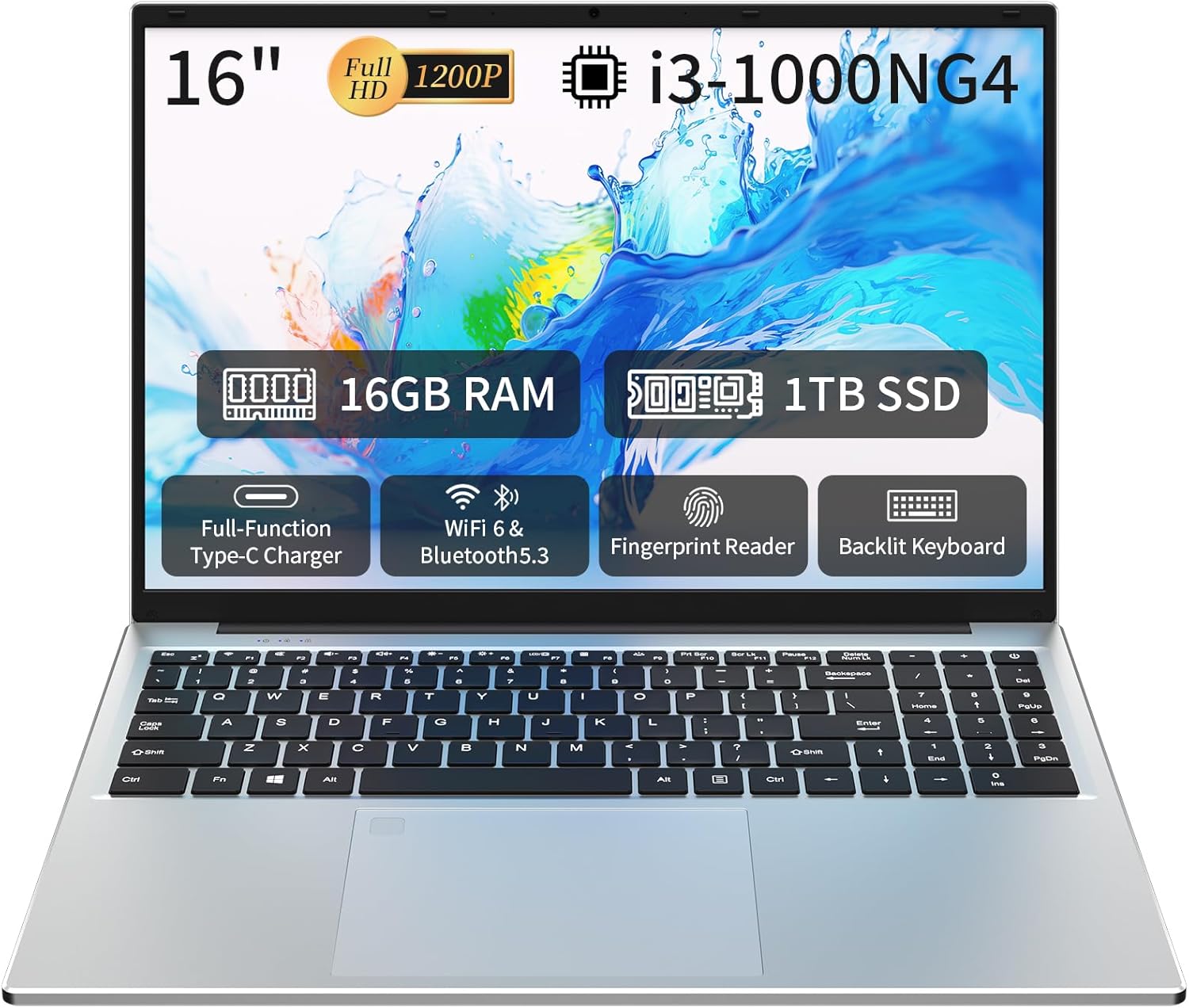
Image: The Auusda 16-inch FHD Laptop, showcasing its 16-inch Full HD display, 16GB RAM, 1TB SSD, i3-1000NG4 processor, Full-Function Type-C port, Wi-Fi 6 & Bluetooth 5.3, Fingerprint Reader, and Backlit Keyboard.
וואָס איז אין די קעסטל
באַשטעטיקן אַז אַלע זאכן זענען פאַראַן אין דער פּאַקאַדזשינג:
- 1 x Auusda 16-inch FHD Laptop
- 1 רענטגענ טשאַרדזשער
- 1 x קלאַוויאַטור קאָווער
- 1 x ינסטרוקטיאָן מאַנואַל

Image: A visual representation of the items included in the product packaging, alongside the laptop's physical dimensions (14.17 x 9.76 x 0.71 inches).
פּראָדוקט איבערview
שליסל פֿעיִקייטן
- פּראַסעסער: Intel Core i3-1000NG4, up to 3.2 GHz
- זכּרון: 16GB DDR4 באַראַן
- סטאָרידזש: 1TB SSD
- ווייַז: 16-inch Full HD (1920x1200) IPS display with 180° viewינג ווינקל
- אַפּערייטינג סיסטעם: Windows 11 פּראָ
- קאַנעקטיוויטי: Wi-Fi 6, בלועטוט 5.3
- פּאָרץ: Full-Function Type-C (charging, data, 4K video), 2x USB 3.0, 1x USB 2.0, Mini HDMI, 3.5mm Standard Headphone Jack, DC 3.5 power input
- זיכערהייט: פינגערפּרינט רידער
- קלאַוויאַטור: Backlit keyboard with numeric keypad
- באַטערי: 5000mAh ליטיום באַטאַרייע (11.4V)
פּראַסעסער און פאָרשטעלונג
The laptop is equipped with an Intel Core i3-1000NG4 processor, providing efficient performance for multitasking and everyday computing tasks. The 16GB DDR4 RAM ensures smooth operation, while the 1TB SSD offers fast boot-up times and ample סטאָרידזש קאַפּאַציטעט.
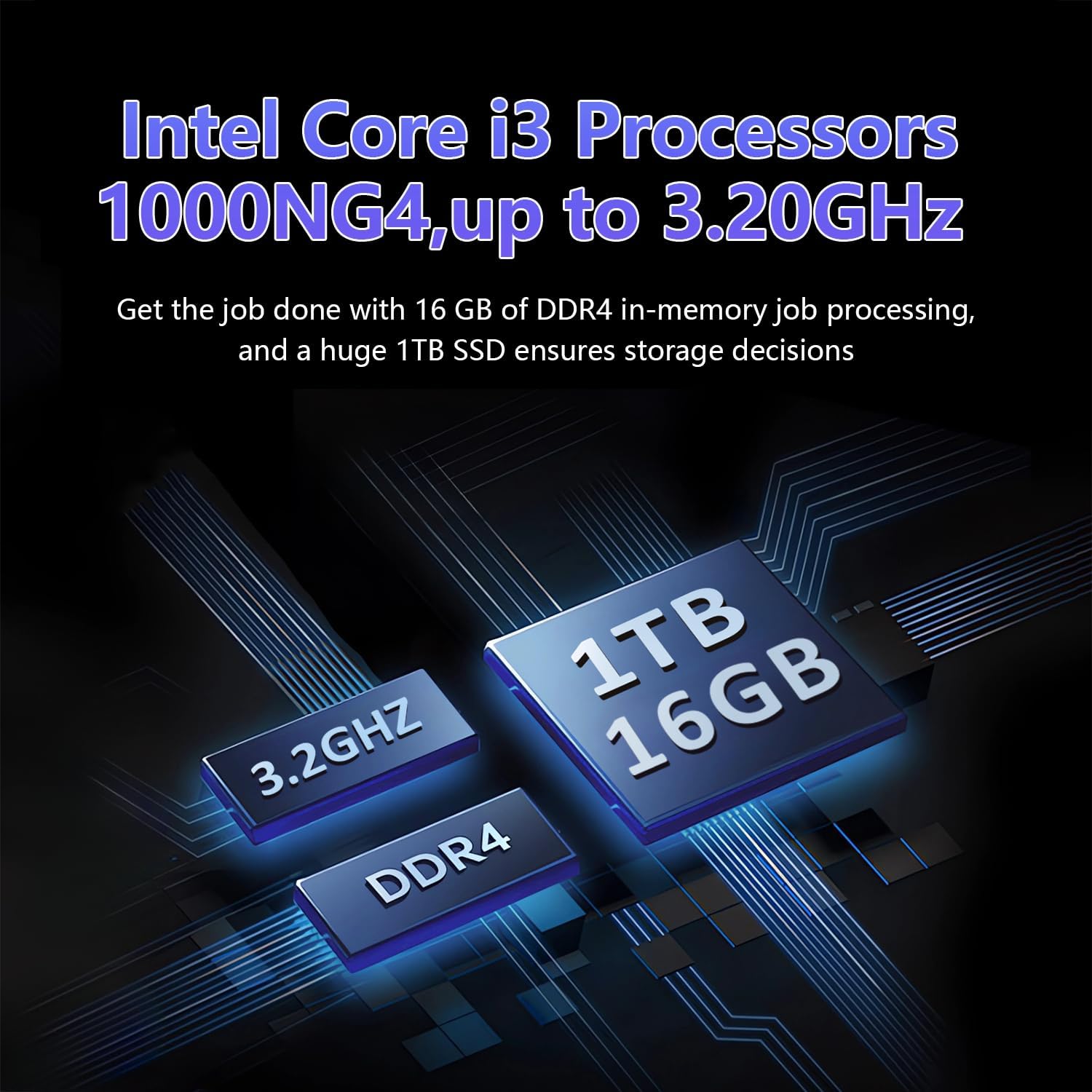
Image: A visual representation of the Intel Core i3-1000NG4 processor, 16GB DDR4 RAM, and 1TB SSD, highlighting their roles in the laptop's performance.
ווייַז
The 16-inch Full HD (1920x1200) IPS display offers clear and vibrant visuals. Its 180° viewing angle allows for flexible positioning and comfortable collaboration.
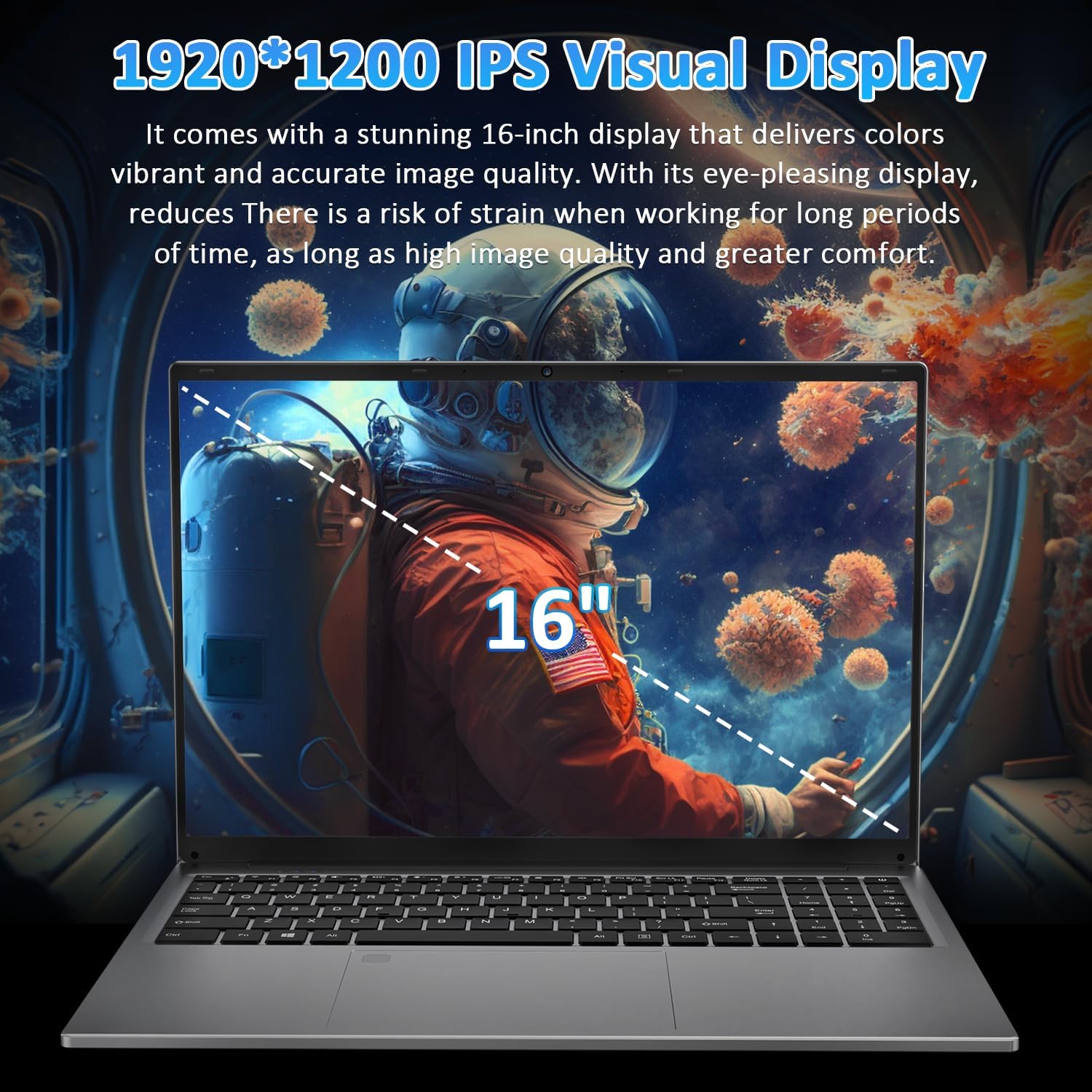
Image: The laptop's 16-inch 1920x1200 IPS display, illustrating its visual quality and size.
פּאָרץ און קאַנעקטיוויטי
The laptop features a variety of ports for versatile connectivity, including a Full-Function Type-C port for charging, data transfer, and 4K video output. Dual USB 3.0 ports, a USB 2.0 port, a Mini HDMI port, and a 3.5mm headphone jack are also available.
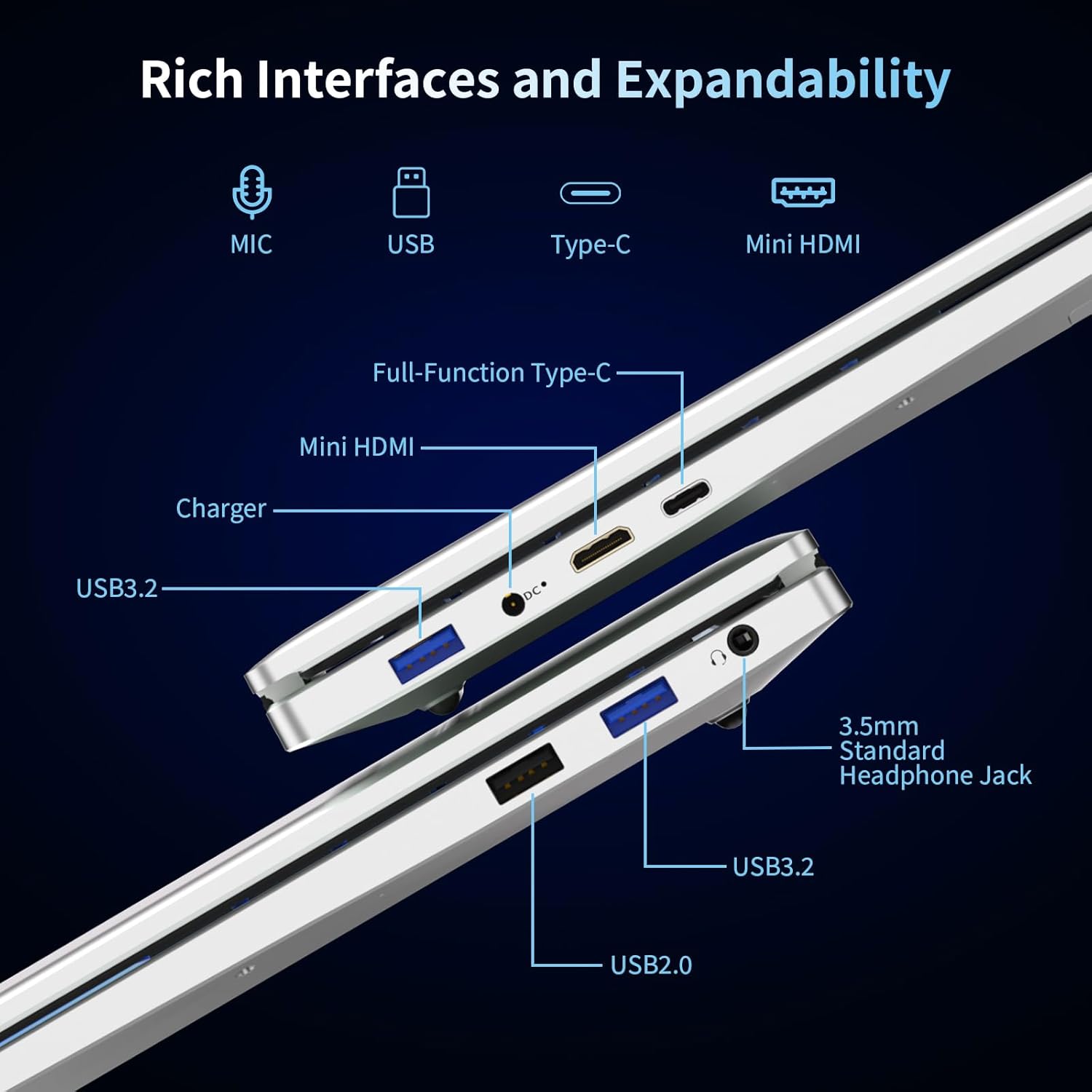
בילד: א דעטאַלירטע view of the laptop's left and right sides, showing the arrangement and types of available ports for external connections.
Keyboard and Security
The integrated backlit keyboard enhances typing in low-light conditions. A dedicated numeric keypad is included for data entry. For enhanced security, the laptop features a fingerprint reader for quick and secure access.

Image: The laptop's keyboard area, illustrating the backlit keys, integrated numeric keypad, and the fingerprint unlock sensor.
באַטערי
The laptop is powered by a 5000mAh Lithium battery, designed to provide extended usage time.

Image: The laptop with an overlay indicating its 5000mAh battery capacity and 11.4V rating.
סעטאַפּ
1. ערשטע אויפלאָדונג
- Connect the provided charger to the laptop's DC 3.5 power input port.
- צאַפּן די טשאַרדזשער אין אַ מאַכט ווענטיל.
- לאָזט דעם לאַפּטאָפּ זיך אויפלאָדן פֿאַר לפּחות 30 מינוט איידער דער ערשטער באַניץ, אָדער ביז דער באַטאַרייע אינדיקאַטאָר ווײַזט אַ גענוגיקע אָפּצאָל.
2. פּאַוערינג אויף
- עפענען די לאַפּטאַפּ דעקל.
- דריק דעם מאַכט קנעפּל וואָס געפינט זיך אויף דער קלאַוויאַטור.
- פֿאָלגט די אינסטרוקציעס אויף דעם עקראַן צו פֿאַרענדיקן די ערשטע סעטאַפּ פֿון Windows 11 Pro, אַרייַנגערעכנט שפּראַך אויסוואַל, נעץ פֿאַרבינדונג און באַניצער אַקאַונט שאַפונג.
אַפּערייטינג ינסטראַקשאַנז
ניצן ווינדאָוס 11 פּראָ
Your laptop comes pre-installed with Windows 11 Pro. Familiarize yourself with the operating system's interface and features. Microsoft provides extensive online documentation and tutorials for Windows 11.
קאַנעקטינג צו Wi-Fi
- דריקט דעם Wi-Fi בילדל אין דער טאַסקבאַר.
- אויסקלייבן אייער געוואונטשענע נעץ פון דער ליסטע.
- אַרייַן די נעץ פּאַראָל אויב געבעטן און גיט 'פאַרבינדן'.
ניצן בלועטאָאָטה דעוויסעס
- גיי צו 'סעטטינגס' > 'בלוטעט און דעווייסעס'.
- זיכער מאַכן אַז בלועטוט איז אַקטיוויזירט.
- Select 'Add device' and follow the instructions to pair your Bluetooth device.
פינגערפּרינט רידער
To set up fingerprint login:
- Go to 'Settings' > 'Accounts' > 'Sign-in options'.
- Under 'Windows Hello Fingerprint', click 'Set up' and follow the on-screen prompts to register your fingerprint.
באַקלייט קיבאָרד
The backlit keyboard can be toggled on or off, and its brightness adjusted, using specific function keys (refer to your keyboard layout for the exact key combination, often Fn + F key).
קאַנעקטינג פונדרויסנדיק דיספּלייז
Use the Mini HDMI port or the Full-Function Type-C port to connect an external monitor or projector. Press ווינדאָוס קנעפּל + פּ to select display modes (Duplicate, Extend, Second screen only).

בילד: עקסamples of the laptop's versatility in various usage scenarios, including office tasks, daily browsing, online education, and gaming.
וישאַלט
רייניקונג
- ניצט אַ ווייכן, לינט-פֿרייע שטאָף צו רייניקן דעם עקראַן און די אויסערלעכע ייבערפֿלאַכן.
- פֿאַר שווערע מאַרקן, אַ ביסל דampווישט דעם שטאָף מיט וואַסער אָדער אַ פאַרשטעלן רייניגער. פֿאַרמייַדט שטרענגע כעמיקאַליעס.
- זייט זיכער אז דער לאַפּטאַפּ איז אויסגעלאָשן און נישט אַרויסגעטראָגן פון דער פּלאַטע איידער איר רייניקט עס.
באַטערי קער
- פֿאַרמײַדט אָפֿט פֿולשטענדיק אויסצולאָדן די באַטעריע.
- Store the laptop in a cool, dry place if not used for extended periods, with the battery charged to about 50%.
- ניצן בלויז די צוגעשטעלט טשאַרדזשער.
ווייכווארג דערהייַנטיקונגען
קאָנטראָלירט און אינסטאַלירט רעגולער Windows דערהייַנטיקונגען צו ענשור סיסטעם פעסטקייט, זיכערהייט און פאָרשטעלונג.
טראָובלעשאָאָטינג
לאַפּטאָפּ גייט נישט אָן
- זייט זיכער אז דער טשאַרדזשער איז זיכער פארבונדן סיי צום לאַפּטאַפּ און סיי צו אַ ארבעטנדיקן עלעקטרישן ווענטיל.
- באַשטעטיקן אַז די עלעקטרישע ווענטיל אַרבעט דורך אַרײַנשטעקן אַן אַנדער דעוויס.
- Allow the laptop to charge for some time before attempting to power it on again.
קיין Wi-Fi קאַנעקשאַן
- קוק אויב Wi-Fi איז ענייבאַלד אין די ווינדאָוז סעטטינגס.
- ריסטאַרט דיין ראַוטער און מאָדעם.
- Ensure you are selecting the correct network and entering the correct password.
Screen is Blank or Flickering
- ריסטאַרט די לאַפּטאַפּ.
- If an external display is connected, try disconnecting it.
- Update your display drivers through Windows Update or the manufacturer's webפּלאַץ.
פּאַמעלעך פאָרשטעלונג
- שליסט אומנייטיקע אַפּליקאַציעס וואָס לויפן אין הינטערגרונט.
- קוקט נאָך און אינסטאַלירט אַלע וואַרטנדיקע ווינדאָוז דערהייַנטיקונגען.
- פירט אויס א דיסק רייניקונג און דעפראַגמענטאַציע (פֿאַר האַרט דיסק, נישט נייטיק פֿאַר ססד).
- סקענען פֿאַר מאַלוואַרע אָדער ווירוסן.
ספּעסאַפאַקיישאַנז
| שטריך | באַשרייַבונג |
|---|---|
| מאָדעל נאָמען | T161N |
| פּראַסעסער | Intel Core i3-1000NG4 (up to 3.2 GHz) |
| באַראַן | 16GB DDR4 SDRAM |
| שווער דרייוו | 1TB SSD |
| פאַרשטעלן גרייס | 16 אינטשעס |
| ווייַז האַכלאָטע | Full HD (1920x1200) IPS |
| גראַפיקס קאָופּראַסעסער | Iris Plus Graphics G4 48EUs |
| אָפּערייטינג סיסטעם | Windows 11 פּראָ |
| ווירעלעסס קאַנעקטיוויטי | Wi-Fi 6, בלועטוט 5.3 |
| פּאָרץ | Full-Function Type-C, 2x USB 3.0, 1x USB 2.0, Mini HDMI, 3.5mm Headphone Jack, DC 3.5 |
| באַטערי | 5000mAh ליטיום באַטאַרייע (11.4V) |
| פּונקט וואָג | 5.26 פונט |
| פּראָדוקט דימענשאַנז | 14.17 X 9.76 X 0.71 אינטשעס |
| קאָליר | זילבער |
וואָראַנטי און שטיצן
פאַבריקאַנט'ס וואָראַנטי
Your Auusda laptop comes with a 2-יאָר פאַבריקאַנט ס וואָראַנטי. This warranty covers defects in materials and workmanship under normal use. Additionally, a 90-טאָגיקע פּראָבלעם-פֿרײַע צוריקקער פּאָליטיק is provided for your peace of mind.
עקסטענדעד שטיצן
הנאה 3-month extended support and access to 24-שעה קונה דינסט צו העלפֿן אײַך מיט יעדע פֿראַגע אָדער פּראָבלעם.
קאָנטאַקט שטיצן
For support, please provide your order number and a video demonstrating the problem to the following email address:
בליצפּאָסט: Auusda.ltd@gmail.com
Alternatively, you can log in to your Amazon account, navigate to 'Your Orders', and select 'Ask questions' for assistance.


