1. הקדמה
This manual provides essential information for the safe and efficient operation of your Anern 4200W Hybrid Solar Inverter. Please read this manual thoroughly before installation and use. Keep it for future reference.
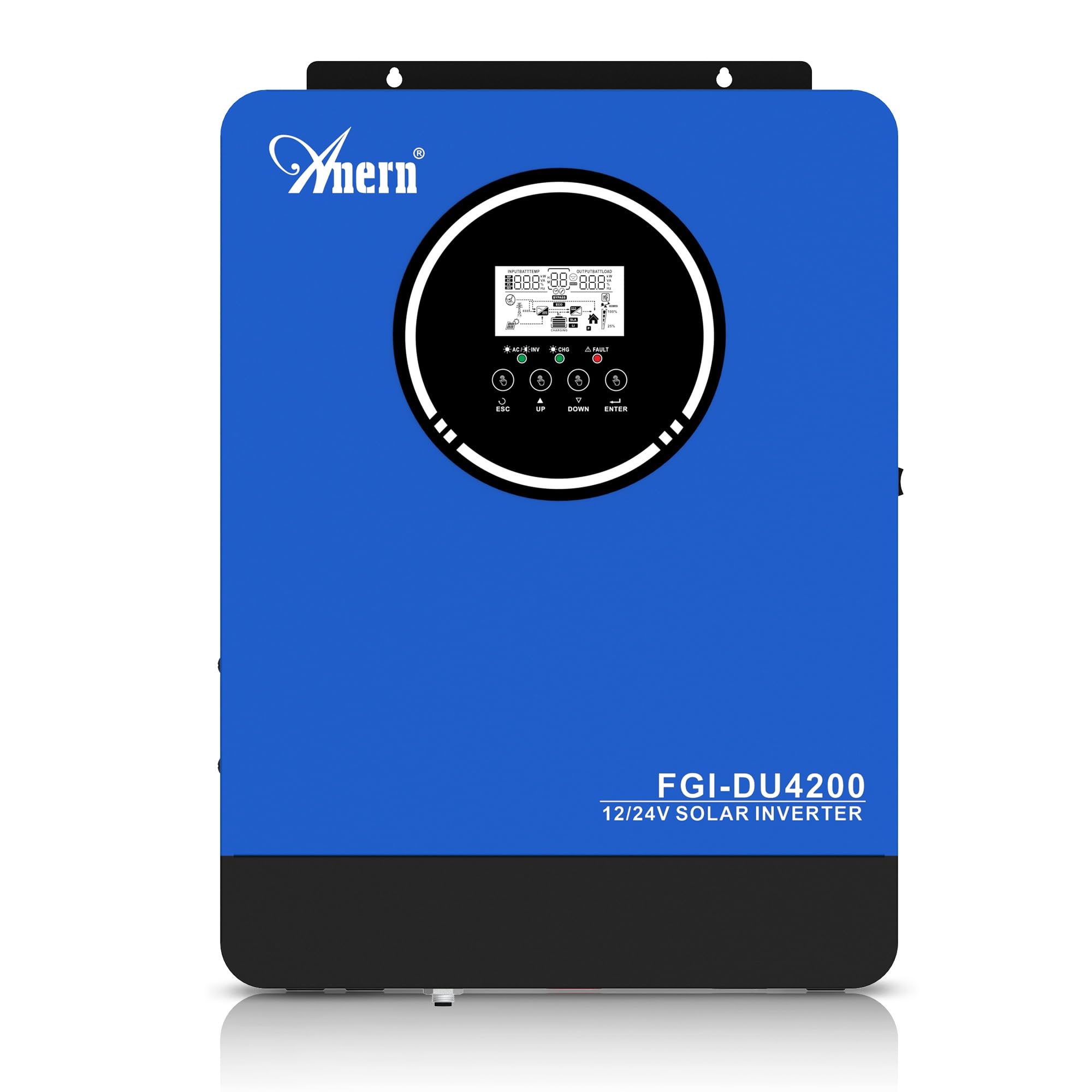
Figure 1: Anern 4200W Hybrid Solar Inverter. This image displays the main unit of the inverter, highlighting its key specifications such as 100A AC charging current, 4200W rated output power, and 500 VDC maximum PV array voltage.
2. זיכערקייַט אינסטרוקציעס
שטענדיק אָבסערווירן די פאלגענדע זיכערהייט מיטלען צו רעדוצירן דעם ריזיקע פון עלעקטרישן קלאַפּ, פייַער אָדער שאָדן:
- ייַנמאָנטירונג מוזן זיין דורכגעקאָכט דורך קוואַלאַפייד פּערסאַנעל.
- Ensure all wiring is correctly connected and equipped with appropriate protective switches.
- נעמט נישט אויס דעם אינווערטער. עס זענען נישטאָ קיין טיילן אינעווייניק וואָס קענען דורכן באַניצער ווערן סערוויסט.
- פֿאַרמײַדט אויסשטעלן דעם ינווערטער צו רעגן, שניי, שפּריץ, אָדער קיין פֿליסיקייטן.
- זיכער מאַכן גענוג ווענטילאַציע אַרום דעם ינווערטער צו פאַרמייַדן איבערהיצונג.
- דיסקאָנעקט אַלע מאַכט קוואלן (PV, באַטאַרייע, יוטיליטי) איידער איר דורכפירן קיין וישאַלט אָדער וויירינג.
3. פּראָדוקט איבערview
The Anern 4200W Hybrid Solar Inverter is designed to convert DC power from solar panels and batteries into AC power for household use. It features an integrated 100A MPPT solar charge controller and supports both 12V and 24V battery systems with automatic detection.
שליסל פֿעיִקייטן:
- 4200 וואט ריין סינוס כוואַליע רעזולטאַט: Provides stable and clean power for sensitive electronics.
- 100A MPPT Solar Charge Controller: מאַקסאַמייזיז מאַכט שניט פון זונ פּאַנאַלז.
- 12V/24V Battery Auto-Detection: Automatically adjusts output based on connected battery voltage.
- BMS Interface: Supports communication with lithium batteries for enhanced monitoring and protection.
- רעאַל-צייט געפירט אַרויסווייַז: Shows system status, operating data, and error codes.
- Configurable Charging & Output Modes: Offers flexibility for various application needs.
- Optional WiFi/GPRS Monitoring: Remote monitoring capability (module sold separately).

Figure 2: Inverter Display and Controls. This image illustrates the inverter's LCD display, function buttons for configuration, and the optional WiFi module for remote monitoring.
4. סעטאַפּ און ייַנמאָנטירונג
4.1 וויירינג דיאַגראַמע
Refer to the electrical schematic for proper system wiring. Ensure all connections are secure and correctly polarized.

Figure 3: Electrical Schematic. This diagram shows the complete wiring for a solar inverter system, including solar panels, combiner box, DC/AC breakers, inverter, utility grid connection, and loads.
4.2 באַטערי קאַנעקשאַן
The inverter supports 12V and 24V battery configurations. It automatically detects the battery voltage and adjusts its output accordingly (2300W for 12V, 4200W for 24V). For 24V systems, connect two 12V batteries in series. For 12V systems, connect batteries in parallel if increasinג קאַפּאַציטעט.

Figure 4: Battery Connection Options. This image illustrates how to connect batteries for 12V (parallel connection for 2300W output) and 24V (series connection for 4200W output) systems.
The inverter also supports lithium batteries and includes a BMS (Battery Management System) interface for monitoring and protection. Ensure the BMS is properly connected if using lithium batteries.

Figure 5: Communication Interfaces. This image highlights the dual communication interfaces for BMS (Battery Management System) and optional WiFi module, enabling remote monitoring and battery communication.
4.3 Startup and Shutdown Sequence
סטאַרטאַפּ סיקוואַנס:
- פאַרבינדן די באַטאַרייע.
- קער אויף די ינווערטער.
- Activate the protective switches for PV, Utility, and Loads.
שאַטדאַון סיקוואַנס:
- Deactivate the protective switches for Loads, Utility, and PV.
- קער אַוועק די ינווערטער.
- דיסקאַנעקט די באַטאַרייע.
Important Note: Inductive loads (e.g., motors, refrigerators) may require up to 3 times their rated power for startup. Ensure the inverter's capacity is sufficient to handle these surge loads. Exceeding the inverter's surge capacity can cause damage.
5. אָפּעראַציע
5.1 על-סי-די דיספּלעי און סעטטינגס
The inverter features an LED display that provides real-time system data and operating status. Use the function buttons below the display to navigate menus and configure settings. Settings include battery charging current, AC/solar charging priority, and charging current priority.
5.2 טשאַרדזשינג מאָדעס
The inverter offers four configurable charging modes:
- זונ - פּריאָריטעט: זונ - ענערגיע איז פּרייאָריטעט פֿאַר טשאַרדזשינג.
- בלויז זונשייַן: Only solar power is used for charging.
- נוצלעכקייט פּריאָריטעט: Utility grid power is prioritized for charging.
- Solar + Utility Hybrid: Combines solar and utility power for charging.
5.3 רעזולטאַט מאָדעס
Three output modes are available to adapt to various application needs:
- זונ - פּריאָריטעט (SUB): זונ - ענערגיע איז פּרייאָריטעט פֿאַר לאָודז.
- נוצלעכקייט פּריאָריטעט (USB): Utility grid power is prioritized for loads.
- SBU: Solar, Battery, Utility priority.

Figure 6: Charging and Output Modes. This diagram visually explains the four available charging modes (Solar Charge, Utility Priority, Solar Priority, Hybrid Charge) and three load output modes (PV Priority, Utility Priority, SBU Priority).
5.4 רימאָוט מאָניטאָרינג
The inverter supports remote monitoring via an optional WiFi/GPRS module (sold separately). This allows users to monitor system performance and status from a distance.
6. וישאַלט
רעגולערע אויפהאלטונג גאראנטירט אפטימאלע פאָרשטעלונג און לאַנגלעבעדיקייט פון אייער ינווערטער:
- Keep the inverter clean and free from dust. Use a dry cloth for cleaning.
- ענשור אַז ווענטאַליישאַן אָופּאַנינגז זענען נישט אפגעשטעלט.
- קאָנטראָלירט פּעריִאָדיש אַלע וויירינג פֿאַרבינדונגען פֿאַר שטרענגקייט און וואונדער פֿון קעראָוזשאַן.
- Monitor the battery status, especially if using lithium batteries with the BMS interface, to prevent overcharge or deep discharge.
- Inspect solar panels for dirt or damage that could reduce efficiency.
7. טראָובלעשאָאָטינג
The LED display will show error codes if issues arise. Refer to the inverter's display for specific error codes to diagnose and resolve problems. Common issues and their potential solutions include:
- קיין מאַכט רעזולטאַט: Check battery connections, DC/AC breakers, and inverter power switch.
- נידעריק באַטאַרייע וואָלtage: Ensure batteries are adequately charged. Check charging sources (solar, utility).
- ווארענונג אָווערלאָאַד: Reduce the connected load. Inductive loads may cause temporary overloads during startup.
- איבערהייצונג: Ensure proper ventilation. Clean any dust from the inverter's vents.
- PV אינפוט טעות: Check solar panel connections and voltage. Ensure PV array voltagE איז אין די ספּעסיפיעד קייט (55-500V DC).
For persistent issues or error codes not listed, contact customer support.
8. טעכניש ספּעסאַפאַקיישאַנז
| שטריך | באַשרייַבונג |
|---|---|
| סאָרט | אַנערן |
| מאָדעל נומער | AN-FGI-DU 4200 |
| עלעקטריקאַל מאַכט | 4200 וואטס |
| רעזולטאַט מאַכט | 4500 וואטס |
| Max. Output Power (Watts) | 4200 |
| רעזולטאַט וואַוועפאָרם | ריין סיין וואַווע |
| מאַכט מקור | זונ - פּאַוערד, באַטאַרייע פּאַוערד |
| רעקאָמענדירטע פּראָדוקט ניצט | היים |
| אַרייַנגערעכנט קאַמפּאָונאַנץ | ינסטראַקשאַנז מאַנואַל |
| העסקעם | CE |
| פּראָדוקט דימענשאַנז | 30 X 10 X 40 סענטימעטער; 8.86 קג |
9. וואָראַנטי און שטיצן
For warranty information and technical support, please refer to the documentation provided with your purchase or contact Anern customer service. Keep your purchase receipt as proof of purchase.


