1. הקדמה
The memzuoix C899 Wired Gaming Mouse is engineered for precision and comfort, featuring adjustable DPI settings, dynamic RGB lighting, and an ergonomic design. This manual provides essential instructions for setup, operation, maintenance, and troubleshooting to ensure optimal performance and a satisfying user experience.

בילד 1.1: אויבן view of the memzuoix C899 Wired Gaming Mouse, showcasing its sleek black design and vibrant RGB illumination.
2. פּראָדוקט איבערview
The memzuoix C899 mouse is equipped with features designed to enhance both gaming and general computer use:
- Precision for Gaming: Offers 6 adjustable DPI levels (1200, 2400, 4800, 6400, 9600, and 12800) for customizable sensitivity.
- דינאַמישע RGB לייטינג: Features 12 distinct LED lighting modes, including static, breathing, and rainbow effects, to personalize your setup.
- ערגאָנאָמיק טרייסט: Designed with a non-slip rubber scroll wheel and an ergonomic shape that conforms naturally to your hand, reducing fatigue during extended use.
- לייטווייט און דוראַבאַל: Constructed for quick, smooth movements and long-lasting performance.
- פּלאַג און שפּיל קאָנעקטיוויטי: Ready to use instantly on PC or laptop (Windows/Mac) without requiring driver installation.
- געפלאָכטענע USB קאַבל: Includes a 5.6ft (1.7m) braided USB cable for a stable, lag-free connection.
- Multi-Button Design: Equipped with 6 programmable buttons and an additional button for RGB light mode switching.

Image 2.1: Key features of the memzuoix C899 mouse, including 12800 DPI, 3 million click lifespan, colorful RGB lights, USB plug and play, 7 buttons, 5.6ft braided cable, wide compatibility, and ergonomic design.

Image 2.2: The ergonomic design supports various grip styles, including palm, fingertip, and claw, for comfortable use.
3. סעטאַפּ
The memzuoix C899 Wired Gaming Mouse is designed for simple plug-and-play functionality.
- פאַרבינדן די וסב קאַבלע: Insert the USB-A connector of the mouse's braided cable into an available USB port on your computer (PC or Mac).
- אָטאַמאַטיק דערקענונג: The mouse will be automatically recognized by your operating system (Windows/macOS) without the need for additional driver installations.
- ערשט אַקטאַוויישאַן: The RGB lighting will activate upon successful connection, indicating the mouse is ready for use.
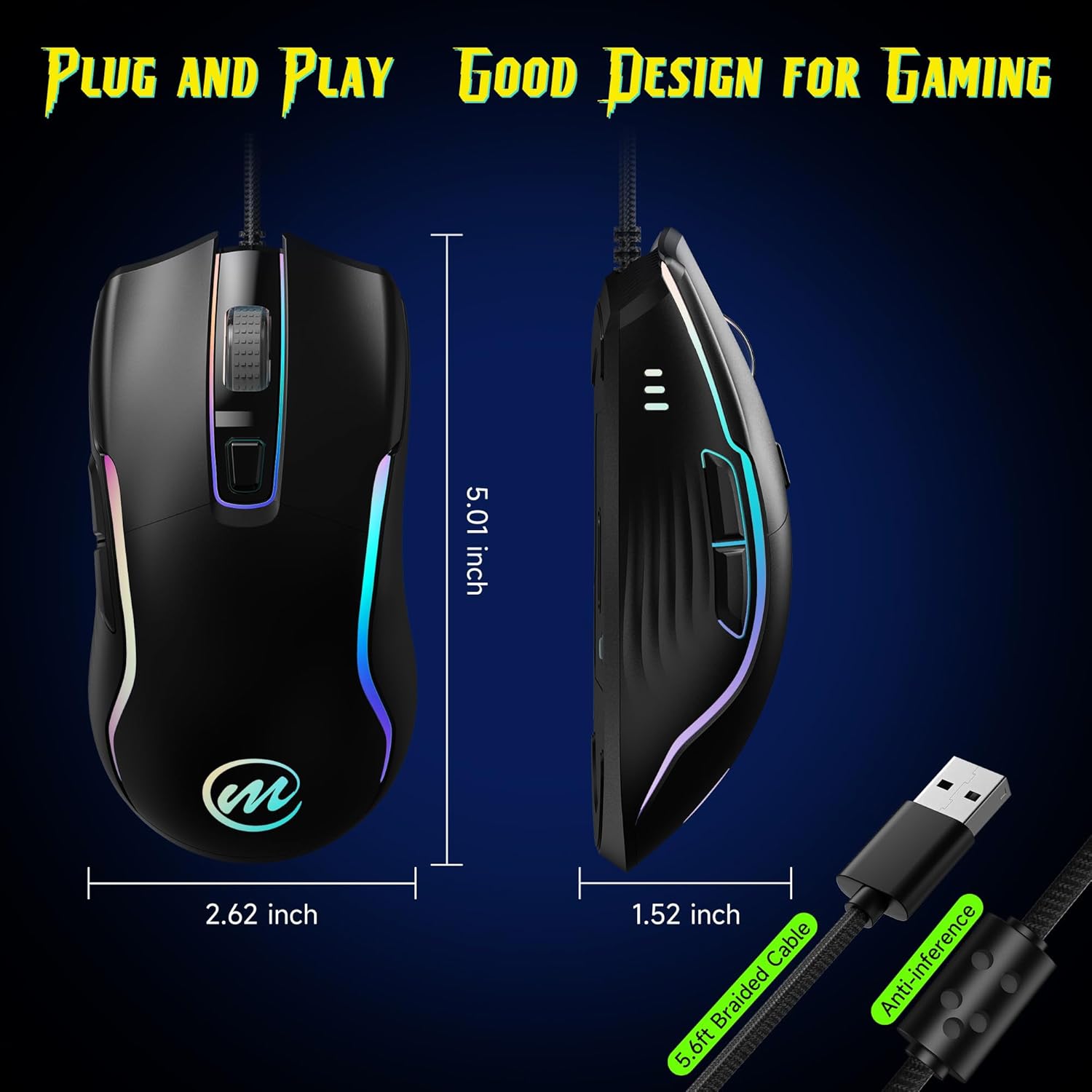
Image 3.1: The mouse features a 5.6ft braided USB cable for reliable plug-and-play connectivity. Dimensions are shown as 5.01 inches length, 2.62 inches width, and 1.52 inches height.
4. אַפּערייטינג ינסטרוקטיאָנס
4.1 דפּי אַדזשאַסטמאַנט
The mouse offers 6 adjustable DPI levels to suit various tasks, from precise aiming in games to fast navigation on the desktop.
- טוישן DPI: דרוק די DPI Adjust Button, located just below the scroll wheel, to cycle through the available DPI settings.
- DPI Level Indicators: Each DPI level is temporarily indicated by a specific LED color on the mouse:
| דפּי מדרגה | ינדיקאַטאָר קאָליר |
|---|---|
| 1200 דפּי | געל |
| 2400 דפּי | בלוי |
| 4800 דפּי | לילאַ |
| 6400 דפּי | גרין |
| 9600 דפּי | רויט |
| 12800 דפּי | סיאַן |
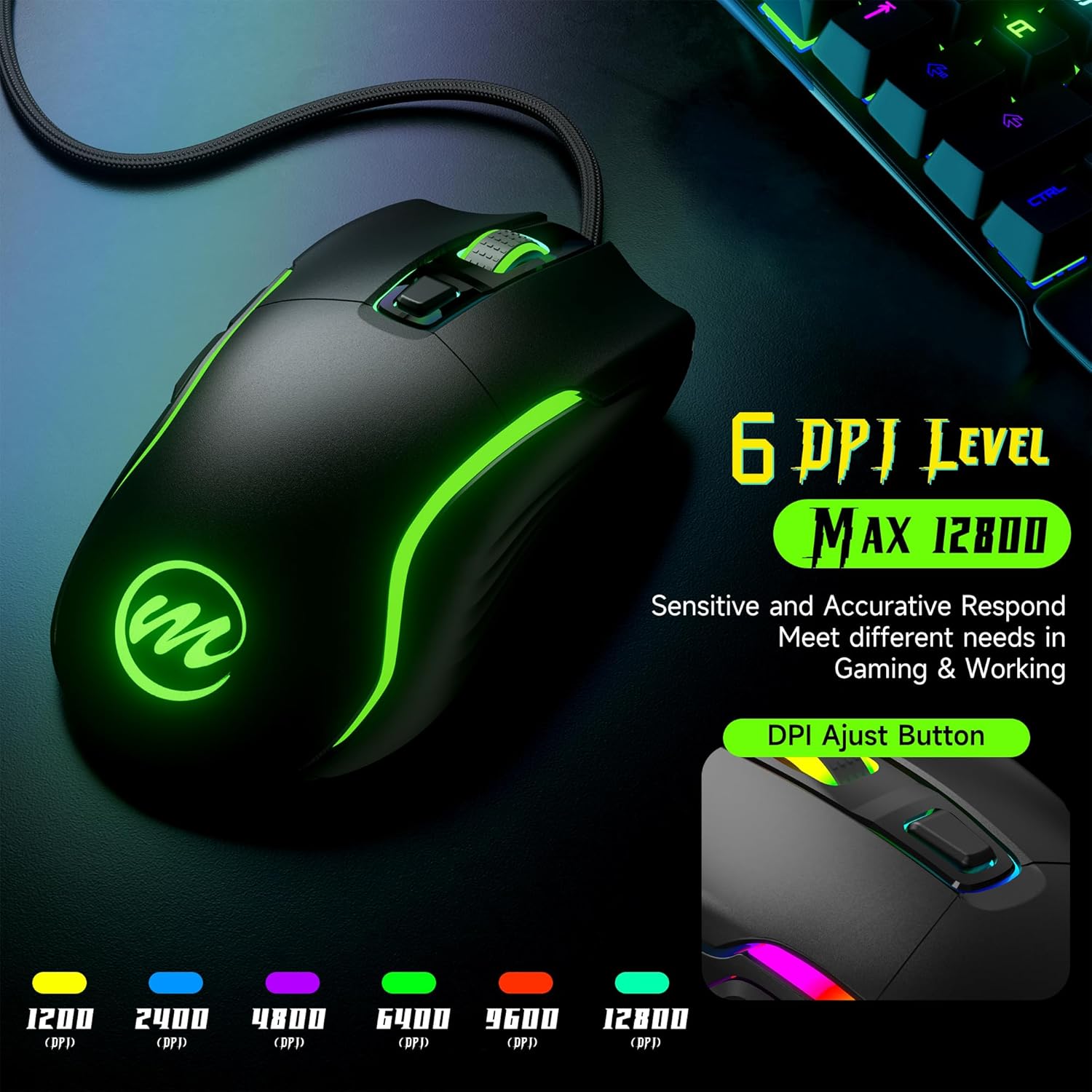
Image 4.1: Visual representation of the 6 adjustable DPI levels and their associated LED indicator colors.
4.2 RGB לייטינג מאָדעס
The mouse features 12 dynamic LED lighting modes to customize its appearance.
- טשאַנגינג מאָדעס: To cycle through the different lighting effects, press the Light RGB Switch Button ליגן אויף דער אונטערשטער זייט פון דער מויז.
- Available Effects: Modes include various static colors, breathing effects, and rainbow patterns. You can also select an option to turn the lights off completely.

Image 4.2: The mouse offers 12 dynamic RGB lighting modes plus an off mode, allowing users to pick their preferred style.
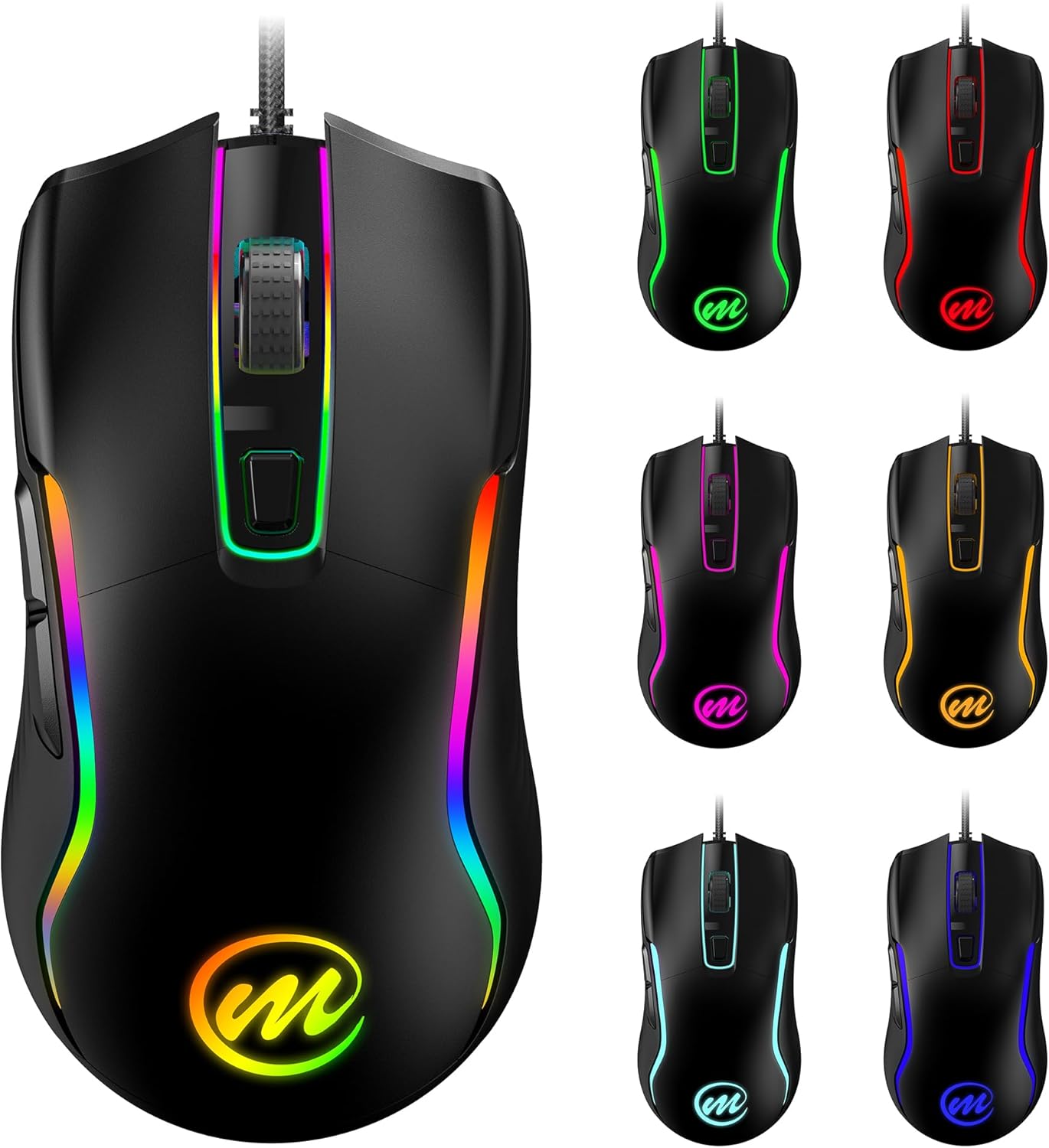
בילד 4.3: עקס.amples of the diverse RGB color options available on the memzuoix C899 mouse.
4.3 קנעפּל פאַנגקשאַנז
The memzuoix C899 mouse features 6 primary buttons for versatile control:
- לינקס קנעפּל: ערשטיק גיט פֿונקציע.
- רעכט קנעפּל: Secondary click function, typically opening context menus.
- סקראָל ראָד: Used for scrolling up/down and acts as a middle click button.
- DPI אַדזשאַסט קנעפּל: Changes the mouse sensitivity (DPI levels).
- פאָרווערטס קנעפּל (זײַט): נאַוויגירט פאָרויס אין web בראַוזערז אָדער אַפּליקאַציעס.
- צוריק קנעפל (זייט): נאַוויגירט צוריק אין web בראַוזערז אָדער אַפּליקאַציעס.

Image 4.4: Labeled diagram illustrating the location of the Left Button, Right Button, Scroll Wheel, DPI Adjust Button, Forward Button, Backward Button, and the Light RGB Switch Button on the underside.
5. וישאַלט
Proper maintenance ensures the longevity and optimal performance of your memzuoix C899 mouse.
- רייניקונג די ייבערפלאַך: Use a soft, dry cloth to gently wipe the mouse surface. For more persistent dirt, a slightly dampened cloth with water can be used. Avoid harsh chemicals, abrasive cleaners, or solvents.
- קאַבלע זאָרגן: Do not sharply bend, twist, or pull the braided USB cable. Store the cable neatly when not in use to prevent tangles and potential damage to the internal wires.
- סענסאָר וישאַלט: Keep the optical sensor on the underside of the mouse clean and free from dust, lint, or debris. A clean sensor ensures accurate tracking.
6. טראָובלעשאָאָטינג
If you encounter issues with your memzuoix C899 mouse, refer to the following common troubleshooting steps:
- מויז ענטפערט נישט:
- זייט זיכער אַז דער USB קאַבל איז זיכער אַרייַנגעשטעקט אין אַ אַרבעטנדיקן USB פּאָרט אויף אייער קאָמפּיוטער.
- פרובירט אריינצושטעקן די מויז אין אן אנדערן USB פארט.
- ריסטאַרט דיין קאָמפּיוטער.
- DPI טוישט זיך נישט:
- Verify you are pressing the correct DPI Adjust Button (below the scroll wheel).
- Observe the LED color change to confirm DPI level adjustment.
- RGB Lights Not Working or Changing:
- Ensure you are pressing the Light RGB Switch Button on the underside of the mouse.
- Cycle through all modes to ensure it is not set to the "lights off" option.
- קורסאָר באַוועגונג פּראָבלעמען:
- רייניקט דעם אָפּטישן סענסאָר אויף דער אונטערשטער טייל פֿון דער מויז.
- זייט זיכער אַז איר ניצט די מויז אויף אַ ריינער, גלייכער ייבערפלאַך (למשל, אַ מויז פּאַד).
- אַדזשאַסטירן די DPI סעטטינגס צו אַ באַקוועם לעוועל.
- קנעפּלעך אַרבעטן נישט:
- Ensure no conflicting software or drivers are installed for other mouse devices.
- Test the mouse on another computer to determine if the issue is system-specific.
7. ספּעסאַפאַקיישאַנז
| שטריך | דעטאַל |
|---|---|
| מאָדעל נומער | C899 |
| קאַנעקטיוויטי | ווייערד וסב |
| דפּי לעוועלס | 1200, 2400, 4800, 6400, 9600, 12800 (Adjustable) |
| קנעפּלעך | 6 programmable buttons + 1 RGB light switch button |
| לייטינג | RGB with 12 dynamic modes |
| קאַבלע לענג | 5.6 ft (1.7 meters) Braided USB Cable |
| באַוועגונג דעטעקשאַן טעכנאָלאָגיע | אָפּטיש |
| פּראָדוקט דימענשאַנז | 5 X 2.62 X 0.1 אינטשעס |
| פּונקט וואָג | 5 אונסעס |
| קאַמפּאַטאַבילאַטי | PC/Mac/Windows (Plug & Play) |
| פאַבריקאַנט | memzuoix |
8. וואָראַנטי און שטיצן
For detailed warranty information, technical assistance, or customer support regarding your memzuoix C899 Wired Gaming Mouse, please refer to the documentation included with your purchase or visit the official memzuoix webזייטל. האַלט דיין קויפן באַווייַז פֿאַר וואָראַנטי קליימז.
