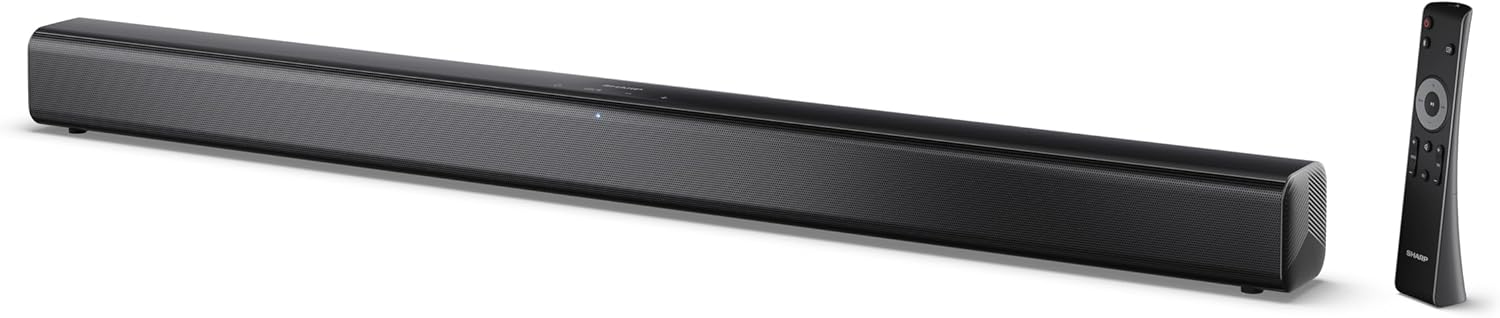
Image 0.1: The SHARP HT-SB145 2.0 Channel Soundbar shown alongside its remote control.
1. הקדמה
This manual provides essential instructions for the safe and efficient operation of your SHARP HT-SB145 2.0 Channel Soundbar. Please read this manual thoroughly before use and retain it for future reference.
2. זיכערקייַט אינפֿאָרמאַציע
אָבסערווירן די פאלגענדע זיכערהייט מיטלען צו פאַרמייַדן עלעקטרישע קלאַפּ, פייַער אָדער שעדיקן צו די אַפּאַראַט:
- שטעלט נישט אויס דעם אפּאַראַט צו טריפֿענישן אָדער שפּריצן.
- דו זאלסט נישט שטעלן אַבדזשעקץ אָנגעפילט מיט ליקווידס, אַזאַ ווי וואַסעס, אויף דעם אַפּאַראַט.
- זיכער מאַכן אַז עס איז דאָ גענוג ווענטילאַציע. נישט פֿאַרשטאָפּן די ווענטילאַציע עפענונגען.
- דו זאלסט נישט ינסטאַלירן לעבן קיין היץ קוואלן אַזאַ ווי ראַדיאַטאָרס, היץ רעדזשיסטערז, סטאָוווז אָדער אנדערע אַפּאַראַט (אַרייַנגערעכנט ampליפיערס) וואָס פּראָדוצירן היץ.
- באַשיצן די מאַכט שנור פון גיין אויף אָדער פּינטשעד.
- נאָר נוצן אַטאַטשמאַנץ / אַקסעסעריז ספּעסיפיעד דורך דער פאַבריקאַנט.
- אָפּשטויסן דעם אַפּאַראַט בעשאַס בליץ סטאָרמז אָדער ווען אַניוזד פֿאַר לאַנג פּיריאַדז.
- אָפּשיקן אַלע סערוויסעס צו קוואַלאַפייד סערוויס פּערסאַנעל.
3. פּעקל אינהאַלט
באַשטעטיקט אַז אַלע זאכן וואָס זענען אויסגערעכנט אונטן זענען אַרייַנגערעכנט אין אייער פּעקל:
- שאַרפּ HT-SB145 סאַונדבאַר
- ווייַט קאָנטראָל
- מאַכט קאַבלע
- וואנט בארג בראַקאַץ (2)
- Screws and Wall Plugs (for mounting)
- AAA באַטעריז (2)
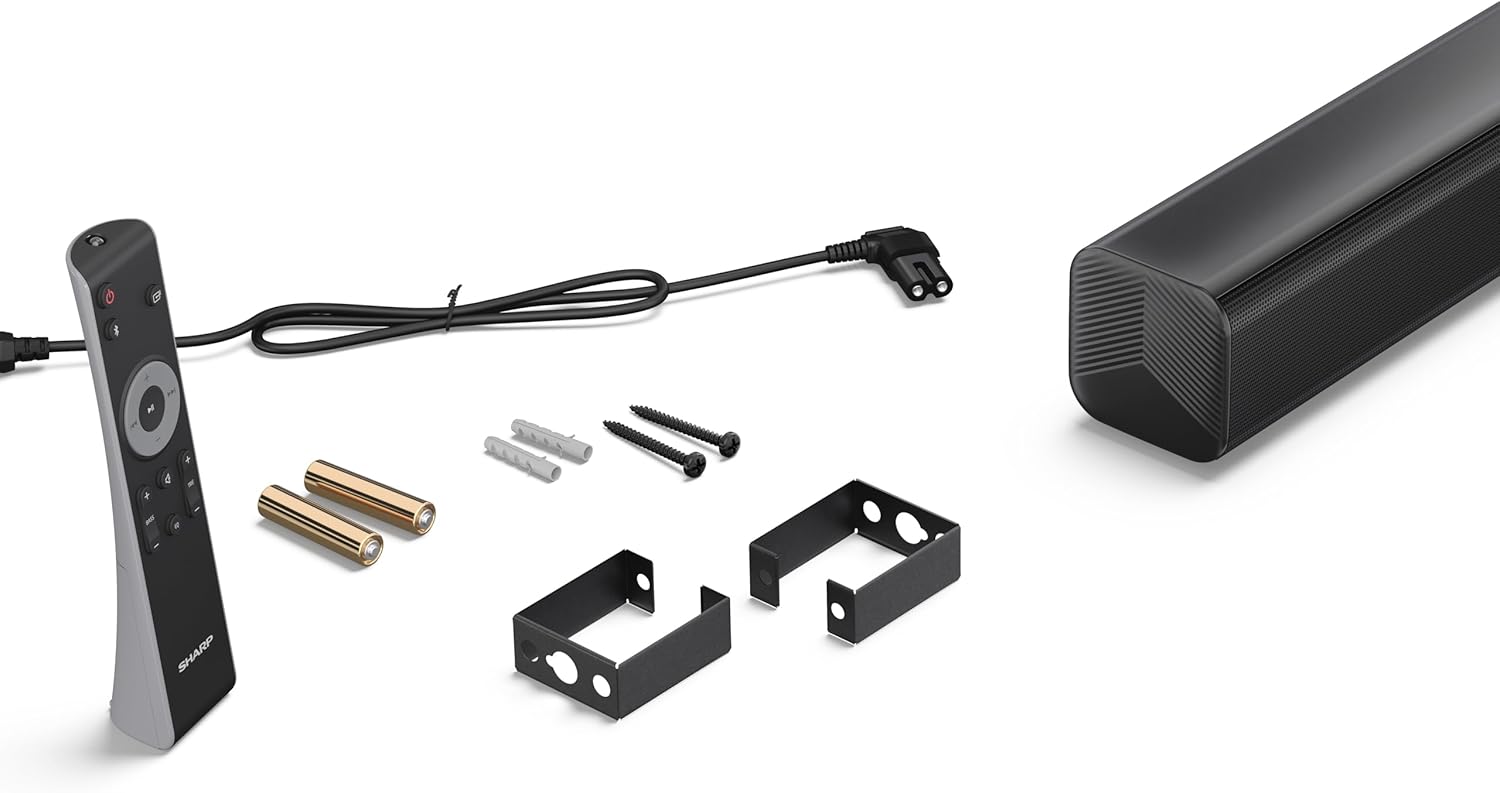
Image 3.1: Contents of the SHARP HT-SB145 Soundbar package, including the soundbar, remote control, power cable, wall mount brackets, screws, and two AAA batteries.
4. פּראָדוקט איבערview
4.1 פראָנט און אויבן View

בילד 4.1: פראָנט view of the SHARP HT-SB145 Soundbar, showcasing the speaker grille and the central LED indicator.
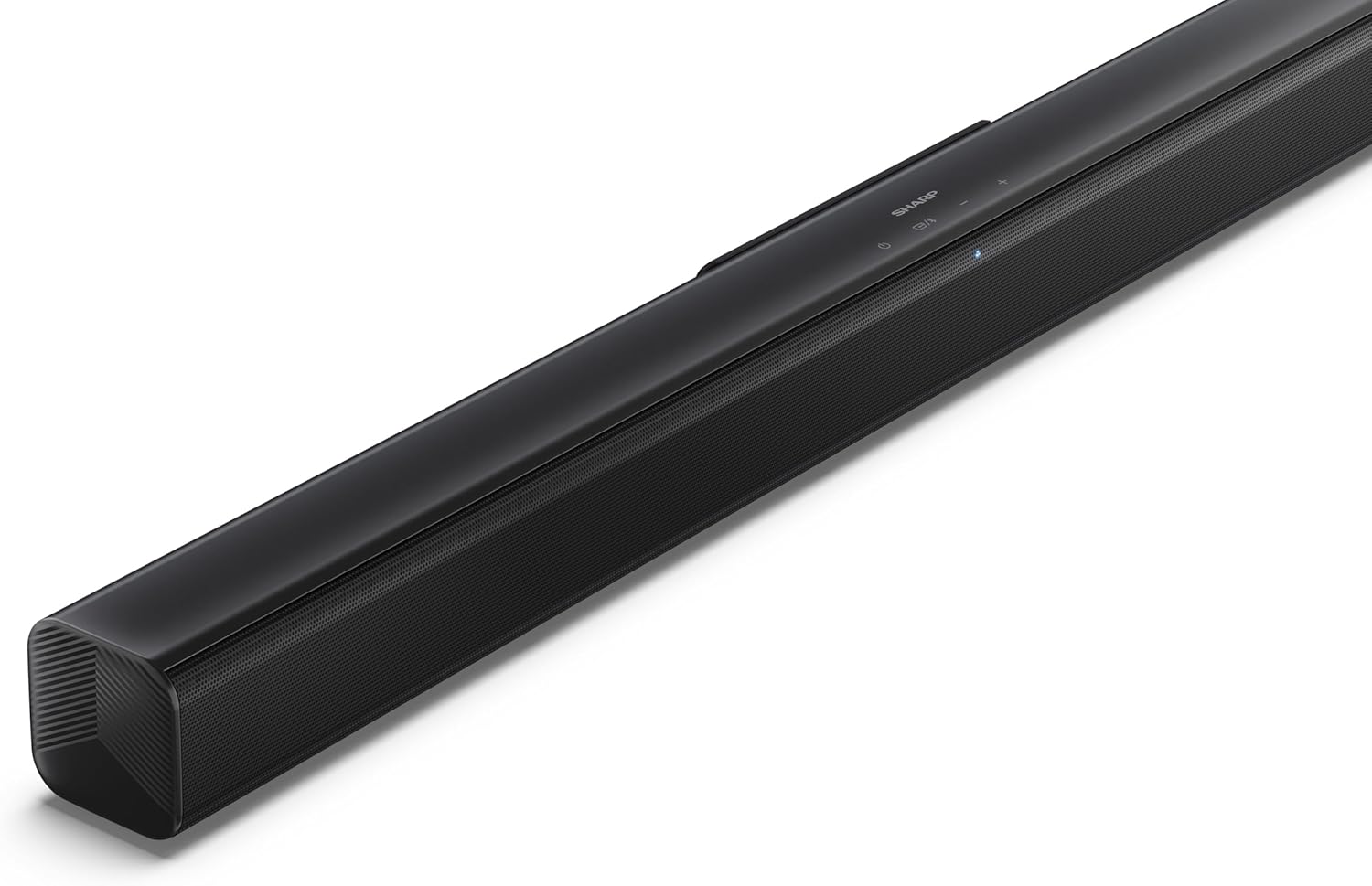
Image 4.2: Angled top view of the soundbar, highlighting the integrated control buttons for power, source selection, and volume adjustment, along with the SHARP logo.

Image 4.3: Close-up of the top-mounted control panel, showing the power button, source/Bluetooth button, and volume up/down buttons.
4.2 דערציען פּאַנעל קאַנעקשאַנז

בילד 4.4: דערציען view of the soundbar, displaying the various input ports and power connection.

בילד 4.5: דעטאַלירט view of the rear panel connections, including OPTICAL input, USB port (5V 500mA), AUX input, and HDMI ARC (TV) port.
5. סעטאַפּ
5.1 פּלאַצירונג אָפּציעס
The SHARP HT-SB145 Soundbar offers flexible placement options:
- טאַבלעטאָפּ אָרט: Place the soundbar on a stable, flat surface in front of your TV. Ensure it does not obstruct the TV's remote sensor.
- וואַנט מאָונטינג: Use the provided wall mount brackets to attach the soundbar to a wall below your TV. Refer to section 5.4 for detailed wall mounting instructions.

Image 5.1: The soundbar positioned on a media console beneath a television, demonstrating a typical tabletop setup.
5.2 קאַנעקטינג צו מאַכט
- Connect the power cable to the AC IN port on the rear of the soundbar.
- שטעקט אריין דעם אנדערן עק פונעם עלעקטרישן קאבל אין א וואנט ווענטיל.
5.3 אַודיאָ קאַנעקשאַנז
Choose one of the following methods to connect the soundbar to your TV or other audio source:
- HDMI ARC/CEC (Recommended):
Connect an HDMI cable (not included) from the HDMI ARC port on the soundbar to the HDMI ARC port on your TV. This connection allows for audio return and control via your TV remote.
- אָפּטיש:
Connect an optical cable (not included) from the OPTICAL port on the soundbar to the optical digital output on your TV or audio source.
- AUX:
Connect a 3.5mm audio cable (not included) from the AUX port on the soundbar to the headphone jack or audio output on your TV or audio source.
5.4 וואנט מאָונטינג
פֿאָלגט די סטעפּס פֿאַר זיכערע וואַנט-מאָנטירונג:
- Determine the desired mounting location on the wall, ensuring it is level and within reach of power and audio cables.
- Mark the positions for the two wall mount brackets using a pencil. The distance between the brackets should match the mounting points on the soundbar.
- Drill pilot holes at the marked positions. Insert the wall plugs if mounting into drywall or plaster.
- באַפֿעסטיקן די וואַנט מאָונט קלאַמערן צו דער וואַנט מיט די צוגעשטעלטע שרויפֿן.
- Carefully attach the soundbar to the mounted brackets. Ensure it is securely seated.
6. אַפּערייטינג ינסטרוקטיאָנס
6.1 מאַכט אויף / אַוועק
- דרוק די מאַכט קנעפּל אויף דער סאַונדבאַר אָדער ווײַטקאָנטראָל צו דרייען דעם אַפּאַראַט אָן אָדער אויס.
6.2 מקור סעלעקציע
דרוק די מקור button on the soundbar or remote control repeatedly to cycle through the available input sources:
- הדמי קרייַזבויגן: For audio from a TV connected via HDMI ARC.
- אָפּטיש: For audio from a device connected via optical cable.
- AUX: For audio from a device connected via 3.5mm audio cable.
- בלועטאָאָטה: פֿאַר וויירלעס אַודיאָ סטרימינג.
- וסב: For audio playback from a USB drive.
6.3 באַנד קאָנטראָל
- דרוק די באנד + קנעפּל צו פאַרגרעסערן די באַנד.
- דרוק די באַנד - קנעפּל צו פאַרמינערן די באַנד.
6.4 בלועטאָאָטה פּערינג
- Turn on the soundbar and select the Bluetooth source. The LED indicator will flash, indicating pairing mode.
- אַקטיווירן בלועטוט אויף דיין סמאַרטפאָון, טאַבלעט, אָדער אַנדער מיטל.
- זוכן פֿאַר "SHARP HT-SB145" in your device's Bluetooth list and select it to pair.
- Once paired, the LED indicator on the soundbar will glow steadily. You can now stream audio wirelessly.
6.5 יו-עס-בי פּלייבּעק
The soundbar supports MP3/WAV audio playback from a USB drive.
- Insert a USB drive containing MP3/WAV audio files into the USB port on the rear of the soundbar.
- Select the USB source using the Source button.
- Playback will begin automatically. Use the remote control to navigate tracks (if supported).
The USB port also provides 5V 500mA for charging compatible devices.
7. וישאַלט
- רייניקונג: ניצט אַ ווייכע, טרוקענע שטאָף צו רייניקן די ייבערפלאַך פון דער סאַונדבאַר. ניצט נישט פליסיקע רייניקונגסמיטלען אָדער שברייענדע מאַטעריאַלן.
- סטאָרידזש: אויב איר לייגט דאָס אַפּאַראַט אַוועק פֿאַר אַ לענגערע צייט, נעמט עס אַרויס פֿון דער עלעקטרישער אַוטלעט און לייגט עס אַוועק אין אַ קיל, טרוקן אָרט.
8. טראָובלעשאָאָטינג
| פּראָבלעם | מעגלעך סיבה | לייזונג |
|---|---|---|
| קיין מאַכט | Power cable not connected or outlet not active. | זיכער מאַכן אַז דער מאַכט קאַבל איז זיכער פארבונדן און די ווענטיל אַרבעט. |
| קיין געזונט | Incorrect input source selected, volume too low, or cable connection issue. | Select the correct input source. Increase volume. Check audio cable connections. |
| בלועטאָאָטה פּערינג פיילז | Soundbar not in pairing mode, or device too far. | Ensure soundbar is in Bluetooth pairing mode (flashing LED). Move device closer. Try re-pairing. |
| ווייַט קאָנטראָל נישט ארבעטן | Batteries depleted or obstructed signal. | Replace batteries. Ensure no obstructions between remote and soundbar. |
9. ספּעסאַפאַקיישאַנז
| שטריך | דעטאַל |
|---|---|
| מאָדעל נאָמען | הט-סב 145 |
| רעדנער טיפּ | סאָונדבאַר |
| טשאַנאַלז | 2.0 קאַנאַל |
| מאַקס רעזולטאַט מאַכט | 150 וואטס |
| בלועטאָאָטה ווערסיע | 5.3 |
| קאַנעקטיוויטי | HDMI ARC/CEC, Optical, AUX, Bluetooth, USB |
| וסב פּלייַבאַקק | MP3 / WAV |
| וסב טשאַרדזשינג רעזולטאַט | 5 וו 500 מאַ |
| פּראָדוקט דימענשאַנז (L x W x H) | 80 סענטימעטער X 6.2 סענטימעטער X 6.3 סענטימעטער (31.5 אין X 2.4 אין X 2.5 אין) |
| פּונקט וואָג | 1.4 קילאָגראַמס (3.1 לבס) |
| אַרייַנגערעכנט קאַמפּאָונאַנץ | Remote Control, Power Cable, Wall Mount Brackets, AAA Batteries |

Image 9.1: Diagram illustrating the dimensions of the SHARP HT-SB145 Soundbar: 800mm length, 63mm height, and 63mm depth.
10. וואָראַנטי און שטיצן
For warranty information and technical support, please refer to the warranty card included with your product or visit the official Sharp webזייטל. האַלט דיין קויפן באַווייַז פֿאַר וואָראַנטי קליימז.
For further assistance, contact Sharp customer service.


