1. הקדמה
Thank you for choosing the ROCAM Emergency Solar Radio CR1030. This versatile device is designed to provide reliable communication, light, and power in various situations, including emergencies, outdoor activities, and power outages. It features multiple charging methods, a powerful LED flashlight, a reading lamp, an SOS alarm, and a robust power bank function.
ביטע ליינט דעם מאַנואַל גרינטלעך איידער איר ניצט דעם פּראָדוקט צו ענשור געהעריק אָפּעראַציע און צו מאַקסאַמיזירן זיין לעבן.
2. פּראָדוקט איבערview
The ROCAM CR1030 is an essential tool for preparedness, offering a range of features to keep you informed and powered.
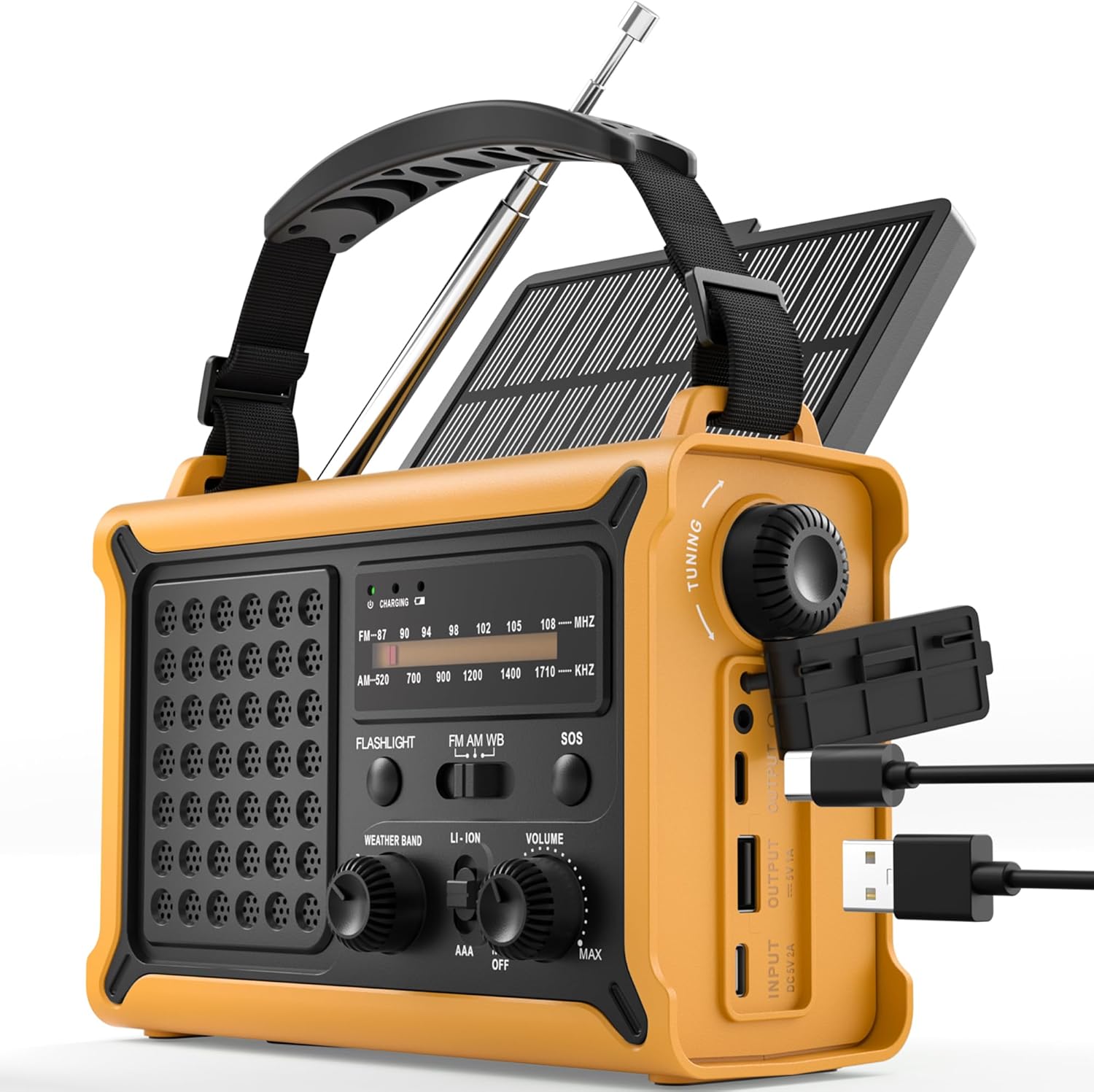
פיגורע 1: פראָנט view of the ROCAM Emergency Solar Radio CR1030, showcasing its compact and rugged design with integrated solar panel and controls.
שליסל פֿעיִקייטן:
- עטלעכע מאַכט קוואלן: Rechargeable via solar panel, hand crank, USB-C input, or 3 AAA batteries (not included).
- הויך-קאַפּאַציטעט מאַכט באַנק: Integrated 12000mAh battery to charge smartphones and other USB devices.
- AM/FM ראַדיאָ: Enhanced reception with a high-sensitivity chip and 360° antenna for clear audio.
- צווייענדיק לייטינג: Powerful 5W LED flashlight and a soft reading lamp for versatile illumination.
- Emergency SOS Alarm: 120 dB siren with flashing light for signaling in distress.
- דוראַבאַל פּלאַן: IPX6 waterproof rating and ergonomic, full-size construction for easy handling.

פיגורע 2: Illustration of the radio's dual power capabilities, highlighting the solar panel and hand crank for emergency charging.

פיגורע 3: Depicts the SOS alarm function, the 12000mAh power bank charging a phone, and the radio's role in staying informed during emergencies.
3. סעטאַפּ
3.1 אַרייַנגערעכנטע קאָמפּאָנענטן

פיגורע 4: The radio, Type-C charging cable, user manual, and portable strap are included in the package.
Before first use, please ensure all components are present:
- ROCAM Emergency Solar Radio CR1030
- טיפּ-C טשאַרדזשינג קאַבלע
- באַניצער מאַנואַל
- Portable Strap
3.2 ערשט טשאַרדזשינג
It is recommended to fully charge the radio via the USB-C port before its first use. Connect the provided Type-C cable to the radio's input port and a standard USB power adapter (not included). The charging indicator will illuminate.
3.3 AAA Battery Installation (Optional Backup)
For an additional backup power source, you can install 3 AAA batteries (not included) in the designated battery compartment. Ensure correct polarity (+/-) when inserting the batteries.
4. אַפּערייטינג ינסטרוקטיאָנס
4.1 מאַכט אויף/אויס און באַנד קאָנטראָל
דרייען די באַנד דרייט דעם קנעפּל זייגערווייז צו אנצינדן דעם ראַדיאָ און פאַרגרעסערן דעם באַנד. דרייט קעגן זייגערווייז צו פאַרמינערן דעם באַנד און אויסלעשן דעם ראַדיאָ.
4.2 ראַדיאָ אָפּעראַציע (AM/FM)
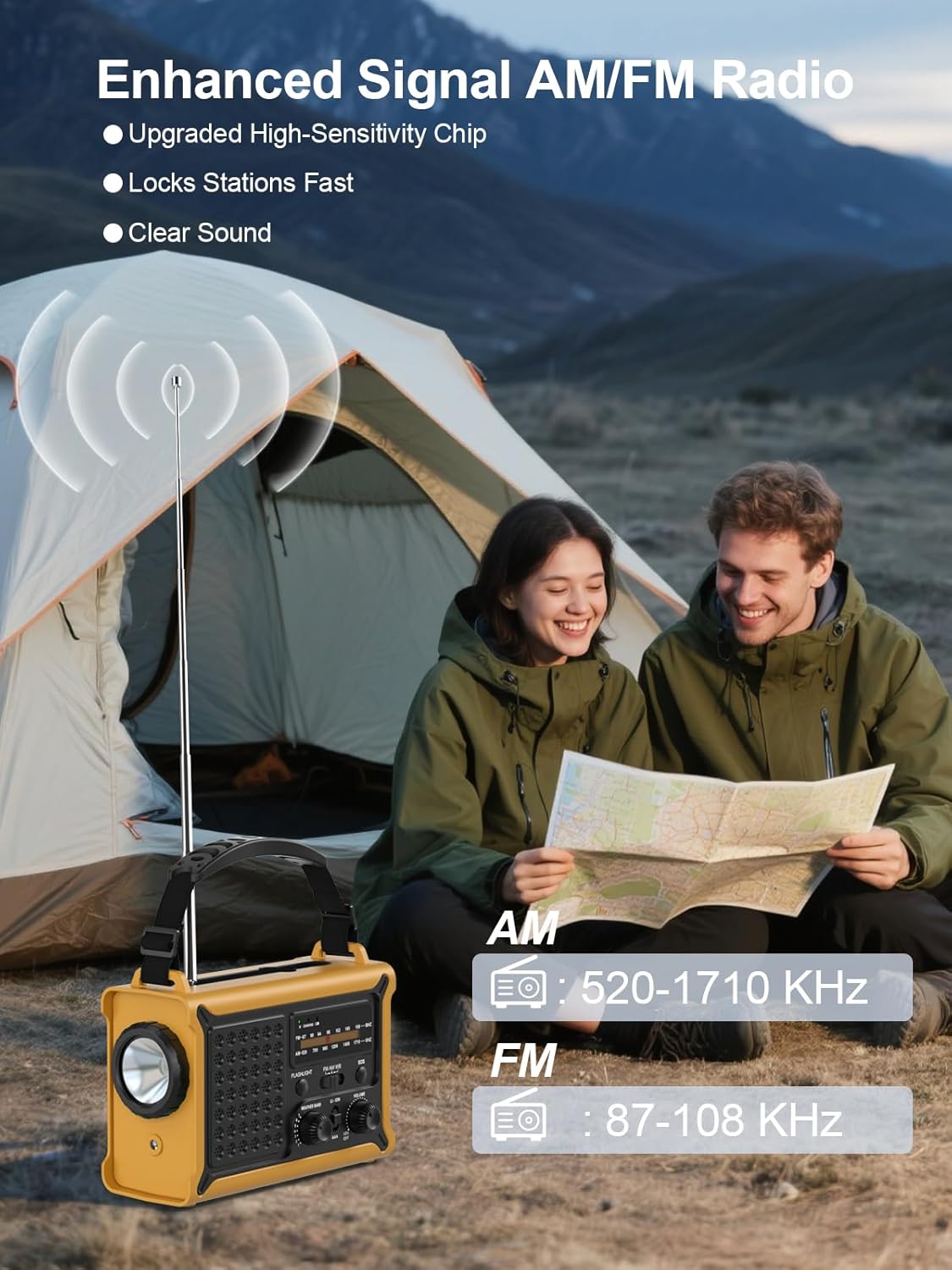
פיגורע 5: The radio features an extendable antenna for improved AM/FM reception, covering frequencies AM: 520-1710 KHz and FM: 87-108 KHz.
- Extend the telescopic antenna for optimal FM reception. For AM reception, the internal antenna is generally sufficient.
- ניצן די BAND switch to select between AM and FM.
- דרייען די טונינג knob to scan for radio stations. The frequency display will show the current station.
4.3 לייטינג פונקציעס

פיגורע 6: The radio offers both a powerful 5W LED flashlight and a softer reading lamp פֿאַר פאַרשידן לייטינג באדערפענישן.
The radio features two lighting modes:
- פלאַשליגהט: דרוק די פלאַשליגהט button once to turn on the 5W LED flashlight. Press again to turn it off.
- לייענען לamp: דרוק די רידינג לAMP button once to activate the soft reading light. Press again to turn it off.
4.4 סאָס שרעק

פיגורע 7: The SOS alarm provides a loud 120 dB siren and a flashing light to attract attention in emergency situations.
To activate the SOS alarm, press and hold the סאָס button for 2 seconds. The radio will emit a loud 120 dB siren and a flashing light. To deactivate, press the סאָס קנעפּל ווידער.
4.5 Charging External Devices (Power Bank)

פיגורע 8: The radio features two USB output ports, allowing it to charge multiple devices simultaneously with its high-capacity power supply.
The built-in 12000mAh battery can be used to charge your mobile devices:
- Connect your device's USB charging cable to the radio's וסב אָוטפּוט פּאָרט.
- The radio will begin charging your device.
- Note: The maximum output is 5V/1A.
4.6 טשאַרדזשינג די ראַדיאָ
The radio offers multiple ways to recharge its internal battery:
- USB-C טשאַרדזשינג: Connect the provided Type-C cable to the וסב אַרייַנשרייַב port and a USB power source. This is the fastest charging method.
- זונ טשאַרדזשינג: Place the radio with the solar panel facing direct sunlight. The solar charging indicator will light up. This method is ideal for maintaining battery charge or slow charging in emergencies.
- האַנט קראַנק טשאַרדזשינג: Unfold the hand crank handle and rotate it clockwise or counter-clockwise at a steady pace (approximately 130-150 RPM). A few minutes of cranking can provide power for radio use or a short burst of light.

פיגורע 9: The radio features a large 8500 mm² solar panel for efficient solar charging.

פיגורע 10: The high-torque hand crank generator provides efficient power generation with minimal effort.
5. וישאַלט
5.1 רייניקונג
ווישן די ראַדיאָ מיט אַ ווייך, דamp cloth. Do not use abrasive cleaners or solvents, as they may damage the surface. Ensure all ports are dry before use or charging.
5.2 סטאָרידזש
When storing the radio for extended periods, ensure it is fully charged. Store in a cool, dry place away from direct sunlight and extreme temperatures. If using AAA batteries, remove them during long-term storage to prevent leakage.
5.3 באַטערי קער
To prolong the life of the internal rechargeable battery, avoid fully discharging it frequently. Recharge the radio at least once every three months if not in regular use.
6. טראָובלעשאָאָטינג
- ראַדיאָ טוט זיך נישט אָן: Ensure the volume knob is rotated clockwise. Check battery level. If using AAA batteries, ensure they are correctly installed and not depleted.
- נעבעך ראַדיאָ אָפּטראָג: Extend the telescopic antenna fully. Try repositioning the radio. For AM, rotate the radio for better signal.
- Device not charging from USB output: Ensure the radio's internal battery has sufficient charge. Check the charging cable and connection. The output is 5V/1A; some devices may require higher current.
- זונ - טשאַרדזשינג אַרבעט נישט: Ensure the solar panel is exposed to direct sunlight. Solar charging is slower than USB-C and may not register immediately if the battery is very low.
- Hand crank not generating power: Ensure the crank is rotating smoothly and at a consistent speed. Check for any obstructions.
7. ספּעסאַפאַקיישאַנז
| שטריך | באַשרייַבונג |
|---|---|
| סאָרט | ROCAM |
| מאָדעל נומער | CR1030 |
| קאָליר | געל |
| פּראָדוקט דימענשאַנז | 17.3 ל רענטגענ 12.1 וו רענטגענ 7.4 ה סענטימעטער |
| מאַכט מקור | Solar, Hand Crank, USB-C, 3x AAA Batteries |
| באַטאַרייע קאַפּאַציטעט | 12000mAh (Internal Rechargeable) |
| זונ פּאַנעל גרייס | 8500 מם² |
| Dynamo Output | 650mA (Hand Crank) |
| ראַדיאָ באַנדס | AM (520-1710 KHz), FM (87-108 MHz) |
| פלאַשליגהט | 5 וו געפירט |
| סאָס שרעק | 120 dB with Flashing Light |
| וסב רעזולטאַט | 5V/1A |
| קאַנעקטיוויטי | USB (for charging external devices) |
| וואָטערפּרוף רייטינג | IPX6 |
| קאַמפּאַטאַבאַל דעוויסעס | Smartphones, Headphones |
| אַרייַנגערעכנט קאַמפּאָונאַנץ | Radio, Type-C Charging Cable, User Manual, Portable Strap |
8. וואָראַנטי און שטיצן
8.1 מאַנופאַקטורער וואָראַנטי
This ROCAM product is covered by an 18-חודש פאַבריקאַנט ס וואָראַנטי פֿון דעם קויפֿדאַטום. די וואָראַנטי דעקט חסרונות אין מאַטעריאַלן און אַרבעט אונטער נאָרמאַלן באַנוץ. עס דעקט נישט קיין שאָדן פֿאַראורזאַכט דורך אומרעכטן באַנוץ, אומגליקן, נישט-אָטעריזירטע מאָדיפֿיקאַציעס, אָדער נאָרמאַלן אָפּנוץ.
8.2 קונה שטיצן
If you encounter any issues or have questions regarding your ROCAM Emergency Solar Radio CR1030, please refer to the troubleshooting section of this manual first. If the problem persists, please contact the seller or ROCAM customer support for assistance. Please have your purchase receipt and model number (CR1030) ready when contacting support.