1. הקדמה
This manual provides comprehensive instructions for the setup, operation, and maintenance of your Xech Prism Pro Digital Alarm Clock with Speaker. This device features a multi-coloured display, dual alarms, a built-in Bluetooth speaker, and USB-C recharging capabilities. Please read this manual thoroughly before using the product to ensure optimal performance and longevity.

בילד: פראָנט view of the Xech Prism Pro Digital Alarm Clock, showcasing its vibrant multi-coloured time display.
2. פּעקל אינהאַלט
ביים אויספּאַקן, ביטע זיכער מאַכן אַז אַלע די פאלגענדע זאכן זענען אַרייַנגערעכנט:
- Xech Prism Pro Digital Alarm Clock (Model X-607)
- וסב-C טשאַרדזשינג קאַבלע
- באַניצער מאַנואַל (דעם דאָקומענט)
3. פּראָדוקט איבערview
Familiarize yourself with the various components and controls of your Xech Prism Pro alarm clock.

Image: Detailed diagram illustrating the control buttons, display indicators, USB-C charging port, and integrated speaker of the Xech Prism Pro.
שליסל קאַמפּאָונאַנץ:
- ווייַז פאַרשטעלן: Shows time, alarm status, and other information with multi-coloured digits.
- קאָנטראָל קנעפּלעך: Located on the top panel for setting time, alarms, and controlling speaker functions.
- וסב- C פּאָרט: פֿאַר טשאַרדזשינג די מיטל.
- אינטעגרירטע רעדנער: For audio playback and alarm sounds.
- Pen Stand: A convenient slot for holding pens or small stationery items.
4. סעטאַפּ
4.1 ערשט טשאַרדזשינג
Before first use, fully charge the Xech Prism Pro using the provided USB-C cable. Connect the cable to the USB-C port on the device and plug the other end into a compatible USB power adapter (not included).

Image: The Xech Prism Pro alarm clock being charged via its USB-C port, demonstrating its rechargeable capability.
4.2 פּאַוערינג אויף / אַוועק
דריק און האַלט דעם פּאַוער קנעפּל (זעט פּראָדוקט איבער)view diagram) to turn the device on or off.
4.3 Automatic Time Synchronization
The Prism Pro supports automatic time synchronization when paired with a smartphone via Bluetooth. This eliminates the need for manual time setting.
- מאַכן זיכער אַז בלועטאָאָטה איז ענייבאַלד אויף דיין סמאַרטפאָנע.
- On the Xech Prism Pro, activate Bluetooth pairing mode (refer to the Operating Instructions for detailed steps).
- Select "Xech Prism Pro" from your phone's Bluetooth device list to pair.
- Once paired, the clock will automatically synchronize its time with your phone.

Image: A smartphone displaying its time next to the Xech Prism Pro, indicating the device's ability to auto-sync time via Bluetooth pairing.
5. אַפּערייטינג ינסטרוקטיאָנס
5.1 שטעלן אַלאַרמס
The Xech Prism Pro features dual alarms (Alarm 1 and Alarm 2) to accommodate different schedules.
- Press the "Alarm" button (usually marked with an alarm icon) to select Alarm 1 or Alarm 2.
- Use the "+" and "-" buttons to adjust the hour and minute settings.
- Press the "Alarm" button again to confirm the setting and move to the next parameter (e.g., AM/PM, alarm tone, volume).
- To activate or deactivate an alarm, press the "Alarm" button until the corresponding alarm indicator (e.g., "AL1" or "AL2") appears or disappears on the display.
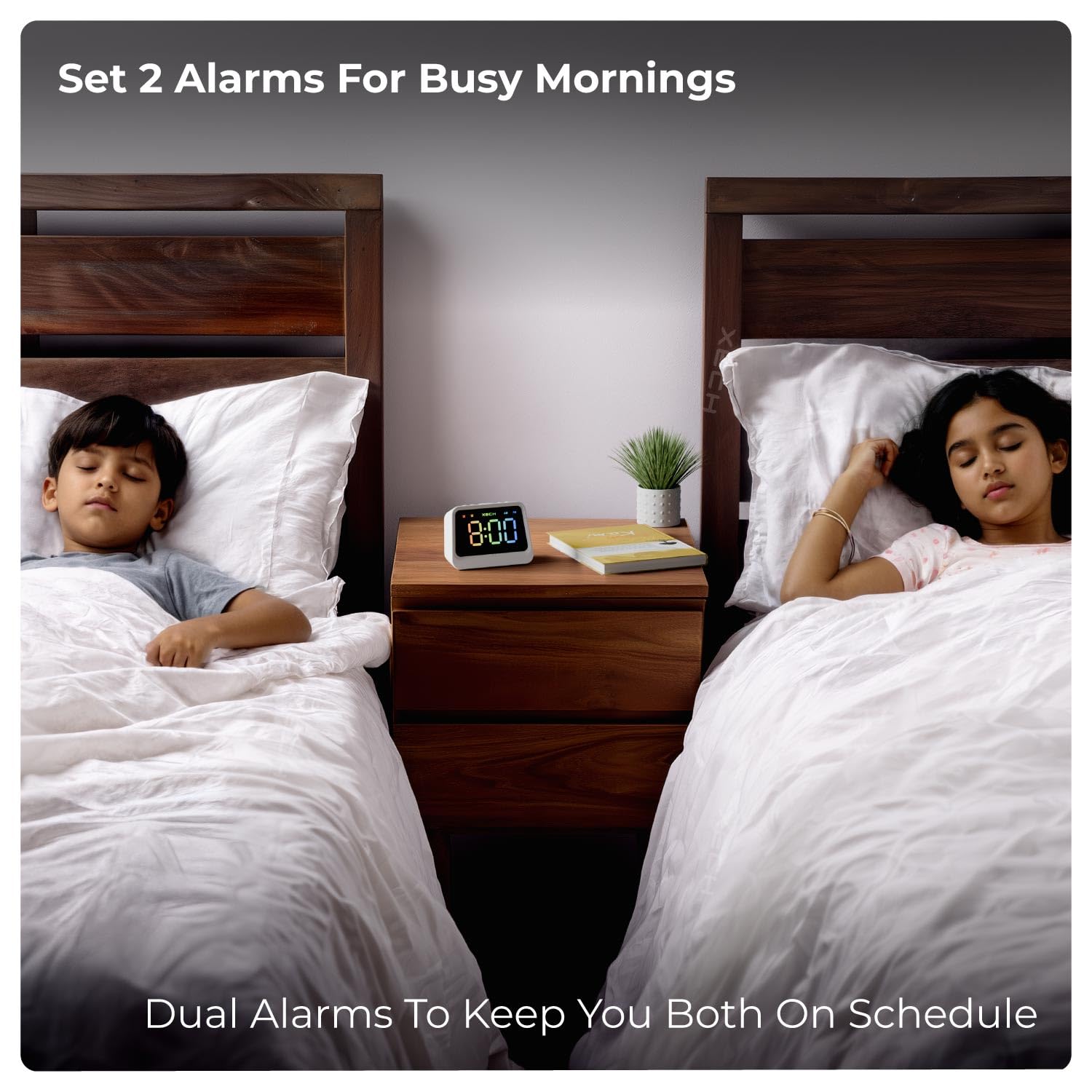
Image: The Xech Prism Pro alarm clock positioned between two beds, highlighting its dual alarm functionality for multiple users.
5.2 Using the Bluetooth Speaker
The integrated 5W Bluetooth 5.3v speaker allows for wireless audio playback.
- זייט זיכער אז די זייגער איז אנגעצונדן.
- Press the "Mode" button (or Bluetooth button) to switch to Bluetooth mode. The display may show a Bluetooth icon or "BT".
- On your smartphone or audio device, search for Bluetooth devices and select "Xech Prism Pro".
- Once connected, you can play audio from your device through the clock's speaker.
- Use the volume controls on the clock or your connected device to adjust audio levels.

Image: The Xech Prism Pro functioning as a wireless speaker, wirelessly connected to a smartphone for audio playback.
5.3 ווייַז סעטטינגס
The multi-coloured display offers adjustable brightness for comfortable viewינג אין פאַרשידן לייטינג טנאָים.
- ברייטנאַס אַדזשאַסטמאַנט: Press the "Brightness" button (or a dedicated button, refer to Product Overview) to cycle through different brightness levels.
- The display is designed to be clear during the day and dim enough for comfortable viewing at night without harsh light.

Image: The clock displaying time with high brightness, suitable for daytime viewing.

Image: The clock displaying time with low brightness, ideal for night use without causing disturbance.
5.4 Using the Pen Stand
The integrated pen stand provides a convenient storage solution for pens, pencils, or other small desk items, helping to keep your workspace organized.
6. וישאַלט
To ensure the longevity and proper functioning of your Xech Prism Pro, follow these maintenance guidelines:
- רייניקונג: Use a soft, dry cloth to wipe the exterior of the clock. Avoid abrasive cleaners, solvents, or sprays that could damage the finish or display.
- אָרט: Place the clock on a stable, flat surface. Avoid direct sunlight, extreme temperatures, and high humidity.
- באַטערי זאָרגן: While the device is rechargeable, prolonged periods without charging or frequent deep discharges may affect battery life over time. Charge regularly as needed.
7. טראָובלעשאָאָטינג
If you encounter issues with your Xech Prism Pro, refer to the following common problems and solutions:
| פּראָבלעם | מעגלעך סיבה | לייזונג |
|---|---|---|
| די זייגער גייט נישט אן. | נידעריגע באַטעריע אָדער קיין אָפּצאָל. | Connect the device to a power source using the USB-C cable and allow it to charge for at least 30 minutes before attempting to power on again. |
| דער אַלאַרם קלינגט נישט. | Alarm is deactivated or volume is too low. | Ensure the alarm is activated (check alarm indicator on display) and the alarm volume is set to an audible level. |
| בלועטוט רעדנער פֿאַרבינדט זיך נישט. | די דעווייס איז נישט אין פּערינג מאָדע אדער אַרויס פון ראַנגע. | Ensure the clock is in Bluetooth pairing mode. Move the clock closer to your audio device. Disconnect and re-pair if necessary. |
| די צייט איז נישט ריכטיק. | Not synchronized or manual setting error. | Pair with a smartphone for automatic time synchronization, or manually set the time following the instructions in section 5.1. |
| באַטערי לעבן איז קירצער ווי דערוואַרט. | Continuous use of speaker, high display brightness, or aging battery. | Reduce display brightness. Limit continuous speaker use. Ensure the device is fully charged before use. Note that battery performance may degrade over time. |
8. ספּעסאַפאַקיישאַנז
| שטריך | דעטאַל |
|---|---|
| סאָרט | Xech |
| מאָדעל נומער | X-607 |
| קאָליר | ווייַס |
| ווייַז טיפּ | Digital, Multi-Coloured |
| ספּעציעלע פֿעיִקייטן | Bluetooth, Charging Port, Large Display, Loud Alarm, Snooze, Pen Stand |
| פּראָדוקט דימענשאַנז | 7.8W x 6.3H סענטימעטער |
| מאַכט מקור | באַטעריע געטריבן (USB-C ריטשאַרדזשאַבאַל) |
| מאַטעריאַל | אַקרילאָניטרילע בוטאַדיענע סטירענע (אַבס) |
| פּונקט וואָג | 208 גראַמז |
| נומער פון באַטעריז | 1 (9V, included) |
| קאַנעקטיוויטי טעכנאָלאָגיע | USB-C, Bluetooth 5.3v |
| פאַבריקאַנט | XECH Technologies Pvt Ltd |
| לאַנד פון אָריגין | כינע |
9. וואָראַנטי און שטיצן
The Xech Prism Pro Digital Alarm Clock comes with a לימיטעד וואָראַנטי. For specific details regarding warranty coverage, duration, and terms, please refer to the warranty card included with your product or contact Xech customer support.
For technical assistance or support inquiries, please visit the official Xech website or contact their customer service department. Contact information is typically provided on the product packaging or the manufacturer's webפּלאַץ.


