הקדמה
This manual provides detailed instructions for the VIZOLINK VB10S 5.5-inch Split-Screen Baby Monitor. Please read this manual thoroughly before using the product to ensure proper operation and safety. Keep this manual for future reference.
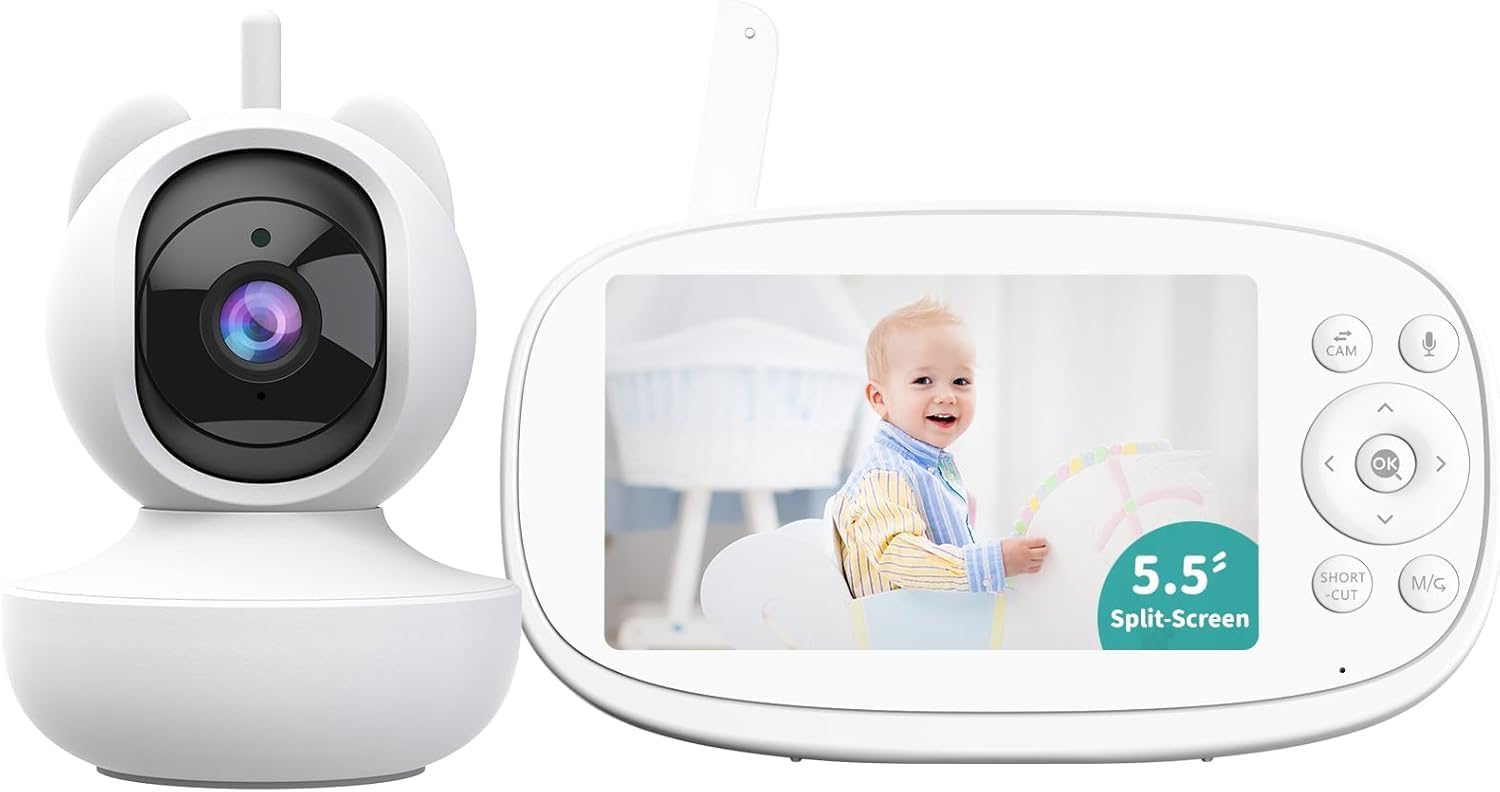
Image: The VIZOLINK VB10S Baby Monitor, featuring the camera unit and the 5.5-inch parent unit display. The display shows a smiling baby.
וואָס איז אין די קעסטל
באַשטעטיקן אַז אַלע קאָמפּאָנענטן זענען פאַראַן ביים אויספּאַקן:
- 5.5" Monitor (Parent Unit)
- PTZ Camera (Baby Unit)
- מאַכט אַדאַפּטער (קס 2)
- מאַכט קאַבלע (x2)
- באַניצער מאַנואַל
- אַפּאַראַט בארג
- Mount Screw Set
- 32G TF card (pre-installed in the camera)

Image: An illustration showing all included components: the monitor, camera, two power adapters, two power cables, a user manual, a camera mount, and a set of screws.
סעטאַפּ גייד
1. Charging the Parent Unit (Monitor)
Before first use, fully charge the parent unit for approximately 8 hours. Connect one power adapter to the monitor and plug it into a power outlet. The battery indicator on the screen will show charging status.
The monitor features a 5000mAh battery, providing up to 20 hours in Audio Only mode or 10 hours with the screen on.
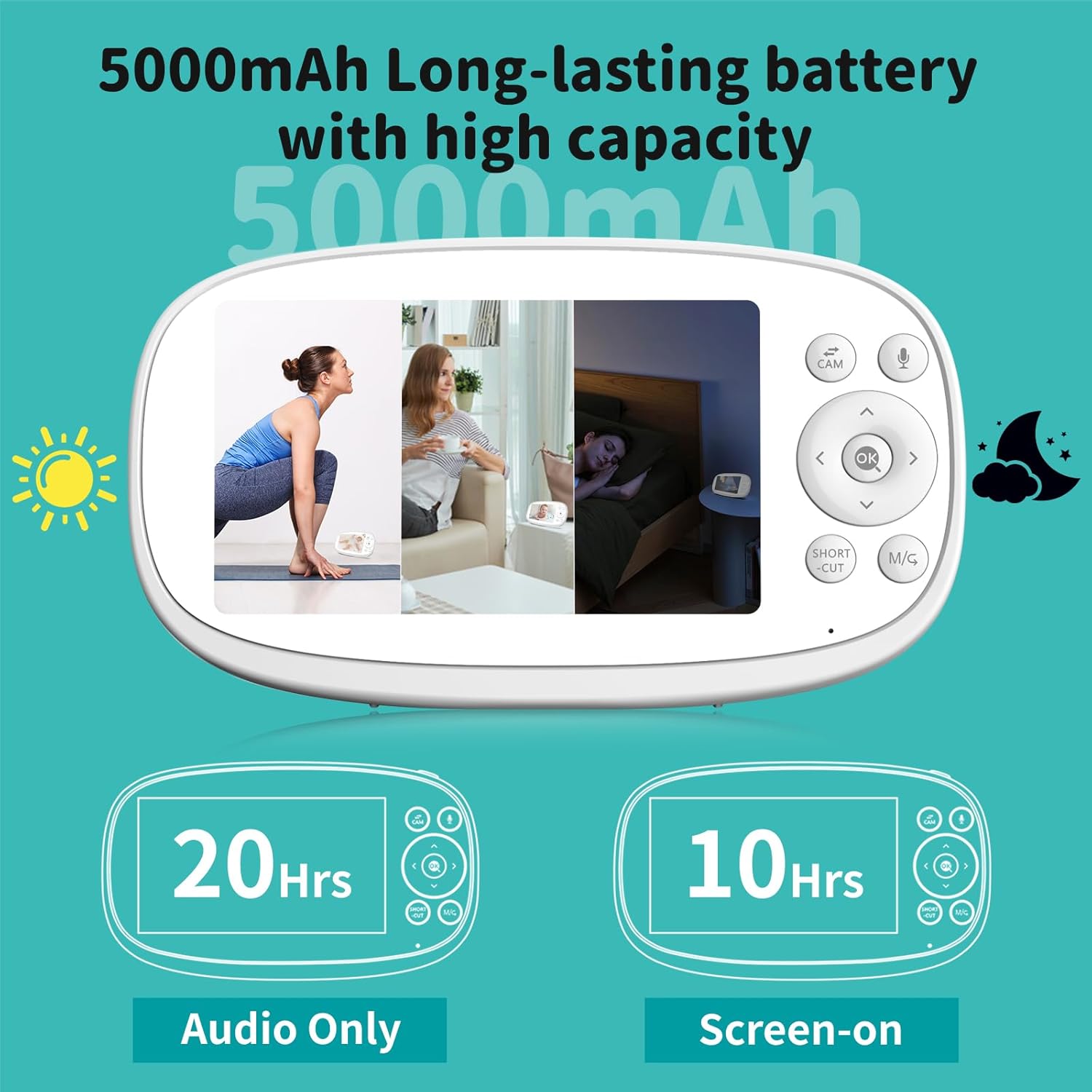
Image: The parent unit display illustrating battery life: 20 hours in Audio Only mode and 10 hours with the screen on.
2. Powering the Baby Unit (Camera)
Connect the second power adapter to the camera unit and plug it into a power outlet. The camera does not contain an internal battery and requires continuous power to operate.
3. פּאַזישאַנינג די קאַמעראַ
Place the camera in a location that provides a clear view of your baby. Ensure it is out of reach of children and pets. The included camera mount and screw set can be used for wall or crib mounting. For optimal performance, position the camera at least 3 feet (1 meter) away from your baby.
4. ערשטע פֿאַרבינדונג
The camera and monitor are pre-paired at the factory. Once both units are powered on, the monitor should automatically display the camera's feed. If the connection is not established, refer to the "Troubleshooting" section for pairing instructions.
The system uses 2.4GHz FHSS technology for a secure, private connection without Wi-Fi or app requirements, offering a range of up to 1200 feet in open areas.

Image: A visual representation of the 2.4GHz FHSS transmission, highlighting the secure, non-Wi-Fi, and non-app dependent connection between the camera and monitor.
אַפּערייטינג ינסטראַקשאַנז
מאָניטאָר קאָנטראָלס
The parent unit features a 5.5-inch 720P HD display and intuitive buttons for navigation and control.
- מאַכט קנעפּל: דריקן און האַלטן צו אנצינדן/אויסלעשן. דריקן קורץ צו אנצינדן/אויסלעשן דעם עקראַן.
- נאַוויגאַציע קנעפּלעך (אַרויף/אַראָפּ/לינקס/רעכטס): נאַוויגירן מעניוז און קאָנטראָלירן קאַמעראַ פּאַן/טילט.
- OK קנעפּל: באַשטעטיקן סאַלעקשאַנז.
- CAM Button: Switch between cameras (if multiple are paired).
- מיקראָפאָן קנעפּל: Activate two-way talk.
- SHORT CUT / M/G Button: Access quick functions or menu.
Camera Pan, Tilt, and Zoom (PTZ)
The camera offers 355° pan and 110° tilt, allowing comprehensive room coverage. Use the navigation buttons on the monitor to remotely adjust the camera's view. The monitor also supports up to 5X digital zoom for closer inspection.

Image: The parent unit display showing controls for remotely panning and tilting the camera, with an illustration of the camera's 355° pan and 110° tilt capabilities.

Image: The monitor display demonstrating 2X and 5X digital zoom capabilities, allowing for closer viewס פון די בעיבי.
צוויי-וועג רעדן
Press and hold the Microphone button on the parent unit to speak to your baby through the camera's speaker. Release the button to listen.
VOX (Voice Operated eXchange) Mode
In VOX mode, the monitor screen automatically turns off to conserve battery. It will activate and display the video feed when sound or movement is detected from the baby unit. This feature helps extend battery life while ensuring you are alerted to your baby's needs.

Image: A depiction of the VOX power-saving mode, showing the monitor screen off when the baby is sleeping quietly and activating to display the baby when crying is detected.
Split-Screen Feature
The VB10S monitor supports connecting up to four cameras simultaneously. The split-screen feature allows you to view feeds from multiple cameras side-by-side on the same screen, providing a comprehensive view of different areas.
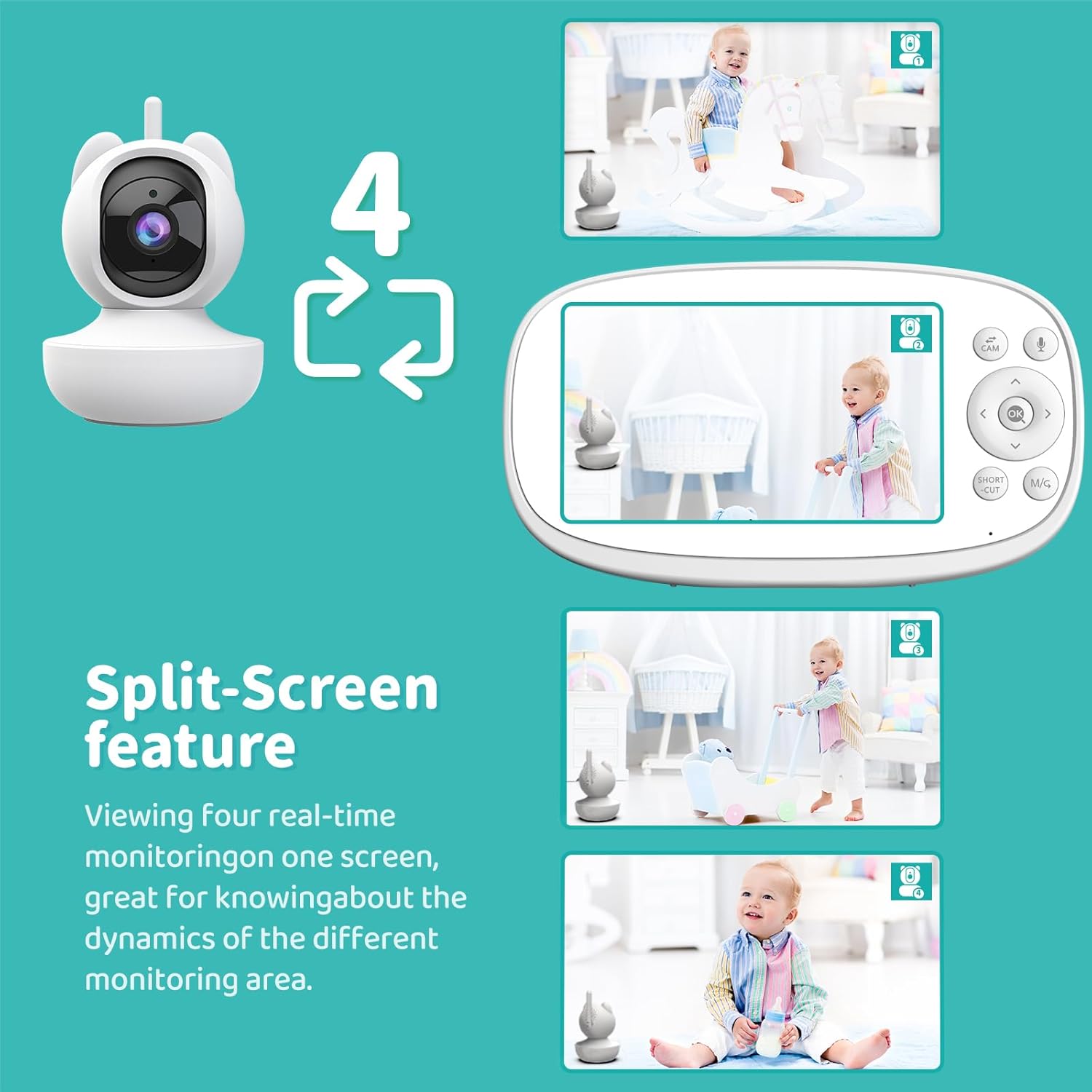
Image: The parent unit display showing a four-way split-screen, with each quadrant displaying a live feed from a different camera.
וויינען דעטעקשאַן
The monitor is equipped with cry detection technology. When your baby cries, the monitor will provide an instant alert, ensuring you are promptly notified.

Image: A baby crying, with the monitor displaying an alert icon to indicate cry detection.
Virtual Fence Zone Setting
You can define a virtual fence or customized detection area on the monitor. If your baby moves outside this preset zone, the monitor will issue an alert, helping to ensure their safety within a designated space.

Image: A baby crawling, with the monitor displaying a red highlighted area indicating a virtual fence breach and an alert.
Automatic Motion Tracking
The camera can automatically pan and tilt to follow your baby's movements within its field of view, providing continuous monitoring without manual adjustment.
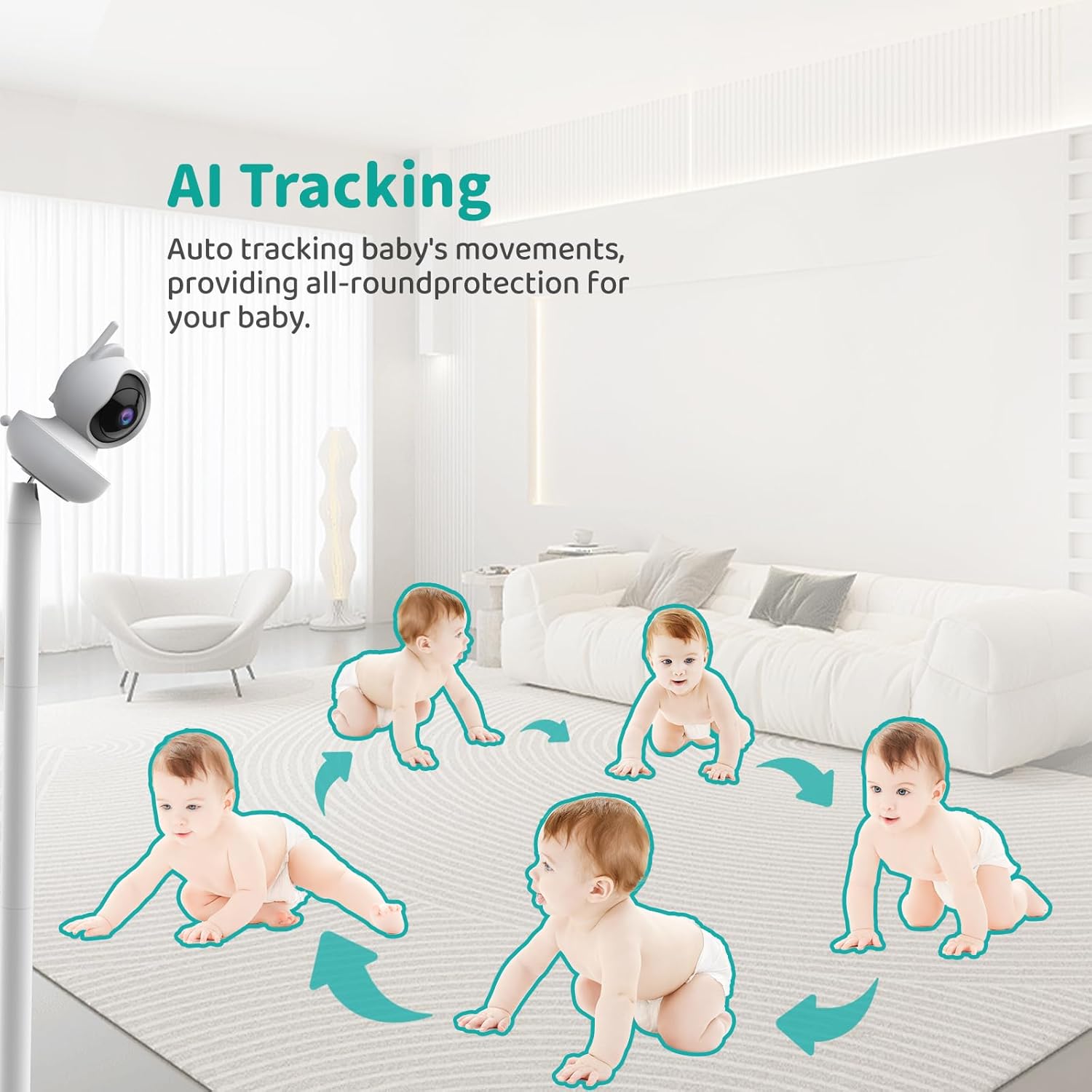
Image: A sequence of images showing a baby crawling, with arrows indicating the camera's automatic tracking movement to keep the baby in frame.
טעמפּעראַטור אַלערט
The camera includes a temperature sensor. You can set high and low temperature thresholds, and the monitor will alert you if the room temperature falls outside this range.

Image: The monitor displaying temperature readings and customizable high/low temperature alarm settings.
Video Recording & Local Playback
The camera supports 24/7 automatic video recording to the pre-installed 32GB TF card. You can review רעקאָרדעד פוtage directly from the monitor for local playback.

Image: The monitor displaying a baby, with a filmstrip graphic indicating 24/7 video recording and local playback capabilities.
לוללאַביעס
The monitor includes 10 pre-programmed lullabies that can be played through the camera to soothe your baby.
פידינג טימער
A feeding timer function is available to help parents keep track of feeding schedules.
נאַכט זעאונג
The camera automatically activates infrared night vision in low-light conditions, providing a clear black-and-white image of your baby without disturbing them with visible light.

Image: A split image showing a baby sleeping in a crib, with one side depicting a normal view and the other showing the clear black-and-white image provided by HD night vision.
וישאַלט
- רייניקונג: ניצט אַ ווייכע, טרוקענע שטאָף צו רייניקן דעם מאָניטאָר און קאַמעראַ סערפאַסיז. ניצט נישט קיין שרײַבנדיקע רייניגערס אדער סאָלווענטן.
- Lens Care: Gently wipe the camera lens with a lens cleaning cloth if smudges occur.
- סטאָרידזש: If storing the unit for an extended period, ensure the monitor battery is partially charged (around 50%) and store in a cool, dry place.
- באַטערי זאָרגן: Avoid fully discharging the monitor battery frequently to prolong its lifespan.
טראָובלעשאָאָטינג
No Picture/Sound on Monitor
- Ensure both the camera and monitor are powered on and connected to their respective power adapters.
- Check if the monitor battery is charged.
- Verify that the camera and monitor are within range (up to 1200 feet in open areas). Obstacles like walls and furniture can reduce range.
- Try re-pairing the camera and monitor. Refer to the manual's pairing section (if available, otherwise assume auto-pairing is primary).
נעבעך בילד קוואַליטי
- מאַכן זיכער אַז די אַפּאַראַט אָביעקטיוו איז ריין.
- קוק נאָך פֿאַר שטערונגען צווישן דער קאַמעראַ און מאָניטאָר.
- Adjust the camera's position for better lighting.
ינטערפיראַנס
- Move the monitor or camera away from other electronic devices (e.g., microwaves, Wi-Fi routers, cordless phones) that operate on the 2.4GHz frequency.
Monitor Battery Drains Quickly
- זיכער מאַכן אַז דער מאָניטאָר איז גאָר אויפגעלאָדן איידער נוצן.
- Activate VOX mode to conserve battery life by turning off the screen when no activity is detected.
- רעדוצירן פאַרשטעלן ברייטנאַס.
ספּעסאַפאַקיישאַנז
| מאָדעל נאָמען | ווב 10 ס |
| סאָרט | VIZOLINK |
| ווייַז גרייס | 5.5 אינטשעס |
| ווידעא קאַפּטורע רעסאָלוטיאָן | 960p (720P HD) |
| קאַמעראַ פּאַן ווינקל | 355° |
| קאַמעראַ טילט ווינקל | 110° |
| דיגיטאַל פארגרעסער | אַרויף צו 5X |
| קאַנעקטיוויטי טעכנאָלאָגיע | 2.4GHz FHSS (No Wi-Fi, No App) |
| מאָניטאָר באַטעריע קאַפּאַציטעט | 5000 מאַה |
| Monitor Battery Life (Audio Only) | אַרויף צו 20 שעה |
| Monitor Battery Life (Screen On) | אַרויף צו 10 שעה |
| טראַנסמיסיע ראַנגע | ביז 1200 פֿוס (אָפֿענע געגנט) |
| סטאָרידזש | 32GB TF card (pre-installed) |
| ספּעציעלע פֿעיִקייטן | 2-Way Audio, VOX Mode, Split-Screen, Cry Detection, Virtual Fence, Auto Motion Tracking, Temperature Alert, Lullabies, Feeding Timer, HD Night Vision, Local Playback |
| פּראָדוקט דימענשאַנז | 8.9 X 8.15 X 5.4 אינטשעס |
| פּונקט וואָג | 2.27 פונט |
וואָראַנטי און שטיצן
For warranty information and technical support, please refer to the contact details provided in the packaging or visit the official VIZOLINK webזייטל. האַלט אייער קויף קוויטל ווי אַ באַווייַז פון קויפן פֿאַר וואָראַנטי קליימז.
The product is sold by "Vizolink US" and fulfilled by Amazon, indicating standard Amazon return policies apply (90-day return duration for this product).


