1. הקדמה
Thank you for choosing the AOC Gaming 25G4SRE monitor. This manual provides essential information for setting up, operating, and maintaining your monitor. Please read it carefully before using the product to ensure proper functionality and safety. The AOC 25G4SRE is designed for competitive gaming, offering an ultra-fast 300 Hz refresh rate (overclockable to 310 Hz), a 1 ms GtG response time, and a fast IPS panel for smooth, tear-free visuals. With 0.3 ms MPRT, low input lag, and HDR10 support, every image is sharp and responsive. It features an eSports base, FlickerFree technology, and an integrated USB hub for seamless connectivity.
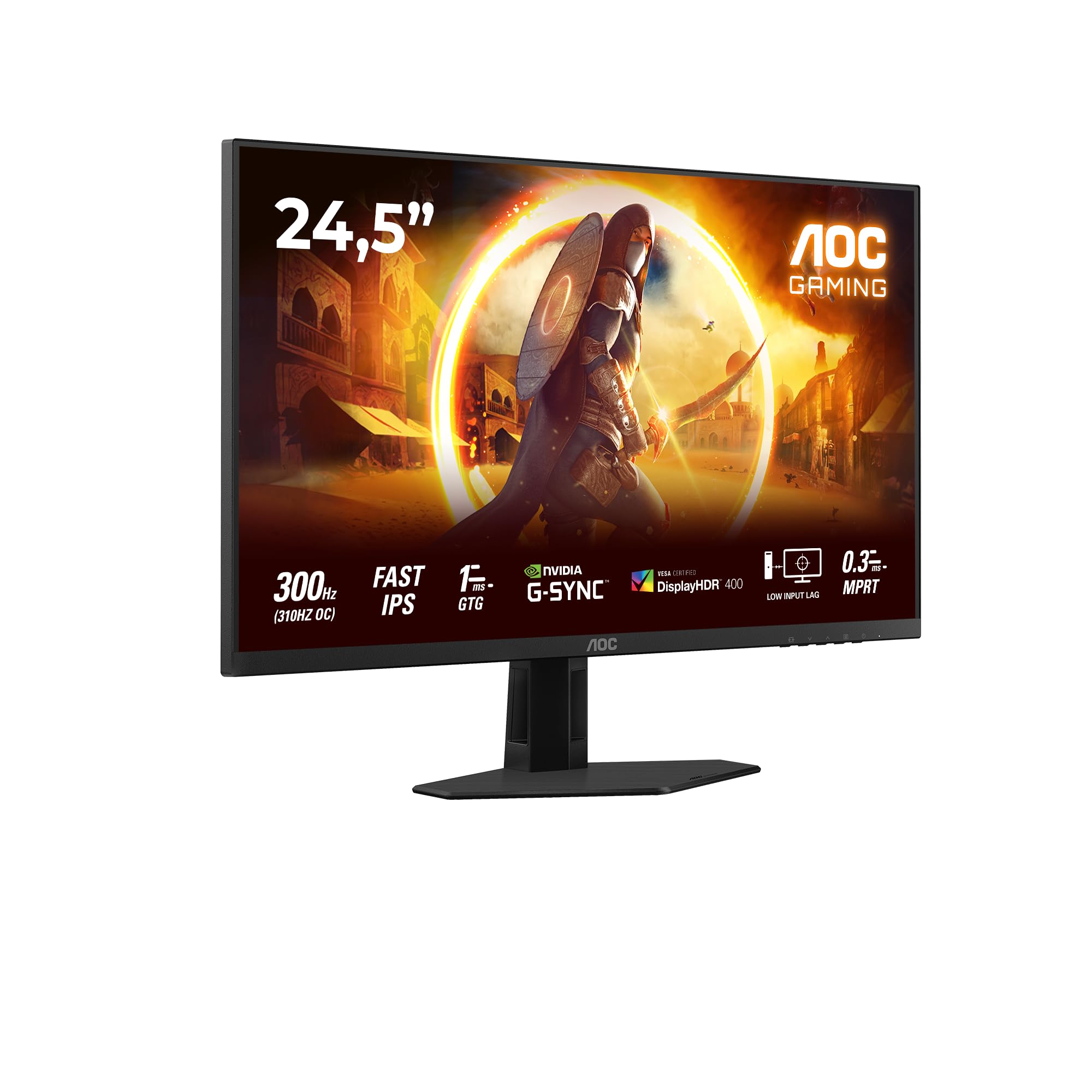
פיגורע 1.1: פראָנט view of the AOC Gaming 25G4SRE monitor.
2. זיכערקייַט אינפֿאָרמאַציע
Please observe the following safety precautions to prevent damage to the monitor and ensure your personal safety:
- שטעלט נישט דעם מאָניטאָר אויף אַן אומסטאַבילן וואָגן, שטאַנד אָדער טיש.
- דו זאלסט נישט פאַרשפּאַרן ווענטאַליישאַן אָופּאַנינגז.
- דו זאלסט נישט נוצן די מאָניטאָר לעבן וואַסער.
- דו זאלסט נישט שטעלן שווער אַבדזשעקץ אויף די מאַכט שנור.
- ניצט נאָר דעם מאַכט אַדאַפּטער וואָס ווערט צוגעשטעלט מיטן מאָניטאָר.
- Unplug the monitor from the wall outlet if it will not be used for an extended period.
- אָפּשיקן אַלע סערוויסעס צו קוואַלאַפייד סערוויס פּערסאַנעל.
3. פּעקל אינהאַלט
Verify that all items are present in your package. If any items are missing or damaged, contact your dealer immediately.
- AOC Gaming 25G4SRE Monitor
- מאָניטאָר שטאַנד (באַזע און האַלדז)
- מאַכט קאַבלע
- HDMI קאַבלע
- DisplayPort קאַבלע
- שנעל אָנהייב גייד
4. סעטאַפּ
4.1 צוזאַמענשטעלן דעם שטאַנד
- לייגט פֿאָרזיכטיק דעם מאָניטאָר מיטן פּנים אַראָפּ אויף אַ ווייכער, ריינער ייבערפֿלאַך כּדי צו פֿאַרמייַדן קראַצן.
- באַפעסטיקט דעם שטאַנד האַלדז צום מאָניטאָר פּאַנעל.
- באַפֿעסטיקן דעם שטאַנד באַזע צום האַלדז מיט די צוגעשטעלטע שרויפֿן.
4.2 קאַנעקטינג די מאָניטאָר
פֿאַרבינדט דעם מאָניטאָר צו אייער קאָמפּיוטער און מאַכט מקור מיט די פּאַסיקע קייבלען.
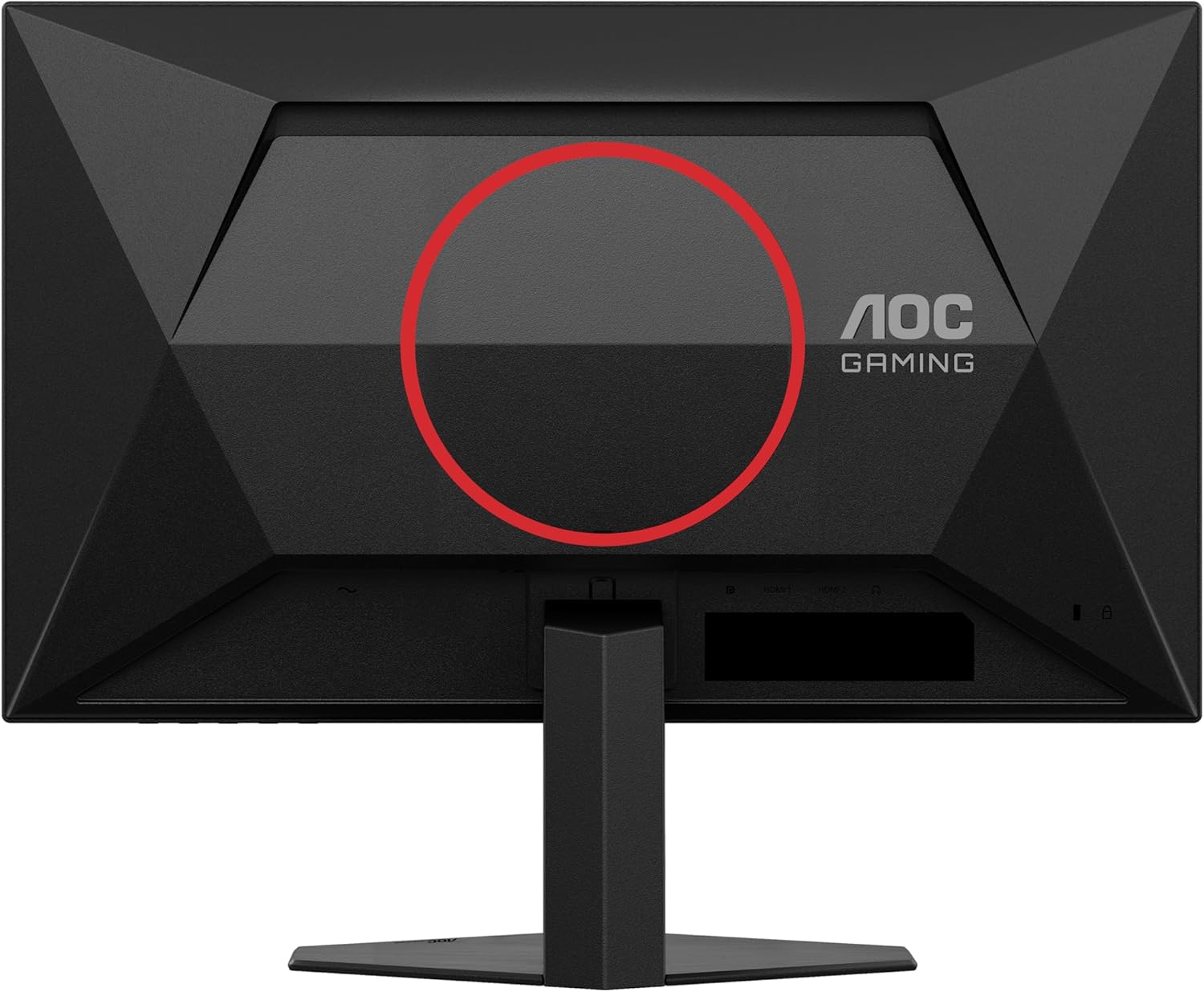
פיגורע 4.1: דערציען view of the monitor, showing the stand attachment area and port locations.

Figure 4.2: Diagram illustrating the HDMI, DisplayPort, and Headphone Out ports.
- מאַכט קשר: פֿאַרבינדט דעם מאַכט קאַבל צום מאָניטאָר'ס מאַכט אַרייַנגאַנג און דערנאָך צו אַ וואַנט אַוטלעט.
- ווידעא קשר:
- For optimal performance, use the DisplayPort cable to connect the monitor to your computer's graphics card.
- Alternatively, use an HDMI cable to connect to an HDMI port on your computer. The monitor supports 2 x HDMI 2.0 inputs.
- אַודיאָ קאַנעקשאַן: Connect headphones or external speakers to the Headphone Out port if desired.
5. אַפּערייטינג די מאָניטאָר
5.1 מאַכט אויף / אַוועק
דריק דעם מאַכט קנעפּל וואָס געפינט זיך אויף דער אונטערשטער רעכטער זייט פון דעם מאָניטאָר צו עס אנצינדן אָדער אויסלעשן.
5.2 אויף-סקרין ווייַז (אָסד) מעניו
Use the buttons on the bottom bezel of the monitor to navigate the OSD menu. The OSD allows you to adjust various settings such as brightness, contrast, color temperature, input source, and gaming features.

פיגורע 5.1: עקסample of the On-Screen Display (OSD) menu for monitor settings.
5.3 הויפּט פֿעיִקייטן און סעטטינגס
- High Refresh Rate (300Hz/310Hz OC): Experience ultra-smooth gameplay. Ensure your graphics card and connection cable (DisplayPort recommended) support this refresh rate. You can enable overclocking to 310Hz via the OSD menu.
- שנעל IPS פּאַנעל: Enjoy wide viewing angles up to 178 degrees with consistent color and clarity from almost any perspective.
- NVIDIA G-Sync קאַמפּאַטאַבאַל: Synchronizes the monitor's refresh rate with your NVIDIA GPU to eliminate screen tearing and stuttering for a fluid gaming experience. Enable this feature in your graphics card control panel.
- VESA סערטיפיצירט DisplayHDR 400: Provides enhanced dynamic range for improved colors and contrast, delivering a more vivid visual experience. Activate HDR in your operating system display settings.
- נידעריק אַרייַנשרייַב לאַג: Minimizes the delay between your input devices and the display, ensuring quick response times in fast-paced games.
- Rapid Response Time (1ms GtG / 0.3ms MPRT): Reduces motion blur and ghosting for crystal-clear images during fast-moving scenes.
- FlickerFree Technology: רעדוצירט עקראַן פליקערינג צו מינאַמייז אויגן שפּאַנונג בעשאַס פּראַלאָנגד נוצן.
- נידעריק בלוי ליכט מאָדע: Reduces harmful blue light emissions to decrease eye fatigue and improve viewing comfort. This can be enabled through the OSD menu.

Figure 5.2: Visual comparison demonstrating the fluidity of 300Hz refresh rate over 60Hz.

פיגור 5.3: אילוסטראציע פון ברייט viewing angles provided by the Fast IPS panel technology.

Figure 5.4: Visual representation of NVIDIA G-Sync compatibility for tear-free gaming.

Figure 5.5: Comparison showing the visual improvement with DisplayHDR 400 enabled.

Figure 5.6: Illustration demonstrating the benefit of low input lag for responsive gaming.

Figure 5.7: Visual comparison highlighting the difference between 0.3ms MPRT and 4ms response times.

Figure 5.8: Comparison showing the absence of flicker on a FlickerFree monitor versus a conventional one.
6. וישאַלט
6.1 רייניקונג די מאָניטאָר
- שטענדיק אָפּשטויסן די מאָניטאָר איידער רייניקונג.
- ניצן אַ ווייך, לינט-פֿרייַ שטאָף לייטלי דampאָפּגעווישט מיט וואַסער אָדער אַ מילד, נישט-אַברייסיוו פאַרשטעלן רייניגער.
- Do not use alcohol, ammonia, or abrasive cleaners, as they may damage the screen or casing.
- ווישט דעם עקראַן לײַכט אויס צו פֿאַרמײַדן קראַצן.
6.2 אַלגעמיינע קער
- פֿאַרמײַדט אויסשטעלן דעם מאָניטאָר צו דירעקטער זון אָדער עקסטרעמע טעמפּעראַטורן.
- Keep the monitor away from sources of heat and moisture.
- לייגט נישט קיין שווערע אביעקטן אויפן מאָניטאָר אדער זיינע קאַבלען.
7. טראָובלעשאָאָטינג
אויב איר טרעפט פּראָבלעמען מיט אייער מאָניטאָר, זעט די פאלגענדע געוויינטלעכע פּראָבלעמען און לייזונגען:
| פּראָבלעם | מעגלעך לייזונג |
|---|---|
| קיין בילד אויף פאַרשטעלן | Ensure the power cable is securely connected. Check if the video cable (HDMI/DisplayPort) is properly connected to both the monitor and the computer. Select the correct input source via the OSD menu. |
| בילד איז פארשוואומען אדער פארדרייט | Adjust the resolution and refresh rate settings on your computer to match the monitor's native resolution (1920x1080) and desired refresh rate. Check the video cable for damage. |
| סקרין פליקער | Ensure FlickerFree technology is enabled in the OSD. Check for loose cable connections. Update your graphics card drivers. |
| קיין געזונט פון כעדפאָונז | Ensure headphones are fully plugged into the Headphone Out port. Check audio output settings on your computer. Adjust volume levels on both the monitor and computer. |
| G-Sync not working | Ensure you are using a DisplayPort cable. Verify G-Sync is enabled in the NVIDIA Control Panel. Update graphics card drivers. |
8. ספּעסאַפאַקיישאַנז
Detailed technical specifications for the AOC Gaming 25G4SRE monitor:
| שטריך | דעטאַל |
|---|---|
| סאָרט | AOC |
| מאָדעל נומער | 25G4SRE |
| פאַרשטעלן גרייס | 25 אינטשעס (62.2 סענטימעטער) |
| האַכלאָטע | FHD 1080p (1920 x 1080) |
| אַספּעקט פאַרהעלטעניש | 16:9 |
| דערפרישן קורס | 300 Hz (310 Hz Overclock) |
| ענטפער צייט | 1 ms GtG, 0.3 ms MPRT |
| טאַפליע טיפּ | שנעל IPS |
| HDR שטיצן | VESA סערטאַפייד DisplayHDR 400 |
| אַדאַפּטיוו סינק | NVIDIA G-Sync קאַמפּאַטאַבאַל |
| קאַנעקטיוויטי | 2 x HDMI 2.0, 1 x DisplayPort 1.4, Headphone Out |
| ספּעציעלע פֿעיִקייטן | Frameless, FlickerFree, Low Blue Light, Low Input Lag |
| פּראָדוקט דימענשאַנז | 19.4D x 56W x 43.8H cm |
| פאַבריקאַנט | AOC אינטערנאַציאָנאַלער |
| לאַנד פון אָריגין | כינע |
For more detailed product information, please refer to the official product information sheet:

Figure 8.1: Product Information Sheet (English) for AOC 25G4SRE.
You can also find the EPREL registration details דאָ.
9. וואָראַנטי און שטיצן
AOC International provides comprehensive support for your monitor.
9.1 וואָראַנטי אינפֿאָרמאַציע
- Minimum Guarantee Offered by Supplier: 3 יאר
- מינימום גאַראַנטירטע אַוויילאַביליטי פון רעזערוו טיילן: 7 יאר
- מינימום געראַנטיד פּראָדוקט שטיצן: 8 יאר
ביטע האַלטן דיין דערווייַז פון קויפן פֿאַר וואָראַנטי קליימז.
9.2 קונה שטיצן
For technical assistance, warranty inquiries, or other support needs, please contact AOC Customer Service:
- Webפּלאַץ: https://eu.aoc.com
- בליצפּאָסט: kevin.yang@tpv-tech.com
- טעלעפֿאָן: +31 (0)20 504 6962


