הקדמה
This manual provides detailed instructions for the assembly, operation, and maintenance of your FLEXISPOT Standing Desk with a 40x24 inch one-piece desktop. Please read this manual thoroughly before assembly and use to ensure proper function and safety.
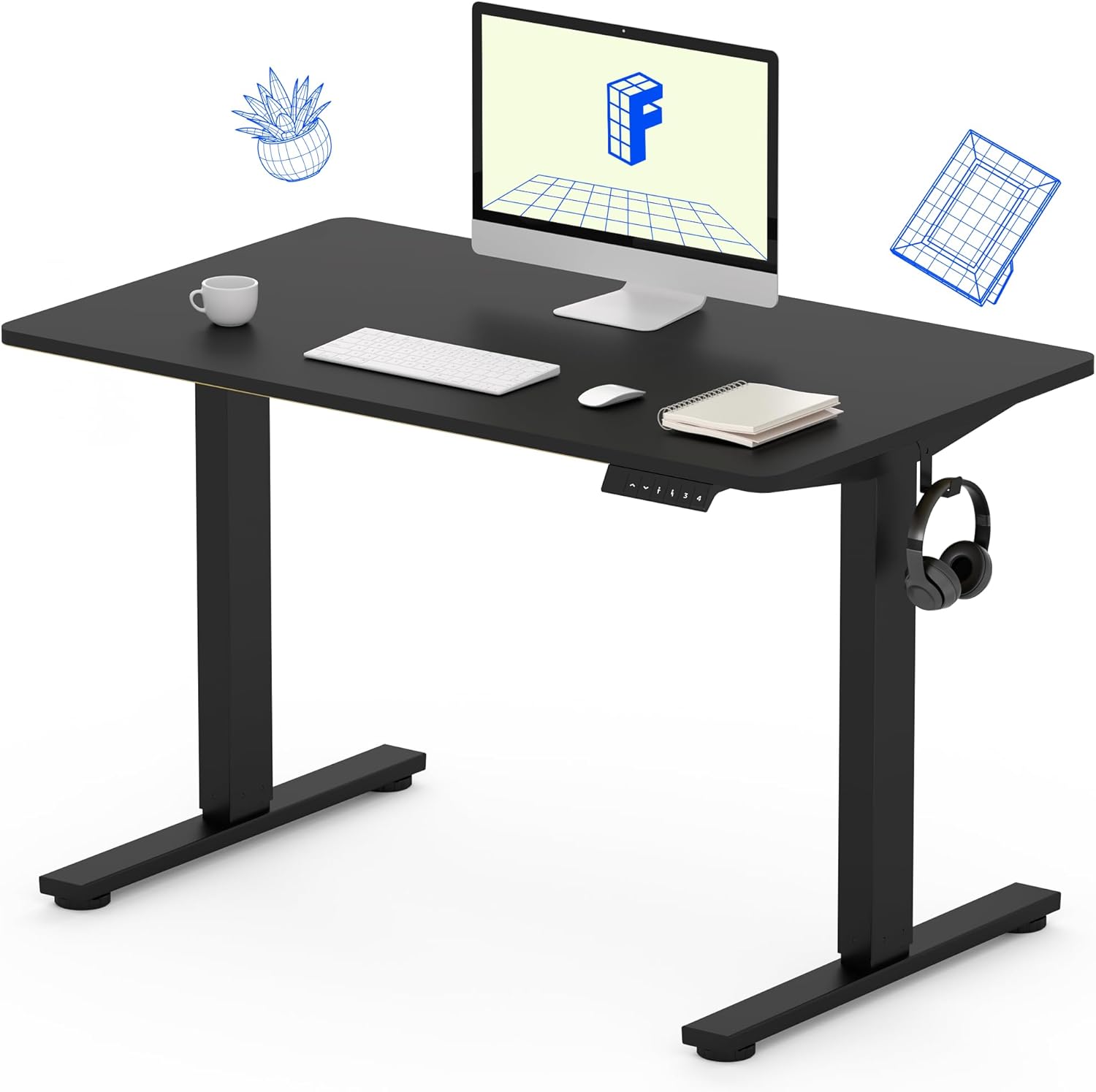
Image 1: The FLEXISPOT Standing Desk, showcasing its black desktop, black frame, and integrated control panel with a headphone hook.
זיכערקייַט אינפֿאָרמאַציע
ווארענונג:
- זייט שטענדיק פארזיכטיג ווען איר צוזאמענשטעלט דעם טיש, ספעציעל ווען איר ניצט א דריל.
- נישט איבערשטייגן די מאקסימום וואָג לימיט פון 154 לבס (70 קג).
- Keep hands and body parts away from moving parts during height adjustment to prevent injury.
- Ensure all cables are properly managed to avoid entanglement during desk movement.
פּעקל אינהאַלט
איידער איר הייבט אן צוזאמענשטעלן, זיכערט זיך אז אלע קאמפאנענטן זענען פאראן און נישט באשעדיגט. אויב עפעס טיילן פעלן אדער זענען באשעדיגט, ביטע קאנטאקטירט קאסטומער סופארט.
- One-Piece Desktop (40" x 24", Black)
- Desk Legs (Black Frame, Dual-Stage)
- מאָטאָר און קאָנטראָל קעסטל
- קאָנטראָל פּאַנעל מיט זכּרון פּרעסעץ
- כעדפאָון קרוק
- פֿאַרזאַמלונג האַרדווער (שרויף, אַלען שליסל)
- מאַכט קאַבלע

Image 2: Illustration highlighting the seamless design of the FLEXISPOT one-piece desktop, contrasting it with multi-piece alternatives.
סעטאַפּ און אַסעמבלי
Assembly typically requires 30 minutes to an hour. It is recommended to have two people for assembly due to the weight of the package. A power drill (not included) may be needed for some steps.
- אָפּלייגן קאַמפּאָונאַנץ: Carefully remove all parts from the packaging. Inspect for any damage. Note that the packaging can be heavy.
- צוזאַמענשטעלן טיש ראַם: Attach the crossbar to the lifting columns (legs) using the provided hardware. Ensure all screws are tightened securely.
- צוטשעפּען פֿיס: Secure the desk feet to the bottom of the lifting columns.
- מאָנטירן דעסקטאָפּ: Carefully place the one-piece desktop upside down on a soft, clean surface. Position the assembled frame onto the desktop. Align the pre-drilled holes (if present) or mark positions for screws. Secure the frame to the desktop using the provided screws. A power drill may be helpful for this step.
- Install Control Box and Panel: Mount the control box and control panel to the underside of the desktop in the designated locations. Connect the motor cables and control panel cable to the control box.
- צוטשעפּען אַקסעסעריז: Install the headphone hook to the side of the desktop as desired.
- קאַבלע פאַרוואַלטונג: Route all cables neatly using cable ties or management clips (not included) to prevent interference with desk movement.
- לעצטע פּלאַצירונג: With assistance, carefully flip the desk upright and place it in its desired location. Ensure it is stable and level.

Image 3: The FLEXISPOT Standing Desk integrated into a home office setup, demonstrating its spacious desktop and functionality.
אַפּערייטינג ינסטראַקשאַנז
Your FLEXISPOT Standing Desk features an electric motor for smooth height adjustments and a control panel with memory presets.
הייך אַדזשאַסטמאַנט
- דרוק די אַרויף (▲) קנעפּל צו הייבן דעם טיש.
- דרוק די אַראָפּ (▼) קנעפּל צו נידעריקערן דעם טיש.
- The desk moves smoothly and quietly (under 50 dB) between 28.7 אינטשעס (73 סענטימעטער) און 46.5 אינטשעס (118 סענטימעטער).
זכּרון פּרעסעץ
דער קאָנטראָל פּאַנעל אַלאַוז איר צו ראַטעווען ביז פיר בילכער הייך סעטטינגס.
- שטעלן אַ הייך: Adjust the desk to your desired sitting or standing height using the Up/Down buttons.
- היט פּריסעט: דרוק די "מ" קנעפּל, און דאַן גלייך דריקן איינעם פון די נומערירטע פּרעסעט קנעפּלעך (1, 2, 3 אָדער 4). The display will show "S-" followed by the number, indicating the height is saved.
- צוריקרופן פּריסעט: Press the corresponding numbered preset button (1, 2, 3 אָדער 4) צו אויטאָמאַטיש באַוועגן דעם טיש צו דער געראַטעוועטער הייך.

Image 4: Visual representation of the desk's adjustable height range, showing it at its lowest (29") and highest (46.6") positions.
וישאַלט
- רייניקונג: ווישט דעם דעסקטאַפּ און ראַם מיט אַ ווייכן, דamp שטאָף. פֿאַרמײַדט שאַרפֿע כעמיקאַלן אָדער אַברייסיוו רייניגער.
- קאַבלע טשעק: קאָנטראָלירט פּעריִאָדיש אַלע קאַבלען פֿאַר אָפּגענוצטקייט אָדער שאָדן. מאַכט זיכער אַז זיי זענען זיכער פֿאַרבונדן און נישט צוגעדריקט.
- שרויף טייטנאַס: Occasionally check and tighten any loose screws on the frame or desktop connections.
טראָובלעשאָאָטינג
| פּראָבלעם | מעגלעך סיבה | לייזונג |
|---|---|---|
| דער טיש רירט זיך נישט. | Power cable disconnected, control box cable loose, overload. | Check power connection. Ensure all cables to the control box and motor are secure. Reduce weight on the desk if exceeding 154 lbs. |
| דער טיש באוועגט זיך נישט גלייך אדער מאכט אומגעווענליכע גערוישן. | לויזע פֿאַרבינדונגען, פֿאַרשטאָפּונג, אומגלייכע וואָג פֿאַרטיילונג. | Check all assembly screws. Ensure no objects are obstructing the legs. Distribute weight evenly on the desktop. |
| Control panel display shows an error code. | ספּעציפֿישער טעות צושטאַנד. | Refer to the specific error code in the full product manual (if available) or contact customer support. Often, a power cycle (unplug for 10 seconds, then plug back in) can resolve temporary errors. |
ספּעסאַפאַקיישאַנז
| שטריך | דעטאַל |
|---|---|
| סאָרט | FLEXISPOT |
| מאָדעל | B0F747SWWB |
| דעסקטאָפּ גרייס (ד x ב) | 24" x 40" (One-Piece) |
| הייך ראַנגע | 28.7" - 46.5" (73 ס"מ - 118 ס"מ) |
| מאַקסימום וואָג קאַפּאַציטעט | 154 לבס (70 קג) |
| ראַש מדרגה | ווייניקער ווי 50 דב |
| ראַם מאַטעריאַל | אַללוי סטיל |
| Top מאַטעריאַל | ענדזשאַנירד האָלץ |
| קאָליר | שוואַרצע ראַם / שוואַרצע שפּיץ |
| אַסעמבלי פארלאנגט | יא |

Image 5: Details of the desk's construction, including the dual-stage lifting columns and the convenient backpack/headphone hook.
וואָראַנטי און שטיצן
Your FLEXISPOT Standing Desk is backed by a comprehensive warranty:
- ראַם און מאָטאָר: 5-יאָר לימיטעד וואָראַנטי.
- עלעקטראָניקס: 2-יאָר לימיטעד וואָראַנטי.
פֿאַר וואָראַנטי קליימז, טעכנישע הילף, אָדער קיין פֿראַגן וועגן דיין פּראָדוקט, ביטע קאָנטאַקט FLEXISPOT קונה שטיצע דורך זייער באַאַמטער webפּלאַץ אָדער די זיצער ווו די פּראָדוקט איז פּערטשאַסט.


