1. הקדמה
This manual provides essential information for the proper use and maintenance of your Logic B10L 4G Bar Phone. Please read it carefully to ensure optimal performance and longevity of your device. The Logic B10L is designed for reliable communication with modern 4G connectivity, a user-friendly interface, and essential features.
2. פּעקל אינהאַלט
באַשטעטיקט אַז אַלע זאכן זענען פאַראַן אין אייער פּראָדוקט פּאַקעט:
- Logic B10L 4G Bar Phone
- 1800 מאַה לי-יאָן באַטערי
- מאַכט אַדאַפּטער
- באַניצער מאַנואַל (דעם דאָקומענט)
3. Phone Layout and Components
Familiarize yourself with the physical components of your Logic B10L phone.

בילד 3.1: פראָנט און צוריק view of the Logic B10L 4G Bar Phone. The front displays the 2.4-inch LCD screen and alphanumeric keypad. The back shows the VGA camera with flash and the Logic B10L branding.
- 2.4-inch Curved LCD Display: Main screen for viewאינפֿאָרמאַציע.
- אַלפאַנומעריק קיפּאַד: פֿאַר דייאַלינג נומערן און טעקסט אַרייַנשרייַב.
- נאַוויגאַציע קנעפּל (ד-פּאַד): פֿאַר מעניו נאַוויגאַציע.
- רופן/ענדן קנעפּלעך: To initiate and end calls.
- VGA Camera with Flash: Located on the rear for capturing photos.
- מיקראָ וסב פּאָרט: פֿאַר טשאַרדזשינג און דאַטן אַריבערפירן.
- 3.5 מם אַודיאָ דזשאַק: פֿאַר כעדפאָונז.
- Torchlight: Integrated flashlight, accessible via a dedicated key.
4. סעטאַפּ
4.1. באַטאַרייע ייַנמאָנטירונג
- Remove the back cover of the phone by gently prying it from the designated notch.
- שטעלט די 1800mAh לי-יאָן באַטעריע אין איינקלאַנג מיט די קאָנטאַקטן אינעווייניק פון דער באַטעריע אָפּטייל.
- Press the battery down until it is securely in place.
- לייג צוריק דעם הינטערשטן דעקל, זיכער מאכנדיג אז עס קליקט אריין אין פאזיציע.
4.2. סים קאָרט ינסטאַלירונג
The Logic B10L supports Dual Nano SIM cards.
- With the back cover and battery removed, locate the SIM card slots.
- Insert your Nano SIM card(s) into the designated slot(s) with the gold contacts facing down, following the orientation indicated on the phone.
- Ensure the SIM card(s) are fully seated.
4.3. מיקראָסד קאַרטל אינסטאַלאַציע (אָפּציאָנעל)
You can expand the phone's storage up to 32GB using a MicroSD card.
- With the back cover and battery removed, locate the MicroSD card slot.
- Insert the MicroSD card into the slot with the gold contacts facing down, following the indicated orientation.
- דריק לײַכט ביז עס קליקט אַרײַן אין פּלאַץ.
4.4. טשאַרדזשינג די באַטערי
- Connect the Micro USB end of the power adapter to the Micro USB port on your phone.
- צאַפּן די אנדערע סוף פון די מאַכט אַדאַפּטער אין אַ וואַנט ווענטיל.
- דער באַטעריע אינדיקאַטאָר אויפן עקראַן וועט ווײַזן דעם טשאַרדזשינג סטאַטוס.
- אַמאָל גאָר באפוילן, דיסקאַנעקט די טשאַרדזשער.
5. אַפּערייטינג ינסטרוקטיאָנס
5.1. מאַכט אויף / אויסגעלאשן
- צו מאַכט אויף: דריקן און האַלטן די End Call/Power key until the screen lights up.
- צו מאַכט אַוועק: דריקן און האַלטן די End Call/Power key until the power-off options appear, then select 'Power Off'.
5.2. יקערדיק נאַוויגאַציע
Use the navigation key (D-pad) to move through menus and options. The center key typically acts as a selection button.
5.3. מאכן קאַללס
- From the home screen, use the keypad to dial the desired phone number.
- דרוק די רופן שליסל צו אָנהייבן דעם רופן.
- צו ענדיקן אַ רוף, דריקן די סוף רופן שליסל.
5.4. שיקט אַרטיקלען
- גיי צו צום מעניו "מעסעדזשעס".
- אויסקלייבן 'נײַע מעסעדזש' אדער 'שאַפֿן מעסעדזש'.
- אַרייַן די נומער פון דעם באַקומער אָדער סעלעקטירן פון קאָנטאַקטן.
- טיפּ דיין אָנזאָג מיט די אַלפאַנומעריק קיפּאַד.
- דריק 'שיקן'.
5.5. קאַמעראַ יוז
The Logic B10L features a VGA camera with flash for capturing photos.
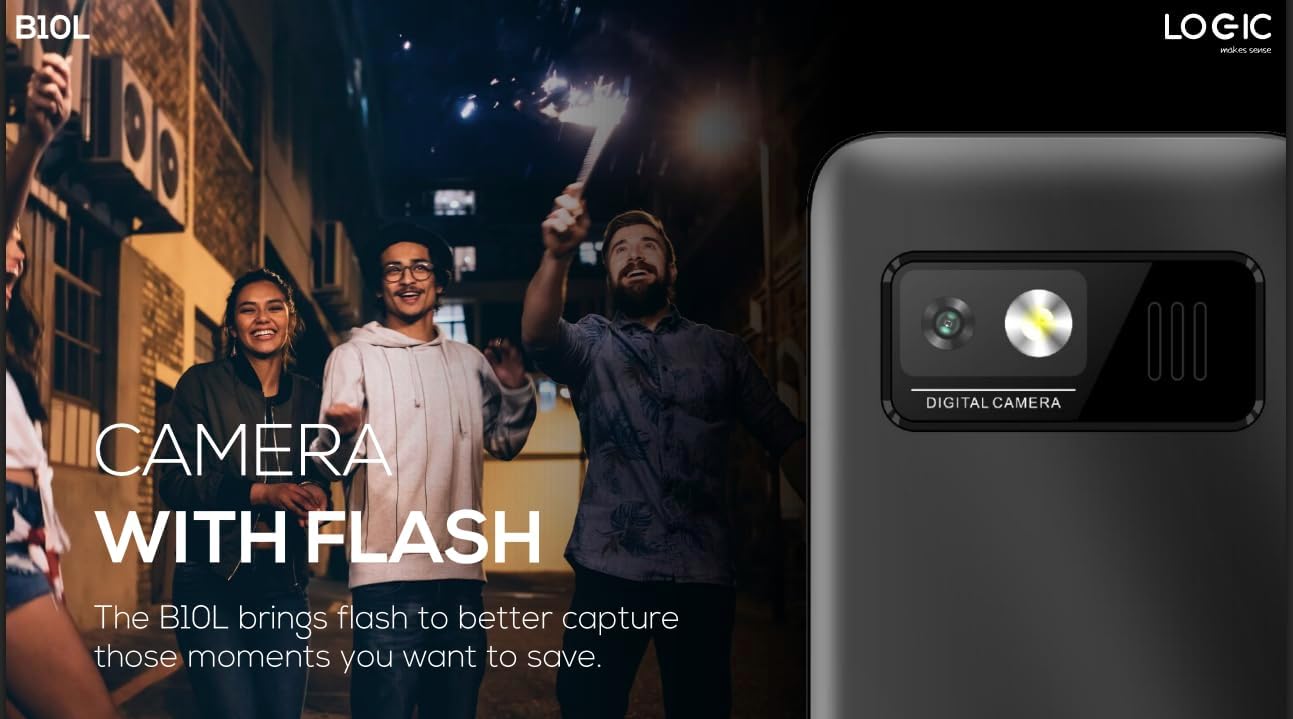
בילד 5.1: דערציען view of the Logic B10L phone, highlighting the VGA camera and flash module. This feature allows for capturing images even in low-light conditions.
- Navigate to the 'Camera' application from the main menu.
- ראַמען דיין שאָס ניצן דעם עקראַן ווי אַ viewפינדער.
- Press the designated 'Capture' or 'OK' key to take a photo.
- Photos are saved to the phone's memory or MicroSD card.
5.6. Wireless FM Radio
Enjoy your favorite radio stations without needing headphones.
- Go to the 'FM Radio' application in the menu.
- Use the navigation keys to scan for available stations.
- Select a station to listen.
5.7. טאָרטשליגהט
The phone includes a direct access key for the torchlight function.

בילד 5.2: זייַט פּראָfile of the Logic B10L phone, illustrating the dedicated direct access key for activating the built-in torchlight. This provides quick illumination.
- Press the dedicated torchlight key on the side of the phone to turn the flashlight on or off.
5.8. בלועטאָאָטה קאַנעקטיוויטי
פֿאַרבינדט אייער טעלעפאָן צו אַנדערע בלועטוט-ענייבאַלד דעוויסעס.
- Go to 'Settings' and then 'Bluetooth'.
- צינדט אָן בלועטוט.
- זוכן פֿאַר available devices and select the one you wish to pair with.
- Enter the passkey if prompted.
5.9. 4G LTE and VoLTE
The Logic B10L supports 4G LTE for faster data speeds and VoLTE for clearer voice calls.

בילד 5.3: The Logic B10L phone screen showing the 'VoLTE' logo, indicating support for Voice over LTE for enhanced call quality and simultaneous voice and data usage.
- Ensure your SIM card and network provider support 4G LTE and VoLTE services.
- These features are typically enabled by default when available.
5.10. Curved LCD Display
The phone features a 2.4-inch curved LCD screen for clear visuals.
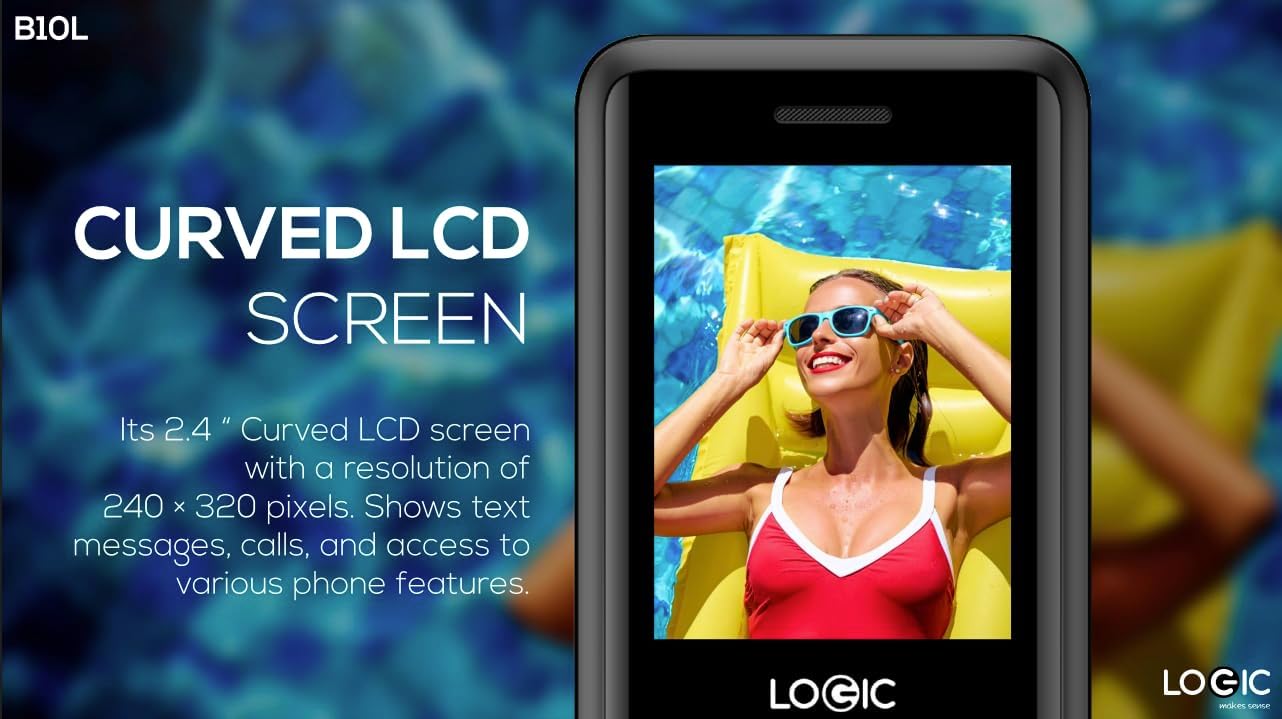
בילד 5.4: Close-up of the Logic B10L's 2.4-inch curved LCD screen, displaying a colorful image. The curved design enhances viewing comfort and aesthetics.
6. וישאַלט
6.1. רייניקן דיין טעלעפאָן
- Use a soft, dry, lint-free cloth to clean the phone's screen and body.
- פֿאַרמײַדן די נוצן פֿון שאַרפֿע כעמיקאַלן, רייניקונגס־סאָלווענטן, אָדער אַברייסיוו מאַטעריאַלן.
6.2. באַטערי קער
- דו זאלסט נישט ויסשטעלן די באַטאַרייע צו עקסטרעם טעמפּעראַטורעס.
- פֿאַרמײַדט אָפֿט פֿולשטענדיק אויסצולאָדן די באַטעריע.
- אויב דער טעלעפאָן וועט נישט ווערן גענוצט פֿאַר אַ לענגערע צייט, לאָדט די באַטאַרייע צו אַרום 50% איידער איר לייגט עס אַוועק.
6.3. סטאָרידזש
- האַלט דעם טעלעפאָן אין אַ קיל, טרוקן אָרט אַוועק פון דירעקט זונשייַן און נעץ.
- האַלטן אויס פון דערגרייכן פון קינדער און פּעץ.
7. טראָובלעשאָאָטינג
This section addresses common issues you might encounter with your Logic B10L phone.
| פּראָבלעם | מעגלעך לייזונג |
|---|---|
| דער טעלעפאָן טוט נישט קער אויף | זיכער מאַכן אַז די באַטאַרייע איז ריכטיק אינסטאַלירט און אויפגעלאָדן. פֿאַרבינדט דעם טשאַרדזשער און פּרוּווט ווידער. |
| קען נישט מאַכן אָדער באַקומען רופן | Check if the SIM card is properly inserted. Verify network signal strength. Contact your service provider. |
| די באַטאַרייע איז נישט טשאַרדזשינג | Ensure the charger is correctly connected to the phone and a working power outlet. Try a different charger or cable if available. |
| נעבעך רופן קוואַליטעט | Move to an area with better network coverage. Check for obstructions around the phone's antenna. |
| MicroSD card not detected | Ensure the MicroSD card is correctly inserted. Try reinserting it or using a different card to check for card malfunction. |
8. ספּעסאַפאַקיישאַנז
Detailed technical specifications for the Logic B10L 4G Bar Phone.
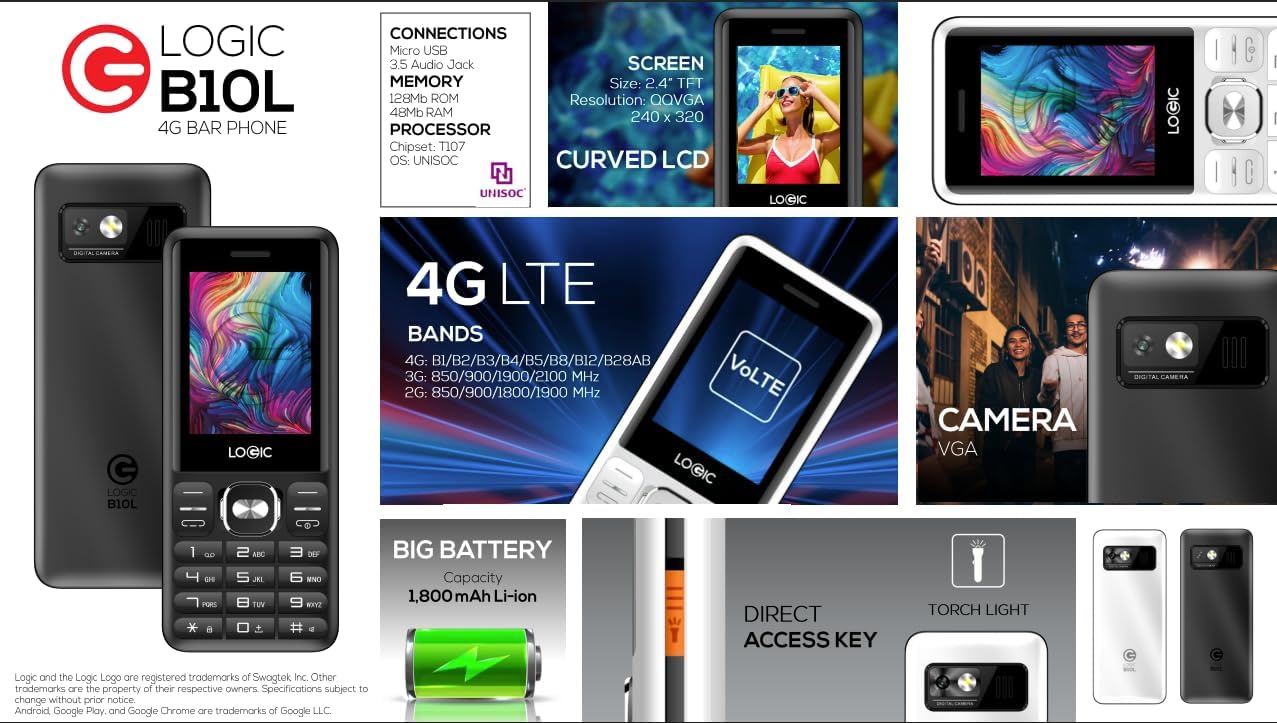
בילד 8.1: A visual summary of the Logic B10L's key features and specifications, including screen size, memory, processor, 4G LTE bands, battery capacity, and direct access torchlight.
- מאָדעל נאָמען: B10L
- נומער מאָדעל נומער: LO-27B10L90-C
- אַפּערייטינג סיסטעם: Nucleus OS
- סעליאַלער טעכנאָלאָגיע: 4G LTE, VoLTE
- ווירעלעסס טרעגער: אַנלאַקט
- ווייַז: 2.4-inch Curved LCD (240x320 resolution)
- אַפּאַראַט: VGA Rear Camera with Flash
- באַטערי: 1800mAh לי-יאָן (3.7 וואלטס)
- ראַם זכּרון: 48 מב
- אינערלעכער סטאָרידזש: 0.13 גיגאבייט (אויסברייטבאר ביז 32 גיגאבייט דורך מיקראָסד)
- סים שטיצע: דואַל נאַנאָ סים
- קאַנעקטיוויטי: Bluetooth, Micro USB, 3.5mm Audio Jack
- ספּעציעלע פֿעיִקייטן: Wireless FM Radio, Direct Access Torchlight
- פאָרם פאַקטאָר: באַר פאָון
- נומער וואָג: 7 אונסעס
- פּעקל דימענשאַנז: 5.67 X 2.8 X 2.44 אינטשעס
9. וואָראַנטי און שטיצן
For warranty information and technical support, please refer to the warranty card included in your package or visit the official Logic webזייטל. האַלט אייער קויף קוויטל ווי אַ באַווייַז פון קויפן.
If you encounter issues not covered in this manual, please contact Logic customer support for assistance.