הקדמה
This manual provides detailed instructions for the safe and efficient operation of your Kuephom PM24 Portable CD Player with Speakers. Please read this manual thoroughly before using the device and retain it for future reference.
The Kuephom PM24 is a versatile audio device offering multiple playback options including CD, Bluetooth, FM Radio, USB, and TF card. It features built-in stereo speakers, a rechargeable battery for portability, and a remote control for convenient operation.

Image: The Kuephom PM24 Portable CD Player, showcasing its design with an open CD lid, remote control, and an indicator for its rechargeable battery.
פּעקל אינהאַלט
באַשטעטיקן אַז אַלע זאכן זענען פאַראַן אין פּעקל:
- Kuephom PM24 Portable CD Player with Speakers x 1
- טשאַרדזשינג קאַבלע X 1
- ווייַט קאָנטראָל רענטגענ 1
- באַניצער מאַנואַל x 1
פּראָדוקט איבערview
The PM24 offers a range of features for diverse audio playback. Familiarize yourself with the device's components and capabilities.

Image: A visual representation of the PM24's key features, including CD/MP3 playback, Bluetooth connectivity, USB and TF card support, FM radio, audio input, headphone jack, remote control, rechargeable battery, and sleep timer.
שליסל פֿעיִקייטן:
- CD/MP3 Playback: Supports standard audio CDs and MP3 files from CD-R/RW discs.
- בלועטאָאָטה קאַנעקטיוויטי: וויירלעס אַודיאָ סטרימינג פֿון קאָמפּאַטיבלע דעוויסעס.
- USB און TF קאַרטל שטיצע: Play MP3/WMA audio files directly from USB flash drives or TF cards (up to 32GB).
- עפעם ראַדיאָ: Built-in FM tuner with retractable antenna and programmable presets.
- אַגזיליערי אַרייַנשרייַב: פֿאַרבינדט עקסטערנע אַודיאָ קוועלער דורך אַ 3.5 מם אַודיאָ קאַבל.
- כעדפאָון דזשאַק: פֿאַר פּריוואַט צוגעהערט.
- ווייַט קאָנטראָל: Full function remote for convenient operation.
- קריקאָנלאָדלעך באַטערי: גיט פּאָרטאַטיווע מאַכט פֿאַר עקסטענדעד נוצן.
- שלאָפן טימער: Automatically turns off the device after a set period.
- סטערעאָ ספּיקערז: Integrated speakers for clear audio output.
סעטאַפּ
1. טשאַרדזשינג די מיטל
Before first use, fully charge the PM24. Connect the provided charging cable to the DC 5V input port on the device and the other end to a standard USB power adapter (not included) or a computer USB port.
- די טשאַרדזשינג אינדיקאַטאָר ליכט וועט זיך אָנצינדן בעת טשאַרדזשינג.
- א פולע אָפּלאָד נעמט געוויינטלעך אַרום 4 שעה.
- The device provides approximately 5-8 hours of playback on a full charge, depending on volume and mode.

Image: Visual representation of the PM24's rechargeable nature, highlighting its play time and charge time.
2. מאַכט אויף / אויסגעלאשן
דריקן און האַלטן די מאַכט button on the device or remote control to turn the unit on or off.
3. רימאָוט קאָנטראָל באַטערי ינסטאַללאַטיאָן
The remote control requires 2 AAA batteries (not included). Open the battery compartment on the back of the remote and insert the batteries, observing the correct polarity (+/-).
אַפּערייטינג ינסטראַקשאַנז
1. ניצן די רימאָוט קאָנטראָל
The remote control allows for convenient operation of all functions from a distance.

Image: A user interacting with the PM24 using the remote control, illustrating various functions accessible from the remote.
- מאַכט קנעפּל: טורנס די מיטל אויף אָדער אַוועק.
- מאָדע קנעפּל: Switches between CD, Bluetooth, FM, USB, TF, and AUX modes.
- שפּיל / פּויזע קנעפּל: סטאַרץ אָדער פּאָזאַז פּלייבאַק.
- פרייַערדיק / ווייַטער שפּור קנעפּלעך: שפּרינגט צום פריערדיקן אָדער נעקסטן ליד/סטאַנציע.
- באַנד +/- קנעפּלעך: אַדזשאַסץ די באַנד מדרגה.
- Repeat/Shuffle Button: Changes playback repeat modes (e.g., repeat one, repeat all, shuffle).
- שלאָף קנעפּל: Activates and sets the sleep timer.
2. סי פּלייבאַק
- עפֿנט דעם דעקל פֿון סי-די אָפּטייל.
- Carefully place a CD (audio CD or MP3 CD) onto the spindle with the label side facing up.
- נאָענט די קאָמפּאַקטדיסק אָפּטייל דעקל.
- דרוק די מאָדע קנעפּל ביז "CD" מאָדע איז אויסגעקליבן.
- די סי-די וועט אָנהייבן שפּילן אויטאָמאַטיש. אויב נישט, דריק די שפּיל / פּויזע קנעפּל.

Image: Icons illustrating various CD playback options such as sequential play, random play, repeating a single track, repeating all tracks, and the play memory function.
3. בלועטאָאָטה מאָדע
- דרוק די מאָדע button until "BT" (Bluetooth) mode is selected. The display will show "bt" and flash, indicating it's in pairing mode.
- אויף אייער בלוטוט-פארשטארקטע דעווייס (סמאַרטפאָן, טאַבלעט, אאז"וו), אַקטיווירט בלוטוט און זוכט פֿאַר פֿאַראַן דעווייסעס.
- Select "PM24" from the list of devices.
- Once paired, the "bt" indicator will stop flashing, and you can stream audio wirelessly to the PM24.

Image: A smartphone screen showing a successful Bluetooth connection to the PM24, with the player's display confirming 'bt' mode.
4. עפעם ראַדיאָ מאָדע
- פֿאַרלענגערט די טעלעסקאָפּישע אַנטענע אויף דער הינטערשטער זײַט פֿון דער אַפּאַראַט פֿאַר אַן אָפּטימאַלן אָפּנאַם.
- דרוק די מאָדע קנעפּל ביז "FM" מאָדע איז אויסגעקליבן.
- דריקן און האַלטן די שפּיל / פּויזע button to initiate an automatic station scan. The radio will scan and save available stations.
- ניצן די פרייַערדיק / ווייַטער שפּור קנעפּלעך צו נאַוויגירן דורך געראטעוועט סטיישאַנז.

Image: A user enjoying FM radio on the PM24, with visual cues indicating different radio frequencies.
5. USB/TF קאַרטל פּלייבאַק
- Insert a USB flash drive into the USB port or a TF card into the TF card slot. Ensure the card is inserted correctly.
- דרוק די מאָדע button until "USB" or "TF" mode is selected.
- The device will automatically detect and begin playing MP3/WMA audio files from the inserted storage.
- ניצן די פרייַערדיק / ווייַטער שפּור buttons to navigate between files.

בילד: נאָענט-אַרויף view of the USB and TF card slots on the PM24, indicating their function for playing media from external storage.
6. הילפס-איינגאנג (AUX)
- Connect one end of a 3.5mm audio cable (not included) to the AUX IN port on the PM24.
- Connect the other end to the headphone jack or audio output of an external audio device (e.g., smartphone, MP3 player).
- דרוק די מאָדע קנעפּל ביז "AUX" מאָדע איז אויסגעקליבן.
- קאָנטראָליר ווידערשפּיל און באַנד פֿון אייער עקסטערנעם אַודיאָ מיטל.
7. שלאָף טייַמער פונקציע
The sleep timer allows the device to automatically turn off after a set period.
- While the device is playing, press the שלאָף קנעפּל אויף די ווייַט קאָנטראָל.
- ריפּיטידלי דריקן די שלאָף button to cycle through available timer settings (e.g., 10, 20, 30, 60, 90 minutes).
- The selected time will be displayed. The device will automatically power off once the timer expires.

Image: A visual demonstration of the sleep timer function, showing the PM24 on a nightstand while a person sleeps.
8. ניצן כעדפאָונז
For private listening, connect 3.5mm headphones (not included) to the אויערפאָנע דזשאַק on the device. The built-in speakers will automatically mute when headphones are connected.
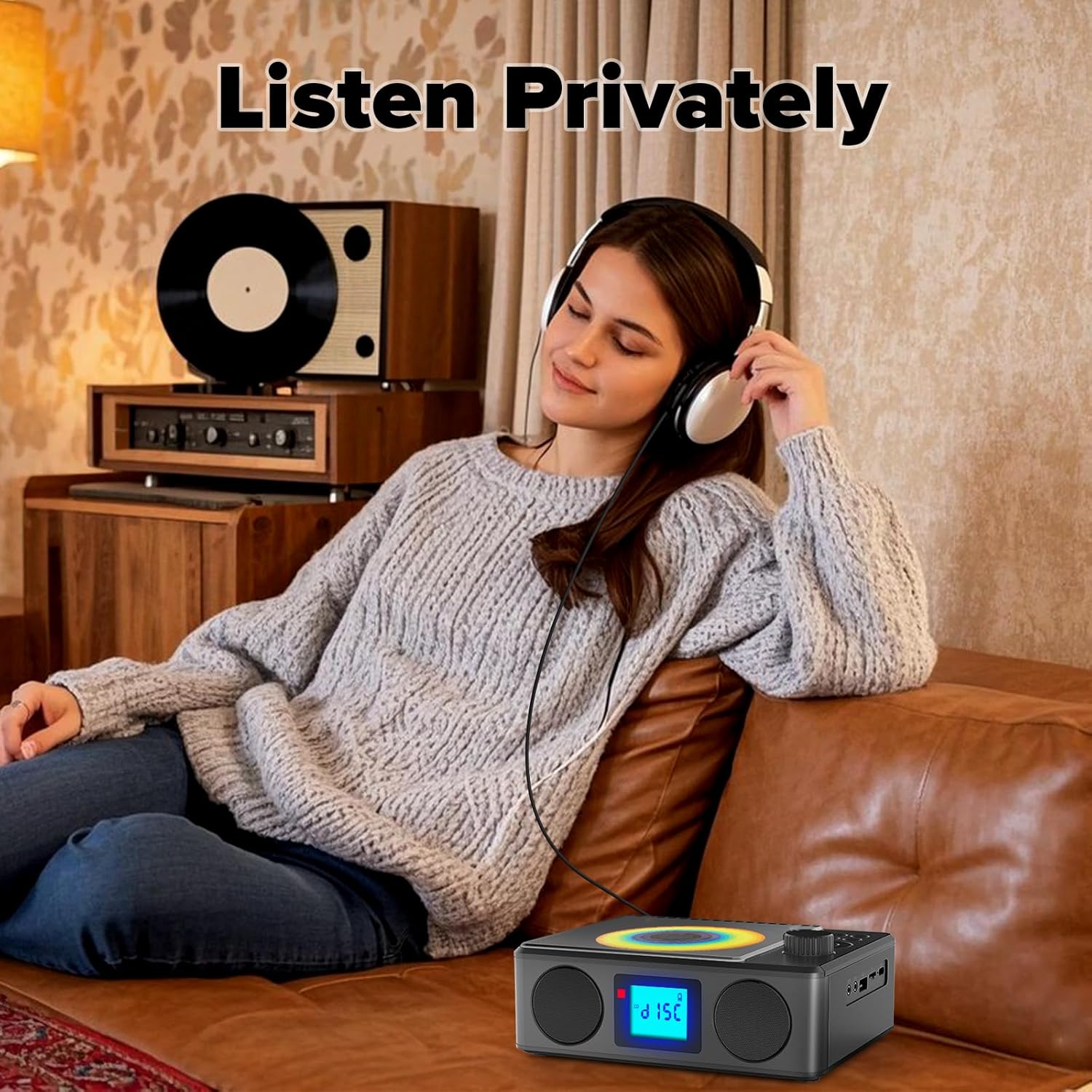
Image: A user enjoying private audio through headphones connected to the PM24.
וישאַלט
- רייניקונג: ניצט אַ ווייכע, טרוקענע שטאָף צו רייניקן די אויסערלעכע זייט פון דעם אַפּאַראַט. ניצט נישט קיין שרײַבנדיקע רייניגער אָדער סאָלווענטן.
- CD באַהאַנדלונג: האַלט אָן סי-דיס ביי די ברעגן. רייניקט שמוציקע סי-דיס מיט אַ ווייכן, לינט-פֿרייעם שטאָף, ווישנדיק פֿון צענטער אַרויס.
- סטאָרידזש: ווען נישט אין באַנוץ פֿאַר לענגערע פּעריאָדן, זאָל מען דאָס אַפּאַראַט אויפֿהיטן אין אַ קיל, טרוקן אָרט, אַוועק פֿון דירעקטער זון און עקסטרעמע טעמפּעראַטורן.
- באַטערי: כדי צו פארלענגערן די לעבן פון די באַטעריע, זאָלט איר נישט אָפט אויסלאָדן די באַטעריע. לאָדט דאָס אַפּאַראַט רעגולער אויף, אפילו אויב עס איז נישט אין באַנוץ.
טראָובלעשאָאָטינג
| פּראָבלעם | מעגלעך סיבה | לייזונג |
|---|---|---|
| די מיטל טוט נישט מאַכט אויף. | באַטערי איז דיפּליטיד. | Connect the charging cable and allow the device to charge. |
| קיין געזונט פון ספּיקערז. | די קול איז צו נידעריג אדער שטיל. די כעדפאָונז זענען פארבונדן. | פֿאַרגרעסערן די קול. אָפּשטעקן די כעדפאָונז. |
| די סי-די שפרינגט איבער אדער שפילט נישט. | די סי-די איז שמוציק, קראַצט, אדער נישט ריכטיק אריינגעלייגט. | Clean the CD. Ensure it is placed correctly. Try another CD. |
| בלועטאָאָטה פּערינג פיילז. | Device is too far, not in pairing mode, or already paired. | Ensure PM24 is in BT mode and flashing. Move devices closer. Disconnect from other devices. |
| שלעכטע FM ראַדיאָ אָפּנאַם. | אַנטענע נישט אויסגעשטרעקט אָדער שלעכט סיגנאַל געגנט. | Fully extend the telescopic antenna. Reposition the device for better signal. |
| ווייַט קאָנטראָל נישט ארבעטן. | Batteries are depleted or inserted incorrectly. Obstruction between remote and device. | Replace batteries, check polarity. Remove obstructions. Ensure remote is pointed at the device. |
ספּעסאַפאַקיישאַנז
- מאָדעל: PM24
- סאָרט: קועפהאם
- פּראָדוקט דימענשאַנז: 7.5 X 6.3 X 2.5 אינטשעס (19.05 X 16.00 X 6.35 סענטימעטער)
- נומער וואָג: 1.96 פונט (0.89 קג)
- קאַנעקטיוויטי טעכנאָלאָגיע: הילפס-פארבינדונג, בלועטוט, יו-עס-בי
- קאָליר: שוואַרץ
- רעדנער טיפּ: סטערעאָ
- באַטעריז: 1 נישט-סטאַנדאַרט באַטאַרייע (אַרייַנגערעכנט)
- שפּיל צייט: 5-8 שעה (בעערעך)
- טשאַרדזשינג צייט: 4 שעה (בעערעך)
וואָראַנטי און שטיצן
Kuephom products are designed for reliability and performance. For warranty information or technical support, please refer to the contact details provided on the product packaging or visit the official Kuephom webפּלאַץ.
ביטע האַלטן דיין דערווייַז פון קויפן פֿאַר וואָראַנטי קליימז.


