הקדמה
This manual provides detailed instructions for the safe and effective use of your KiCA Jet Fan Ultra and Jetfan 1.0 Electric Air Dusters. Please read this manual thoroughly before operating the devices and retain it for future reference.

Image: The KiCA Jet Fan Ultra (left) and Jetfan 1.0 (right) electric air duster units. The Jet Fan Ultra is a rectangular, gun-shaped device with a nozzle, while the Jetfan 1.0 is a smaller, T-shaped device.
זיכערקייַט אינפֿאָרמאַציע
- Do not point the air duster at eyes, face, or body.
- האַלטן אויס פון דערגרייכן פון קינדער.
- נישט אַרבעטן אין נאַסע באדינגונגען אָדער לעבן ברענענדיקע פליסיקייטן אָדער גאַזן.
- זיכער מאַכן אַז די טשאַרדזשינג פּאָרט איז טרוקן איידער איר קאַנעקט די טשאַרדזשער.
- דו זאלסט נישט דיסאַסעמבאַל אָדער מאָדיפיצירן די מיטל.
- ניצט נאָר דעם צוגעשטעלטן טשאַרדזשינג קאַבל און אַדאַפּטער.
פּעקל אינהאַלט
באַשטעטיקן אַז אַלע זאכן זענען פאַראַן אין דיין פּעקל:
- KiCA Jet Fan Ultra
- KiCA Jetfan 1.0
- טשאַרדזשינג קאַבל (USB-C)
- Nozzle Attachments (if applicable)
- באַניצער מאַנואַל (דעם דאָקומענט)
סעטאַפּ
ערשט טשאַרדזשינג
Before first use, fully charge both devices. Connect the provided USB-C charging cable to the charging port on each device and to a suitable USB power adapter. The indicator lights will show charging status.
Attaching Nozzles (Jet Fan Ultra)
Align the desired nozzle attachment with the air outlet of the Jet Fan Ultra and push firmly until it clicks into place. Ensure it is securely attached before operation.
אַפּערייטינג ינסטראַקשאַנז
KiCA Jet Fan Ultra
- מאַכט אויף / אַוועק: דרוק און האַלטן די מאַכט קנעפּל צו קער אויף אָדער אַוועק די מיטל.
- אַדזשאַסטינג לופט גיכקייַט: Use the speed adjustment buttons (often marked '+' and '-') to cycle through different air speed levels. The indicator lights will show the current speed setting.
- LED ליכט: The Jet Fan Ultra features double-sided LEDs. Press the light button to activate or deactivate the integrated LED lights for improved visibility in dark areas.

Image: The KiCA Jet Fan Ultra demonstrating its double-sided LED lights, illuminating a dark area within a car engine bay for precise cleaning.
KiCA Jetfan 1.0
- מאַכט אויף / אַוועק: דרוק און האַלטן די מאַכט קנעפּל צו קער אויף אָדער אַוועק די מיטל.
- מאַנואַל מאָדע: Press the trigger button to activate the airflow. Release the button to stop.
- אַוטאָ מאָדע: After powering on, press the trigger button and then single-tap the power button to switch between manual and auto mode. In auto mode, the fan will run continuously until switched off or back to manual mode.
- Adjusting Air Speed (Jetfan 1.0): The Jetfan 1.0 typically has multiple gears. Single-tap the power button (after initial power-on) to cycle through the gears (speed settings). Blue indicator lights will show the current gear.
- ערשטער גאַנג: 1 blue indicator, approx. 18,000rpm, 2.5m/s
- צווייטע גאַנג: 2 blue indicators, approx. 36,000rpm, 6.5m/s
- דריטער גאַנג: 3 blue indicators, approx. 60,000rpm, 9.0m/s
- פערטער גאַנג: 4 blue indicators, approx. 86,000rpm, 11.5m/s

Image: The KiCA Jetfan 1.0 illustrating its four gear settings, with corresponding RPM and wind speed values indicated by blue lights.

Image: The KiCA Jetfan 1.0 demonstrating its manual mode (trigger press for airflow) and auto mode (continuous airflow after a specific button sequence).
וישאַלט
- רייניקונג: Use a soft, dry cloth to wipe the exterior of the devices. Do not use harsh chemicals or abrasive materials.
- לופט אריינגאנג פילטער: Periodically check the air inlet for dust or debris accumulation. Gently clean the filter area with a soft brush or another air duster to ensure optimal performance.
- סטאָרידזש: האַלט די דעוויסעס אין אַ קיל, טרוקן אָרט אַוועק פון דירעקט זונשייַן און עקסטרעמע טעמפּעראַטורן.
- באַטערי זאָרגן: For prolonged storage, charge the devices to approximately 50% every three months to maintain battery health.
טראָובלעשאָאָטינג
| פּראָבלעם | מעגלעך סיבה | לייזונג |
|---|---|---|
| די מיטל איז נישט קער אויף. | נידעריק באַטאַרייע. | טשאַרדזש די מיטל גאָר. |
| שוואַך לופט לויפן. | Low battery; obstructed air inlet. | Charge the device; clean the air inlet filter. |
| די דעווייס שטעלט זיך אפ אומגעריכט. | איבערהיצונג; נידעריגע באַטעריע. | Allow the device to cool down; charge the device. |
| LED lights not working (Jet Fan Ultra). | ליכט פונקציע נישט אַקטיוויזירט. | Press the dedicated light button to activate. |
ספּעסאַפאַקיישאַנז
KiCA Jet Fan Ultra
- ווינט גיכקייַט: Up to 109 MPH (approx. 48.7 m/s)
- מאַכט: 171W Industrial Power
- Max Thrust: 185ג
- פֿעיִקייטן: Double-sided LEDs

Image: The KiCA Jet Fan Ultra showcasing its high-performance motor with specifications including 171W industrial power, 109mph hurricane speed, and 185g max thrust.
KiCA Jetfan 1.0
- וואָג: 220ג
- מאַקסימום ווינט גיכקייַט: 11.5 m/s (Fourth Gear)
- מאָטאָר: 9.99Wh Motor
- מאָדעס: מאַנואַל, אַוטאָ
- דימענסיעס: Approximately 124mm (length) x 73mm (width) x 35mm (height of nozzle section)
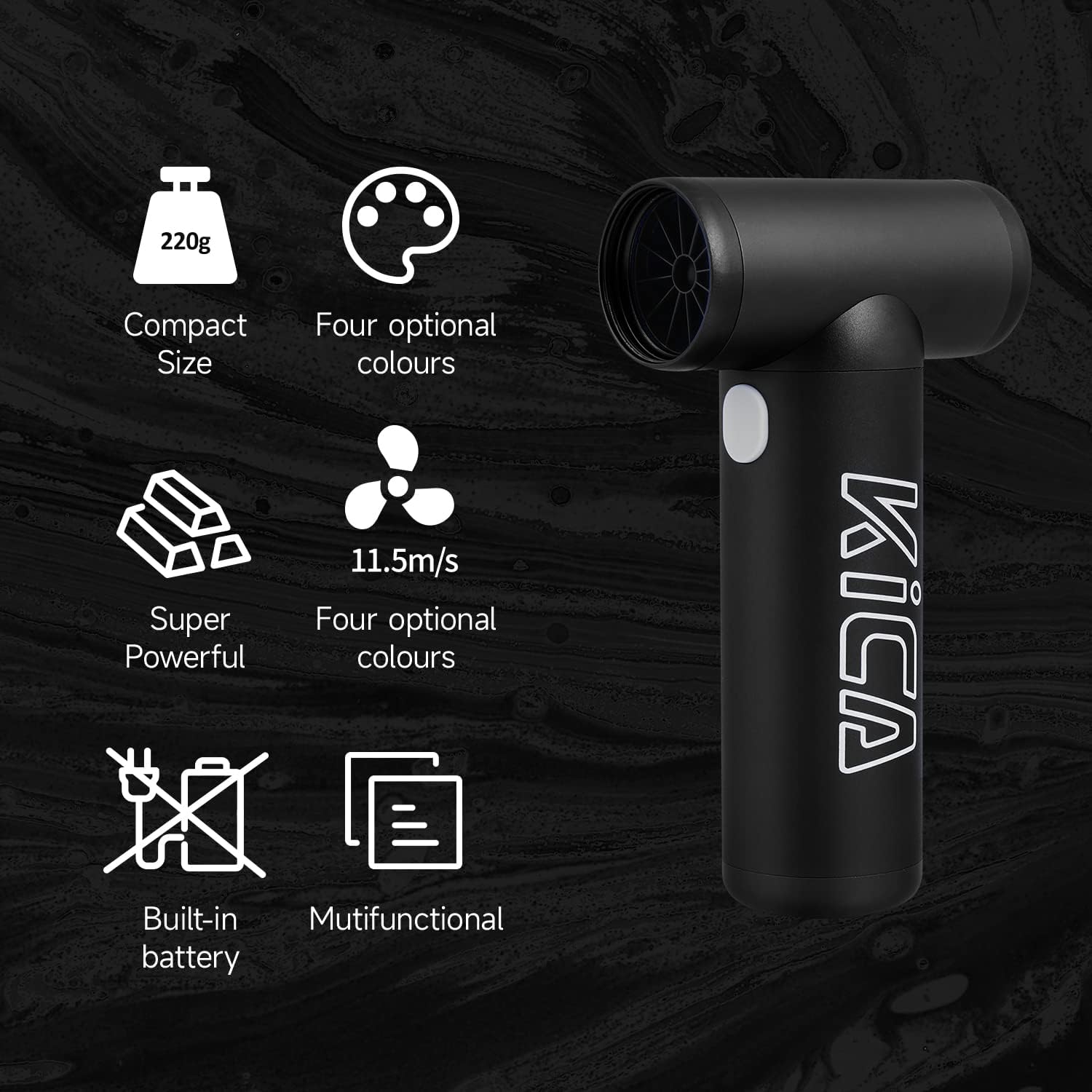
Image: The KiCA Jetfan 1.0 illustrating its compact size (220g), super powerful airflow (11.5m/s), built-in battery, and multifunctional capabilities.
Image: The KiCA Jetfan 1.0 with dimensions indicated: 124mm length, 73mm width, and 35mm height of the nozzle section.
וואָראַנטי און שטיצן
For warranty information and technical support, please refer to the official KiCA webזייטל אדער קאנטאקטירן זייער קאסטומער סערוויס גלייך. קאנטאקט דעטאלן געפינען זיך געווענליך אויף דער פראדוקט פארפאקונג אדער דעם פאבריקאנט'ס webפּלאַץ.
פאַבריקאַנט: Kica
ערשטער דאַטע בנימצא: 24 אפריל 2025


