1. הקדמה
The Aoocci C6 PRO is an advanced motorcycle dash camera system designed to enhance your riding safety and convenience. It features 4K 1080P dual recording, wireless CarPlay and Android Auto integration, built-in GPS for navigation and route tracking, emergency lock functionality, and IP67 waterproof rating. This manual provides detailed instructions for setup, operation, maintenance, and troubleshooting to ensure optimal performance of your device.
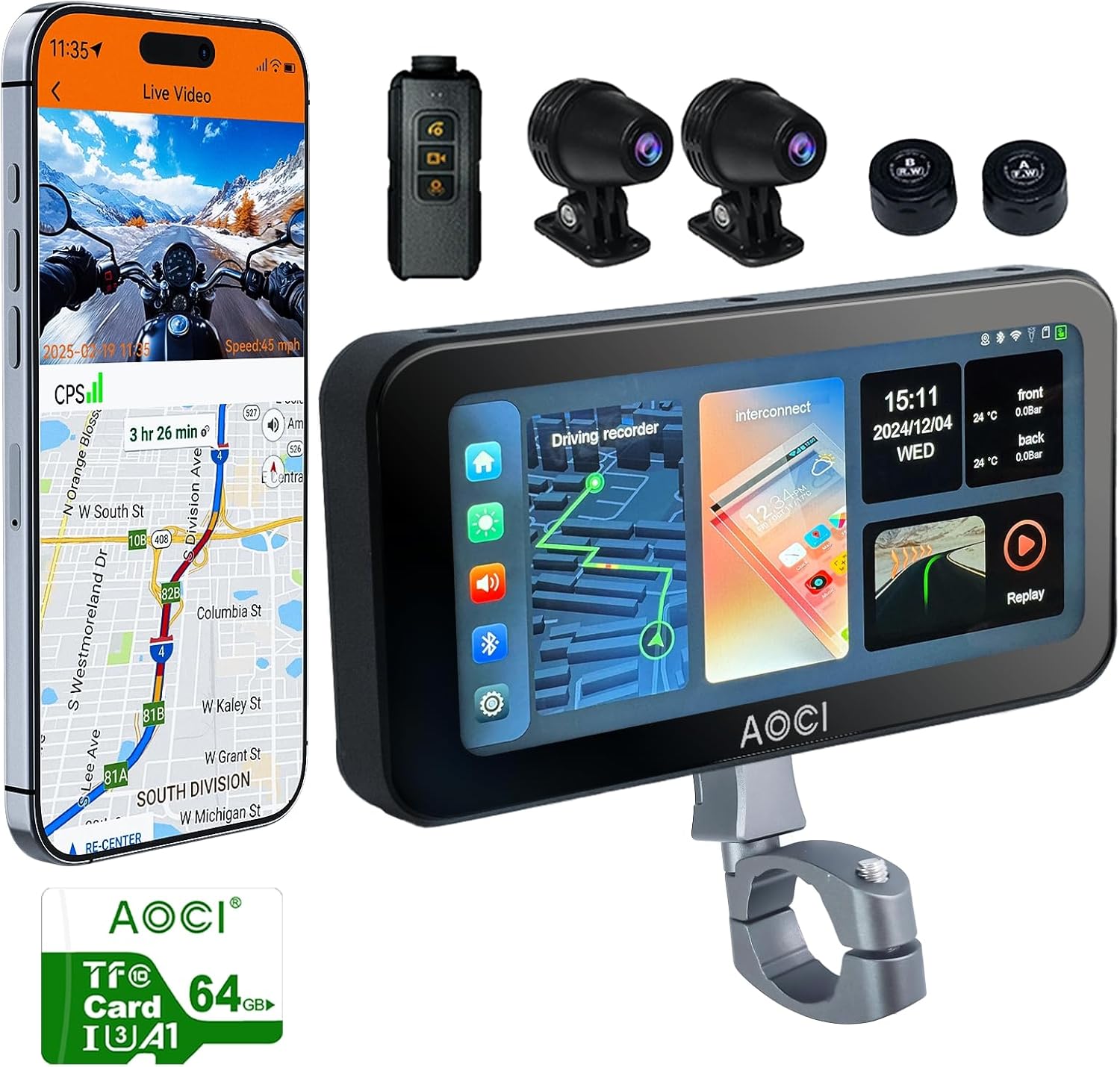
Aoocci C6 PRO Motorcycle Dash Cam and its included accessories.
2. וואָס איז אין דער קעסטל
ביטע באַשטעטיקן אַז אַלע די פאלגענדע קאָמפּאָנענטן זענען אַרייַנגערעכנט אין דיין פּעקל:
- Motorcycle Dash Cam main unit
- פראָנט און דערציען קאַמעראַס
- Bracket (Suitable for 16-36mm diameter) and TPMS
- Controller and 64GB TF Card
- אַקסעסעריז און מכשירים

All main parts of the C6 PRO system.
An unboxing video showcasing all the components included in the Aoocci C6 PRO package.
3. סעטאַפּ און ייַנמאָנטירונג
Installing the C6 PRO is designed to be straightforward. Follow these general steps:
- מאָנטירן די הויפּט אַפּאַראַט: Secure the main display unit to your motorcycle handlebar using the provided adjustable ball-head bracket. Ensure it is in a position that does not obstruct your view אָדער קאָנטראָלס.
- Install Cameras: Mount the front and rear cameras in desired locations, ensuring a clear field of view. The 140-degree wide-angle lenses provide extensive coverage.
- פאַרבינדן מאַכט: Connect the power cable to your motorcycle's battery. The system is designed for low power use to protect your battery.
- פֿאַרבינדן קאָמפּאָנענטן: Connect the cameras, wired remote, and TPMS sensors (if applicable) to the main unit using the provided cables.
- אַריינשטעלן TF קאַרטל: Insert the 64GB TF card into the designated slot on the main unit.

Example of the main unit mounted on a motorcycle handlebar.
This video demonstrates the installation process of the dual dash motorcycle camera and its aluminum alloy metal bracket.
4. אַפּערייטינג ינסטרוקטיאָנס
4.1. Dual Recording & Wide Angle
The C6 PRO features dual cameras that record in 1080P Full HD at 30fps, capturing sharp details and vivid colors. HDR support ensures clear video even in challenging light conditions. Both front and rear cameras offer a 140-degree wide-angle view, balancing coverage and detail.

Front and rear cameras provide 1080P dual channel recording with 140-degree wide angles.
4.2. דראָטלאָזע קאַרפּליי און אַנדרויד אויטאָ
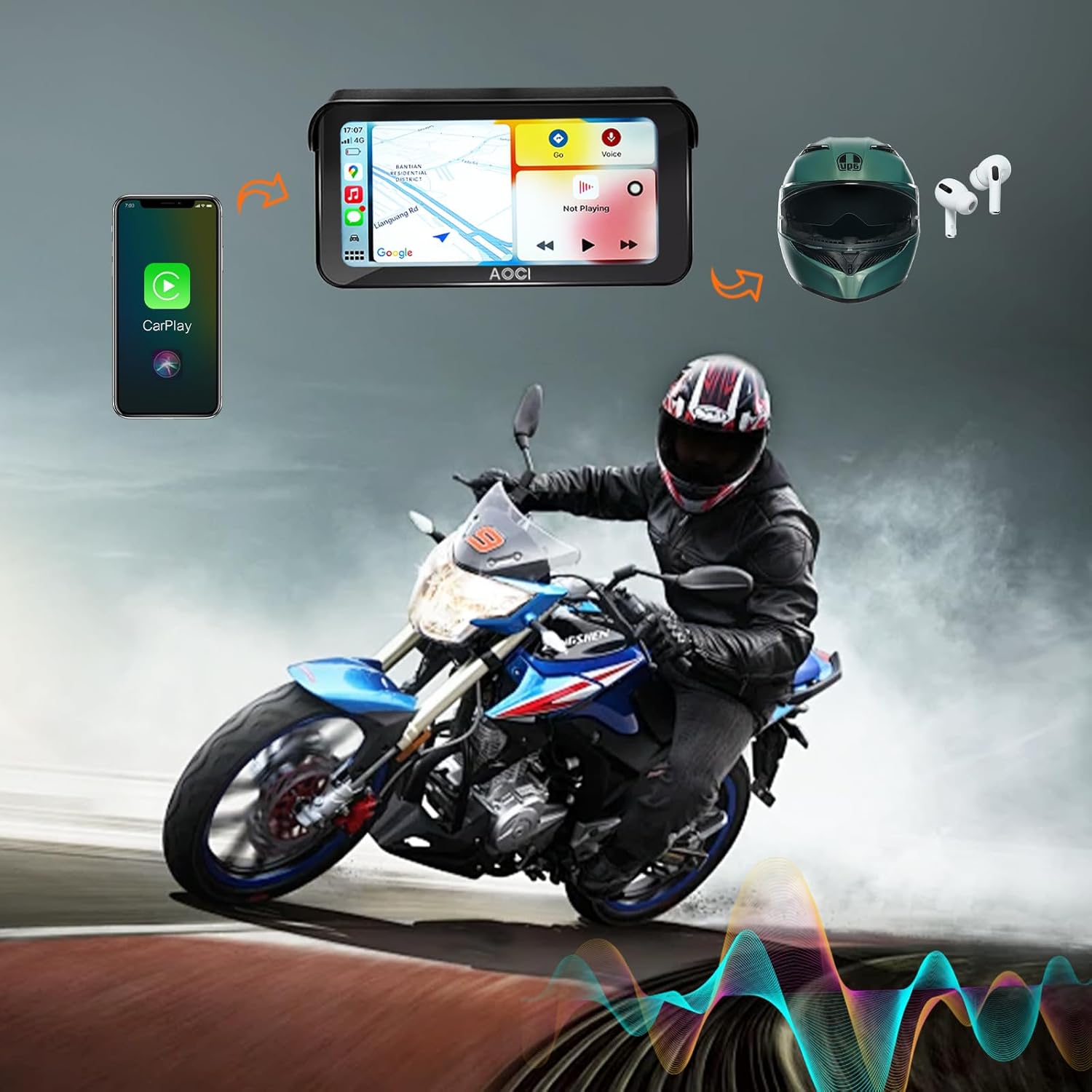
Connect your smartphone wirelessly to the C6 PRO display to access navigation, music, and hands-free calls directly from the system. This feature helps you stay focused on the road by integrating essential phone functions into the dash cam display.

Seamless integration with Wireless CarPlay and Android Auto.
4.3. געבויט-אין גפּס
The integrated GPS system records your path and provides detailed journey data, including location, speed, and altitude. You can review your routes at any time to ensure you stay on track.

Built-in GPS records your motorcycle's location, path, time, and speed data.
4.4. Loop Recording & Emergency Lock
The loop recording function automatically overwrites older files to save new ones, preventing storage from filling up. The built-in G-sensor detects sudden impacts or collisions and automatically locks the corresponding footage, protecting critical moments from being erased.

G-sensor for emergency lock and continuous loop recording.
4.5. Bluetooth & Wi-Fi Connectivity
The C6 PRO connects seamlessly to your smartphone via Bluetooth for pairing and utilizes Wi-Fi 5.0GHz for fast data transfer. It supports 1-to-2 connectivity, allowing you to connect both your smartphone and helmet simultaneously for enhanced convenience.
4.6. ווייַז פֿעיִקייטן
The 6.25-inch touchscreen features a super bright 1000-nit display, ensuring excellent visibility in all lighting conditions, including direct sunlight. The screen automatically adjusts its brightness based on ambient light.
4.7. Tire Pressure and Temperature Monitoring (TPMS)
Stay informed about your motorcycle's health with real-time tire pressure and temperature monitoring. This feature helps prevent potential tire-related issues, contributing to a smoother and safer ride.

Real-time tire pressure and temperature monitoring for enhanced safety.
4.8. דראָטיקע ווײַטקאָנטראָל
The included wired remote control allows for easy operation of key functions, such as answering calls, switching between front and rear cameras, and turning the camera on or off, without needing to interact directly with the main unit.
א פולשטענדיק איבערview of the Aoocci C6 Pro All-in-One Motorcycle Dash Cam, highlighting its key features and benefits.
This video provides a detailed look at the front and rear recording capabilities of the Aoocci C6 PRO Motorcycle Dash Cam.
5. וישאַלט
To ensure the longevity and optimal performance of your Aoocci C6 PRO dash cam, follow these maintenance guidelines:
- רייניקונג: ניצן אַ ווייך, דamp cloth to clean the display and camera lenses. Avoid abrasive materials or harsh chemicals.
- וואָטערפּרוף שאַץ: The device is IP67 waterproof, meaning it is protected against dust and can withstand immersion in water up to 1 meter for 30 minutes. However, avoid high-pressure water jets directly on the cameras or main unit.
- סטאָרידזש: ווען נישט אין באַנוץ פֿאַר לענגערע פּעריאָדן, זאָל מען האַלטן די דאַש קאַם אין אַ קיל, טרוקן אָרט, אַוועק פֿון דירעקטער זון און עקסטרעמע טעמפּעראַטורן.
The C6 PRO is IP67 waterproof and heat-resistant for reliable performance.
6. טראָובלעשאָאָטינג
If you encounter any issues with your Aoocci C6 PRO, please refer to the following general troubleshooting tips:
- די מיטל איז נישט פּאַוערינג: Check all power connections to ensure they are secure and correctly wired to the motorcycle battery. Verify the battery has sufficient charge.
- רעקאָרדינג פּראָבלעמען: Ensure the TF card is properly inserted and not full. Format the TF card if necessary (this will erase all data). Check camera connections.
- Connectivity problems (CarPlay/Android Auto/Bluetooth/Wi-Fi): Ensure your smartphone's Bluetooth and Wi-Fi are enabled. Restart both the dash cam and your smartphone. Check for any interference.
- דזשי-פי-עס טרעקט נישט: זיכער מאַכן אַז דער GPS מאָדול איז ריכטיק פֿאַרבונדן און האָט אַ קלאָרע view פון הימל.
For more complex issues or if the problem persists, please contact customer support.
7. טעכניש ספּעסאַפאַקיישאַנז
| שטריך | דעטאַל |
|---|---|
| פּראָדוקט דימענשאַנז | 6.81 X 3.46 X 0.82 אינטשעס |
| פּונקט וואָג | 3.96 פונט |
| קאַנעקטיוויטי טעכנאָלאָגיע | Bluetooth, Wi-Fi 5.0GHz |
| ספּעציעלע פֿעיִקייטן | Loop Recording, G-Sensor, App Control, Touch Screen, Built-In GPS, Wireless CarPlay, Android Auto, TPMS |
| קאָליר | שוואַרץ |
| פאַבריקאַנט | Aoocci |
| מאָדעל נאָמען | C6 PRO |
| אָריענטירונג | פראָנט און דערציען |
| פאָרמיטל סערוויס טיפּ | מאָטאָציקל |
| ווידעא קאַפּטורע רעסאָלוטיאָן | 1080 פּ |
| מאַונטינג טיפּ | דאַשבאָרד בארג |
| ווייַז גרייס | 6.25 אינטשעס |
| וואָטערפּרוף רייטינג | IP67 |
8. גאַראַנטיע און קונה שטיצע
Aoocci offers a 12-חודש קוואַליטעט פארזיכערונג for the C6 PRO Motorcycle Dash Cam. We are committed to providing excellent customer service.
If you have any questions, require technical support, or encounter any issues with your product, please do not hesitate to email our after-sales team directly. We aim to respond to all inquiries within 24 hours.
For the most up-to-date contact information, please refer to the product packaging or the official Aoocci webפּלאַץ.


