הקדמה
This manual provides essential information for the safe and effective use of your TCL TP300K Portable Bluetooth Party Speaker. Please read this guide thoroughly before operating the device and retain it for future reference. The TCL TP300K is designed to deliver powerful sound with dynamic RGB light shows, an 18-hour battery life, and an IPX4 splash-proof rating, making it suitable for various environments.
וואָס איז אין די קעסטל
Carefully unpack all items from the box. Ensure all components are present before discarding packaging materials.
- TCL TP300K Portable Bluetooth Party Speaker
- מאַכט שנור
- שנעל אָנהייב גייד
- וואָראַנטי און זיכערקייַט אינפֿאָרמאַציע

Image: The TCL TP300K speaker shown with its dimensions and a list of included accessories.
פּראָדוקט איבערview
The TCL TP300K features a robust design with intuitive controls and versatile placement options. It can be positioned horizontally or vertically thanks to its integrated handles.
רעדנער קאָמפּאָנענטן און קאָנטראָלס
Familiarize yourself with the speaker's main components and control panel.

בילד: א ווינקלדיקע view of the TCL TP300K speaker, highlighting its overall design.
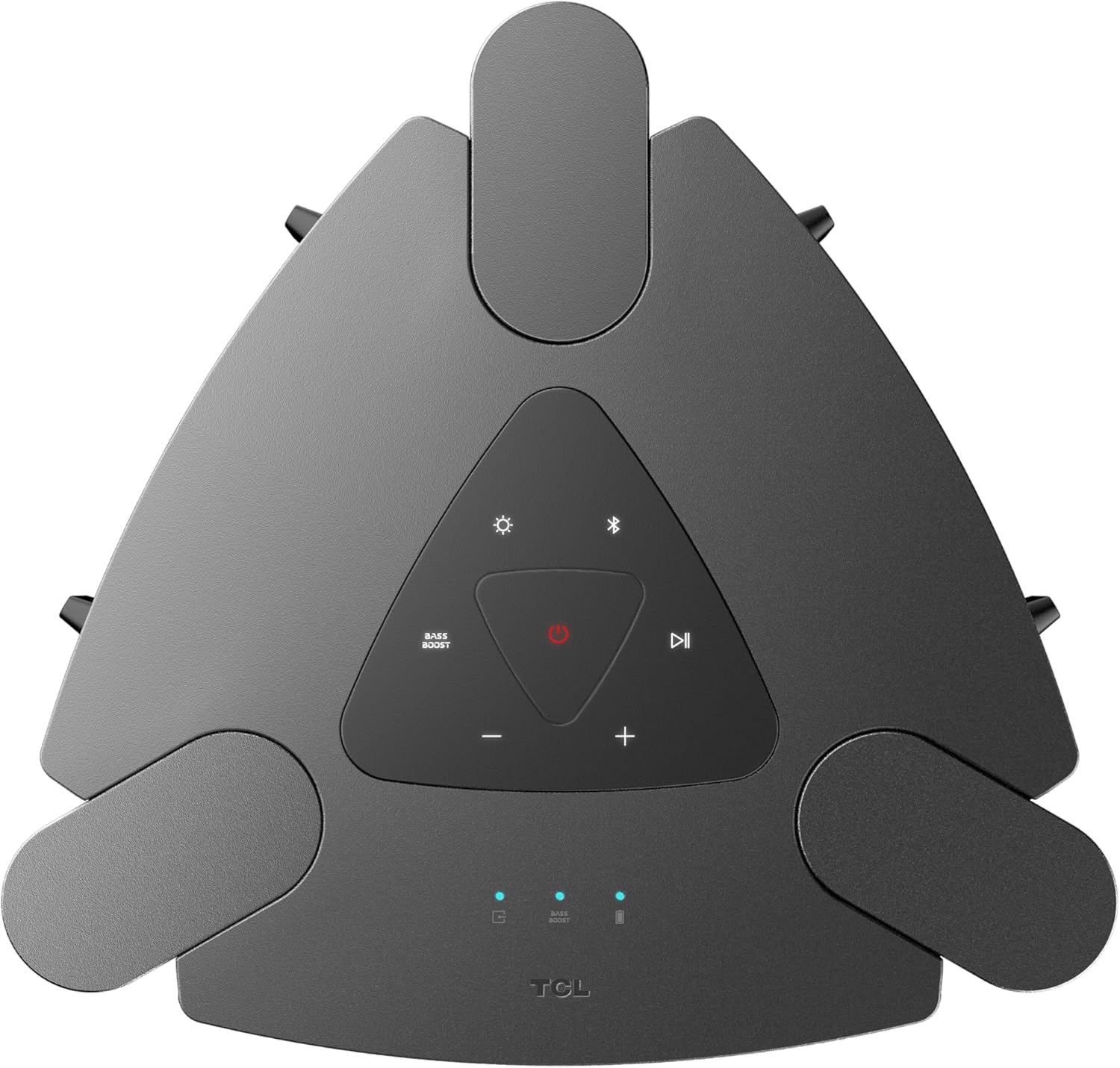
בילד: א נאָענטע בילד view of the top control panel, showing buttons for power, Bluetooth, light modes, volume, and bass boost.

בילד: א דעטאַלירטע view of the rear input panel, featuring ports for guitar, microphone, USB, and AUX connections.
סעטאַפּ
טשאַרדזשינג די רעדנער
- Connect the provided power cord to the speaker's power input.
- צאַפּן די אנדערע סוף פון די מאַכט שנור אין אַ פּאַסיק מאַכט ווענטיל.
- The charging indicator will illuminate. A full charge provides approximately 18 hours of playback (at 25% volume with static light effects).

Image: The speaker shown in a party setting, illustrating its 18-hour battery life.
מאַכט אויף / אַוועק
- צו אָנפאַנגען, דריקן און האַלטן די מאַכט קנעפּל אויף די קאָנטראָל טאַפליע.
- צו האַלטן אַוועק, דריקן און האַלטן די מאַכט קנעפּל ווידער.
אַפּערייטינג ינסטראַקשאַנז
בלועטאָאָטה קאַנעקשאַן
- פאַרזיכערן אַז די רעדנער איז פּאַוערד אויף.
- דרוק די בלועטאָאָטה button on the control panel to enter pairing mode. The Bluetooth indicator will flash.
- On your mobile device, enable Bluetooth and search for "TCL TP300K".
- Select the speaker from the list to pair. Once connected, the Bluetooth indicator will glow solid.

Image: Two individuals wirelessly streaming music to the speaker from their mobile devices.
וסב אַודיאָ פּלייבאַק
- אַרײַנשטעלן אַ USB דרייוו מיט אַודיאָ files into the USB port on the rear panel.
- דער רעדנער וועט אויטאָמאַטיש איבערגיין צו USB מאָדע און אָנהייבן שפּילן מוזיק.
- ניצן די שפּיל / פּויזע און האָפּקען buttons on the control panel to manage playback.
קאַראַאָקע מאָדע
- Connect a microphone or guitar to the respective input jacks on the rear panel.
- Adjust the microphone/guitar volume and echo effect using the dedicated knobs.
- Play music via Bluetooth or USB and sing along.

Image: Individuals using the speaker for karaoke, demonstrating the microphone and guitar input functionality.
Wireless Party Link (Multi-Speaker Connection)
- Ensure both TCL TP300K speakers are powered on and not connected to any Bluetooth device.
- On one speaker (the primary speaker), press and hold the TWS/LINK button until you hear a confirmation tone.
- On the second speaker (the secondary speaker), press the TWS/LINK קנעפּל בעקיצער.
- The speakers will connect wirelessly. Once connected, pair your mobile device to the primary speaker via Bluetooth. Both speakers will play synchronized audio.

Image: A party scene with multiple TCL TP300K speakers linked together for a synchronized audio experience.
טרו ווירעלעסס סטערעאָ (טווס) פּערינג
For a stereo sound experience, you can pair two TP300K speakers.
- Follow the Wireless Party Link instructions to connect two speakers.
- Once linked, the speakers will automatically configure for left and right channel stereo playback.

Image: A visual representation of two speakers configured for True Wireless Stereo pairing, indicating left and right audio channels.
RGB Dynamic Light Shows
- דרוק די ליכט מאָדע button on the control panel to cycle through 8 different RGB dynamic light show presets.
- דריקן און האַלטן די ליכט מאָדע קנעפּל צו קער אַוועק די לייץ.

בילד: די רעדנער שאָוasing its vibrant RGB dynamic light shows, creating an energetic atmosphere.
באַס בוסט פונקציע
- דרוק די באַס באָאָסט button on the control panel to enhance low-frequency audio.
- Press the button again to deactivate the Bass Boost.

בילד: אן איבערקאפ view of the speaker in a social setting, illustrating the impact of the Bass Boost feature.
וישאַלט
רייניקונג
- Ensure the speaker is powered off and unplugged before cleaning.
- ניצט אַ ווייכן, טרוקענעם שטאָף צו ווישן די אויסערלעכע ייבערפלאַכן.
- ניצט נישט קיין אברייסיוו רייניגער, וואקס, אדער סאָלווענטן.
Splash-Proof Rating (IPX4)
The speaker has an IPX4 splash-proof rating, meaning it is resistant to splashing water from any direction. This makes it suitable for outdoor use where light splashes may occur. However, it is not designed to be submerged in water or exposed to high-pressure water jets.
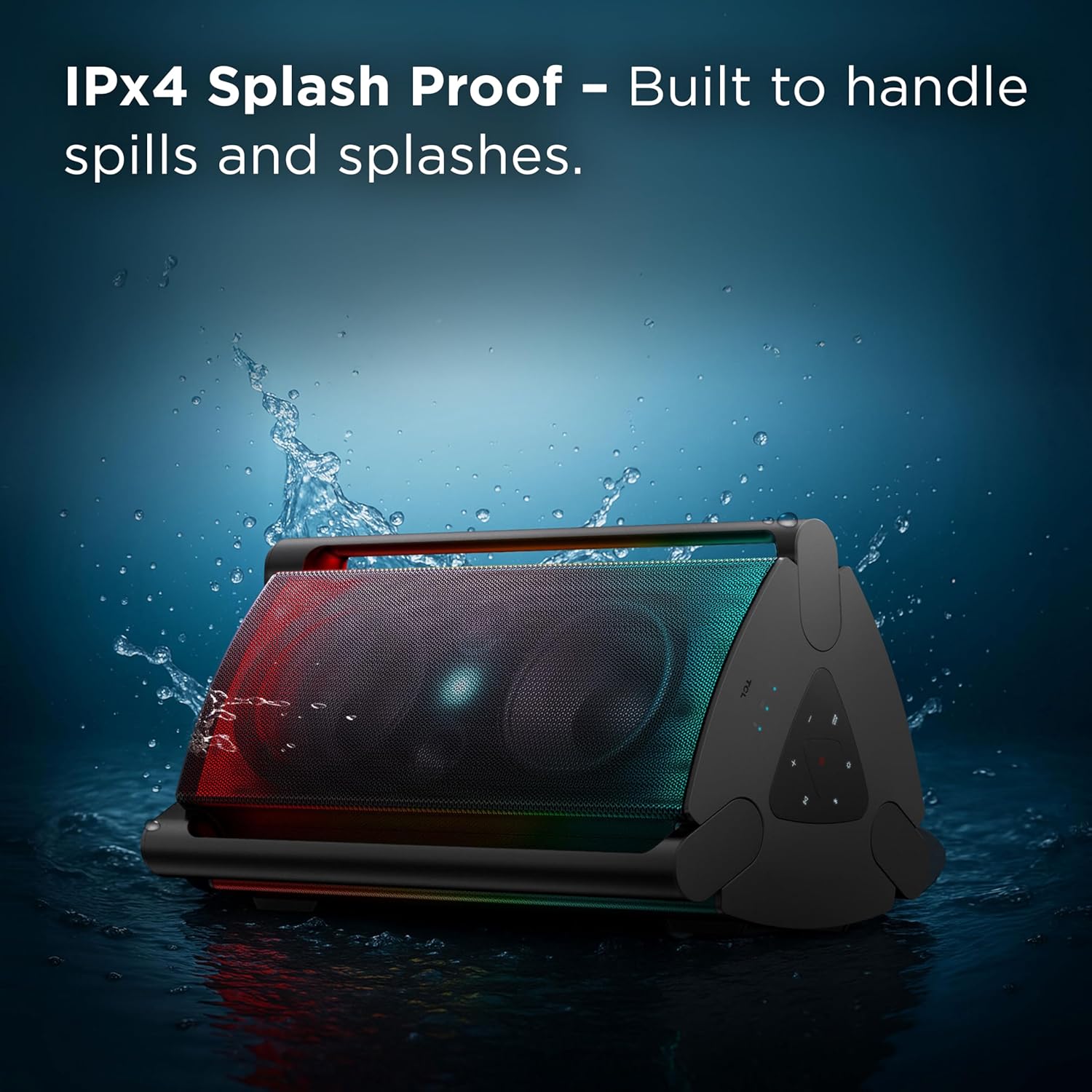
Image: The speaker shown with water splashing on it, illustrating its IPX4 anti-splash protection.
טראָובלעשאָאָטינג
| פּראָבלעם | מעגלעך סיבה | לייזונג |
|---|---|---|
| דער רעדנער גייט נישט אן. | נידעריגע באַטעריע אדער קיין מאַכט פֿאַרבינדונג. | לאָדט אויף דעם רעדנער מיטן צוגעשטעלטן עלעקטרישן שנור. מאַכט זיכער אַז די עלעקטרישע אַוטלעט אַרבעט ווי עס דאַרף. |
| קיין געזונט פון די רעדנער. | Volume too low, incorrect source selected, or device not paired. | Increase volume on both the speaker and your connected device. Press the מקור button to select the correct input (Bluetooth, USB, AUX). Re-pair your Bluetooth device. |
| Bluetooth connection unstable or failing. | Device too far from speaker, interference, or previous pairing issue. | Move your device closer to the speaker. Avoid obstacles between devices. Forget the speaker from your device's Bluetooth list and re-pair. |
| מיקראָפאָן/גיטאַר אינפּוט אַרבעט נישט. | Cable not fully inserted, volume knob too low. | Ensure cables are securely connected. Adjust the microphone/guitar volume knob on the speaker. |
| Wireless Party Link not connecting. | Incorrect pairing procedure or speakers already connected to other devices. | Ensure both speakers are in pairing mode and not connected to any other Bluetooth device. Follow the Wireless Party Link instructions carefully. |
ספּעסאַפאַקיישאַנז
| שטריך | דעטאַל |
|---|---|
| מאָדעל נאָמען | TP300K |
| סאָרט | TCL |
| רעדנער טיפּ | פּאָרטאַטיוו ספּיקער |
| קאַנעקטיוויטי טעכנאָלאָגיע | בלועטאָאָטה, וסב, אַגזיליערי |
| רעדנער מאַקסימום רעזולטאַט מאַכט | 340 וואטס |
| באַטערי לעבן | Up to 18 hours (at 25% volume with static light effects) |
| וואַסער קעגנשטעל מדרגה | IPX4 שפּריצן פּרוף |
| ליכט שאָוז | 8 RGB Dynamic Light Show Presets |
| ספּעציעלע פֿעיִקייטן | Bass Boost, Portable, RGB Light Show, Waterproof (Splash-Proof) |
| פּראָדוקט דימענשאַנז (ד רענטגענ וו רענטגענ ה) | 15.07" x 15.63" x 26.68" |
| פּונקט וואָג | 34.4 פונט |
| מאַטעריאַל | פּלאַסטיק |
| אַרייַנגערעכנט קאַמפּאָונאַנץ | Power Cord, Quick Start Guide |

Image: A diagram illustrating the physical dimensions of the TCL TP300K speaker.
וואָראַנטי און שטיצן
Your TCL TP300K Portable Bluetooth Party Speaker comes with a limited warranty. Please refer to the included Warranty and Safety Information document for details regarding warranty coverage, terms, and conditions.
פֿאַר טעכנישע שטיצע, סערוויס, אָדער ווייטערדיקע פֿראַגעס, ביטע באַזוכט די אָפֿיציעלע TCL שטיצע website or contact their customer service as provided in your warranty documentation.


