הקדמה
די שווארצעview W50Pro Military Smart Watch is designed for durability and comprehensive functionality, suitable for various environments and activities. This manual provides essential information for setting up, operating, and maintaining your device to ensure optimal performance.
וואָס איז אין די קעסטל
- סמאַרט וואַך x1
- סיליקאָנע רימען x1
- Nylon Braided Strap x1
- מאַגנעטיק טשאַרדזשינג קאַבלע x1
- באַניצער מאַנואַל x1
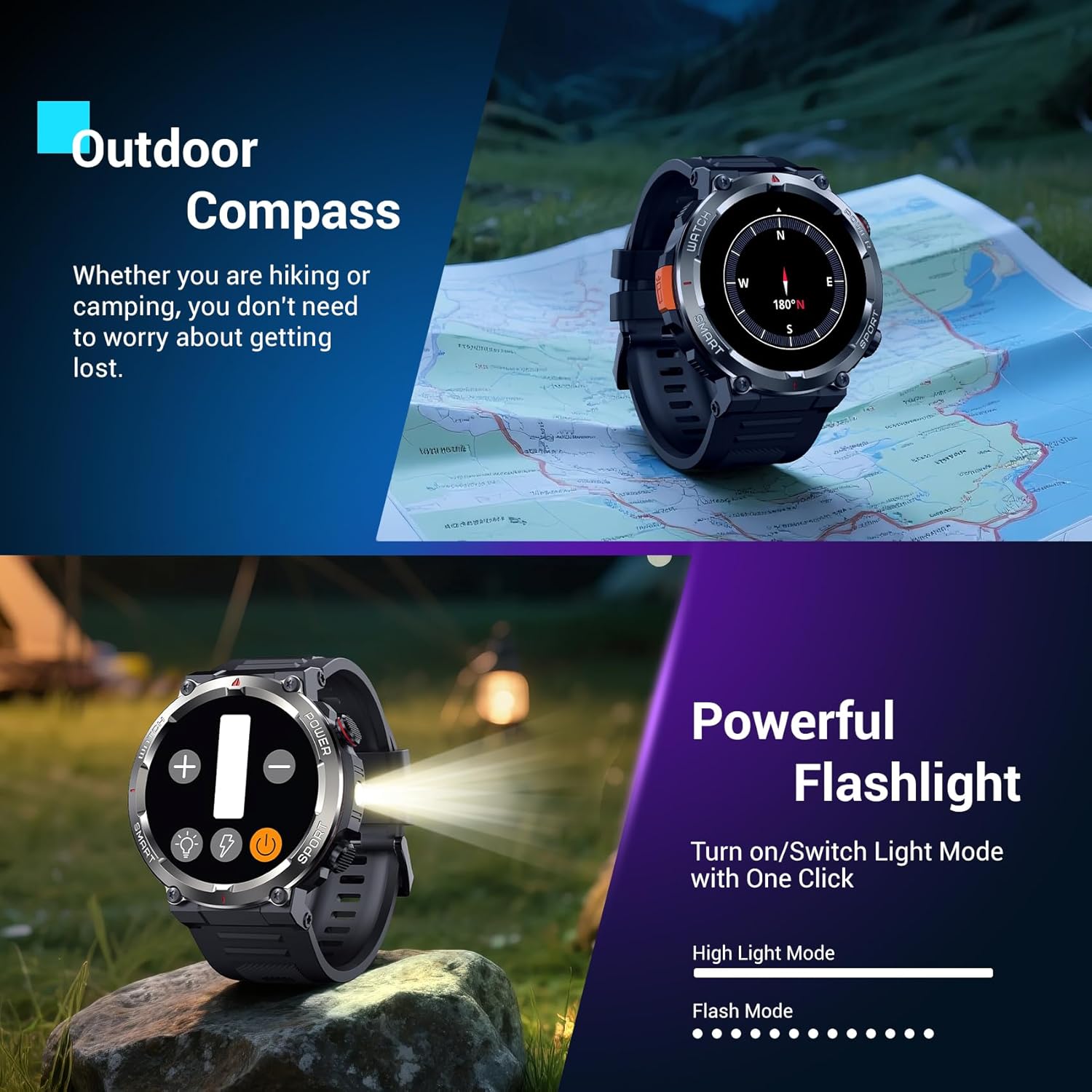
Image: The Blackview W50Pro Smart Watch and its accessories, including two interchangeable straps, a magnetic charging cable, and the user manual.
סעטאַפּ
1. אויפלאָדן דעם סמאַרט וואַך
Before initial use, fully charge your Blackview W50Pro Smart Watch. Connect the magnetic charging cable to the charging points on the back of the watch and plug the USB end into a compatible power source (e.g., computer USB port, USB wall adapter). The watch features a 960mAh battery, offering over 100 days of standby time and over 30 days of daily use.
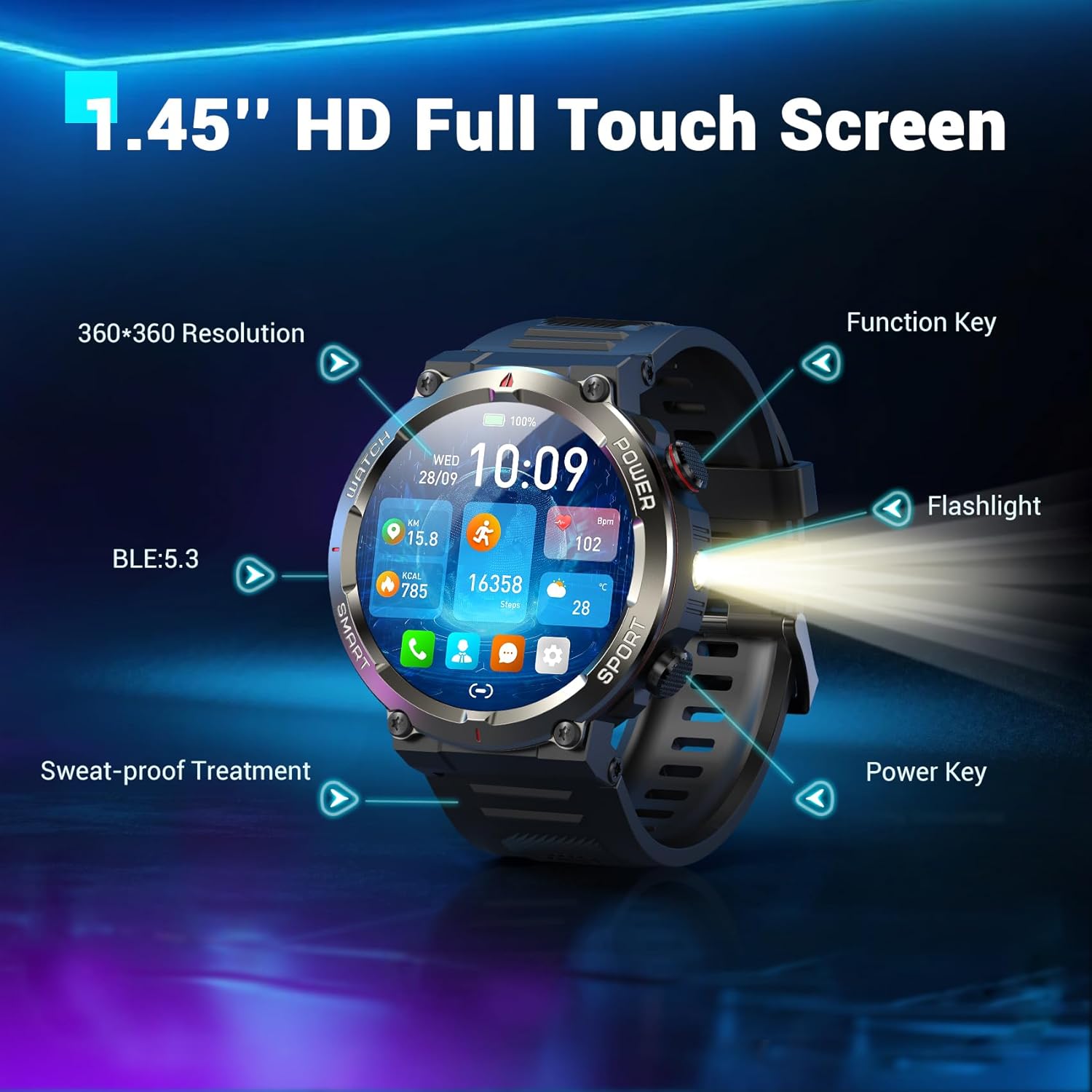
Image: The Blackview W50Pro Smart Watch connected to its magnetic charging cable, illustrating the charging process.
2. אַפּ דאַונלאָוד און פּערינג
To unlock the full potential of your smartwatch, download the "Da Fit" app on your smartphone. Scan the QR code provided in the user manual or search for "Da Fit" in your phone's app store (compatible with Android 6.0+ and iOS 9.0+).
Once the app is installed:
- געבן בלועטאָאָטה אויף דיין סמאַרטפאָנע.
- Open the "Da Fit" app and follow the on-screen instructions to add a new device.
- Select your Blackview W50Pro (model W50Pro) from the list of available devices.
- Confirm pairing on both your phone and the smartwatch.
- Grant necessary permissions for notifications and health data tracking.
Video: A demonstration of connecting the KPEP K67A Military Smart Watch (similar model) to a smartphone via Bluetooth and the Da Fit app, showing the pairing process and initial setup steps.
3. רימען אינסטאַלאַציע
The watch comes with two straps: a silicone strap and a nylon braided strap. To attach a strap, align the pins on the strap with the holes on the watch casing and slide the pin into place. Ensure both sides are securely fastened.
אַפּערייטינג ינסטראַקשאַנז
נאַוויגאַציע
- טאָוטשסקרעען: סווייפּ לינקס, רעכטס, אַרויף, אָדער אַראָפּ צו נאַוויגירן דורך מעניוז און פֿעיִקייטן. צאַפּן צו סעלעקטירן.
- פֿונקציע שליסל: Typically used to return to the previous screen or activate specific features.
- מאַכט שליסל: Long press to power on/off. Short press to wake/sleep the screen.
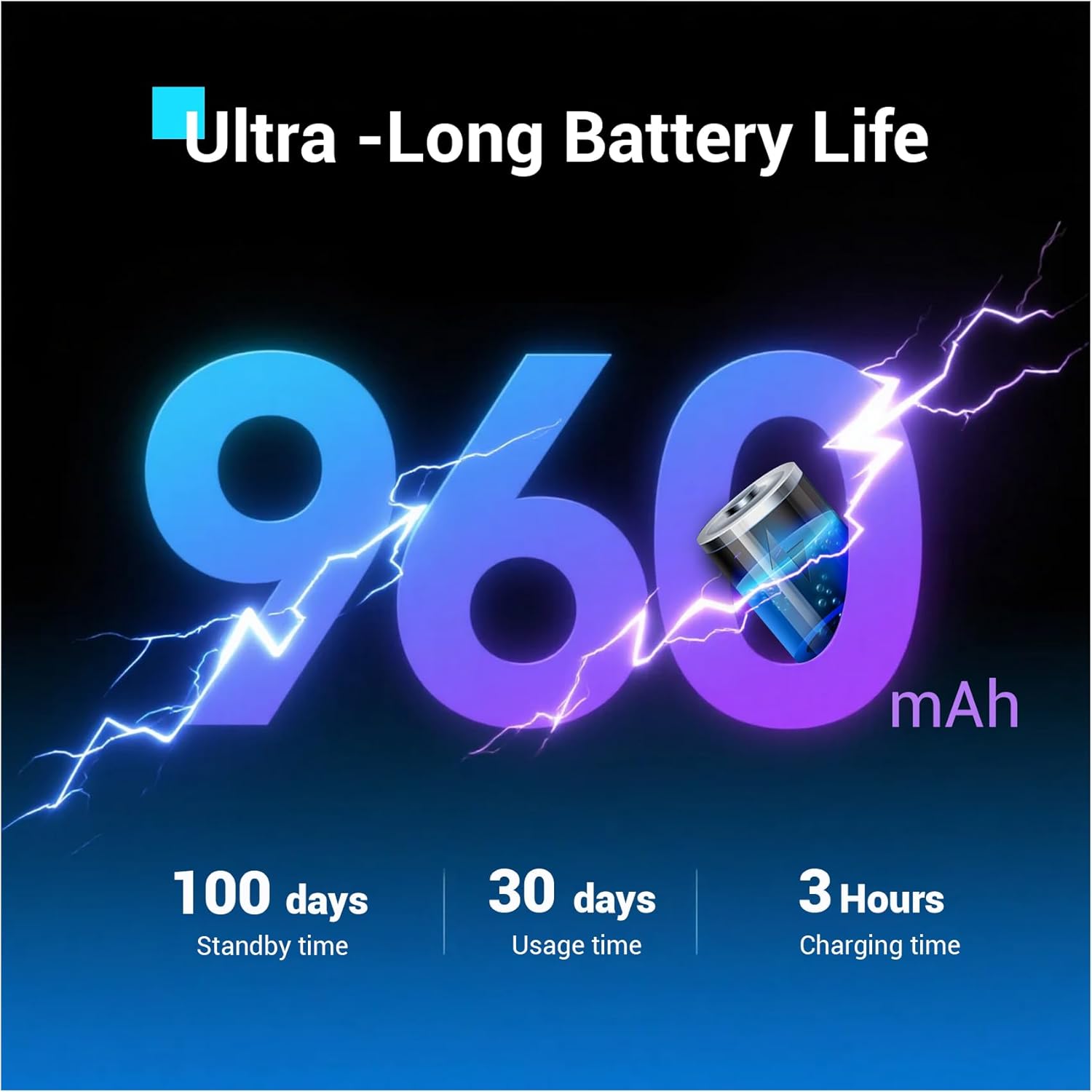
Image: Close-up of the Blackview W50Pro Smart Watch highlighting its 1.45-inch HD full touch screen, function key, flashlight, and power key.
קוסטאָמיזאַבלע וואַך פנימער
Personalize your watch face by long-pressing the screen or selecting from the "Da Fit" app. Choose from a vast online library or set personal photos as backgrounds.
Answering/Making Calls
Once paired via Bluetooth, you can answer and make calls directly from your watch. The "Da Fit" app allows you to store contacts for quick dialing. The watch also displays real-time notifications for calls and messages from various apps.
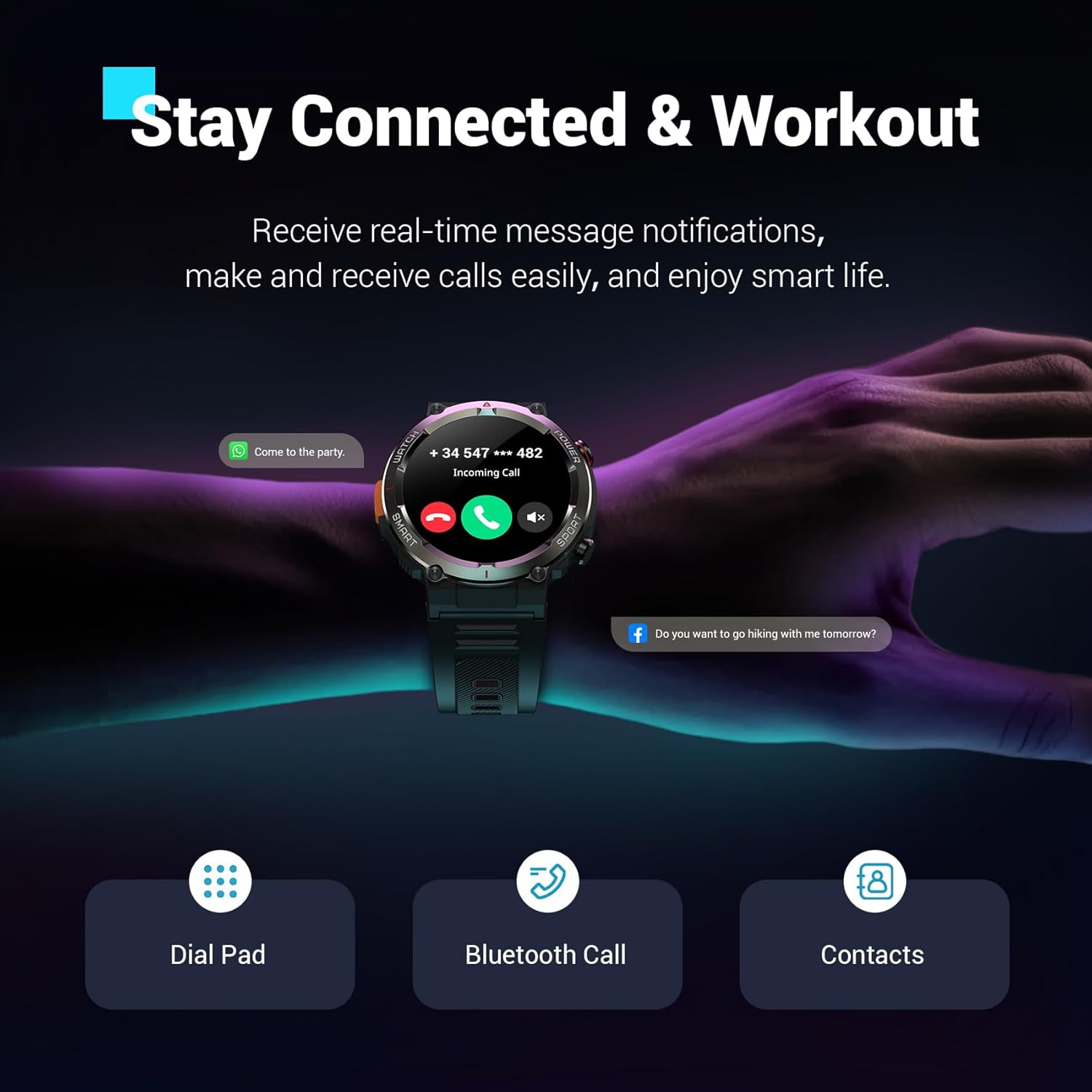
Image: The Blackview W50Pro Smart Watch showing an incoming call notification and message alerts, demonstrating its communication features.
געזונט מאָניטאָרינג
די שווארצעview W50Pro offers comprehensive health monitoring features:
- האַרץ קורס מאָניטאָרינג: 24/7 real-time heart rate tracking.
- מאָניטאָרינג פון בלוט זויערשטאָף (SpO2): Real-time blood oxygen level checks.
- דרוק מאָניטאָרינג: טראַק דיין סטרעס לעוועלס איבערן טאָג.
- שלאָף מאָניטאָרינג: Records sleep time and identifies deep sleep, light sleep, and REM sleep patterns.
באַמערקונג: This product is not a medical device. Test data is for reference only and should not be used to diagnose or monitor any medical conditions.
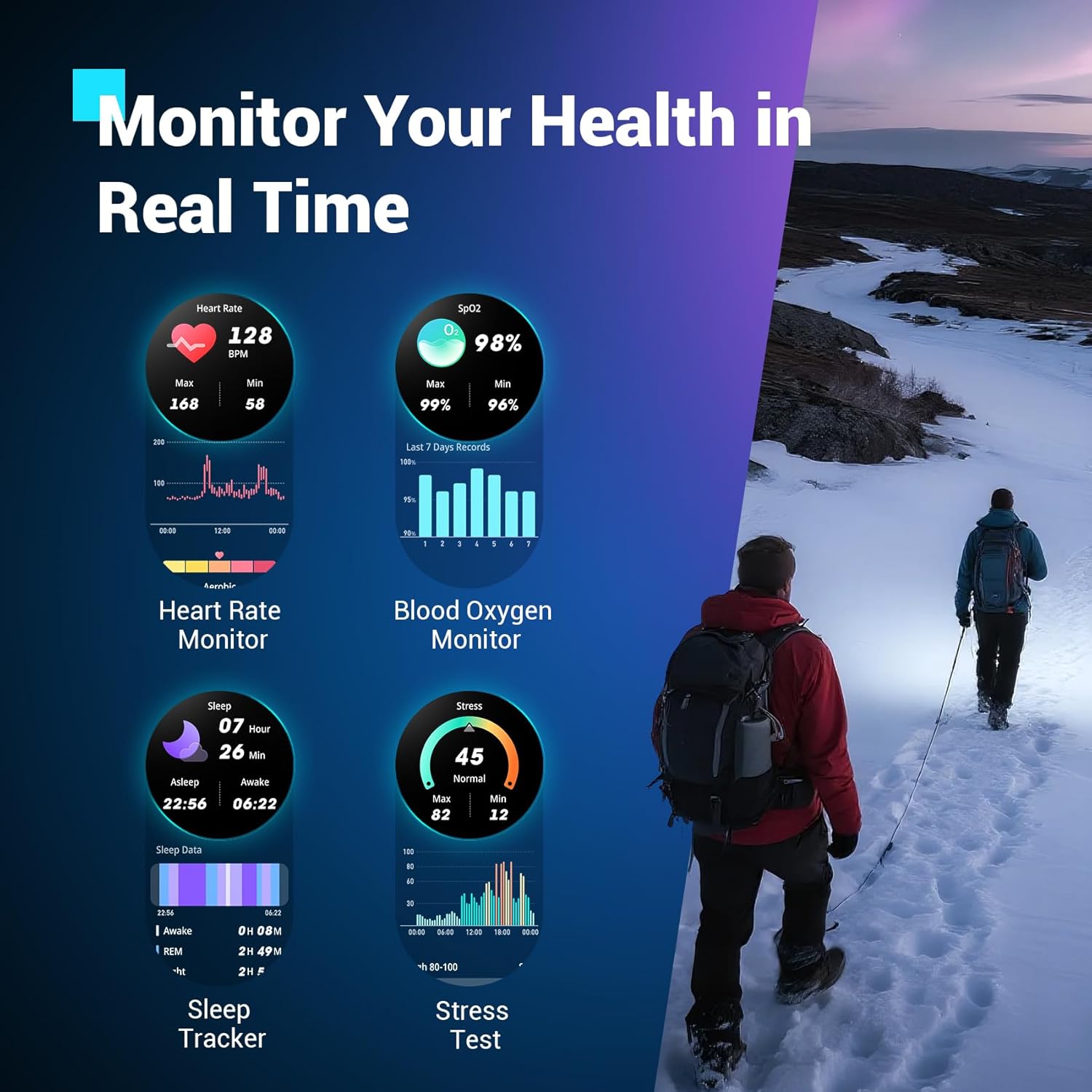
Image: The Blackview W50Pro Smart Watch interface showing various health metrics including heart rate, blood oxygen, sleep data, and stress test results.
ספּאָרט מאָדעס און GPS
The smartwatch supports over 100 sports modes, including cycling, running, basketball, rugby, skiing, and more. Connect to the "Da Fit" app via Bluetooth to track daily stats like steps, time, distance, and calories. Utilize your phone's GPS through the app to record all your training routes and fitness data.
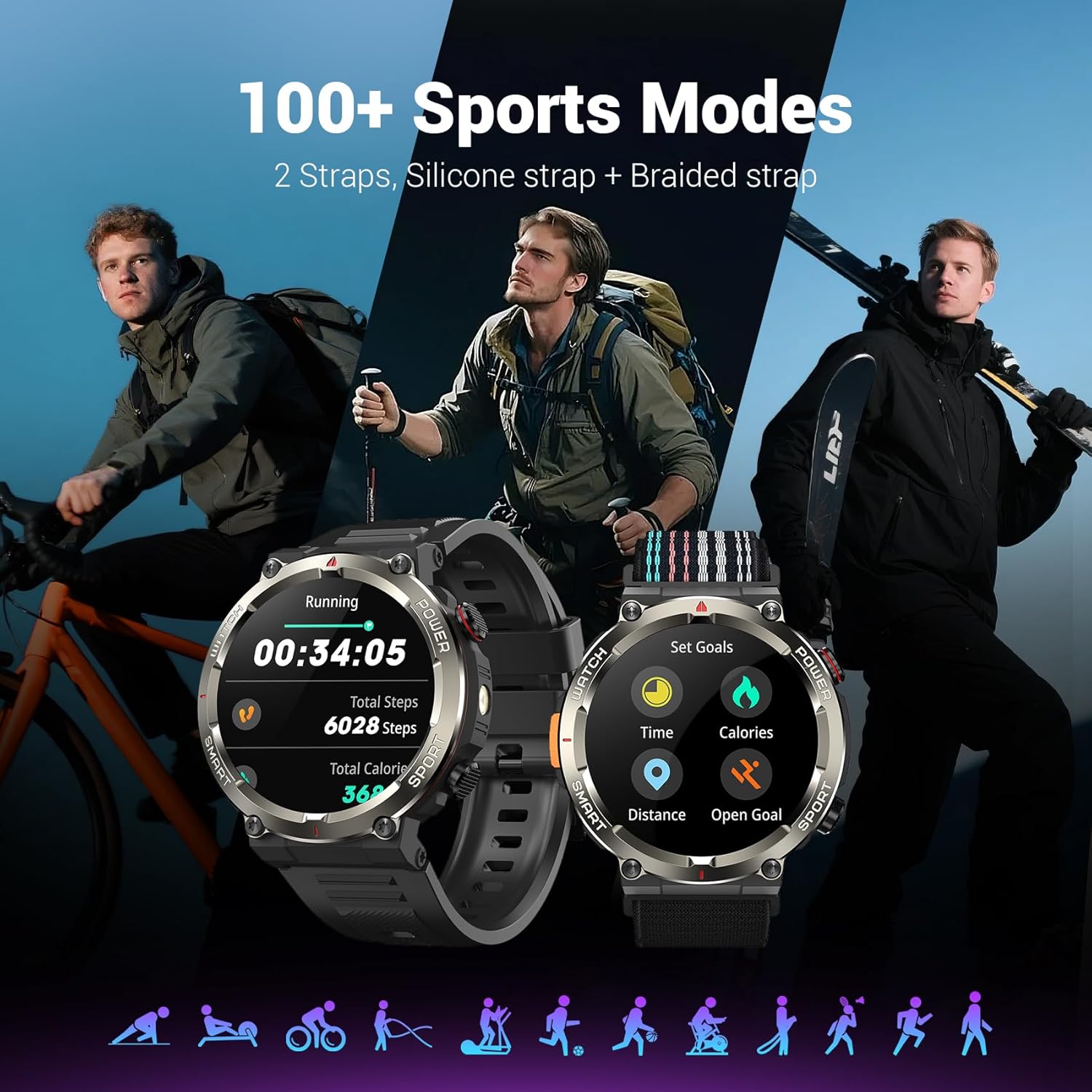
Image: The Blackview W50Pro Smart Watch showcasing its 100+ sports modes, with examples of activity tracking for running and goal setting.
דרויסנדיקע פֿעיִטשערז
- LED פלאַשליגהט: Activate the high-brightness LED flashlight with a single button for nighttime visibility or emergencies.
- Precision Compass: Navigate quickly when lost or without signal, providing essential direction for outdoor adventures.
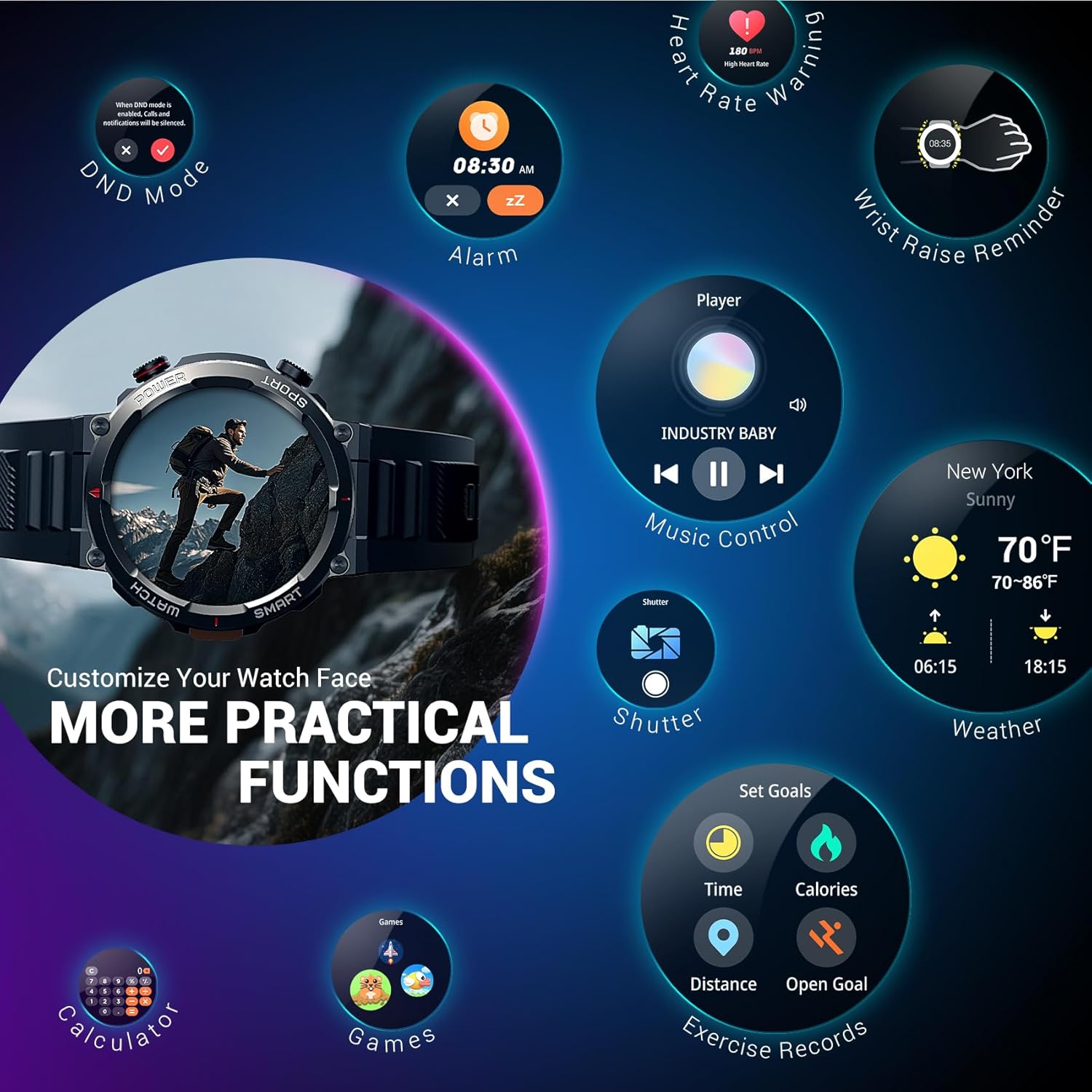
Image: The Blackview W50Pro Smart Watch highlighting its outdoor compass feature on the display and demonstrating its powerful LED flashlight in a dark environment.
More Useful Tools
די שווארצעview W50Pro includes additional practical functions:
- מוזיק קאָנטראָל
- קאַמעראַ קאָנטראָל
- וועטער פאָרעקאַסט
- שרעק זייגער
- סטאַפּוואַטש
- טיימער
- קאַלקולאַטאָר
- געפֿינען פאָון
- צי ניט שטערן (DND) מאָדע
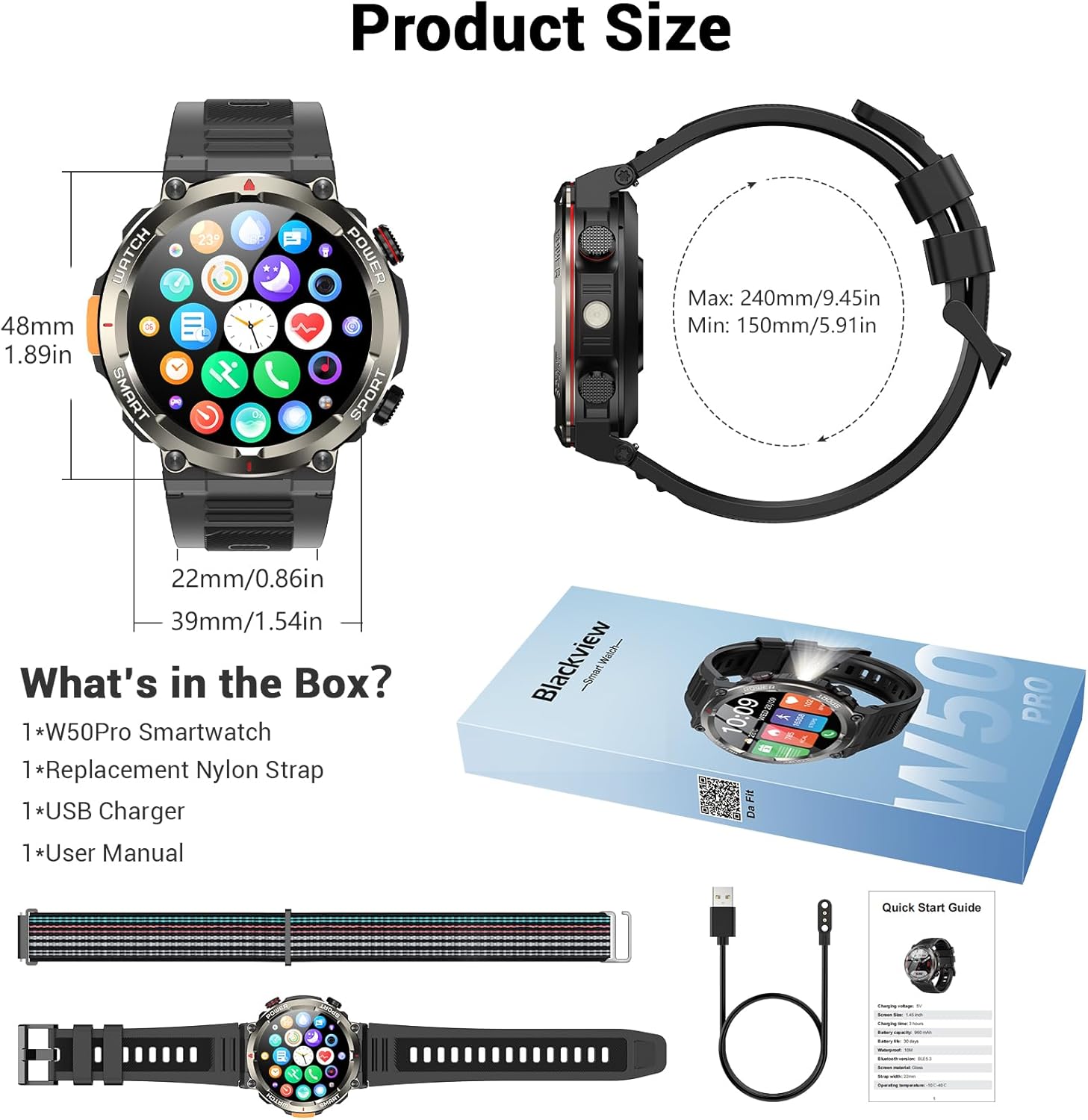
Image: The Blackview W50Pro Smart Watch screen showing icons for various practical functions such as music control, weather, calculator, and exercise records.
האַרטקייט און וואַסערפּרוף
The watch features a durable plastic case and zinc alloy housing, designed to withstand outdoor bumps, dust, and sand. It has an IP68 waterproof rating, making it safe for everyday use like hand washing or rain. However, it is not suitable for saunas, hot tubs, swimming, or diving.
ווידעא: א קורצע הקדמהview video demonstrating the IP68 waterproof rating of a KPEP smartwatch (similar model), showing it being submerged in water.
ספּעסאַפאַקיישאַנז
| פּראָדוקט דימענשאַנז | 7.19 X 3.5 X 0.79 אינטשעס |
| פּונקט וואָג | 5.6 אונס (0.16 קילאָגראַמס) |
| נומער מאָדעל נומער | W50Pro |
| באַטעריז | 1 א באַטעריז פארלאנגט (אַרייַנגערעכנט) |
| שטייענדיק פאַרשטעלן ווייַז גרייס | 1.45 אינטשעס |
| זכּרון סטאָרידזש קאַפּאַסיטי | 1 גיגאבייט |
| ראַם זכּרון אינסטאַלירט גרייס | 128 מב |
| אָפּערייטינג סיסטעם | אַנדרויד און יאָס |
| באַטאַרייע קאַפּאַציטעט | 960 מיליamp שעהן |
| קאַנעקטיוויטי טעכנאָלאָגיע | בלועטאָאָטה |
| ווירעלעסס קאָמוניקאַציע סטאַנדאַרד | בלועטאָאָטה |
| גפּס | גפּס דורך סמאַרטפאָנע |
| פאָרעם | קייַלעכיק |
וישאַלט
To ensure the longevity and optimal performance of your Blackview W50Pro Smart Watch, follow these maintenance guidelines:
- רייניקונג: Regularly wipe the watch screen and straps with a soft, dry cloth. For stubborn dirt, use a slightly damp שטאָף און מילד זייף, דערנאָך שווענקען און טרוקן גוט.
- ויסמיידן האַרב קעמיקאַלז: Do not expose the watch to strong chemicals, solvents, or detergents, as these can damage the materials.
- טשאַרדזשינג: Use only the provided magnetic charging cable. Avoid exposing the charging contacts to water or corrosive substances.
- סטאָרידזש: האַלט די זייגער אין אַ קיל, טרוקן אָרט אַוועק פון דירעקט זונשייַן און עקסטרעמע טעמפּעראַטורן.
- וואַסער ויסשטעלן: While IP68 waterproof, avoid prolonged submersion or exposure to high-pressure water jets. Dry the watch completely after contact with water.
טראָובלעשאָאָטינג
If you encounter issues with your Blackview W50Pro Smart Watch, try the following solutions:
- זייגער טוט זיך נישט אן: זיכער מאַכן אַז די זייגער איז גאָר אויפגעלאָדן. פֿאַרבינדט עס צום טשאַרדזשער פֿאַר לפּחות 30 מינוט.
- קען נישט צוזאמענשטעלן מיטן טעלעפאן: Make sure Bluetooth is enabled on your phone and the watch is within range. Restart both devices and try pairing again. Ensure the "Da Fit" app has necessary permissions.
- מעלדונגען נישט באקומען: Check app permissions on your phone and ensure notifications are enabled within the "Da Fit" app settings for specific applications.
- נישט פּינקטלעכע געזונט דאַטן: זייט זיכער אז די זייגער טראָגט זיך גוט אויף אייער האַנטגעלענק, נישט צו ענג אדער צו לויז. רייניקט דעם סענסאָר אויף דער הינטערשטער זייגער.
- עקראַן רעאַגירט נישט: Restart the watch by long-pressing the power key. If unresponsive, allow the battery to drain completely and then recharge.
וואָראַנטי און שטיצן
For warranty information or further support, please refer to the documentation included in your product packaging or contact Blackview customer service. Protection plans are available for purchase separately.


