1. הקדמה
The AIYATO Smart Tracker is a compact, GPS-enabled device designed to help you locate lost items. It utilizes advanced tracking technology to prevent loss and quickly find your valuables, such as keys, wallets, bags, or other personal belongings. This manual provides detailed instructions for setting up, operating, and maintaining your smart tracker to ensure optimal performance.

Image 1.1: The AIYATO Smart Tracker, a small white oval device with a single button and a loop for attachment.
2. פּעקל אינהאַלט
ביטע באַשטעטיקן אַז אַלע זאכן זענען פאַראַן אין דעם פּעקל:
- AIYATO Smart Tracker Device
- שנעל אָנהייב גייד
- Lanyard (for attachment)

Image 2.1: The AIYATO Smart Tracker packaging, showing the device in its box, the quick start guide, and a white lanyard.
3. סעטאַפּ אינסטרוקציעס
Follow these steps to set up your AIYATO Smart Tracker:
- מאַכט אויף: The device is typically powered on by default or by pressing the central button for a few seconds. Refer to the Quick Start Guide for specific power-on instructions.
- אראפקאפיע די אַפּ: This device is compatible with the Apple Find My network. Ensure your Apple device (iPhone, iPad, Mac) is running the latest iOS/iPadOS/macOS version. No separate app download is required for Find My compatibility.
- פּאָרינג:
- עפֿנט די "געפֿין מײַן" אַפּ אויף אײַער עפּל דעווײַס.
- נאַוויגירן צו די "אייטעמס" קוויטל.
- Tap "Add Item" and then "Other Supported Item."
- Follow the on-screen instructions to pair your AIYATO Smart Tracker. You may need to press the button on the tracker to initiate pairing.
- צוטשעפּען צו נומער: Use the provided lanyard or a suitable attachment method to secure the tracker to the item you wish to track.
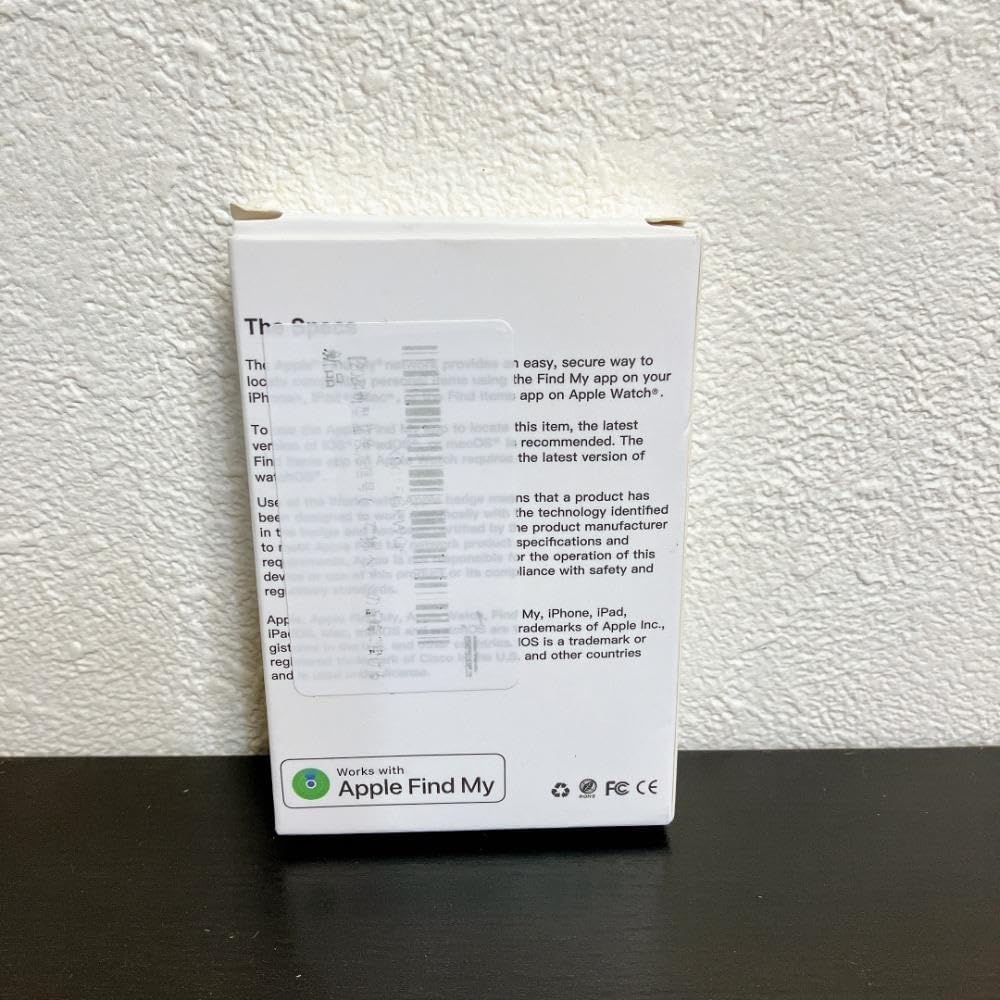
Image 3.1: The back of the AIYATO Smart Tracker packaging, indicating compatibility with the Apple Find My network.
4. אַפּערייטינג ינסטרוקטיאָנס
Once paired, you can use your AIYATO Smart Tracker with the Apple Find My app:
- Locate Item: Open the "Find My" app, go to the "Items" tab, and select your AIYATO Smart Tracker. The app will show its last known location on a map.
- שפּיל געזונט: If the tracker is within Bluetooth range, you can tap "Play Sound" in the Find My app to make the tracker emit an audible alert, helping you pinpoint its exact location.
- פאַרפאַלן מאָדע: If an item is lost and out of range, you can enable "Lost Mode" in the Find My app. If another Apple device user passes by your tracker, you will receive an anonymous update on its location. You can also leave a contact message.
- נאָטיפיקאַטיאָנס: Set up "Notify When Left Behind" alerts to receive a notification on your Apple device if you leave your tracked item behind at an unfamiliar location.

Image 4.1: Close-up of the AIYATO Smart Tracker, displaying the brand logo.
5. וישאַלט
- באַטערי: The AIYATO Smart Tracker typically uses a replaceable coin cell battery (e.g., CR2032). When the battery is low, the Find My app will notify you. To replace, carefully open the device casing (refer to the Quick Start Guide for specific instructions) and insert a new battery with the correct polarity.
- רייניקונג: Wipe the device with a soft, dry cloth. Avoid using abrasive cleaners or submerging the device in water.
- סטאָרידזש: האַלט דעם טרעקער אין אַ קיל, טרוקן אָרט ווען נישט אין באַנוץ פֿאַר לענגערע פּיריאַדז.
6. טראָובלעשאָאָטינג
- Device Not Found in App:
- Ensure the tracker's battery is not depleted.
- Confirm Bluetooth is enabled on your Apple device.
- Make sure the tracker is within Bluetooth range of your Apple device or another device on the Find My network.
- Try resetting the tracker (refer to the Quick Start Guide for reset procedures).
- No Sound from Tracker:
- Check if the tracker's battery is low.
- Ensure the tracker is within Bluetooth range of your Apple device.
- Verify that the "Play Sound" command was successfully sent from the Find My app.
- אומגענויע לאָקאַציע:
- Location accuracy depends on the proximity to Apple devices on the Find My network. In areas with fewer Apple devices, location updates may be less frequent or precise.
- Ensure your Apple device has a stable internet connection for map updates.
7. ספּעסאַפאַקיישאַנז
| סאָרט | AIYATO |
| מאָדעל נומער | m69781752534 |
| ASIN | B0F47MW139 |
| קאַנעקטיוויטי | Bluetooth (Find My Network) |
| מאַכט מקור | Replaceable Coin Cell Battery (e.g., CR2032) |
| קאַמפּאַטאַבילאַטי | Apple devices with Find My app (iOS/iPadOS/macOS) |
8. זיכערקייַט אינפֿאָרמאַציע
ביטע ליינט און פאלגט די זיכערהייט גיידליינז:
- Keep the device out of reach of small children and pets to prevent accidental ingestion of small parts or batteries.
- שטעלט נישט אויס דעם אפאראט צו עקסטרעמע טעמפעראטורן, דירעקטע זונשייַן, אדער פייכטקייט.
- פּרוּווט נישט צו צענעמען אָדער מאָדיפֿיצירן דעם אַפּאַראַט, ווײַל דאָס קען בטל מאַכן די וואָראַנטי און פאַראורזאַכן שאָדן.
- אַוועקוואַרפן באַטעריז לויט די היגע רעגיאַליישאַנז.
9. וואָראַנטי און שטיצן
For warranty information and technical support, please refer to the documentation included with your product or visit the official AIYATO support webזייטל. האַלט אייער קויף קוויטל ווי אַ באַווייַז פון קויפן.
For further assistance, you may contact the seller directly via the platform where the product was purchased.


