1. הקדמה
This manual provides detailed instructions for the setup, operation, and maintenance of your 8BitDo Retro R8 Mouse with Charging Dock. Please read this manual thoroughly before using the product to ensure optimal performance and longevity.

Image 1.1: The 8BitDo Retro R8 Mouse with its charging dock.
2. פּעקל אינהאַלט
באַשטעטיקן אַז אַלע זאכן זענען פאַראַן אין דיין פּעקל:
- 8BitDo Retro R8 Mouse - N Edition x 1
- טשאַרדזשינג דאָק X 1
- 2.4G adapter x 1
- וסב קאַבלע רענטגענ 1
- אינסטרוקציעס מאַנואַל X 1
3. פּראָדוקט איבערview
The 8BitDo Retro R8 Mouse is designed for precision and versatility, featuring a PAW 3395 optical sensor and Kailh Sword GM X Micro Switches. It offers multiple connectivity options and customizable controls.
3.1 מויז פֿעיִטשערז
- PAW 3395 Optical Sensor: Provides 6 sensitivity levels from 50 DPI to 26,000 DPI for precise tracking.
- Kailh Sword GM X Micro Switches: Engineered for up to 100 million clicks, offering tactile feedback.
- פּראָגראַממאַבלע קנעפּלעך: Customizable side buttons for personalized control.
- Left/Right-Hand Mode Switching: Symmetrical design for comfortable use by both left and right-handed users.
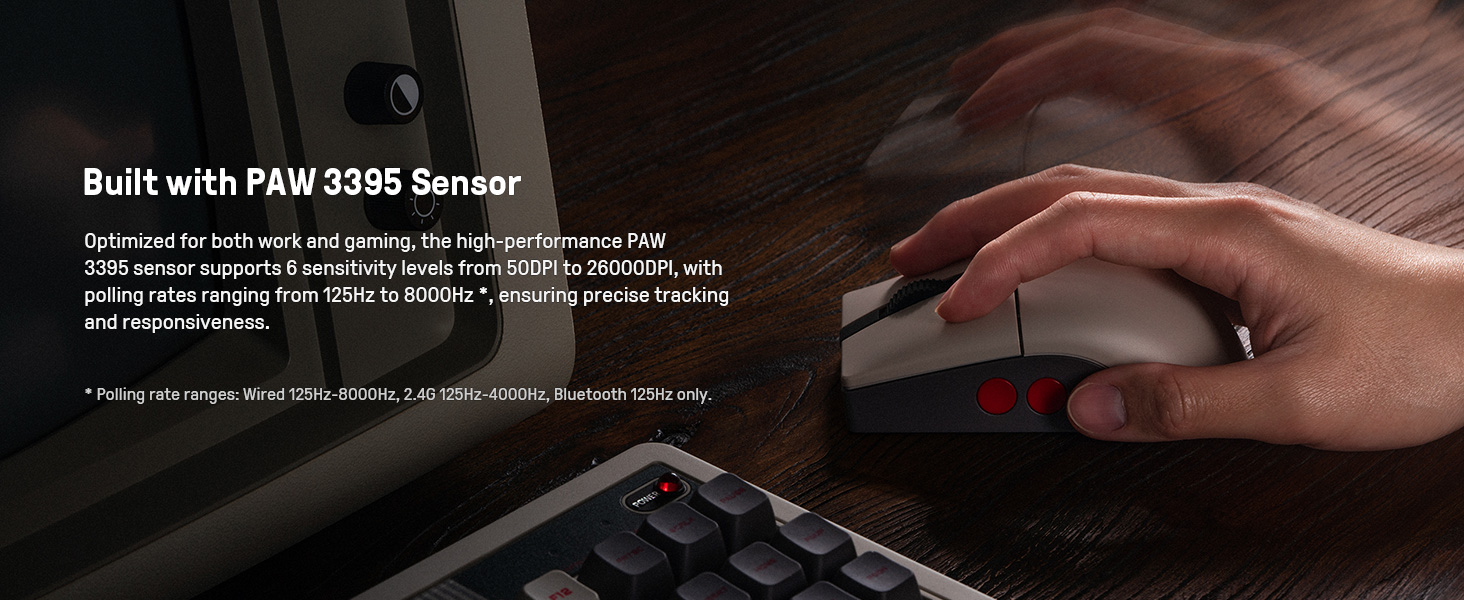
Image 3.1: The mouse highlighting its PAW 3395 sensor for precise tracking.
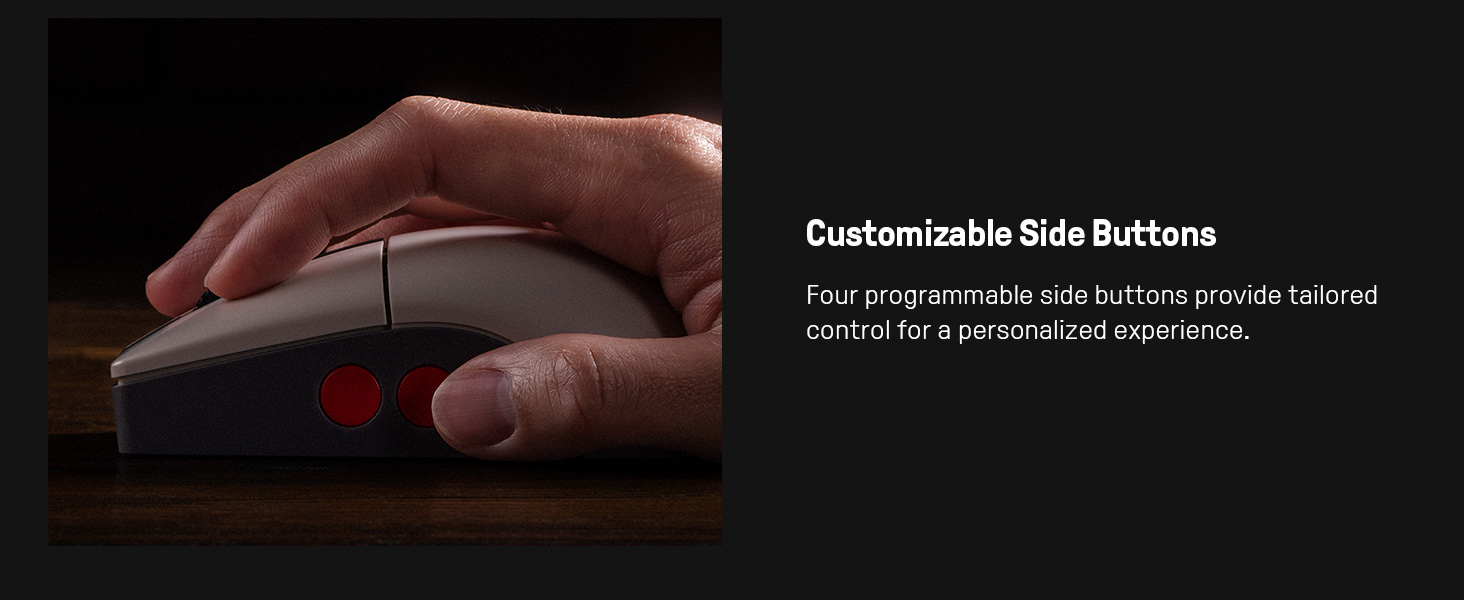
Image 3.2: Close-up of the mouse showing the customizable side buttons.
3.2 Charging Dock Features
- טשאַרדזשינג פאַנגקשאַנאַליטי: Keeps the mouse powered.
- 2.4G Adapter Storage: Doubles as a storage compartment for the 2.4G wireless adapter.
- סיגנאַל פאַרלענגערונג: Extends the wireless signal for robust connectivity.
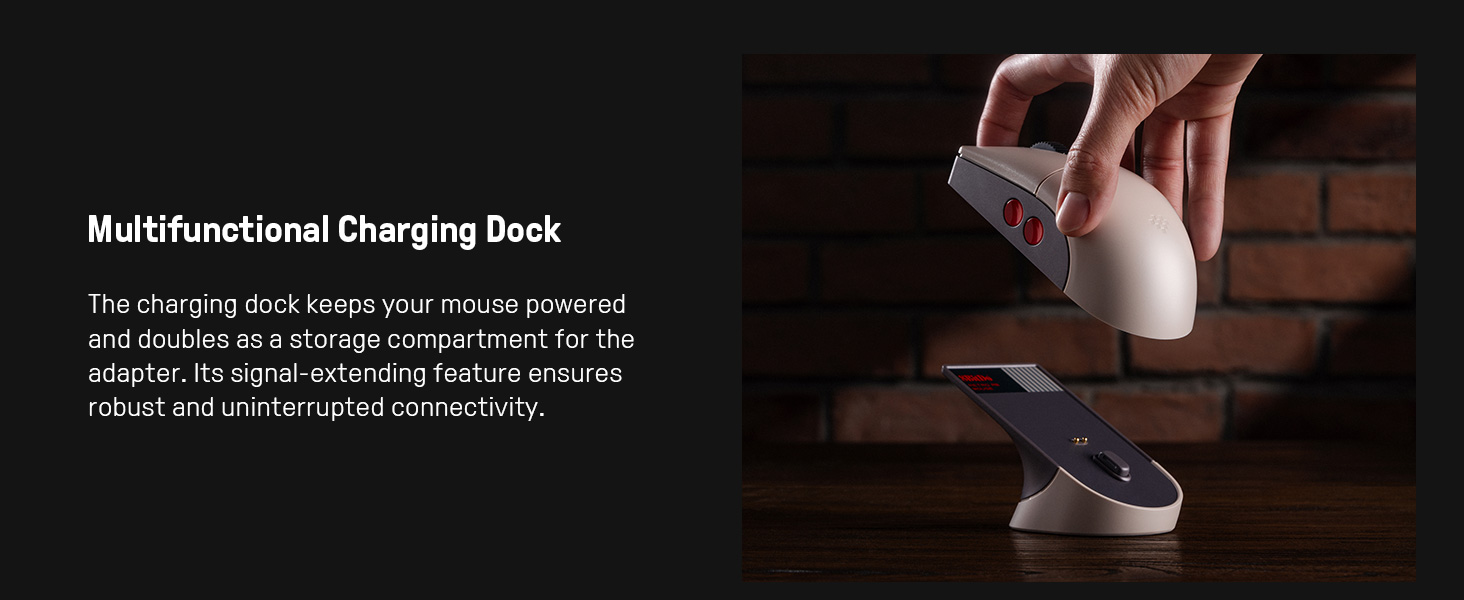
Image 3.3: The multifunctional charging dock, also serving as a signal extender and adapter storage.
4. סעטאַפּ
4.1 אויפלאָדן די מויז
- Connect the USB cable to the charging dock and a power source (e.g., computer USB port, USB wall adapter).
- Place the 8BitDo Retro R8 Mouse onto the charging dock. Ensure the charging contacts align. The mouse will begin charging.
4.2 פֿאַרבינדן די מויז
The mouse supports three connection modes: 2.4G Wireless, Bluetooth, and Wired USB-C.
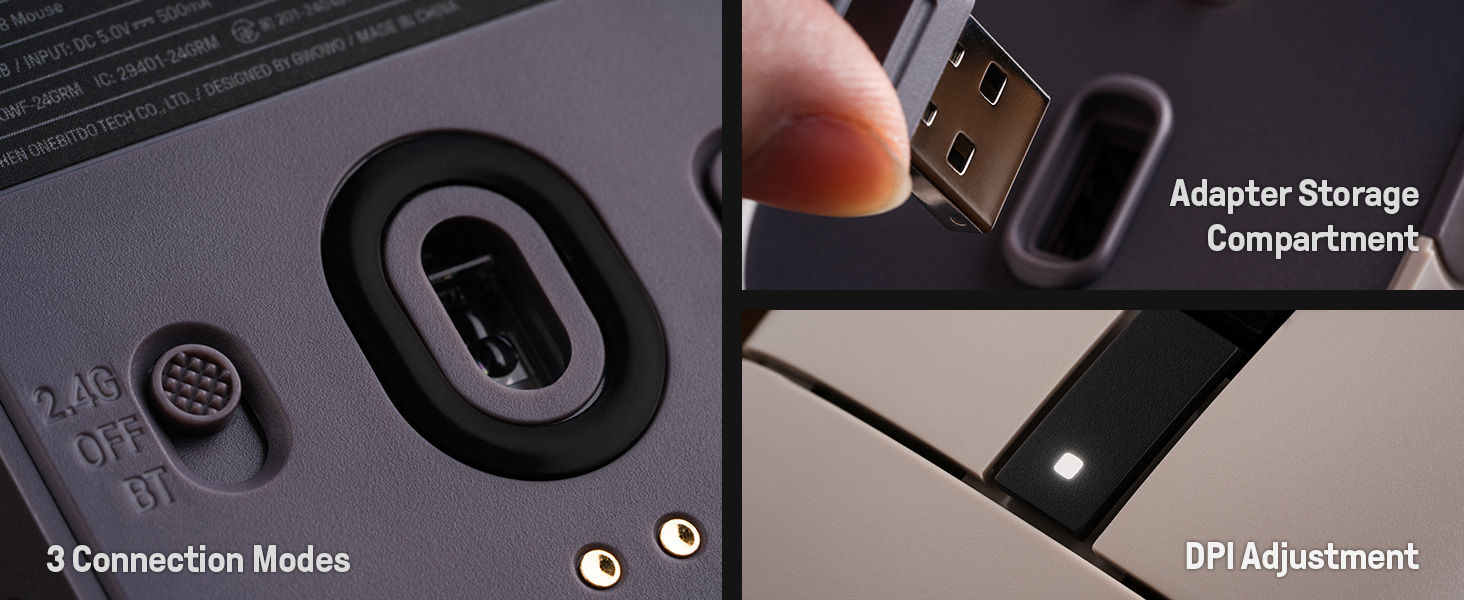
Image 4.1: The bottom of the mouse showing the connection mode switch and the adapter storage compartment.
4.2.1 2.4G וויירלעס פֿאַרבינדונג
- Locate the 2.4G wireless adapter, typically stored in the charging dock or the mouse's bottom compartment.
- Insert the 2.4G adapter into an available USB port on your computer.
- רוקט דעם קנעפּל אויף דער אונטערשטער טייל פון דער מויז צו דער "2.4G" פּאָזיציע.
- די מויז זאָל זיך אויטאָמאַטיש פֿאַרבינדן צו דיין קאָמפּיוטער.

Image 4.2: The 2.4G USB adapter being inserted into its storage slot on the charging dock.
4.2.2 בלועטאָאָטה קאַנעקשאַן
- רוקט דעם קנעפּל אויף דער אונטערשטער טייל פון דער מויז צו דער "BT" פּאָזיציע.
- Press and hold the "PAIR" button on the bottom of the mouse for 3 seconds until the LED indicator starts blinking rapidly.
- אויף אייער קאָמפּיוטער אָדער מיטל, גייט צו בלועטוט סעטטינגס און זוכט פֿאַר נייע דעוויסעס.
- Select "8BitDo Retro R8 Mouse" from the list of available devices to pair.
4.2.3 דראָטיקע USB-C פֿאַרבינדונג
- Connect the USB-C end of the provided cable to the mouse and the USB-A end to your computer.
- The mouse will automatically switch to wired mode and function without needing a battery charge.
5. אַפּערייטינג ינסטרוקטיאָנס
5.1 דפּי אַדזשאַסטמאַנט
The mouse supports 6 levels of DPI adjustment. You can cycle through these levels using the dedicated DPI button or through the 8BitDo Ultimate Software V2.
5.2 פּראָגראַממאַבלע קנעפּלעך
The 8BitDo Retro R8 Mouse features programmable side buttons. These can be customized using the 8BitDo Ultimate Software V2 to assign specific functions or macros.
5.3 Left/Right-Hand Mode Switching
The mouse's symmetrical design allows for easy switching between left-hand and right-hand modes. This can be configured via the 8BitDo Ultimate Software V2.
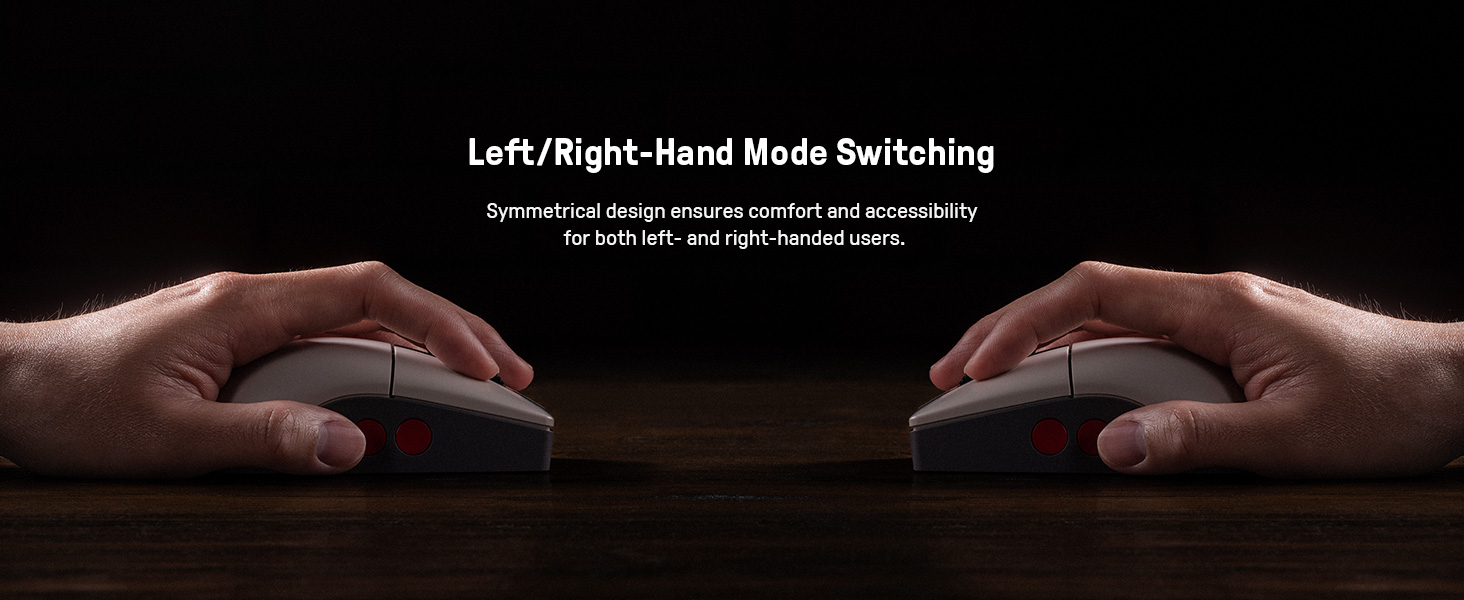
Image 5.1: Illustration of the mouse's symmetrical design for left/right-hand use.
5.4 8BitDo Ultimate Software V2
For advanced customization, download and install the 8BitDo Ultimate Software V2 on your PC. This software allows you to:
- Map buttons to different functions.
- שאַפֿן און צוטיילן מאַקראָס.
- Adjust DPI sensitivity levels.
- Fine-tune polling rate, scroll direction, and lift-off distance.
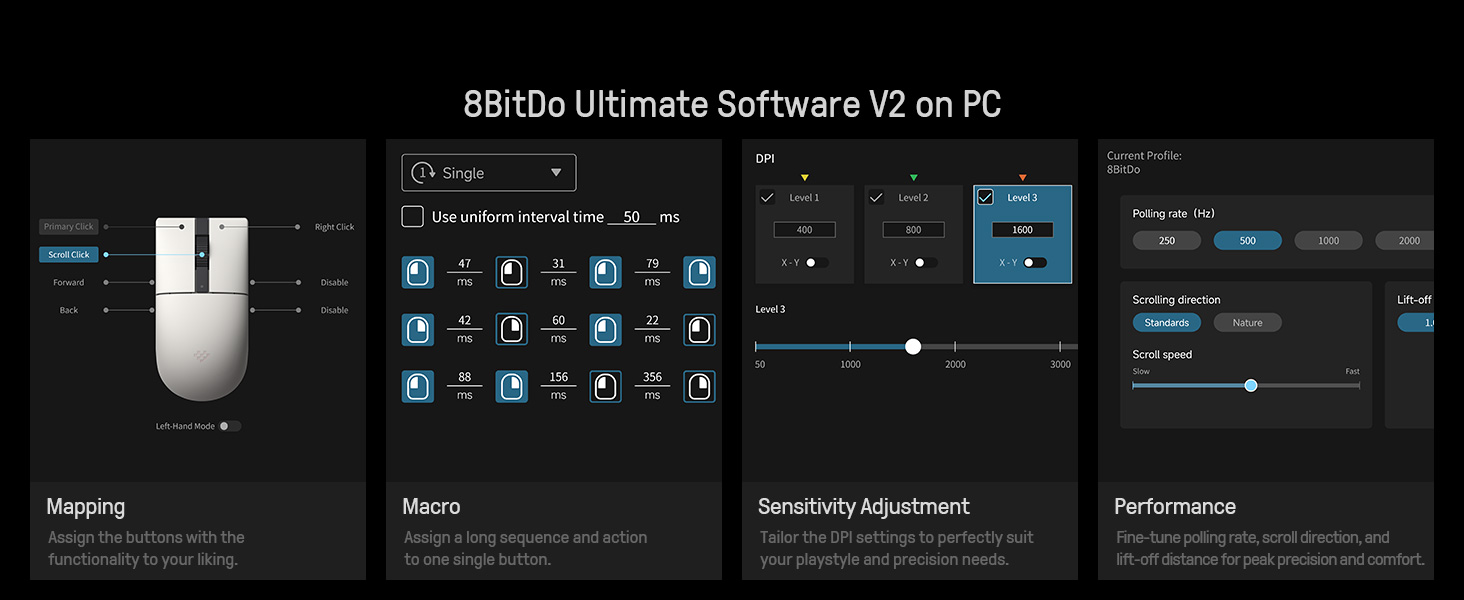
Image 5.2: The 8BitDo Ultimate Software V2 interface for advanced customization.
5.5 שטימונג קורס אַדזשאַסטמענט
The polling rate can be adjusted via the Ultimate Software V2. Polling rate ranges are: Wired 250Hz-8000Hz, 2.4G 250Hz-4000Hz, Bluetooth 125Hz only.
6. וישאַלט
- רייניקונג: ניצט אַ ווייכע, טרוקענע שטאָף צו רייניקן די מויז און טשאַרדזשינג דאָק. פֿאַרמייַדט ניצן שטרענגע כעמיקאַלן אָדער שרײַבנדיקע מאַטעריאַלן.
- סטאָרידזש: האַלט די מויז און דאָק אין אַ קיל, טרוקן אָרט ווען נישט אין באַנוץ.
- באַטערי זאָרגן: To prolong battery life, avoid fully discharging the mouse frequently. Charge it regularly.
7. טראָובלעשאָאָטינג
- מויז ענטפערט נישט: Ensure the mouse is charged and the connection mode switch (2.4G, BT, OFF) is in the correct position. For 2.4G, verify the adapter is securely plugged in. For Bluetooth, ensure it's paired correctly. Try a wired connection to rule out wireless issues.
- פֿאַרהאַלטונג אָדער אָפּשטעל: For wireless connections, ensure the mouse is within range of the adapter/device. Minimize interference from other wireless devices. The charging dock acts as a signal extension for 2.4G.
- טשאַרדזשינג ישוז: Check the USB cable and power source. Ensure the mouse is correctly seated on the charging dock.
- ווייכווארג דעטעקטירט נישט מויז: Ensure the mouse is connected to the PC (preferably wired or 2.4G for initial setup) and the 8BitDo Ultimate Software V2 is up to date.
8. ספּעסאַפאַקיישאַנז
| שטריך | דעטאַל |
|---|---|
| מאָדעל נומער | 6922621507093 |
| קאַנעקטיוויטי | Bluetooth LE 5.3, Wireless 2.4G, Wired USB |
| סענסאָר | PAW 3395 Optical Sensor |
| DPI קייט | 50 - 26,000 DPI (6 levels) |
| מיקראָ סוויטשאַז | Kailh Sword GM X (100 million click lifespan) |
| פּאָללינג ראַטע (ווייערד) | 250 הז - 8000 הז |
| Polling Rate (2.4G) | 250 הז - 4000 הז |
| פּאָלינג ראַטע (בלוטוט) | 125 הז |
| מאַכט מקור | באַטאַרייע פּאַוערד (1 ליטהיום יאָן באַטאַרייע אַרייַנגערעכנט) |
| פּונקט וואָג | 1.19 פונט |
| פּראָדוקט דימענשאַנז | 11.81 X 9.84 X 15.75 אינטשעס |
9. אפיציעלע פּראָדוקט ווידעאָ
ווידעא 9.1: א קורצע הקדמהview video demonstrating the features and usage of the 8BitDo Retro R8 Mouse, including its adapter storage and customizable buttons.
10. וואָראַנטי און שטיצן
פֿאַר וואָראַנטי אינפֿאָרמאַציע און טעכנישע שטיצע, ביטע זען די באַאַמטער 8BitDo website or contact their customer service. Protection plans may also be available for purchase separately.
- 3-יאָר שוץ פּלאַן: בנימצא פֿאַר קויפן.
- 4-יאָר שוץ פּלאַן: בנימצא פֿאַר קויפן.
- גאַנץ באַשיצן: מאָנטלעכער פּלאַן וואָס דעקט בארעכטיגטע פאַרגאַנגענע און צוקונפֿטיקע קויפֿן.


