1. הקדמה
Thank you for choosing the ATTACK SHARK×Magic-Refiner G6 Wireless Gaming Mouse. This manual provides detailed instructions on how to set up, operate, and maintain your new gaming mouse. The G6 mouse features tri-mode connectivity, a high-precision PixArt PAW3311 sensor, and a lightweight ergonomic design, making it ideal for various computing tasks and gaming scenarios.
2. פּעקל אינהאַלט
ביטע אָפּהאַקן דאָס קעסטל פֿאַר די פֿאָלגנדיקע זאַכן:
- ATTACK SHARK×Magic-Refiner G6 Wireless Gaming Mouse
- 2.4G וסב ופנעמער
- וסב-C טשאַרדזשינג קאַבלע
- Anti-Slip Grip Tape Set

Image: The ATTACK SHARK G6 Wireless Gaming Mouse in white, shown with its accompanying USB receiver.
3. פּראָדוקט איבערview
The G6 gaming mouse is designed for versatility and performance. Familiarize yourself with its key components and features.

Image: Detailed diagram of the G6 mouse, highlighting its buttons and features including the Left Button, Scroll Wheel + Middle Button, Right Button, Back Button, Forward Button, Power Toggle Switch (2.4G-OFF-Bluetooth), DPI Cycle Button, Atmosphere Light Switch & Wireless Mode Frequency Binding Button, Battery & DPI Indicator Light, Atmosphere Light, and USB Receiver storage.
3.1. שליסל פֿעיִקייטן
- טריי-מאָד קאַנעקטיוויטי: Seamlessly switch between USB-C wired, 2.4GHz wireless, and Bluetooth 5.0 connections. The 2.4GHz mode offers a polling rate of 125-1000Hz, while Bluetooth operates at 125Hz. This allows for flexible use across various devices and scenarios.
- הויך פּינטלעכקייַט סענסאָר: Equipped with the PixArt PAW3311 optical sensor, offering six adjustable DPI levels from 800 to 24000. Features a 1000Hz polling rate, 1ms response time, 300 IPS tracking, and 35G acceleration for precise control.
- Lightweight Design & Long Battery Life: Weighs approximately 72±3g, minimizing hand fatigue during extended use. The built-in 750mAh battery provides over 150 hours of wireless usage on a single charge.
- Durable Switches & Customization: Features 10M micro switches with a 10 million click lifespan. Includes a 1.5m braided USB-C cable. Customize rear RGB lighting via a bottom button for various effects.
- Anti-Slip Grips: Comes with a set of 6 DIY anti-slip grip tapes for enhanced control and sweat resistance.

Image: The G6 mouse illustrating its 2.4GHz Wireless, USB-C Wired, and Bluetooth connection modes.
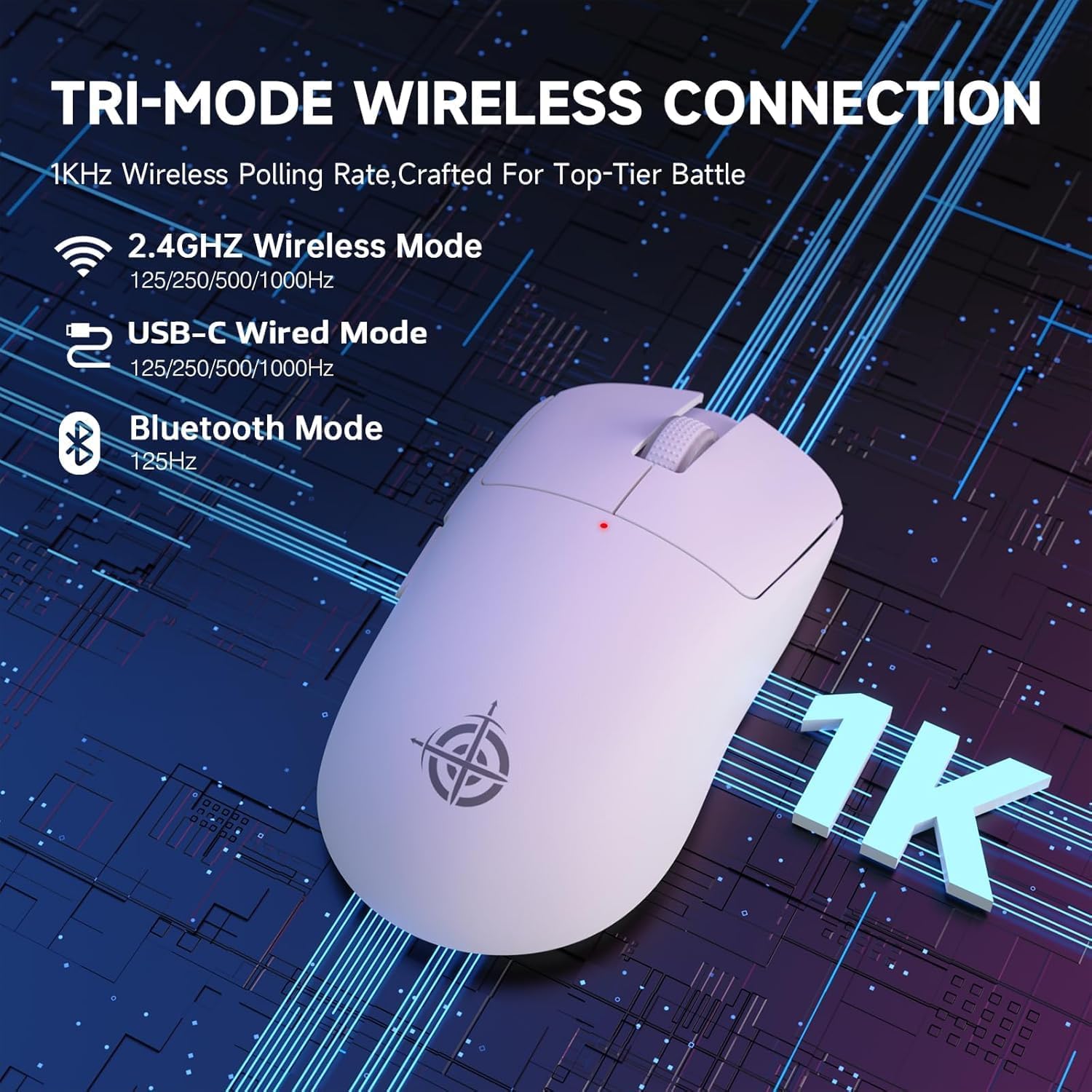
Image: The G6 mouse with an overlay indicating DPI levels (800-24000) and their associated indicator light colors (Red, Green, Blue, Yellow, Cyan, Purple).

Image: The G6 mouse displaying its customizable RGB lighting effects, including rainbow and single color options.

Image: The G6 mouse with its practical non-slip stickers applied, showing the textured surface for improved grip.
4. סעטאַפּ גייד
The G6 mouse offers three connection methods. Choose the one that best suits your needs.
4.1. 2.4GHz ווירעלעס מאָדע
- געפינט דעם 2.4G USB ריסיווער וואָס געפינט זיך אין דעם אָפּטייל אויף דער אונטערשטער טייל פון דער מויז.
- צאַפּן די וסב ופנעמער אין אַ בנימצא וסב פּאָרט אויף דיין קאָמפּיוטער.
- Slide the power toggle switch on the bottom of the mouse to the '2.4G' position.
- The mouse should automatically connect. If not, press the 'Atmosphere light switch & wireless mode frequency binding button' on the bottom of the mouse to initiate pairing.
4.2. בלועטאָאָטה מאָדע
- Slide the power toggle switch on the bottom of the mouse to the 'Bluetooth' position.
- The mouse's indicator light will start blinking, indicating it's in pairing mode.
- אויף אייער קאָמפּיוטער אָדער מיטל, גייט צו בלועטוט סעטטינגס און זוכט פֿאַר נייע דעוויסעס.
- Select 'ATTACK SHARK G6' (or similar name) from the list of available devices to pair.
4.3. USB-C ווייערד מאָדע
- Connect the provided USB-C cable to the front port of the mouse.
- פֿאַרבינדט דעם אַנדערן עק פֿונעם USB-C קאַבל צו אַ פֿאַראַן USB פּאָרט אויף אײַער קאָמפּיוטער.
- די מויז וועט זיך אויטאמאטיש איבערקערן צו ווייערד מאָדע און אָנהייבן טשאַרדזשינג.
5. אַפּערייטינג ינסטרוקטיאָנס
5.1. דפּי אַדזשאַסטמאַנט
The G6 mouse has a dedicated DPI cycle button on the bottom. Press this button to cycle through the preset DPI levels (800, 1600, 2400, 3200, 6400, 24000). The indicator light will change color to reflect the current DPI setting (Red, Green, Blue, Yellow, Cyan, Purple respectively).
5.2. קנעפּל פאַנגקשאַנז
The G6 mouse features 5 programmable buttons:
- לינקס קנעפּל: Standard left click.
- רעכט קנעפּל: Standard right click.
- Scroll Wheel + Middle Button: סקראָלן אַרויף/אַראָפּ, מיטעלער קליק.
- פֿאָרווערטס קנעפּל: נאַוויגירט פאָרויס אין web בראַוזערז אָדער file עקספּלאָרערס.
- צוריק קנעפּל: נאַוויגירט צוריק אין web בראַוזערז אָדער file עקספּלאָרערס.
For advanced customization of button functions and macros, please download the official driver software from the ATTACK SHARK webפּלאַץ.
5.3. RGB לייטינג קאָנטראָל
The G6 mouse features customizable RGB lighting. Use the 'Atmosphere light switch' button on the bottom of the mouse to cycle through different lighting effects (e.g., Rainbow Lighting, Single Lighting) or to turn the lighting off.
6. וישאַלט
To ensure the longevity and optimal performance of your G6 gaming mouse, follow these maintenance guidelines:
- רייניקונג: ניצט אַ ווייכע, טרוקענע שטאָף צו ווישן די מויז ייבערפלאַך. פֿאַר שווערע שמוץ, אַ ביסל ווייכער מאַכןampווישט דעם שטאָף מיט וואַסער אָדער אַ מילדער רייניקונג לייזונג. פֿאַרמייַדט שטרענגע כעמיקאַלן אָדער אַברייסיוו מאַטעריאַלן.
- סענסאָר זאָרגן: Keep the optical sensor on the bottom of the mouse clean and free from dust or debris. Use a cotton swab or compressed air if necessary.
- סטאָרידזש: ווען נישט אין באַנוץ פֿאַר לענגערע פּעריאָדן, האַלט די מויז אין אַ קיל, טרוקן אָרט אַוועק פון דירעקט זונשייַן און עקסטרעמע טעמפּעראַטורן.
- באַטערי: Avoid fully discharging the battery frequently. Charge the mouse regularly to maintain battery health.
7. טראָובלעשאָאָטינג
If you encounter any issues with your G6 gaming mouse, please refer to the following common solutions:
- מויז ענטפערט נישט:
- זיכער מאַכן אַז די מויז איז אויפגעלאָדן. פֿאַרבינדט עס דורך אַ USB-C קאַבל צו לאָדן.
- Check the power toggle switch on the bottom of the mouse is in the correct position (2.4G, BT, or OFF for wired).
- For 2.4GHz mode, ensure the USB receiver is securely plugged into a working USB port. Try a different USB port.
- פֿאַר בלועטוט מאָדע, זאָרגט אַז בלועטוט איז אַקטיווירט אויף אייער מיטל און די מויז איז פּערד. פּרוּווט אָפּצופּאַרן און ווידער פּערד.
- קורסאָר באַוועגונג איז נישט סטאַביל אָדער נישט פּינקטלעך:
- רייניקט דעם אָפּטישן סענסאָר אויף דער אונטערשטער טייל פֿון דער מויז.
- Ensure you are using the mouse on a suitable surface. Some surfaces (e.g., plain black neoprene pads, highly reflective surfaces) may interfere with optical tracking. Try a different mouse pad or surface.
- Adjust the DPI setting using the DPI cycle button.
- 2.4GHz dongle not working:
- Ensure the mouse is switched to 2.4G mode.
- פרובירט אריינצושטעקן דעם דאנגל אין אן אנדער USB פארט אויף אייער קאמפיוטער.
- If issues persist, try re-pairing the mouse with the dongle by pressing the binding button on the mouse while the dongle is connected.
- פּראָבלעמען מיט בלוטוט פֿאַרבינדונג:
- Ensure the mouse is in Bluetooth pairing mode (indicator light blinking).
- Remove the mouse from your device's Bluetooth list and attempt to pair again.
- זיכער מאַכן אַז די בלועטוט דרייווערס פון אייער מיטל זענען אַרויף צו דאַטע.
8. ספּעסאַפאַקיישאַנז
| שטריך | באַשרייַבונג |
|---|---|
| מאָדעל נומער | G6 |
| קאַנעקטיוויטי טעכנאָלאָגיע | 2.4Ghz / Bluetooth / USB-C Wired |
| באַוועגונג דעטעקשאַן טעכנאָלאָגיע | Optical (PixArt PAW3311) |
| דפּי לעוועלס | 800-24000 (6 אַדזשאַסטאַבאַל לעוועלס) |
| פּאָללינג קורס | 125-1000Hz (2.4Ghz), 125Hz (Bluetooth) |
| באַטאַרייע קאַפּאַציטעט | 750 מאַה |
| פּונקט וואָג | 72±3g (2.54 ounces) |
| דימענשאַנז | 116.2 X 62.2 X 37.3 מם (בעערעך) |
| באַשטימען לייפספּאַן | 10 מיליאָן קליקס |
| קאַבלע לענג | 1.5m (Braided USB-C) |
| קאַמפּאַטאַבילאַטי | Windows, macOS, Linux, Chrome OS, Consoles, Tablets, Smartphones |
9. וואָראַנטי און שטיצן
The ATTACK SHARK×Magic-Refiner G6 Wireless Gaming Mouse comes with a standard manufacturer's warranty. Please refer to the product packaging or the official ATTACK SHARK webזייטל פֿאַר ספּעציפֿישע וואָראַנטי טערמינען און באַדינגונגען.
פֿאַר טעכנישע שטיצע, הילף מיט טראָובלעשווטינג, אָדער וואָראַנטי קליימז, ביטע קאָנטאַקטירן ATTACK SHARK קונה סערוויס דורך זייער באַאַמטער. webוועבזייטל אדער דער הענדלער וואו איר האט געקויפט דעם פּראָדוקט.
באַמערקונג: קיין אפיציעלע פּראָדוקט ווידעאָס פֿונעם פֿאַרקויפֿער זענען נישט געווען פֿאַראַן צום אַרײַנלייגן אין דעם מאַנואַל.


