הקדמה
This manual provides detailed instructions for the setup, operation, and maintenance of your SABLUTE KC782 Large Print Backlit Keyboard. Please read this manual thoroughly before using the product to ensure proper function and longevity. This keyboard is designed for enhanced visibility and comfortable typing across various computing environments.
וואָס איז אין די קעסטל
- SABLUTE KC782 Large Print Backlit Keyboard
- באַניצער מאַנואַל
סעטאַפּ
קאַנעקטינג די קלאַוויאַטור
The SABLUTE KC782 keyboard is a plug-and-play device. No special drivers are required for most operating systems.
- Locate an available USB-A port on your computer (desktop, laptop, PC).
- Insert the USB-A connector of the keyboard cable into the USB-A port.
- די קלאַוויאַטור וועט ווערן אויטאָמאַטיש דערקענט דורך אייער אָפּערייטינג סיסטעם און גרייט פֿאַר באַנוץ.
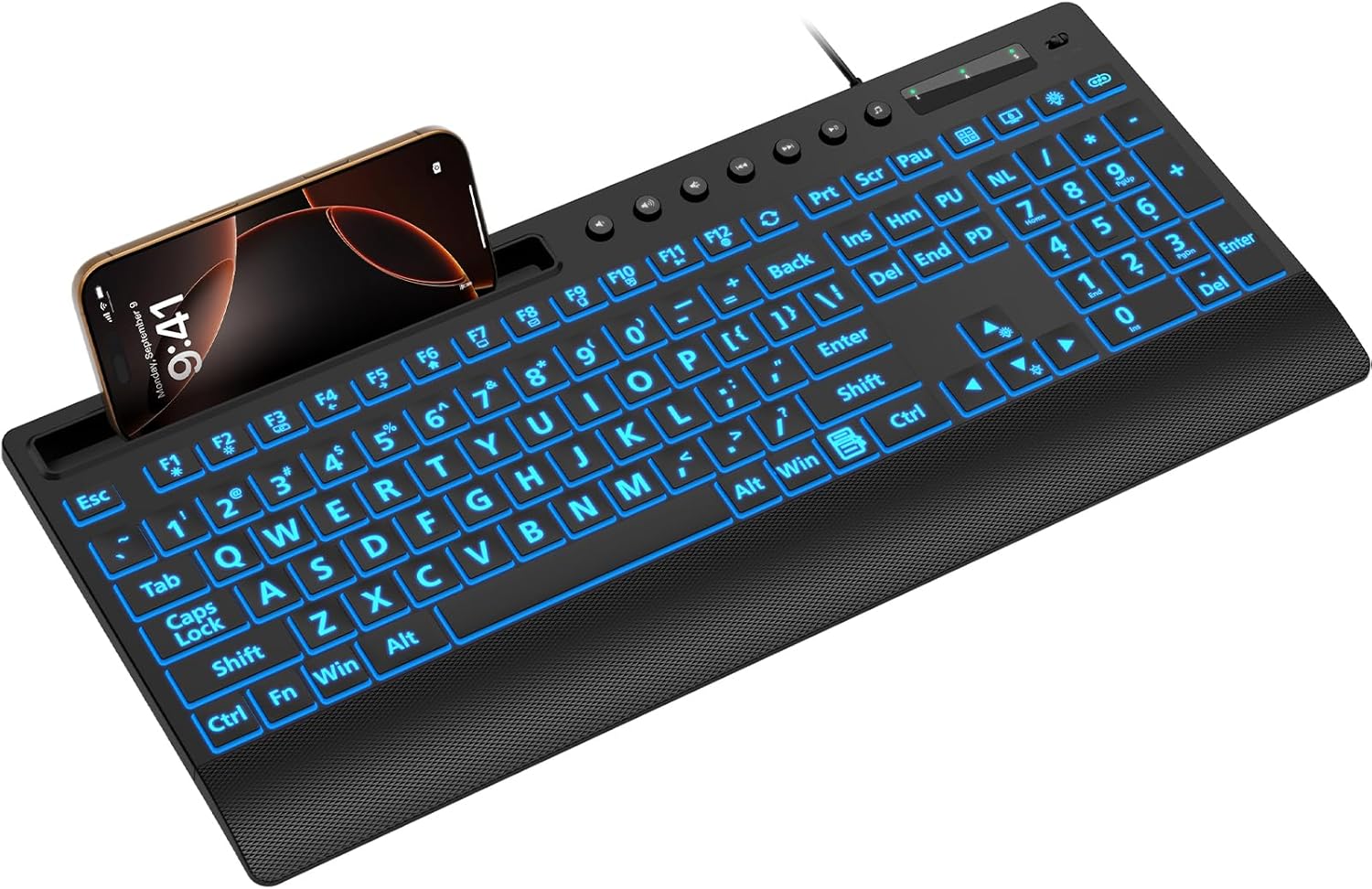
Image: The SABLUTE KC782 keyboard connected via USB, featuring its large print keys and integrated device holder.
אַפּערייטינג ינסטראַקשאַנז
באַקלייט קאָנטראָל
The keyboard features a 7-color LED backlight with adjustable brightness and two lighting modes.
- One-Key Adjustment: Use the dedicated backlight control key (often located near the number pad or function keys) to cycle through backlight settings.
- קאָליר סעלעקציע: Press the backlight control key to change between 7 vibrant colors.
- ברייטנאַס לעוועלס: The backlight offers 3 brightness levels. Adjust by pressing the backlight control key or using a combination with the 'Fn' key if indicated on the keyboard.
- לייטינג מאָדעס: Switch between static (solid color) and gradient (color cycling) modes using the backlight control key.
- באַקלייט אויף / אַוועק: Press and hold the backlight control key, or use a specific key combination, to turn the backlight on or off.
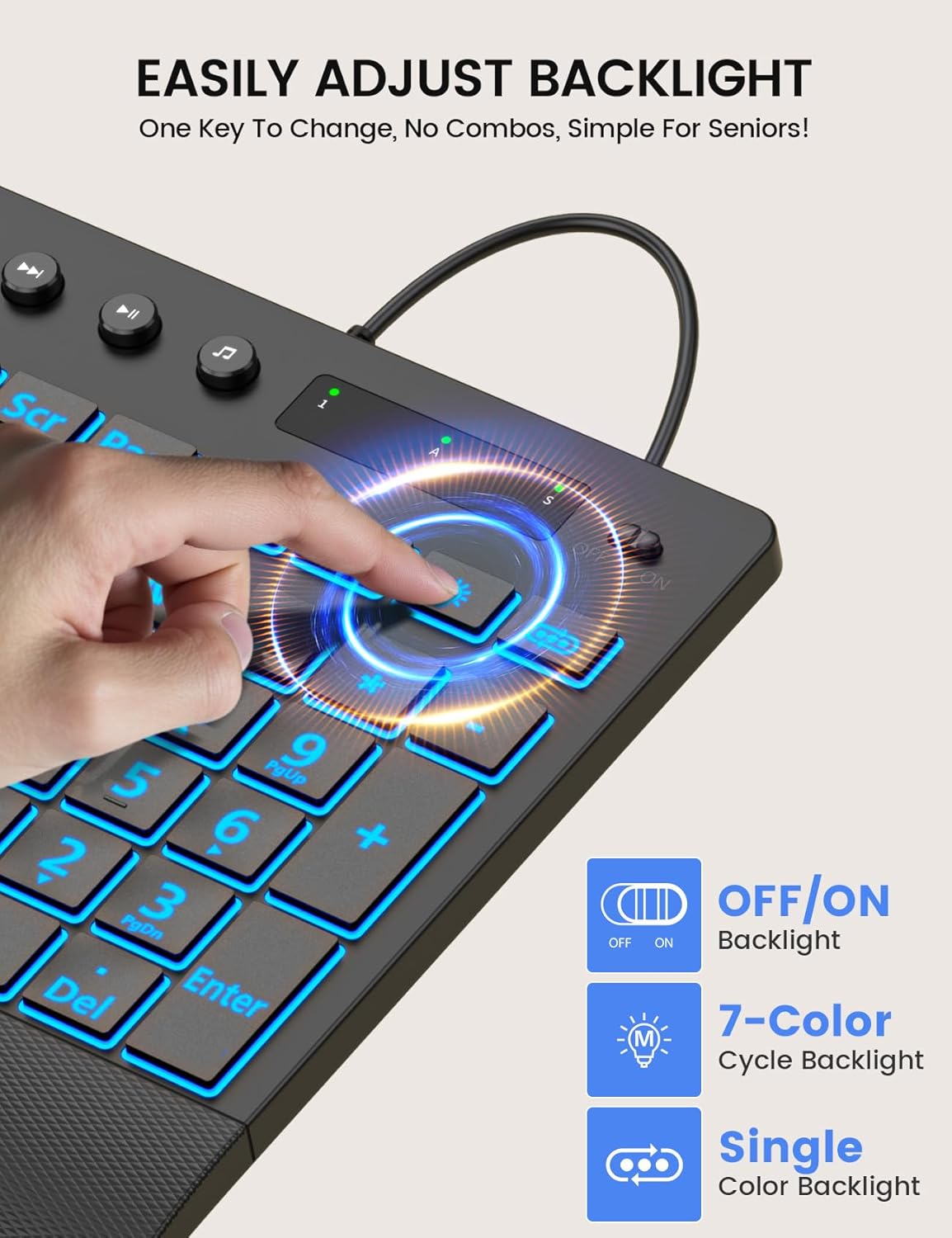
Image: Demonstrating the single-key backlight adjustment for easy control of colors and modes.
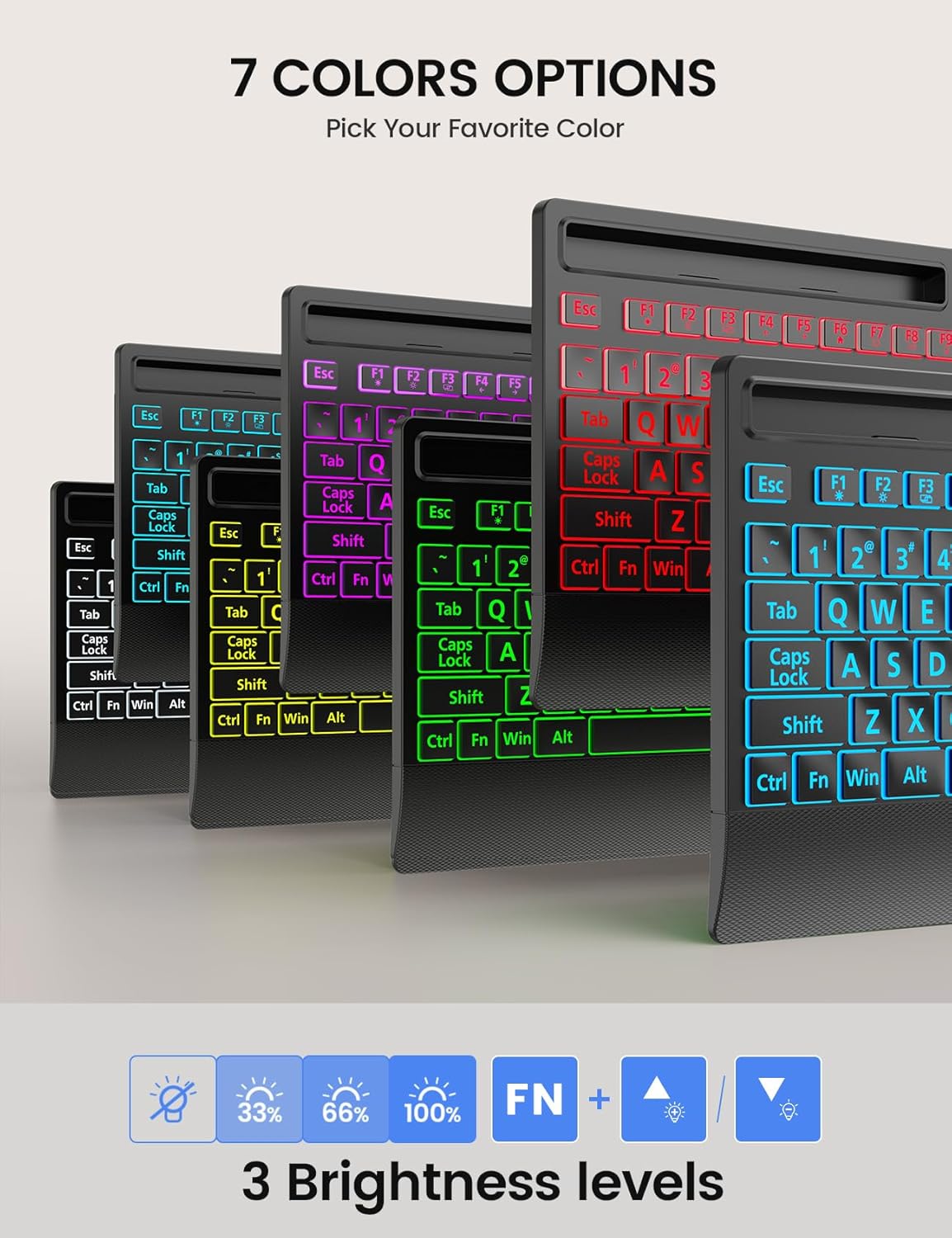
Image: The keyboard offers 7 distinct backlight color options to suit user preference.
Backlight Memory Function
The keyboard is equipped with a memory function that retains your last backlight settings. After powering off or rebooting your computer, the backlight brightness, color, and mode will automatically restore to your previously selected configuration.
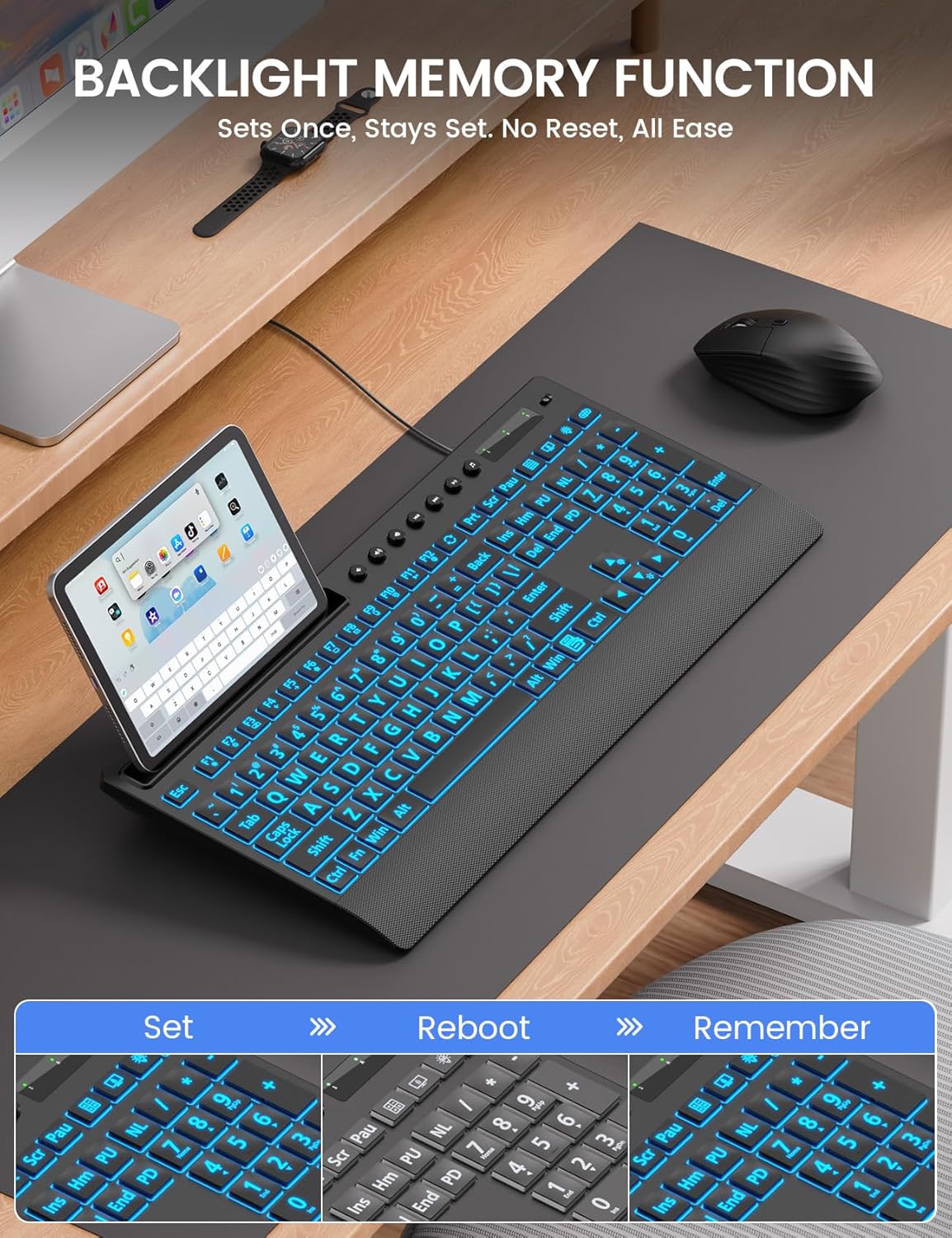
Image: The backlight memory function ensures your preferred settings are retained even after a system restart.
אינטעגרירטע מיטל האָלדער
The keyboard features a built-in holder designed to accommodate smartphones and tablets up to 11.5 inches. This allows for convenient multitasking, keeping your mobile devices visible and accessible while typing.
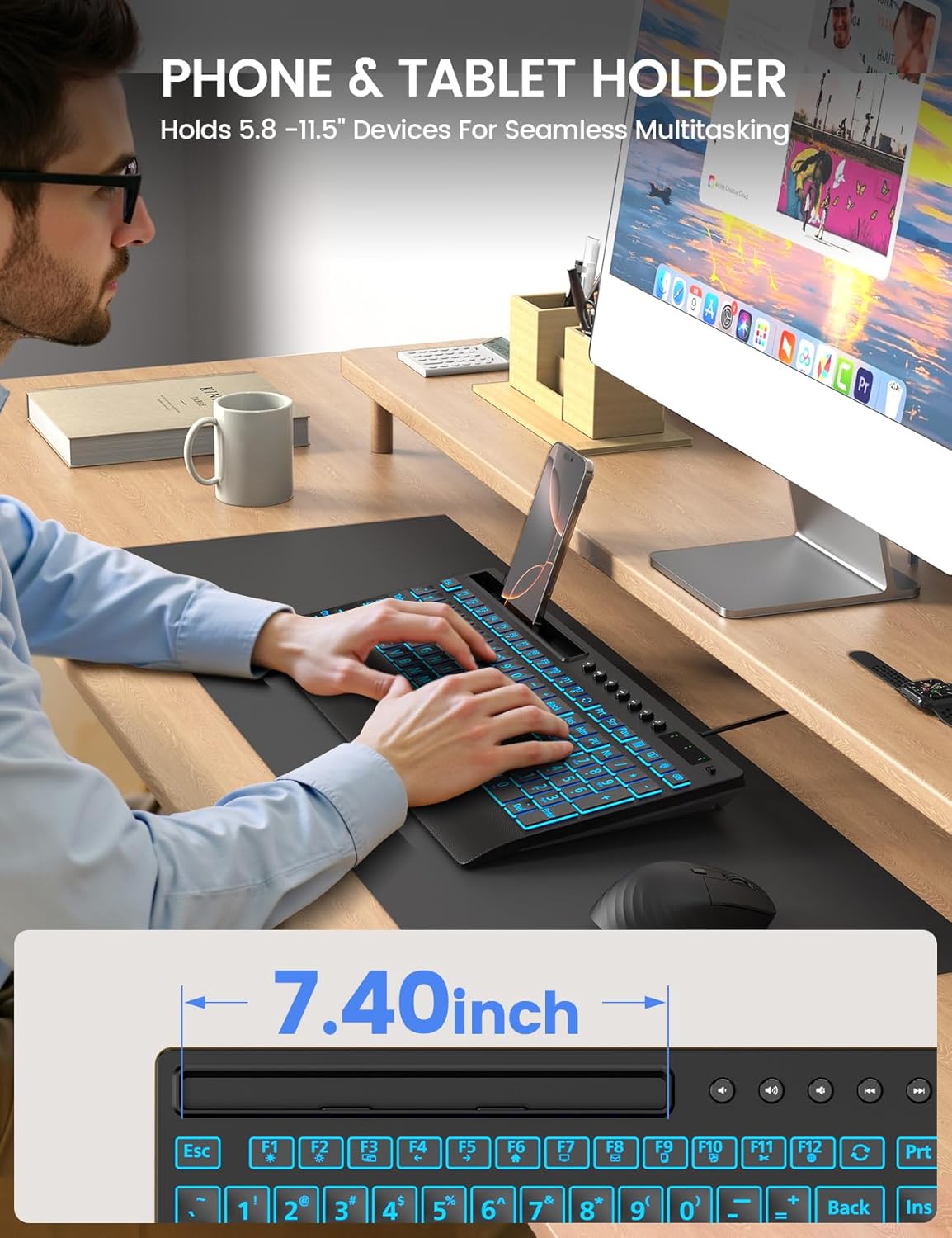
Image: The integrated device holder supports phones and tablets for enhanced productivity.
ערגאָנאָמיק פּלאַן
The keyboard is designed with user comfort in mind, featuring a wrist rest and foldable stands for adjustable typing angles.
- האַנטגעלענק רו: The integrated wrist rest helps reduce strain during extended typing sessions.
- פאָלדאַבאַל שטאַנדן: Unfold the stands at the back of the keyboard to achieve an optimal typing angle, further enhancing ergonomic comfort.
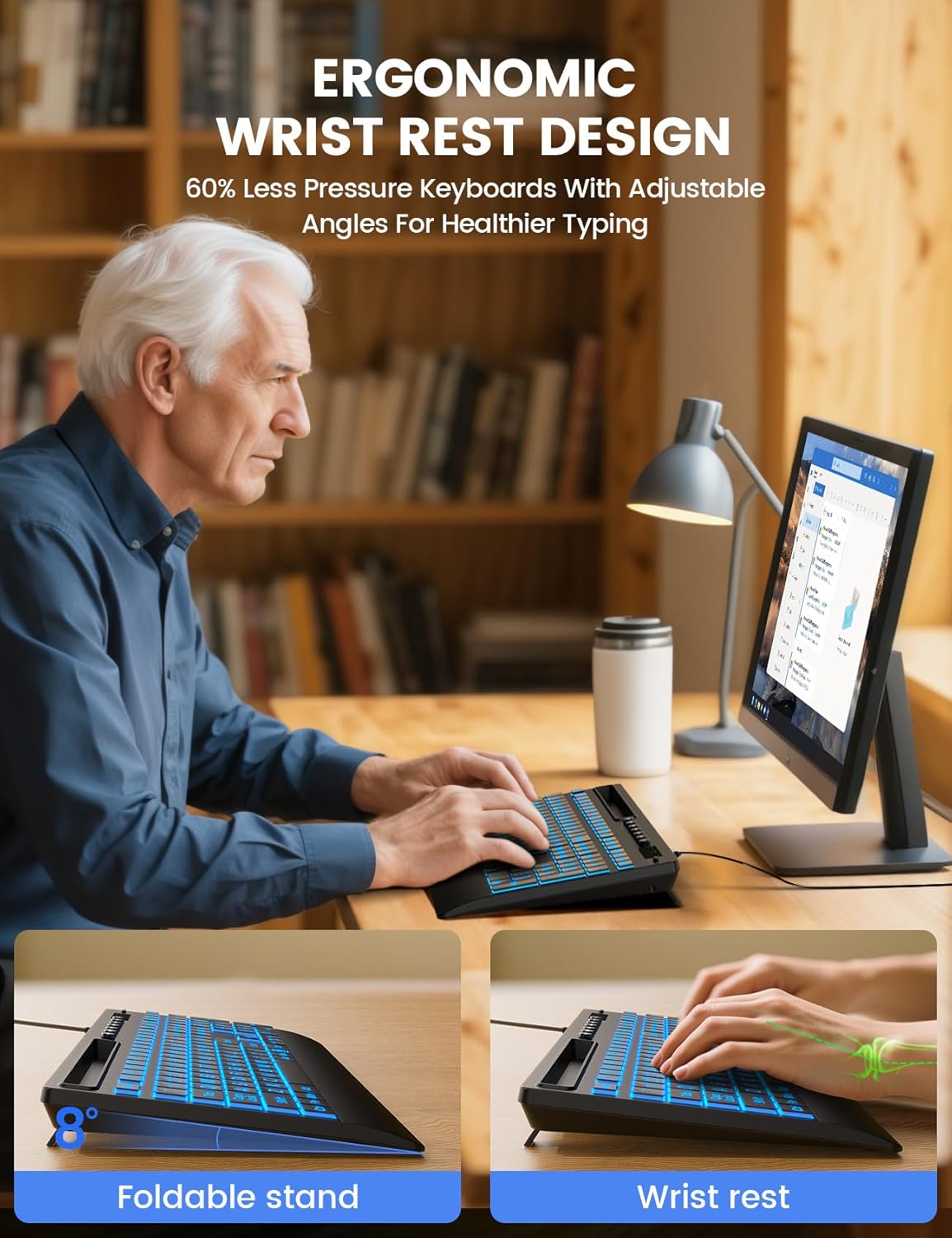
Image: The keyboard's ergonomic design, including a wrist rest and adjustable angle, promotes comfortable typing.
מולטימעדיאַ קיז
The keyboard includes dedicated multimedia keys for quick access to common functions such as volume control, playback, and media applications. These keys are typically located above the function row (F1-F12).
קאַמפּאַטאַבילאַטי
The SABLUTE KC782 keyboard is compatible with a wide range of operating systems:
- Windows 2000/XP/7/8/10
- וויסטאַ
- Raspberry Pi 3/4
- Mac OS (Note: Multimedia keys may not be fully compatible with Mac OS)
וישאַלט
כדי צו זיכער מאַכן די לאַנגלעבעניש און אָפּטימאַלע פאָרשטעלונג פון דיין קלאַוויאַטור, נאָכפאָלגן די וישאַלט גיידליינז:
- רייניקונג: Use a soft, dry cloth to wipe the surface of the keyboard. For deeper cleaning, a slightly damp מען קען ניצן אַ שטאָף מיט מילדן זייף, און זיכער מאַכן אַז קיין פליסיקייט גייט נישט אַרײַן אין די שליסל-סוויטשעס אָדער אינעווייניקסטע קאָמפּאָנענטן.
- באַזייַטיקונג פון שטויב: ניצט קאמפרעסט לופט צו באזייטיגן שטויב און שמוץ פון צווישן די קנעפלעך.
- ויסמיידן ליקווידס: Do not spill liquids on the keyboard. In case of accidental spills, immediately disconnect the keyboard from your computer and allow it to dry completely before reconnecting.
- סטאָרידזש: האַלט די קלאַוויאַטור אין אַ קיל, טרוקן אָרט אַוועק פון דירעקט זונשייַן און עקסטרעמע טעמפּעראַטורן.
טראָובלעשאָאָטינג
If you encounter issues with your SABLUTE KC782 keyboard, please refer to the following common solutions:
- קלאַוויאַטור ניט ריספּאַנדינג:
- זיכער מאַכן אַז דער USB קאַבל איז זיכער פארבונדן צו ביידע די קלאַוויאַטור און דעם קאָמפּיוטער.
- פרובירט צו קאנעקטן די קלאַוויאַטור צו אַן אַנדער USB פּאָרט אויף אייער קאָמפּיוטער.
- ריסטאַרט דיין קאָמפּיוטער.
- פּרובירט די קלאַוויאַטור אויף אַן אַנדער קאָמפּיוטער צו באַשטימען צי די פּראָבלעם איז מיטן קלאַוויאַטור אָדער מיטן אָריגינעלן קאָמפּיוטער.
- באַקלייט אַרבעט נישט אָדער איז נישט ריכטיק:
- Press the backlight control key to ensure it is turned on and to cycle through colors and brightness levels.
- If the backlight memory function is active, ensure your desired settings were saved correctly before the last power cycle.
- שליסלען רעגיסטרירט זיך נישט:
- Check for any debris or obstructions under the affected keys.
- Ensure the keyboard is clean and free from spills.
אויב די טריט לייזן נישט דעם פראבלעם, ביטע קאנטאקטירט קאסטומער סופארט פאר ווייטערדיגע הילף.
ספּעסאַפאַקיישאַנז
| פּראָדוקט דימענשאַנז | 16.85 X 7.44 X 1.42 אינטשעס (42.8 X 18.9 X 3.6 סענטימעטער) |
| פּונקט וואָג | 1.85 פונט (0.84 קג) |
| קאַנעקטיוויטי טעכנאָלאָגיע | וסב-א ווייערד |
| קלאַוויאַטור באַשרייַבונג | Large Print Backlit Keyboard with Backlight Memory Function, Wrist Palm, 7-Color Lighted, Phone Stand |
| באַקלייט קאָלאָרס | 7 Colors (RGB) |
| ברייטנאַס לעוועלס | 3 |
| ליגהטינג מאָדעס | Static, Gradient |
| קאַמפּאַטאַבאַל דעוויסעס | Laptop, PC, Windows, Mac (Note: Multimedia keys may not be fully compatible with Mac OS), Raspberry Pi 3/4 |
| ספּעציעלע פֿעיִקייטן | Large Print keys, Backlight Memory Function, Hotkeys and Media Keys, One-Key Backlight Adjustment, Wrist Rest, Phone/Tablet Holder |
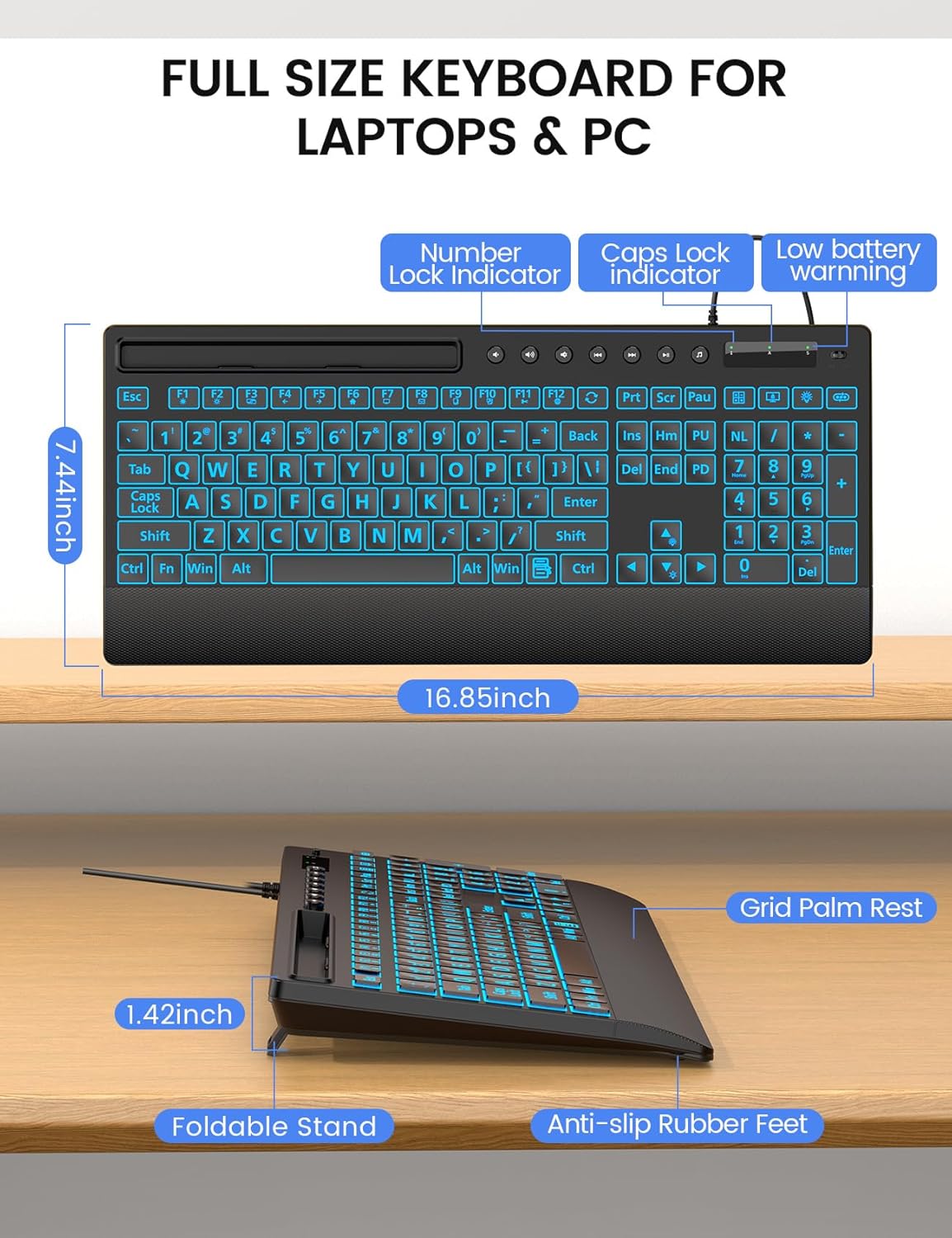
בילד: דעטאַלירט view of the keyboard's dimensions and physical features.
וואָראַנטי און שטיצן
SABLUTE is committed to providing quality products and customer satisfaction. Your KC782 keyboard comes with the following support:
- פאַרבייַט פּאָליטיק: 90-day replacement for eligible issues.
- Manufacturer Warranty: 360-day manufacturer warranty.
- Brand Care: Dedicated brand care support.
קאָנטאַקט אינפֿאָרמאַציע
For product consultation, quick repairs, accessory redelivery, returns, or exchanges, please contact us:
- E- בריוו שטיצן: sabluteservices@outlook.com
- Phone Support (US): +1-213-296-1273 (Monday-Friday, 9 AM-1 PM PST, 2 PM-6 PM PST)

Image: SABLUTE customer support information and services.


