1. הקדמה
Thank you for choosing the Hama Ultimate Pro Portable Bluetooth Speaker. This manual provides essential information for the safe and efficient use of your device. Please read it carefully before use and keep it for future reference.
פּעקל אינהאַלט:
- 1x Hama Ultimate Pro Portable Bluetooth Speaker
- 1x USB-C טשאַרדזשינג קאַבלע
- 1x Carrying Strap
- 1x באַניצער מאַנואַל
2. זיכערקייַט אינסטרוקציעס
- Do not open the device. Incorrect assembly can lead to electric shock, fire, or damage.
- Keep the device away from extreme temperatures, direct sunlight, and humidity.
- This speaker is rated IPX6, meaning it is protected against strong continuous rain and splashing water. Do not submerge the speaker in water.
- ניצט נאָר דעם צוגעשטעלטן USB-C קאַבל צום אויפלאָדן.
- דו זאלסט נישט נוצן די מיטל אויב עס איז קענטיק דאַמידזשד.
- Protect the battery from overheating.
3. פּראָדוקט איבערview
Familiarize yourself with the speaker's features and connections.

The Hama Ultimate Pro speaker highlights its key features: 24-hour battery life, IPX6 waterproof rating, Bluetooth connectivity, and 120W sound output.
קאָנטראָל פּאַנעל:

דעטאַילעד view of the speaker's top control panel, showing buttons for power, volume adjustment, play/pause, mode selection, and equalizer settings.
- מאַכט קנעפּל: דריקן און האַלטן צו אנצינדן/אויסלעשן. קורץ דריקן צו קאָנטראָלירן באַטאַרייע סטאַטוס.
- באַנד אַראָפּ (-): פאַרמינערן באַנד.
- שפּיל / פּויזע קנעפּל: שפּיל אָדער פּויזע אַודיאָ.
- באַנד אַרויף (+): פאַרגרעסערן באַנד.
- מאָדע קנעפּל (M): Switch between input modes (Bluetooth, AUX, USB).
- Equalizer Button (EQ): Cycle through equalizer presets (Bass Sound, Power Sound, Balanced Sound).
פּאָרץ און קאַנעקשאַנז:

The speaker's rear port panel includes a USB-C charging port, a USB-A port for external devices, a reset button, and a 6.3mm jack input.
- וסב- C פּאָרט: For charging the speaker and for Power Bank output.
- USB-A פּאָרט: For playing music from USB storage devices or for Power Bank output.
- AUX Input (3.5mm Jack): פֿאַר פֿאַרבינדן עקסטערנע אַודיאָ דעוויסעס דורך אַ 3.5 מם אַודיאָ קאַבל.
- Microphone/Guitar Input (6.3mm Jack): פֿאַר קאַנעקטינג אַ מיקראָפאָן אָדער גיטאַרע.
- באַשטעטיק קנעפּל: Use a thin object to press and reset the speaker if needed.
4. סעטאַפּ
4.1 אויפלאָדן דעם רעדנער
- פֿאַרבינדט דעם צוגעשטעלטן USB-C טשאַרדזשינג קאַבל צום USB-C פּאָרט אויף דעם רעדנער.
- Connect the other end of the USB-C cable to a suitable USB power adapter (not included). A 30W charger is recommended for fast charging.
- The charging indicator will show the charging status. The speaker is fully charged in approximately 2.5 hours.
4.2 פּאַוערינג אויף / אַוועק
- To turn on: Press and hold the Power button for a few seconds until you hear an audible prompt.
- To turn off: Press and hold the Power button for a few seconds until you hear an audible prompt.
4.3 בלועטאָאָטה פּערינג
- Ensure the speaker is powered on and in Bluetooth mode (indicated by a flashing blue LED). If not, press the Mode button (M) to switch to Bluetooth mode.
- אויף אייער דעווייס (סמאַרטפאָן, טאַבלעט, לאַפּטאָפּ), אַקטיווירט בלועטוט און זוכט פֿאַר פֿאַראַן דעווייסעס.
- Select "Hama Ultimate Pro" from the list of devices.
- אַמאָל פּערד, וועט דער LED אינדיקאַטאָר ווערן בלוי, און איר וועט הערן אַ באַשטעטיקונג גערויש.
4.4 Connecting via AUX Input
- פֿאַרבינדט איין עק פֿון אַ 3.5 מ״מ אַודיאָ קאַבל (נישט אַרייַנגערעכנט) צום AUX אַרייַנגאַנג פּאָרט אויף דעם רעדנער.
- פֿאַרבינדט דעם אַנדערן עק צום אַודיאָ אַרויסגאַנג פֿון אייער עקסטערנעם מיטל.
- Press the Mode button (M) on the speaker to switch to AUX mode.
4.5 Connecting USB Storage
- אַרייַנלייגן אַ וסב בליץ פאָר מיט אַודיאָ files into the USB-A port on the speaker.
- Press the Mode button (M) to switch to USB mode. The speaker will automatically begin playing audio from the USB drive.
4.6 Connecting Microphone or Guitar
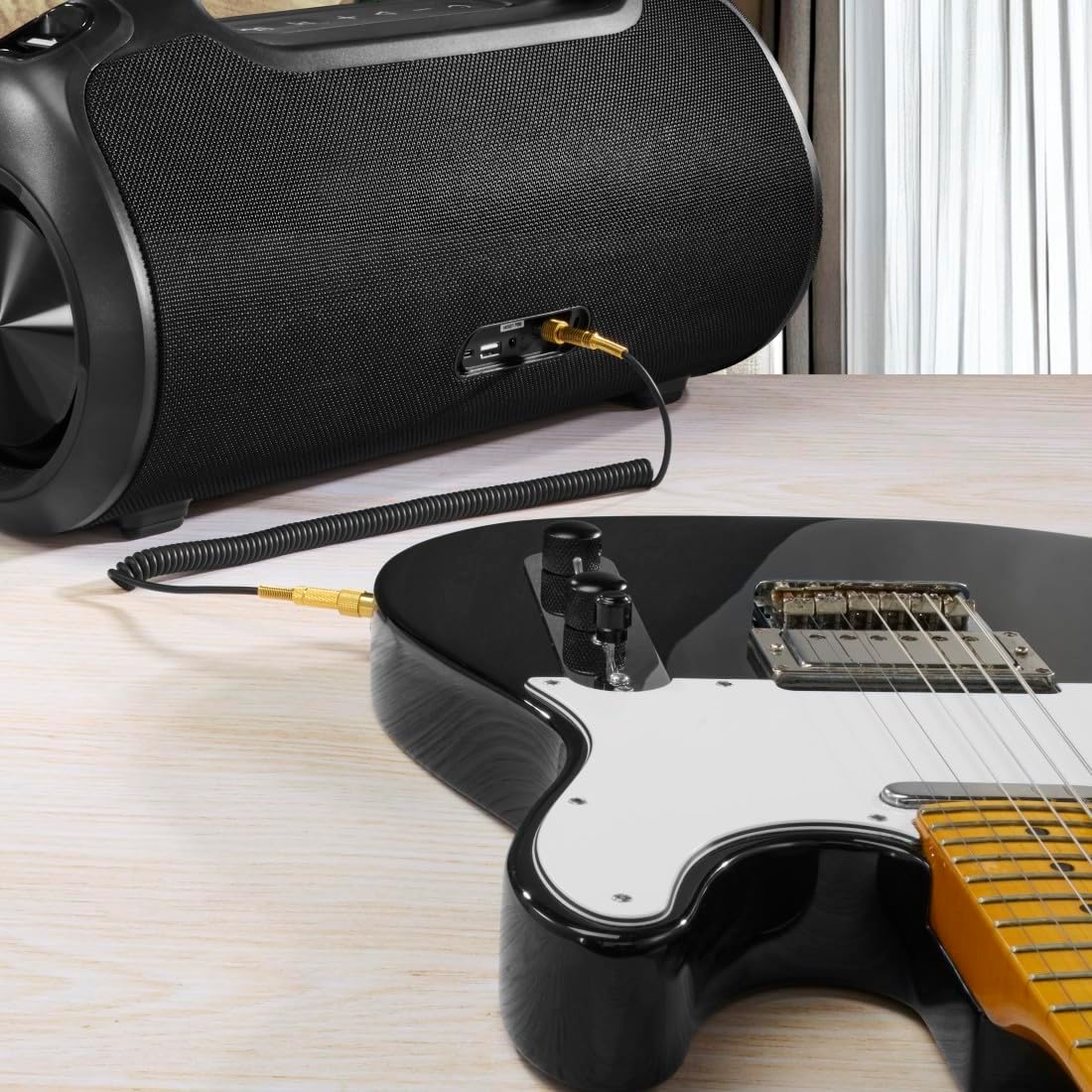
The speaker can be used as an amplifier by connecting an electric guitar via its 6.3mm jack input.
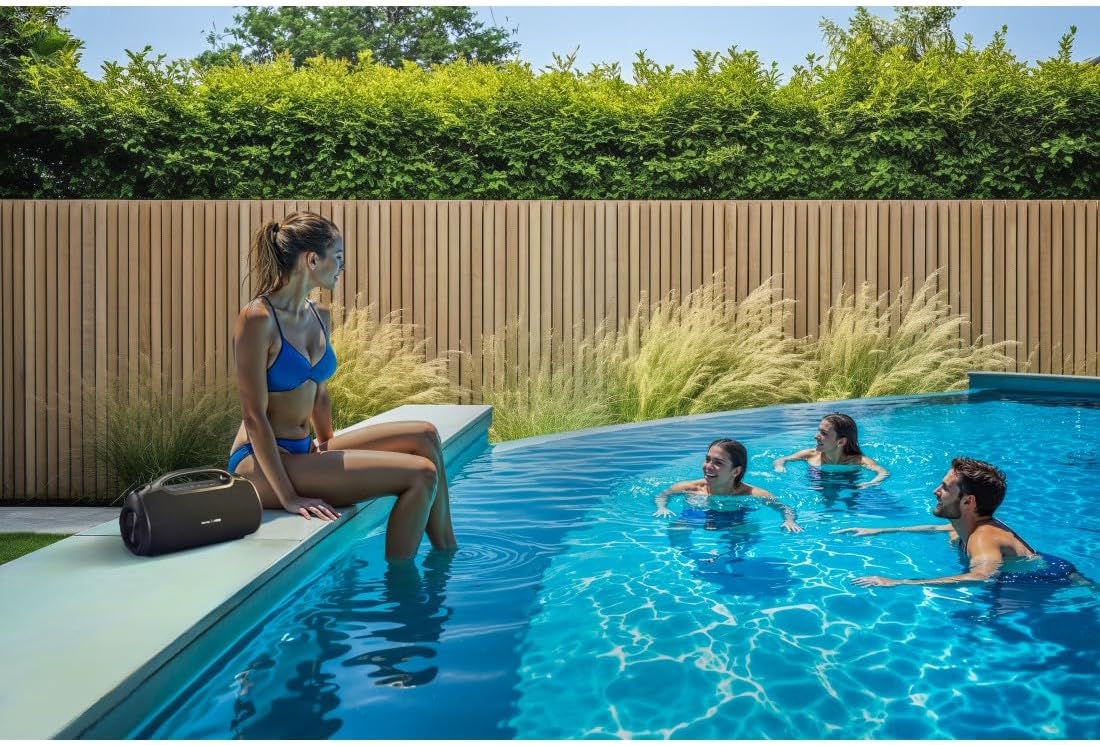
A microphone can be connected to the speaker's 6.3mm jack input for karaoke or public speaking.
- Connect your microphone or guitar to the 6.3mm jack input on the speaker.
- Adjust the volume on your connected device and the speaker as needed.
4.7 אמתע ווירעלעס סטערעאָ (TWS) פּאָרינג
The Hama Ultimate Pro supports TWS for connecting two speakers for a stereo sound experience. Refer to the specific TWS pairing instructions in the full manual if available, as this feature typically involves pressing a dedicated TWS button on both speakers simultaneously.
5. אפערירן דעם רעדנער
5.1 גרונטלעכע שפּיל קאָנטראָלן
- שפּיל / פּויזע: קורץ דריקן די שפּיל / פּויזע קנעפּל.
- באַנד אַרויף: דריק קורץ דעם באַנד אַרויף (+) קנעפּל.
- באַנד אַראָפּ: דריק קורץ דעם באַנד אַראָפּ (-) קנעפּל.
- ווייַטער שפּור: לאַנג דריקן די באַנד אַרויף (+) קנעפּל.
- פֿריִערדיקע שפּור: לאַנג דריקן די באַנד אַראָפּ (-) קנעפּל.
5.2 Equalizer Modes
The speaker offers three distinct equalizer modes to optimize your listening experience:
- באַס סאָונד: Enhances low frequencies for a deeper bass response.
- Power Sound: Provides a balanced, powerful sound profile.
- באַלאַנסט געזונט: Offers a neutral and clear audio output.
To switch between modes, short press the EQ button on the control panel.
5.3 Hama Smart Home App Control

The Hama Smart Home app allows for convenient control and customization of the speaker, including battery status and sound settings.
Download the "Hama Smart Home" app from your device's app store to access additional features:
- Custom equalizer settings.
- Change the speaker's name.
- View precise battery status in percentage.
- Remote control of playback and settings.
5.4 פּאַוער באַנק פונקציע

The speaker's integrated power bank allows you to charge external devices like smartphones via its USB-C or USB-A ports.
The Hama Ultimate Pro speaker features an integrated power bank function, allowing you to charge other devices:
- Connect your smartphone, tablet, or other USB-powered device to the USB-C or USB-A port on the speaker using a compatible charging cable.
- די רעדנער'ס אינערלעכע באַטאַרייע וועט אָנהייבן צו לאָדן אייער פֿאַרבונדענע מיטל.
6. וישאַלט
6.1 רייניקונג
The speaker has a resistant and washable surface. To clean:
- Ensure the speaker is turned off and all cables are disconnected.
- ניצן אַ ווייך, דamp cloth to wipe the surface. Do not use harsh cleaning agents or solvents.
- פֿאַר שווערן שמוץ, קען מען ניצן אַ מילדע זייף לייזונג, און דערנאָך ווישן מיט אַ ריינעם, דamp שטאָף.
- Allow the speaker to dry completely before use.
6.2 סטאָרידזש
- האַלט דעם רעדנער אין אַ קיל, טרוקן אָרט אַוועק פון דירעקט זונשייַן און עקסטרעמע טעמפּעראַטורן.
- אויב איר לייגט עס אויף פאר א לענגערע צייט, לאדט אויף די באטעריע ביז בערך 50% יעדע פאר חדשים כדי צו אויפהאלטן די געזונטהייט פון די באטעריע.
6.3 באַטערי קער
- פֿאַרמײַדט אָפֿט פֿולשטענדיק אויסצולאָדן די באַטעריע.
- Do not expose the battery to heat sources or direct flame.
- אַוועקוואַרפן באַטעריז לויט די היגע רעגיאַליישאַנז.
7. טראָובלעשאָאָטינג
אויב איר טרעפט פּראָבלעמען מיט אייער רעדנער, באַזירט זיך אויף די פאלגענדע געוויינטלעכע לייזונגען:
- קיין מאַכט: זיכער מאַכן אַז דער רעדנער איז אויפגעלאָדן. פֿאַרבינדט עס צו אַ שטראָם מקור מיטן USB-C קאַבל.
- קען נישט פארבינדן דורך בלועטוט:
- זיכער מאַכן אַז דער רעדנער איז אין בלועטוט פּערינג מאָדע (בלינקען בלויע LED).
- זייט זיכער אז בלועטוט איז ענייבאַלד אויף אייער דעווייס און עס איז אינערהאלב 10 מעטער פון דעם רעדנער.
- פֿאַרגעסט דעם רעדנער פֿון אייער דעווייס'ס בלועטוט ליסטע און פּרוּווט ווידער צו פאַרבינדן.
- ריסטאַרט ביידע די רעדנער און דיין מיטל.
- קיין קול:
- קאָנטראָלירט די וואָלומען לעוועלס אויף ביידע דעם רעדנער און אייער פֿאַרבונדענעם מיטל.
- Ensure the correct input mode (Bluetooth, AUX, USB) is selected on the speaker.
- אויב איר ניצט AUX, זאָרגט אַז דער קאַבל איז גאָר אַרײַנגעשטעקט און אַרבעט.
- טשאַרדזשינג ישוז:
- Verify the USB-C cable is not damaged and is properly connected.
- Try a different USB power adapter.
- Speaker Unresponsive: If the speaker becomes unresponsive, use a thin object (like a paperclip) to press the Reset button located on the port panel.
8. ספּעסאַפאַקיישאַנז

Physical dimensions of the Hama Ultimate Pro speaker for reference.
| מאָדעל נומער | 00188232 |
| סאָרט | חמא |
| קאָליר | שוואַרץ |
| קאַנעקטיוויטי טעכנאָלאָגיע | בלועטאָאָטה 5.3 |
| מאַקס ראַנגע | 10 מעטער |
| אַודיאָ סיסטעם | סטערעאָ |
| Max Music Power | 120 וו |
| באַטערי טיפּ | ינטעגראַטעד ליטהיום-יאָן |
| באַטאַרייע קאַפּאַציטעט | 4500 מאַה |
| באַטערי וואָלtage | 11.4 V |
| באַטאַרייע מאַכט | 51.3 ווה |
| מאַקס באַטערי לעבן | 24 שעה |
| טשאַרדזשינג צייט | בעערעך. 2.5 שעה |
| וסב פּד סופּפּאָרט | יא |
| IP שאַץ | IPX6 (Protection against strong continuous rain) |
| דימענסיעס (L X W X H) | 46.5 X 19.2 X 25.4 סענטימעטער |
| וואָג | 5200 ג (5.2 ק"ג) |
| קאַמפּאַטאַבאַל דעוויסעס | MP3 Player, Personal Computer, Smartphone, Tablet, Television |
9. וואָראַנטי
Hama GmbH & Co KG provides a warranty for this product. Please refer to the warranty card included in your package or visit the official Hama webוועבזייטל פֿאַר דעטאַלירטע וואָראַנטי טערמינען און באַדינגונגען ספּעציפֿיש פֿאַר אייער געגנט.
10. שטיצן
For technical support, troubleshooting assistance, or further inquiries, please contact Hama customer service. Contact details can typically be found on the official Hama webוועבזייטל אדער אויף דער פּראָדוקט פּאַקאַדזשינג.
You can also visit the Hama webוועבזייטל פֿאַר אָפֿט געשטעלטע פֿראַגעס און נאָך פּראָדוקט אינפֿאָרמאַציע: www.hama.com


