הקדמה
Thank you for choosing the Mars Gaming MC-REV ATX Gaming Case. This manual provides essential information for the proper installation, operation, and maintenance of your new PC case. The MC-REV is designed for high-performance gaming systems, featuring a revolutionary airflow system, double tempered glass panels, and support for vertical GPU installation.
Please read this manual carefully before beginning the assembly process to ensure optimal performance and longevity of your components.
פּראָדוקט פֿעיִקייטן
- Dual Seamless Tempered Glass Panels: הנאה אַ פּאַנאָראַמיק view of your build with frameless, screwless tempered glass panels, allowing easy access and an impressive aesthetic.
- Revolutionary Airflow System: Three 120mm ARGB fans are strategically tilted at a 25° angle to direct cool air directly to the GPU and motherboard, ensuring efficient heat dissipation.
- Compatibility with Reverse Port Motherboards: Designed to support motherboards with reverse connectors for optimized cable management and improved internal aesthetics.
- Vertical GPU Mounting System: A dedicated steel structure allows for vertical installation of your graphics card, enhancing visual appeal and airflow (optional riser cable not included).
- Advanced Connectivity & ARGB Hub: Features a lower control panel with USB-C, USB 3.0, USB 2.0, HD audio, and microphone ports. An integrated ARGB hub with RF remote control allows for customizable lighting effects and fan speed adjustments, with motherboard synchronization capability.
- מאַקסימום קאַפּאַציטעט: Supports ATX, MicroATX, and Mini-ITX motherboards, GPUs up to 420mm, CPU coolers up to 157mm, and liquid cooling up to 360mm. Includes internal bays for 2 x HDD 3.5" + 1 x SSD 2.5" or 1 x HDD 3.5" + 2 x SSD 2.5".
סעטאַפּ און ינסטאַלירונג
Safety First: Always disconnect the power supply from the wall outlet before installing or removing any components. Wear an anti-static wrist strap to prevent electrostatic discharge (ESD) damage to your components.
1. אַנפּאַקינג און דורכקוק
Carefully remove the MC-REV case from its packaging. Inspect the case for any signs of damage during transit. Report any damage to your retailer immediately.
2. אַראָפּנעמען די זייט פּאַנעלן
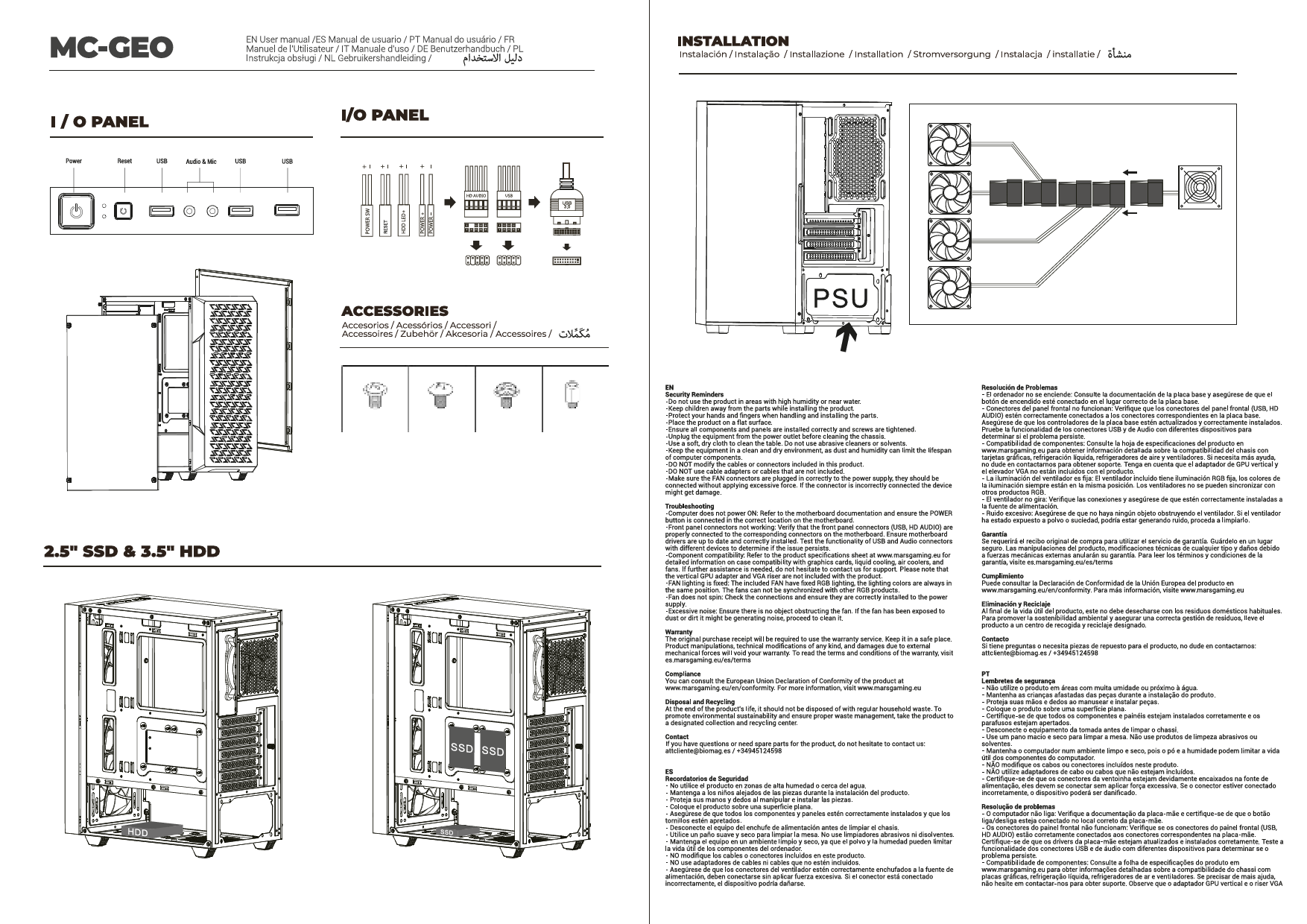
The MC-REV features screwless tempered glass panels. Gently lift and remove the side panels to access the interior for component installation.
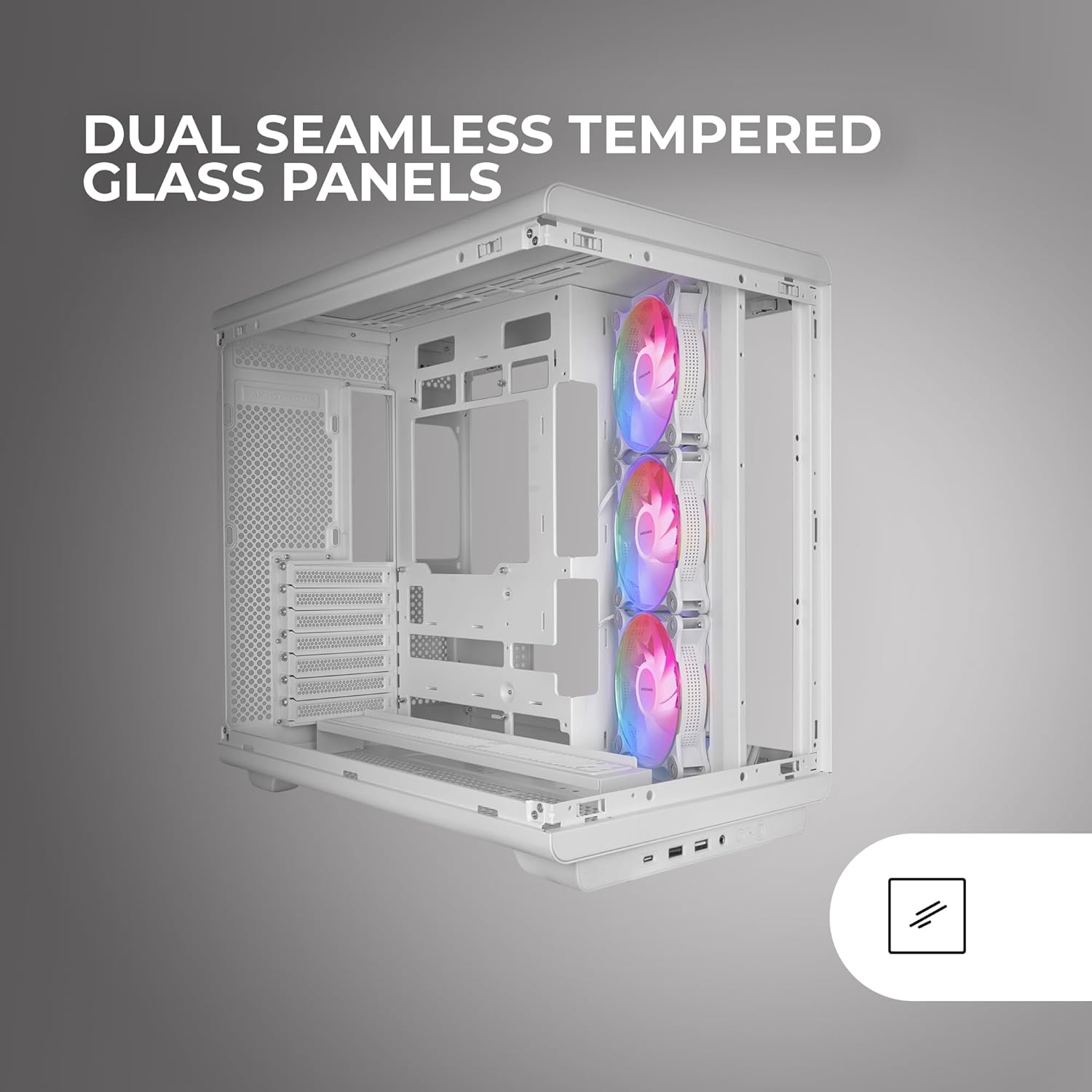
Image: The Mars Gaming MC-REV PC case with its dual seamless tempered glass panels removed, providing a clear view of the internal structure and component mounting areas.
3. מאָטהערבאָאַרד ינסטאַללאַטיאָן
- Identify the correct standoffs for your ATX, MicroATX, or Mini-ITX motherboard. Install any necessary standoffs if they are not pre-installed.
- לייגט פֿאָרזיכטיק אייער מאַדערבאָרד אויף די סטאַנדאָפס, און גלייכט אויס די שרויף לעכער.
- באַפֿעסטיקן די מאַדערבאָרד מיט די צוגעשטעלטע שרויפֿן.
- If using a reverse port motherboard, ensure all connectors are routed through the designated cutouts for optimal cable management.

בילד: א דעטאַלירטע view of a motherboard installed in the MC-REV case, demonstrating the compatibility with back-connect motherboards and the clean routing of power and data cables behind the motherboard tray.
4. גראַפיקס קאַרטל (GPU) ינסטאַלירונג
- Standard Horizontal Installation: Remove the necessary PCIe slot covers. Insert your GPU into the primary PCIe slot on your motherboard and secure it with screws.
- ווערטיקאַל ינסטאַלירונג: The MC-REV supports vertical GPU mounting. Install your graphics card into the vertical mounting bracket. Note: A PCIe riser cable is required for vertical GPU installation and is not included with the case. Secure the bracket to the case.

Image: The interior of the Mars Gaming MC-REV PC case, featuring a graphics card mounted vertically, showcasing the dedicated vertical GPU mounting system and the illuminated ARGB fans.
5. סטאָרידזש דרייוו אינסטאַלאַציע
- Locate the internal drive bays for 3.5" HDDs and 2.5" SSDs.
- Mount your drives into the appropriate bays and secure them with screws.
6. מאַכט צושטעלן אַפּאַראַט (PSU) ינסטאַלירונג
Install your PSU into the designated compartment, typically at the bottom rear of the case. Secure it with screws from the rear of the case. Route all necessary power cables through the cable management cutouts.
7. Fan and Liquid Cooling Installation
The MC-REV comes with three pre-installed 120mm ARGB fans. Additional fans (up to 10 total 120mm fans) or liquid cooling radiators (up to 360mm) can be installed in various locations. Refer to the case's specifications for supported mounting points.
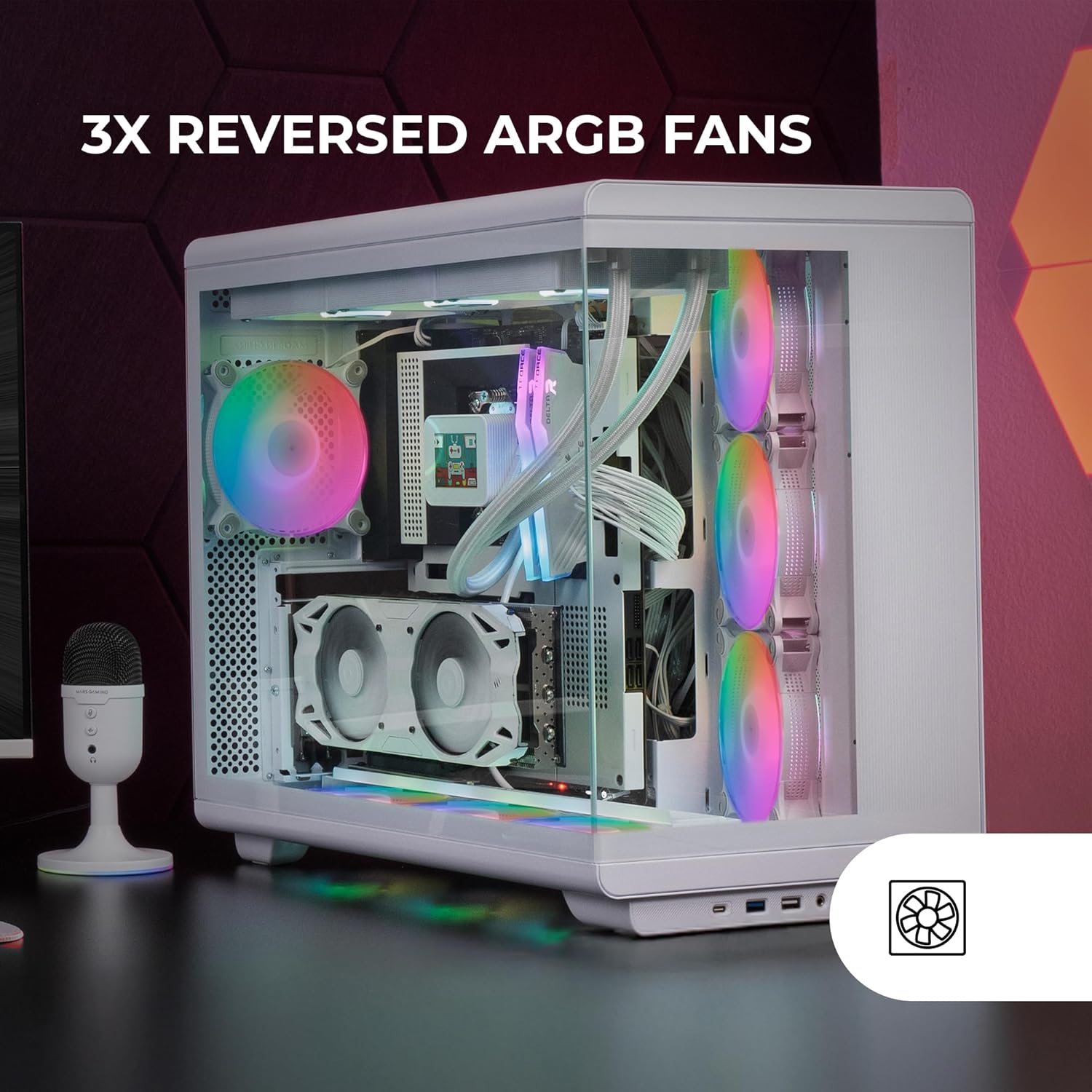
Image: The interior of the Mars Gaming MC-REV PC case, highlighting the three reversed ARGB fans with their vibrant illumination, designed for optimal airflow.
8. Connecting Front Panel I/O
Connect the cables from the case's front panel (USB-C, USB 3.0, USB 2.0, HD Audio, Microphone, Power, Reset) to the corresponding headers on your motherboard. Refer to your motherboard manual for header locations.
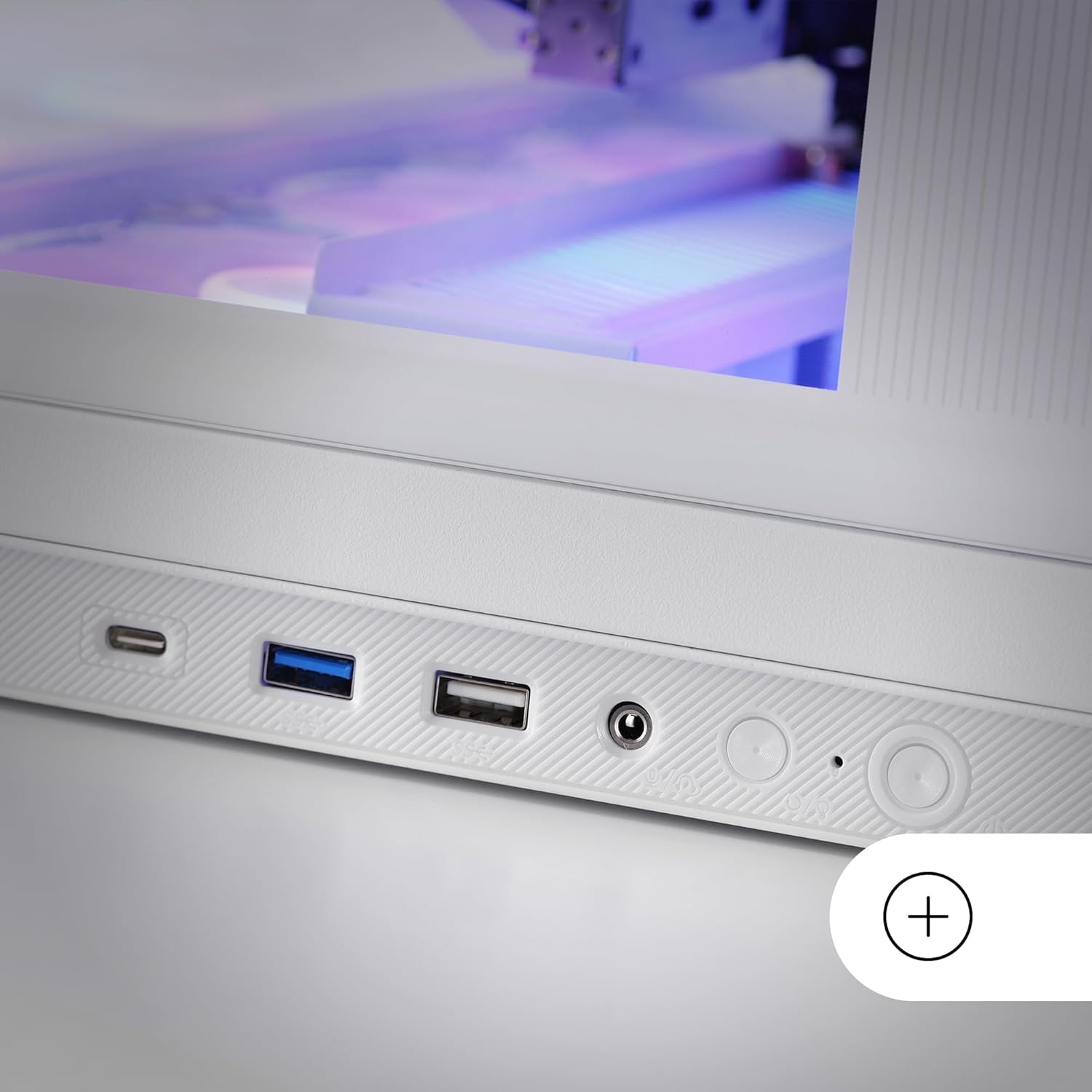
Image: A close-up of the lower control panel on the Mars Gaming MC-REV PC case, showing the USB-C, USB 3.0, USB 2.0, HD audio, and microphone ports.
9. ARGB Hub Connection
Connect the integrated ARGB hub to your power supply and, if desired, to your motherboard's ARGB header using the included connection cable for software synchronization.
10. קאַבלע מאַנאַגעמענט
Utilize the double chamber structure and cable routing channels behind the motherboard tray to organize and secure all cables. This improves airflow and maintains a clean interior aesthetic.
11. Reinstalling Side Panels
Once all components are installed and cables are managed, carefully reattach the tempered glass side panels.
אַפּערייטינג ינסטראַקשאַנז
מאַכט אויף
After ensuring all connections are secure and the power supply is switched on, press the power button located on the front I/O panel to start your system.
ARGB לייטינג קאָנטראָל
- RF רימאָוט קאָנטראָל: Use the provided RF remote control to cycle through various ARGB lighting effects, adjust brightness, and change fan speeds for the connected fans.
- מוטערבאָרד סינקראָניזאַציע: If the ARGB hub is connected to your motherboard's ARGB header, you can control the lighting effects and fan speeds through your motherboard's proprietary RGB software (e.g., ASUS Aura Sync, MSI Mystic Light, Gigabyte RGB Fusion).
וישאַלט
רייניקונג די קאַסע
- עקסטעריע: ניצן אַ ווייך, דamp טוך צו אפווישן די אויסערליכע ייבערפלאַכן. פֿאַרמייַדן שרײַבנדיקע רייניקונגסמיטלען.
- טעמפּערד גלאז פּאַנאַלז: Clean with a glass cleaner and a microfiber cloth to avoid streaks.
- שטויב פילטערס: Periodically remove and clean the dust filters (if present) to maintain optimal airflow and prevent dust buildup inside the case.
אינערלעכער רייניקונג
Every few months, or as needed, open the case and use compressed air to remove dust from fans, heatsinks, and other components. Ensure the system is powered off and unplugged before performing internal cleaning.
טראָובלעשאָאָטינג
- סיסטעם גייט נישט אן:
- Check all power connections from the PSU to the motherboard and components.
- Ensure the power button cable is correctly connected to the motherboard header.
- באַשטעטיקן אַז דער PSU סוויטש איז אין דער "ON" פּאָזיציע.
- פאַנס דרייען זיך נישט / ARGB צינדט זיך נישט אָן:
- Ensure all fans are properly connected to the ARGB hub or motherboard headers.
- Verify the ARGB hub is receiving power.
- If using motherboard sync, check your motherboard's RGB software settings.
- Test the RF remote control's battery (1 AAAA battery included).
- USB פּאָרטן אַרבעטן נישט:
- Check if the front panel USB cables are securely connected to the correct headers on your motherboard.
- אַודיאָ דזשעקס אַרבעטן נישט:
- זיכער מאַכן אַז דער HD אַודיאָ קאַבל פֿון דער פֿראָנט פּאַנעל איז ריכטיק פֿאַרבונדן צום מאַדערבאָרד'ס אַודיאָ כעאַדער.
For issues related to specific internal components (CPU, GPU, RAM, etc.), please refer to their respective manuals or manufacturer support.
ספּעסאַפאַקיישאַנז
| שטריך | דעטאַל |
|---|---|
| מאָדעל נאָמען | MCREVW |
| סאָרט | מאַרס גיימינג |
| טיפּ פון קאַסטן | אַטקס מיטן טאַוער |
| מאָטהערבאָאַרד קאַמפּאַטאַבילאַטי | ATX, מיקראָ ATX, מיני ITX |
| מאַטעריאַל | געהאַרצטע גלאָז, שטאָל |
| קאָליר | ווייַס |
| דימענשאַנז (LxWxH) | 16.65 X 17.44 X 10.94 אינטשעס (423 X 443 X 278 מם) |
| פּונקט וואָג | 15.09 פונט (6.86 קג) |
| גפּו לענג רעשוס | אַרויף צו 420 מם |
| GPU Width Clearance | אַרויף צו 147 מם |
| CPU Cooler Height Clearance | אַרויף צו 157 מם |
| יקספּאַנשאַן סלאָץ | 7 |
| פאָר בייס | 2 x HDD 3.5" + 1 x SSD 2.5" or 1 x HDD 3.5" + 2 x SSD 2.5" |
| פאַר-אינסטאַלירן פאַנס | 3 x 120mm ARGB (Inverse Airflow) |
| פאָכער סופּפּאָרט | אַרויף צו 10 X 120 מם פאַנס |
| פליסיק קאָאָלינג שטיצן | ראַדיאַטאָר ביז 360 מם |
| פראָנט איך / אָ פּאָרץ | 1 x USB-C, 1 x USB 3.0, 1 x USB 2.0, HD Audio, Microphone |
| ספּעציעלע פֿעיִקייטן | Double Tempered Glass, Vertical GPU Support, ARGB Hub with RF Remote, Reverse Port Motherboard Compatibility |
| רימאָוט קאָנטראָל באַטערי | 1 x AAAA battery (included) |
וואָראַנטי און שטיצן
Mars Gaming products are manufactured to high-quality standards. For warranty information and technical support, please refer to the official Mars Gaming webזייטל אדער קאָנטאַקט אייער לאקאלן הענדלער.
האַלטן דיין דערווייַז פון קויפן פֿאַר וואָראַנטי קליימז.
Official Brand Webפּלאַץ: מאַרס גיימינג