1. הקדמה
Thank you for choosing the Powerology Portable Air Compressor Jump Starter. This multi-functional device is designed to provide reliable assistance in various emergency situations, including jump-starting vehicles and inflating tires. Please read this manual thoroughly before use to ensure safe and optimal performance.

Figure 1.1: The Powerology Portable Air Compressor Jump Starter, showcasing its main unit, jump starter cables (red and black clamps), and the air inflation hose. The digital display is visible on the unit.
2. זיכערקייַט אינפֿאָרמאַציע
שטענדיק אָבסערווירן די פאלגענדע זיכערהייט מיטלען צו פאַרמייַדן שאָדן אָדער שעדיקן צו די מיטל:
- שטעלט נישט אויס דעם אפאראט צו עקסטרעמע טעמפעראטורן, דירעקטע זונשייַן, אדער פייכטקייט.
- האַלטן אויס פון דערגרייכן פון קינדער.
- זיכער מאַכן אַז עס איז גענוג ווענטילאַציע בעתן אָפּעראַציע און אויפלאָדן.
- נעמט נישט אויס אדער מאדיפיצירט נישט דאס אפאראט. לאָזט איבער אלע סערוויסעס צו קוואַליפֿיצירטע פּערסאָנעל.
- Use only the provided accessories and cables.
- פֿאַרמײַדן קורץ-שליסן דעם דזשאַמפּ סטאַרטער קל.amps.
3. פּראָדוקט איבערview
3.1 קאַמפּאָונאַנץ
- Main Unit (Portable Air Compressor Jump Starter)
- Smart Jump Starter Cables
- Air Inflation Hose
- וסב-C טשאַרדזשינג קאַבלע
- Various Nozzle Adapters for inflation
3.2 שליסל פֿעיִקייטן
- באַטאַרייע קאַפּאַציטעט: 8800 מאַה
- שפּיץ קראַנט: 800A (for jump starting)
- Max Inflation Pressure: 150 PSI
- ינפלאַציע גיכקייַט: 31.4 ליטער/מינוט
- מאָטאָר קאַמפּאַטאַבילאַטי: Up to 5.0L Gasoline, 3.0L Diesel
- מאַכט באַנק פֿונקציע: Dual USB Output, including 20W Power Delivery (PD) via USB-C
- ווייַז: Digital LED screen for real-time pressure and battery status

פיגור 3.1: א דעטאלירטע view of the digital display on the Powerology unit, indicating battery charge, selectable pressure units (PSI, BAR, KPA, KG/CM²), and control buttons for mode selection and pressure adjustment.
4. סעטאַפּ
4.1 ערשט טשאַרדזשינג
Before first use, fully charge the device. Connect the provided USB-C charging cable to the device's USB-C input port and the other end to a compatible USB power adapter (not included). The digital display will indicate the charging status. A full charge typically takes approximately 2 hours with a 20W PD charger.
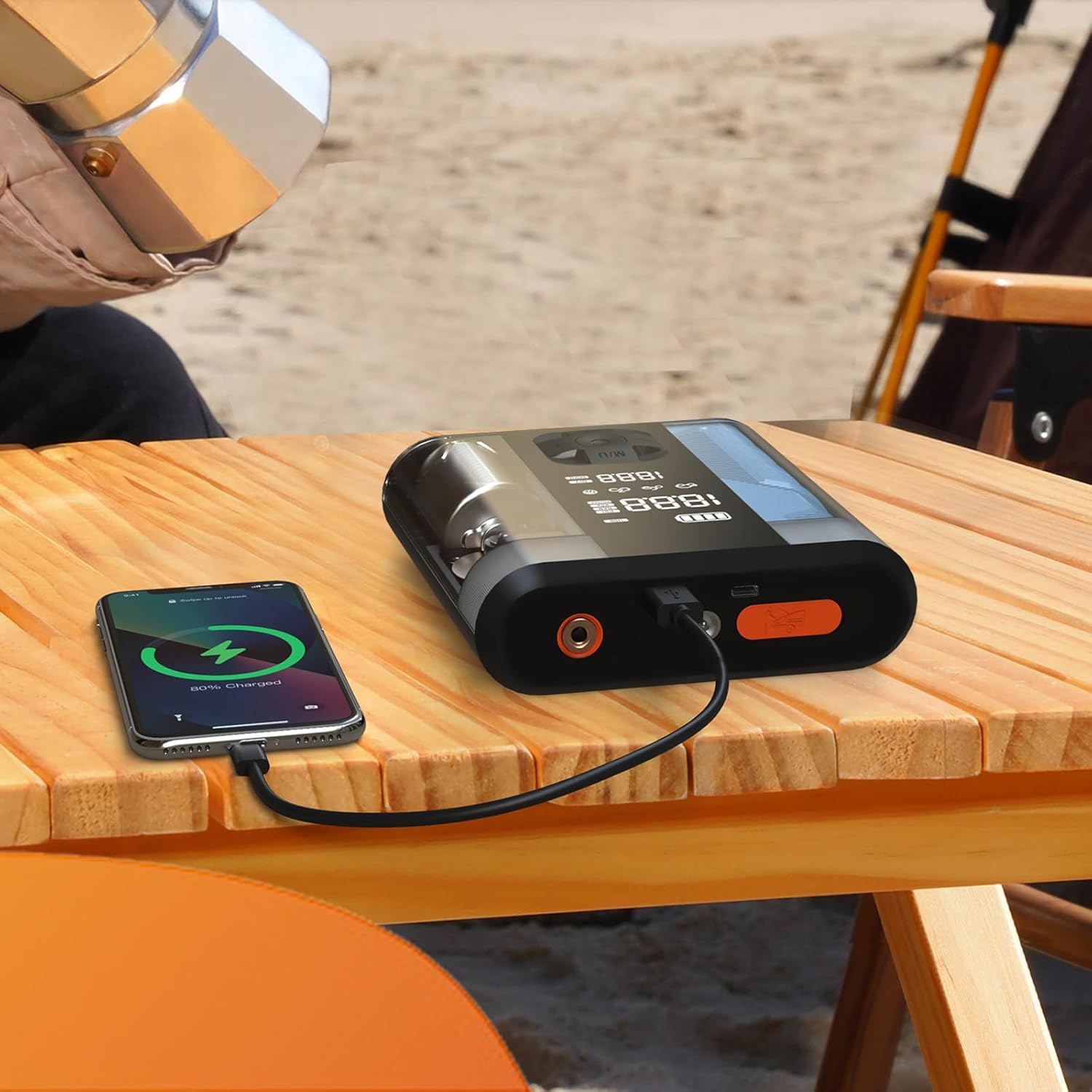
Figure 4.1: The Powerology device connected via USB-C cable to a smartphone, demonstrating its power bank functionality. The phone screen shows a charging indicator.
5. אַפּערייטינג ינסטרוקטיאָנס
5.1 שפרינג סטאַרטינג אַ פאָרמיטל
- Ensure the jump starter is at least 50% charged.
- אויסלעשן די איגנישאַן פונעם אויטאָ און אַלע אַקסעסאָריעס.
- פאַרבינדן די רויט (+) קלamp צום פּאָזיטיוון (+) טערמינאַל פֿון דער באַטעריע פֿונעם פֿאָרמיטל.
- פאַרבינדן די שוואַרץ (-) קלamp צום נעגאַטיוון (-) טערמינאַל פֿון דער באַטעריע פֿונעם פֿאָרמיטל.
- Connect the smart cable connector to the jump starter port on the device.
- Start the vehicle. If it doesn't start immediately, wait 30 seconds and try again. Do not attempt more than 3 consecutive starts.
- Once the vehicle starts, disconnect the smart cable from the jump starter, then remove the black (-) clamp, נאכגעפאלגט דורך די רויטע (+) קלamp.
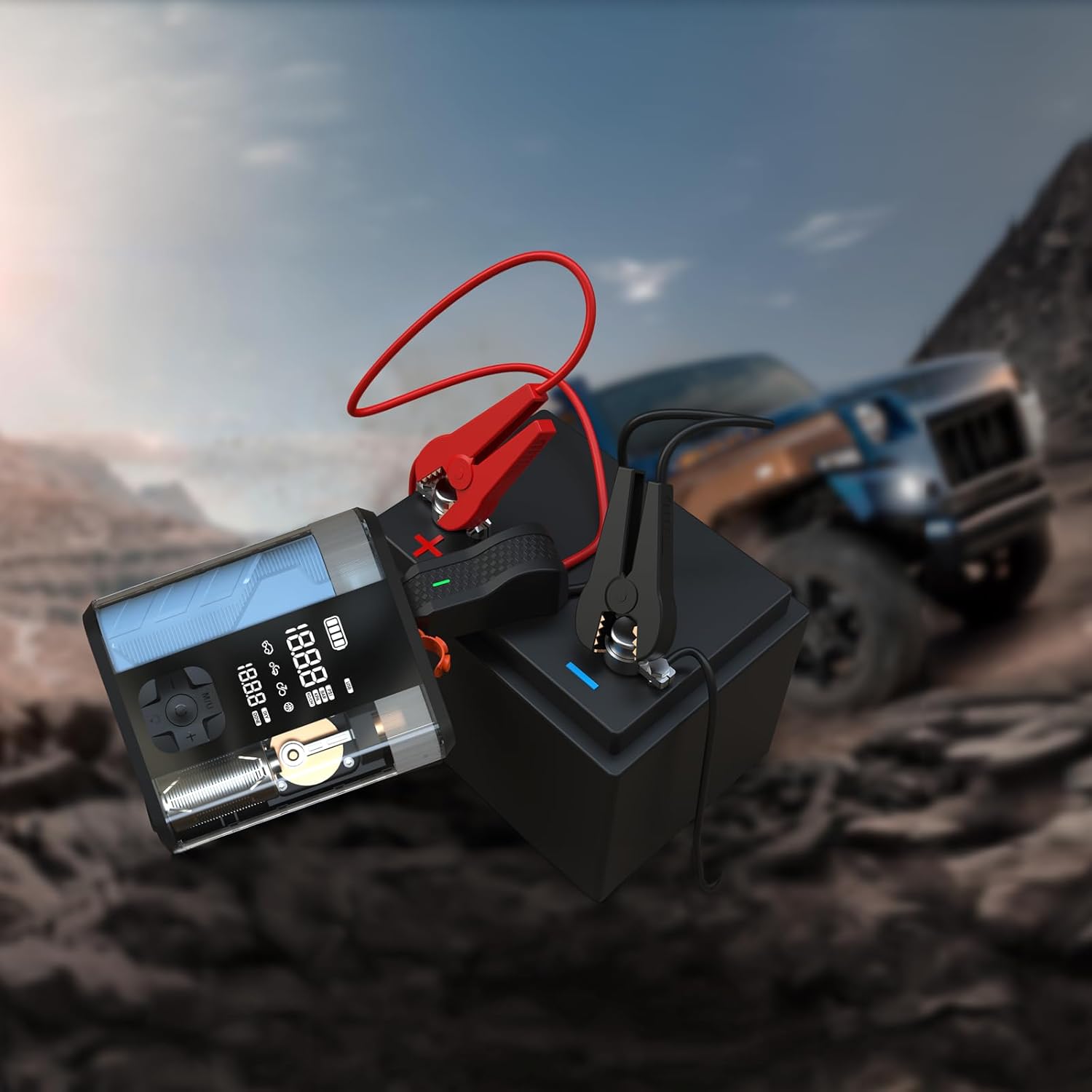
Figure 5.1: The Powerology device with its jump starter cables connected to a vehicle battery, illustrating the process of jump starting a car in an outdoor setting.
5.2 Inflating Tires
- Connect the air inflation hose to the device's inflation port.
- Attach the other end of the hose to the tire valve.
- Turn on the device. The digital display will show the current tire pressure.
- Use the '+' and '-' buttons to set the desired pressure.
- Press the start button to begin inflation. The device will automatically stop when the preset pressure is reached.
- Disconnect the hose from the tire valve and the device.

Figure 5.2: The Powerology device positioned next to a car tire, with the inflation hose connected, demonstrating its use as an air compressor for tire inflation.
5.3 ניצן ווי אַ פּאַוער באַנק
Connect your electronic devices (e.g., smartphones, tablets) to the USB-A or USB-C output ports on the Powerology unit using a compatible charging cable. The device will automatically begin charging your connected device.
6. וישאַלט
- רייניקונג: ווישט אָפּ דאָס אַפּאַראַט מיט אַ ווייכן, טרוקענעם שטאָף. ניצט נישט קיין שאַרפע כעמיקאַלן אָדער אַברייסיוו רייניקונגסמיטלען.
- סטאָרידזש: Store the device in a cool, dry place away from direct sunlight and extreme temperatures. Ensure it is fully charged before long-term storage and recharge every 3-6 months to maintain battery health.
- באַטערי זאָרגן: פֿאַרמײַדט אָפֿט פֿולשטענדיק אויסצולאָדן די באַטעריע כּדי צו פֿאַרלענגערן איר לעבן.
7. טראָובלעשאָאָטינג
| פּראָבלעם | מעגלעך סיבה | לייזונג |
|---|---|---|
| די מיטל איז נישט קער אויף | נידעריק באַטאַרייע אָדער קיין אָפּצאָל | טשאַרדזש די מיטל גאָר. |
| אויטאָ הייבט נישט אָן צו אָנהייבן | אומרעכט קלamp connection; vehicle battery too low; engine too large | Check connections; ensure device is fully charged; verify engine compatibility. |
| Tire not inflating | Hose not securely connected; wrong pressure unit selected; hose kinked | Ensure hose is tight; check pressure unit; straighten hose. |
| מיטל אָוווערכיטינג | Prolonged use; blocked vents | Allow device to cool down; ensure vents are clear. |
8. ספּעסאַפאַקיישאַנז
| שטריך | דעטאַל |
|---|---|
| סאָרט | פּאָוועראָלאָגי |
| מאָדעל | PPBCHA47 |
| באַטערי טיפּ | ליטהיום-יאָן |
| באַטאַרייע קאַפּאַציטעט | 8800 מאַה |
| שפּיץ קראַנט | 800 א |
| מאַקסימום אינפלאַציע דרוק | 150 PSI |
| ינפלאַציע ספּיד | 31.4 ל / מין |
| וסב-C רעזולטאַט | 20W PD |
| פּראָדוקט דימענשאַנז | 4.1 X 13.6 X 15.7 סענטימעטער |
| פּראָדוקט וואָג | 740 ג |
9. וואָראַנטי און שטיצן
This Powerology product comes with a standard manufacturer's warranty. For detailed warranty information, technical support, or service inquiries, please refer to the warranty card included in your product packaging or visit the official Powerology webזייטל. האַלט אייער קויף קוויטל ווי אַ באַווייַז פון קויפן.


