1. פּראָדוקט איבערview
The ShanWan Q38 is a versatile wireless Bluetooth controller designed for a wide range of gaming platforms. It features advanced controls such as Hall Effect joysticks and micro-switch buttons for enhanced precision and responsiveness.

בילד 1.1: פון אויבן אַראָפּ view of the ShanWan Q38 Wireless Bluetooth Controller, showcasinג זײַן קאָמפּאַקטן דיזײַן און קנעפּל אויסלייג.
2. פּעקל אינהאַלט
ביטע זיכער מאַכן אַז אַלע זאכן זענען פאַראַן אין פּעקל:
- ShanWan Q38 Wireless Bluetooth Controller
- וסב טשאַרדזשינג קאַבלע
- באַניצער מאַנואַל (דעם דאָקומענט)
- 1 AAA Battery (pre-installed or included separately)
3. סעטאַפּ און קאַנעקטיוויטי
3.1 טשאַרדזשינג די קאָנטראָללער
Before initial use, ensure the controller is sufficiently charged. Connect the provided USB charging cable to the controller's charging port and to a USB power source (e.g., computer, USB wall adapter). The LED indicator will show charging status.
3.2 קאַמפּאַטאַבילאַטי
The ShanWan Q38 controller is compatible with the following platforms:
- Nintendo Switch / Switch 2 (firmware upgrade may be required for Switch 2)
- פּאַרע דעק
- פּיסי (Windows)
- Android devices (phones, tablets)
- iPhone
- יפּאַד
- macOS devices
- PS4 (as indicated by mode switch, specific compatibility may vary)

Image 3.1: The ShanWan Q38 controller demonstrating compatibility with multiple gaming platforms.
3.3 קאַנעקטינג דורך בלועטאָאָטה
צו פאַרבינדן די קאָנטראָללער צו דיין מיטל:
- מאַכט אויף: Press and hold the Home button on the controller until the indicator lights begin to flash.
- אויסקלייַבן מאָדע: Use the mode switch located on the top edge of the controller to select the appropriate mode for your device:
- X Mode: For Mobile & Computer (Android, PC, macOS, iOS).
- S מאָדע: For Nintendo Switch.
- P מאָדע: For PS4 (if compatible).
- פּאָרינג: On your device, navigate to the Bluetooth settings and search for available devices. Select "ShanWan Q38" (or similar) from the list to pair.
- באַשטעטיקונג: Once successfully paired, the indicator light on the controller will become solid.
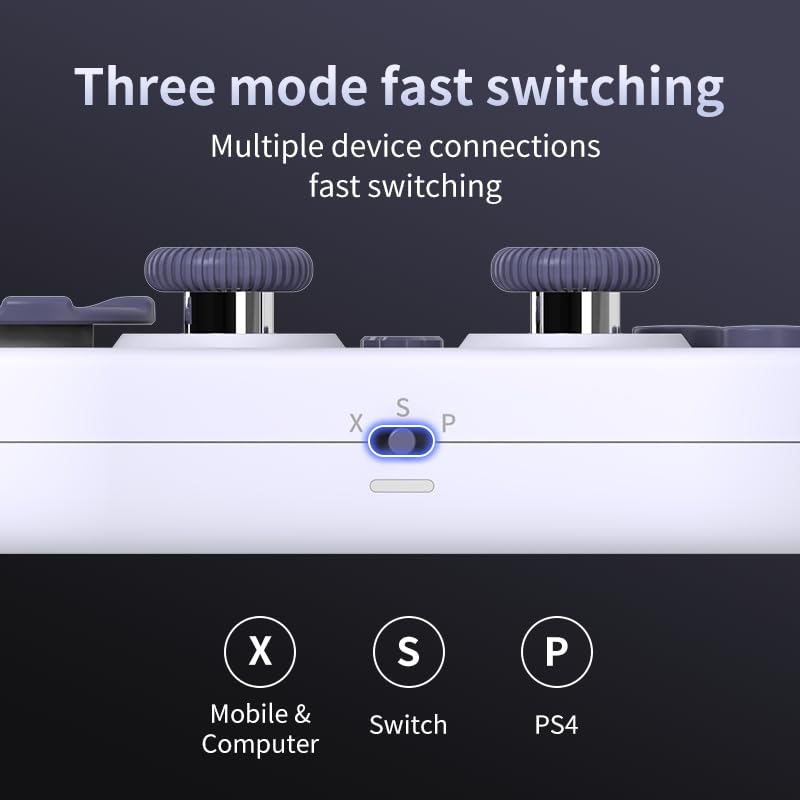
Image 3.2: Detail of the three-mode fast switching selector on the controller.
3.4 Customization and Calibration
For advanced customization, including button remapping and macro functions, download the official "gamepad space" application. This application also allows for controller calibration to ensure optimal performance.
4. אפערירן דעם קאנטראלער
4.1 שליסל פֿעיִקייטן
- האַל עפֿעקט דזשויסטיקס: Provides high precision and sensitivity. The joystick height is adjustable between 5mm and 8mm for personalized comfort.
- Composite Micro-Switch Buttons: These buttons offer a tactile response similar to mechanical keyboards, providing quick and precise input.
- Mechanical Triggers: Designed for fast response times.
- Dual Micro Motors: Provides dual vibration feedback for an immersive gaming experience.
- Somatosensory Gyroscope: Equipped with a 6-axis gyroscope for motion control in supported games.

Image 4.1: Detail of the adjustable Hall Effect joysticks.

Image 4.2: Close-up of the composite micro-switch action buttons.

Image 4.3: Diagram illustrating the internal components of the composite micro-keypad.
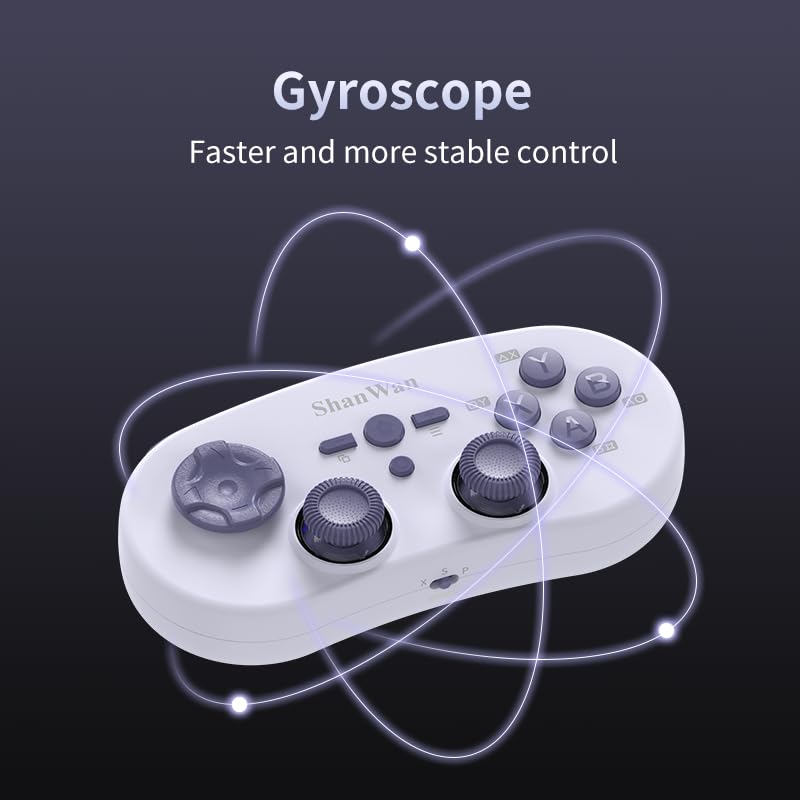
Image 4.4: Visual representation of the controller's gyroscope functionality.
4.2 גיימינג דערפאַרונג
The compact design allows for portability, making it suitable for gaming on the go with devices like the Nintendo Switch or smartphones.

Image 4.5: Controller in use with a Nintendo Switch.

Image 4.6: Controller paired with a smartphone for mobile gaming.
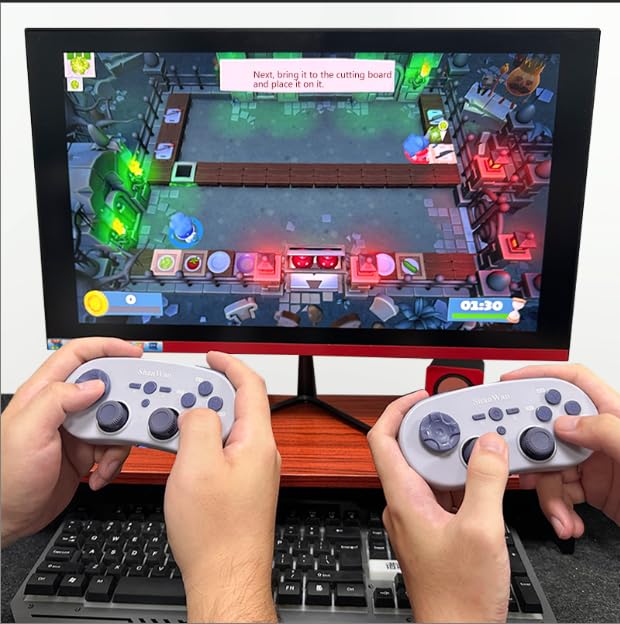
Image 4.7: Two controllers in use for multiplayer gaming on a PC.
5. וישאַלט
To ensure the longevity and optimal performance of your ShanWan Q38 controller, follow these maintenance guidelines:
- רייניקונג: ניצט אַ ווייכע, טרוקענע שטאָף צו ווישן דעם קאָנטראָללער. פֿאַר שווערע שמוץ, אַ ביסל טרוקןamp מען קען ניצן אַ שטאָף, אָבער זאָרגט זיך אַז קיין נעץ זאָל נישט אַרײַנגיין אין דעם אַפּאַראַט. פֿאַרמײַדט שטרענגע כעמיקאַלן אָדער אַברייסיוו רייניקונגסמיטלען.
- סטאָרידזש: האַלט דעם קאָנטראָללער אין אַ קיל, טרוקן אָרט אַוועק פון דירעקט זונשייַן און עקסטרעמע טעמפּעראַטורן.
- באַטערי זאָרגן: If using replaceable AAA batteries, remove them if the controller will not be used for an extended period to prevent leakage.
- ויסמיידן טראפנס: Protect the controller from physical impact and drops, which can damage internal components.
6. טראָובלעשאָאָטינג
If you encounter issues with your ShanWan Q38 controller, refer to the following common problems and solutions:
- Controller Does Not Power On:
- Ensure the battery is correctly inserted and has sufficient charge. Replace AAA batteries if necessary.
- Connect the controller to a power source using the USB cable to confirm if it charges.
- Difficulty Connecting via Bluetooth:
- Ensure the controller is in the correct mode (X, S, or P) for your device.
- אויסלעשן און אן די בלועטוט פון אייער דעווייס.
- פֿאַרגעסט דאָס דעווייס אין אייערע בלועטוט סעטטינגס און פּרוּווט זיך ווידער צו פאַרבינדן.
- Ensure the controller is within the effective range of your device.
- Buttons or Joysticks Not Responding Correctly:
- Calibrate the controller using the "gamepad space" application.
- קוקט איבער פֿאַר יעדע פֿיזישע שטערונג אָדער שמוץ אַרום די קנעפּלעך אָדער דזשויסטיקס.
- Ensure the controller's firmware is up to date, especially for Switch 2 compatibility.
- צופֿעליקע דיסקאַנעקשאַנז:
- זיכער מאַכן אַז עס זענען נישטאָ קיין שטאַרקע וויירלעסע שטערונגען אין דער נאָענט.
- Keep the controller close to the connected device.
- Re-pair the controller if disconnections are frequent.
7. ספּעסאַפאַקיישאַנז
| שטריך | דעטאַל |
|---|---|
| מאָדעל נומער | ק38 |
| פאַבריקאַנט | שאַנוואַן |
| קאַנעקטיוויטי | בלועטאָאָטה ווירעלעסס |
| קאַמפּאַטאַבילאַטי | Switch/Switch 2, Steam Deck, PC, Android, iPhone, iPad, macOS, PS4 |
| דזשויסטיק טיפּ | Hall Effect, Adjustable Height (5mm-8mm) |
| טיפּ קנעפּל | Composite Micro-Switch |
| ווייבריישאַן | Dual Micro Motors |
| באַוועגונג קאָנטראָל | 6-אַקס גיראָסקאָפּע |
| פּעקל דימענשאַנז | 5.63 X 4.53 X 1.54 אינטשעס |
| פּונקט וואָג | 4.6 אונסעס |
| באַטעריז | 1 אַאַאַ באַטאַרייע פארלאנגט (אַרייַנגערעכנט) |

Image 7.1: Physical dimensions of the ShanWan Q38 controller.
8. וואָראַנטי און שטיצן
For warranty information and customer support, please refer to the official ShanWan webזייטל אדער קאנטאקט דעם פארקויפער פון וועמען איר האט געקויפט דאס פראדוקט. האלט אייער באווייז פון קויפן פאר גאראנטיע פארלאנגען.