1. הקדמה
This manual provides essential information for setting up, operating, maintaining, and troubleshooting your ASUS TUF Gaming F16 (2025) Gaming Laptop. Please read this guide thoroughly to ensure proper use and to maximize the performance and longevity of your device.
2. פּעקל אינהאַלט
באַשטעטיקט אַז אַלע זאכן זענען פאַראַן אין אייער פּראָדוקט פּאַקעט:
- ASUS TUF Gaming F16 (2025) Gaming Laptop (Model: FX608JHR-DS74)
- מאַכט שנור און אַדאַפּטער
- באַניצער גייד (דעם דאָקומענט)
If any items are missing or damaged, contact your retailer or ASUS support immediately.
3. פּראָדוקט איבערview
The ASUS TUF Gaming F16 (2025) is a high-performance gaming laptop designed for demanding applications and immersive gaming experiences. It features a 16-inch FHD+ 165Hz IPS-Level 16:10 display, powered by an Intel Core i7 14650HX Processor and an NVIDIA GeForce RTX 5050 Laptop GPU. The system includes 16GB of DDR5 memory and a 1TB PCIe Gen4 SSD for fast loading and multitasking. It operates on Windows 11 Home and incorporates advanced cooling solutions and military-grade durability.
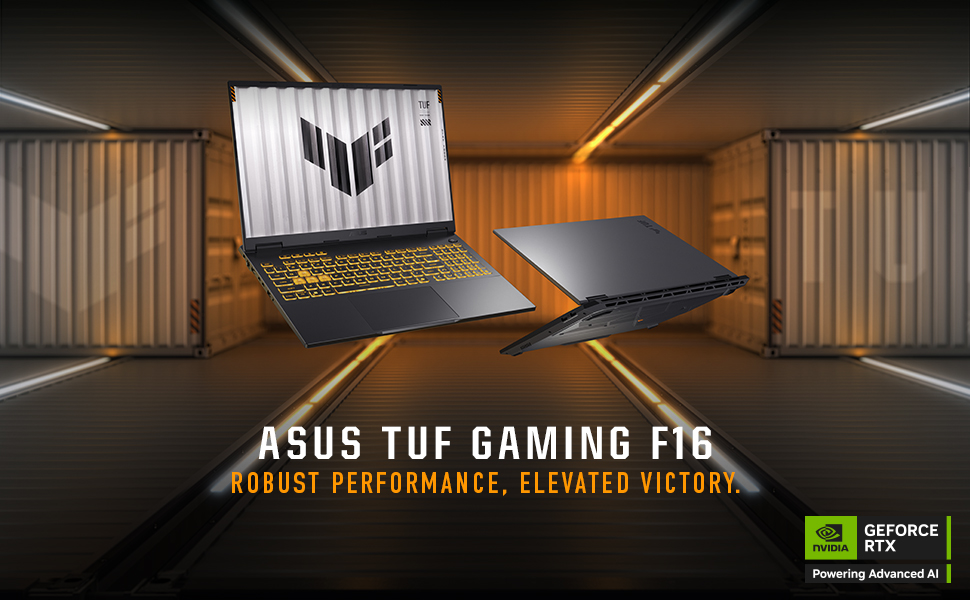
Image: The ASUS TUF Gaming F16 laptop showcasing its core specifications including Windows 11 Home, Intel Core i7 14650HX Processor, NVIDIA GeForce RTX 5050 Laptop GPU, 16GB Memory, and 1TB PCIe 4.0 SSD storage.
4. סעטאַפּ
4.1 ערשט מאַכט-אויף
- Unpack the laptop and power adapter from the box.
- Connect the power adapter to the laptop's ASUS Slim Power Jack.
- צאַפּן די מאַכט שנור אין אַ וואַנט ווענטיל.
- Open the laptop lid and press the power button, typically located on the top-right of the keyboard.
- Follow the on-screen instructions to complete the Windows 11 Home setup process. This includes selecting your region, connecting to a Wi-Fi network, and creating a user account.
4.2 קאַנעקטינג פּעריפעראַלס
Your ASUS TUF Gaming F16 offers various ports for connecting external devices:

Image: A detailed diagram illustrating the various ports available on both sides of the ASUS TUF Gaming F16 laptop, including USB, HDMI, LAN, and audio jacks.
- וסב פּאָרץ: Connect USB devices such as mice, keyboards, or external storage drives to the USB 3.0 ports or USB3.2 Gen2 Type-A ports.
- ווייַז רעזולטאַט: Use the HDMI 2.1 FRL port or the Thunderbolt™ 4 Type-C port (with DisplayPort 2.1 support) to connect external monitors or projectors.
- נעץ קאַנעקשאַן: For a stable internet connection, plug an Ethernet cable into the RJ45 LAN port. Alternatively, use the integrated Wi-Fi 6E for wireless connectivity.
- אַודיאָ: Connect headphones or external speakers to the audio jack (Mic-in & Headphone combo).
5. אַפּערייטינג ינסטרוקטיאָנס
5.1 קלאַוויאַטור און טאָוטשפּאַד

בילד: א פון אויבן אראפ view of the ASUS TUF Gaming F16 keyboard, highlighting its RGB backlighting, full-size layout with number keys, and large touchpad.
The laptop features an RGB backlit, full-size keyboard with a numeric keypad and a 10% larger touchpad for enhanced navigation. Specific hotkeys are available for quick access to functions like volume control, display brightness, and performance modes.
5.2 ווייַז סעטטינגס

Image: The ASUS TUF Gaming F16 display showcasing its FHD+ resolution, 165Hz refresh rate, 300 nits typical brightness, 100% sRGB color accuracy, 16:10 aspect ratio, and NVIDIA G-Sync technology.
The 16-inch FHD+ (1920x1200) IPS-Level display offers a 165Hz refresh rate and 100% sRGB color coverage. NVIDIA G-Sync technology ensures smooth, tear-free visuals during gaming. Adjust display settings via Windows Display Settings or the NVIDIA Control Panel for optimal performance and visual quality.
5.3 אַודיאָ קאַנפיגיעריישאַן
Experience enhanced audio with Dolby Atmos and Hi-Res Audio support. Configure audio settings through the Windows Sound settings or the dedicated Dolby Access application for personalized sound profiles.
5.4 מאַכט מאַנאַגעמענט
Image: The ASUS TUF Gaming F16 laptop highlighting its 90Wh battery, 100W Type-C charging capability, and fast charging technology that reaches 50% in 30 minutes.
The laptop is equipped with a 90Wh battery. It supports 100W Type-C charging and fast charging technology, allowing it to reach 50% charge in approximately 30 minutes. Adjust power plans in Windows settings to optimize for performance or battery life.
6. וישאַלט
6.1 רייניקן דיין לאַפּטאָפּ
- פאַרשטעלן: ניצן אַ ווייך, לינט-פֿרייַ שטאָף לייטלי דampגעוואשן מיט וואַסער אָדער אַ פאַרשטעלן רייניגער. שפּריצט נישט פליסיקייט גלייך אויף דעם פאַרשטעלן.
- קלאַוויאַטור און שאַסי: ניצט אַ ווייכע, טרוקענע שטאָף. פֿאַר שווערע שמוץ, אַ ביסל טרוקןamp שטאָף קען גענוצט ווערן. פֿאַרמײַדט שאַרפֿע כעמיקאַלן.
- ווענץ: ניצט פּעריִאָדיש קאָמפּרעסירטע לופט צו רייניקן שטויב פון די קיל ווענטילאַטאָרן צו האַלטן אָפּטימאַלן לופטפלוס.
6.2 סיסטעם דערהייַנטיקונגען
Regularly update your Windows operating system, NVIDIA graphics drivers, and ASUS utilities to ensure optimal performance, security, and compatibility.
6.3 סטאָרידזש און זכּרון אַפּגרעידס

בילד: אן אינערליכע view of the ASUS TUF Gaming F16 laptop, indicating the locations of the dual SSD and RAM slots for potential upgrades, along with the installed 16GB DDR5-5600 MHz Memory and 1TB PCIe 4.0 SSD storage.
The ASUS TUF Gaming F16 is designed with dual SSD and RAM slots, allowing for future upgrades to expand storage or memory capacity. Consult a qualified technician for hardware upgrades to avoid voiding your warranty.
6.4 קאָאָלינג סיסטעם

Image: An internal diagram of the ASUS TUF Gaming F16's cooling system, highlighting the 2nd Gen Arc Flow Fans, full-width heatsink, and full-width exhaust vent, designed for efficient heat dissipation while maintaining a quiet 38dB in Performance Mode.
The laptop features 2nd Gen Arc Flow Fans, a full-width heatsink, and a full-width exhaust vent to optimize cooling performance. Ensure these vents are not obstructed during use to prevent overheating.
7. טראָובלעשאָאָטינג
- לאַפּטאָפּ אַרבעט נישט אָן: זיכער מאַכן אַז דער מאַכט אַדאַפּטער איז זיכער פארבונדן צו ביידע דעם לאַפּטאַפּ און אַ אַרבעטנדיקער עלעקטרישער אַוטלעט. פּרוּווט אַן אַנדער אַוטלעט. אויב די באַטאַרייע איז גאָר אויסגעשעפּט, קען עס נעמען אַ פּאָר מינוט צו ווייַזן סימנים פון לעבן נאָך דעם ווי איר שטעקט עס אַרײַן.
- פּראָבלעמען מיטן אַרויסווייַזן (קיין בילד, פליקערן): Check external monitor connections if applicable. Try restarting the laptop. Update graphics drivers.
- פאָרשטעלונג פאַרהאַלטונג: Close unnecessary applications. Check for background processes consuming high resources. Ensure cooling vents are clear. Update drivers and operating system.
- Wi-Fi קאָנעקטיוויטי פּראָבלעמען: Restart your router and modem. Check if Wi-Fi is enabled in Windows settings. Update Wi-Fi drivers.
- Audio not working: Check volume levels and mute settings. Ensure headphones/speakers are properly connected. Update audio drivers.
פֿאַר שטענדיקע פּראָבלעמען, זעט די ASUS שטיצע webפּלאַץ אָדער קאָנטאַקט קונה דינסט.
8. ספּעסאַפאַקיישאַנז
| שטריך | באַשרייַבונג |
|---|---|
| מאָדעל נאָמען | FX608JHR-DS74 |
| פּראַסעסער | Intel® Core™ i7 Processor 14650HX (5.2 GHz) |
| גראַפיקס קאַרד | NVIDIA® GeForce RTX™ 5050 Laptop GPU (8 GB Dedicated) |
| ווייַז | 16-inch FHD+ (1920x1200) IPS-Level, 165Hz, 16:10 Aspect Ratio, 300 nits, 100% sRGB, NVIDIA G-Sync |
| באַראַן | 16GB DDR5 באַראַן |
| סטאָרידזש | 1TB PCIe Gen4 SSD |
| אָפּערייטינג סיסטעם | Windows 11 היים |
| ווירעלעסס קאַנעקטיוויטי | Wi-Fi 6E (802.11אַקס) |
| פּאָרץ | 1x Audio jack (Mic-in & Headphone), 1x USB3.2 Gen2 Type A, 1x USB3.2 Type-C (DisplayPort 1.4, Gsync, Power Delivery 3.0), 1x Thunderbolt™ 4 Type-C (DisplayPort 2.1), 1x HDMI 2.1 FRL, 1x RJ45 LAN port, 3x USB 3.0 Ports |
| באַטערי | 90Wh, 100W Type-C Charging, Fast Charging (50% in 30 min) |
| דימענשאַנז (LxWxH) | 13.94 X 0.7 X 10.59 אינטשעס |
| וואָג | 9.4 פונט |
| קאָליר | Jaeger Gray |
9. וואָראַנטי און שטיצן
9.1 Standard Warranty
יעדער ASUS TUF לאַפּטאַפּ כולל אַ 12-חודש נאָרמאַל וואָראַנטי. This warranty covers manufacturing defects and provides access to expert support, thorough diagnostics, and genuine parts for any necessary repairs. Additionally, a 90-טאָג וואָראַנטי ווערט צוגעשטעלט אויף אלע גאַראַנטיע פאַרבייַט טיילן.
9.2 אַקסאַדענטאַל שעדיקן שוץ (ADP)
ASUS offers one year of free Accidental Damage Protection (ADP) for new laptops. This protection covers liquid spills, drops, and electrical surges. To activate ADP, you must register your new laptop within 60 days of purchase. This ensures you are covered in case of unforeseen accidents.
9.3 קאָנטאַקט שטיצן
פֿאַר טעכנישע הילף, וואָראַנטי קליימז, אָדער ווייטערדיקע אינפֿאָרמאַציע, ביטע באַזוכט די באַאַמטער ASUS שטיצע website or contact their customer service department. Keep your product model number (FX608JHR-DS74) and serial number ready when contacting support.


