פּראָדוקט איבערview
The ATTACK SHARK R5Ultra is a high-performance wireless gaming mouse designed for speed and precision. It features an ultra-lightweight carbon fiber composite construction, weighing only 39g, ensuring durability and comfort during extended use. Equipped with the advanced PixArt PAW3950 MAX sensor and Nordic 52840 MCU chip, it offers exceptional accuracy and a high polling rate for competitive gaming.
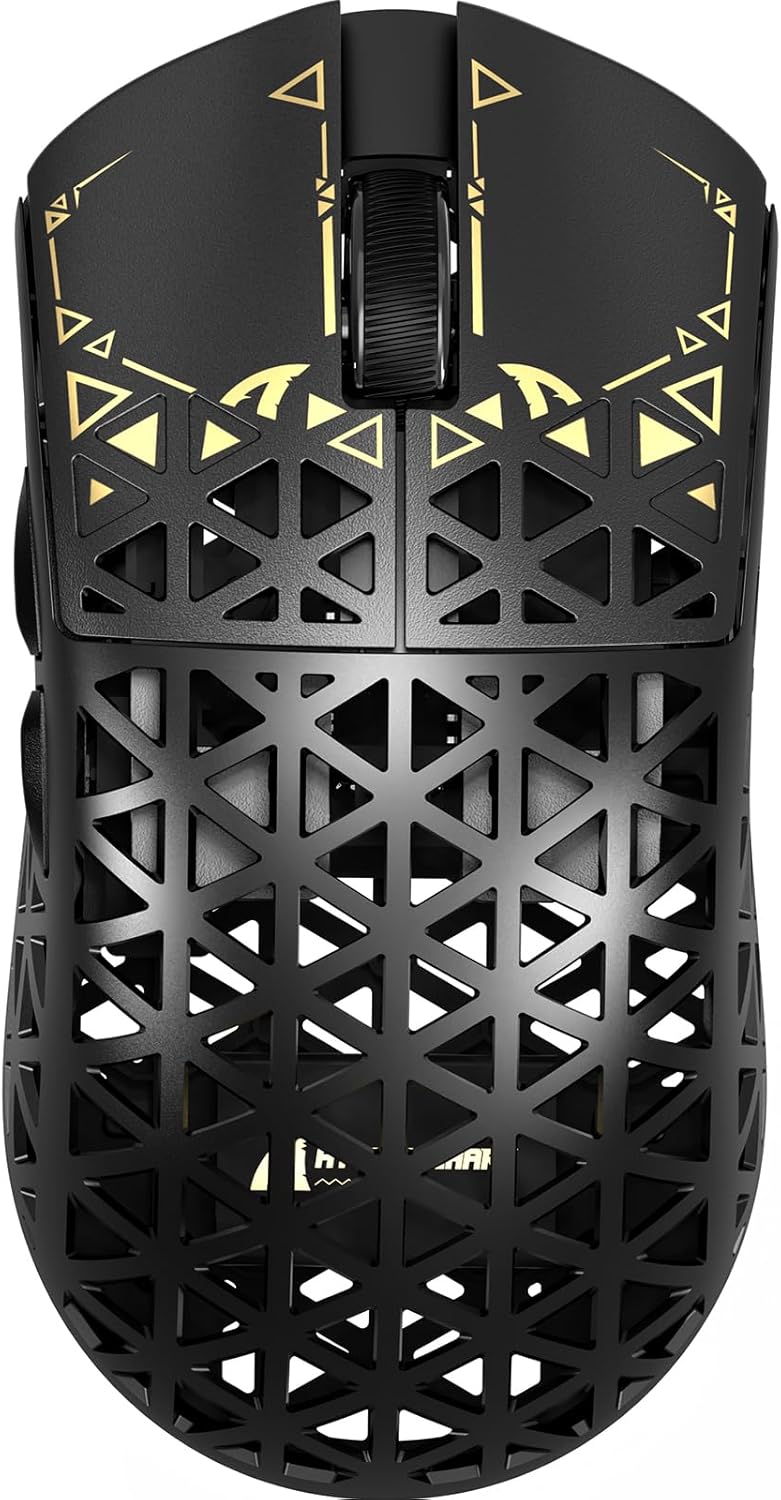
בילד: אויבן view of the ATTACK SHARK R5Ultra gaming mouse, showcasing its lightweight carbon fiber design and intricate patterns.
This mouse supports tri-mode connectivity, allowing seamless switching between 2.4GHz wireless, Bluetooth, and wired USB connections. Its programmable features are managed via an innovative cloud-driven webpage, eliminating the need for traditional software installations.
פּעקל אינהאַלט
- ATTACK SHARK R5Ultra Wireless Gaming Mouse
- וסב-C טשאַרדזשינג קאַבלע
- 8K Mini Receiver (USB Dongle)
- באַניצער מאַנואַל (דעם דאָקומענט)
- Additional PTFE feet (may be included)
סעטאַפּ גייד
1. ערשטע אויפלאָדונג
Before first use, it is recommended to fully charge the mouse. Connect the provided USB-C cable to the mouse's charging port and the other end to a USB power source (e.g., computer USB port, USB wall adapter).
2. קאָנעקטיוויטי מאָדעס
The R5Ultra mouse supports three connection modes: 2.4GHz Wireless, Bluetooth, and Wired USB. A switch on the back of the mouse allows you to select your preferred mode.

Image: Diagram illustrating the tri-mode connectivity options: 2.4G Wireless with receiver, Bluetooth, and USB-C wired connection, along with charging.
2.1. 2.4GHz ווירעלעס מאָדע
- Locate the 8K Mini Receiver (USB dongle) included in the package.
- צאַפּן די וסב ופנעמער אין אַ בנימצא וסב פּאָרט אויף דיין קאָמפּיוטער.
- טוישט דעם מאָדע סעלעקטאָר אויף דער אונטערשטער טייל פון דער מויז צו דעם 2.4GHz וויירלעסס איקאָן.
- די מויז זאָל אויטאָמאַטיש פאַרבינדן צו די ופנעמער.
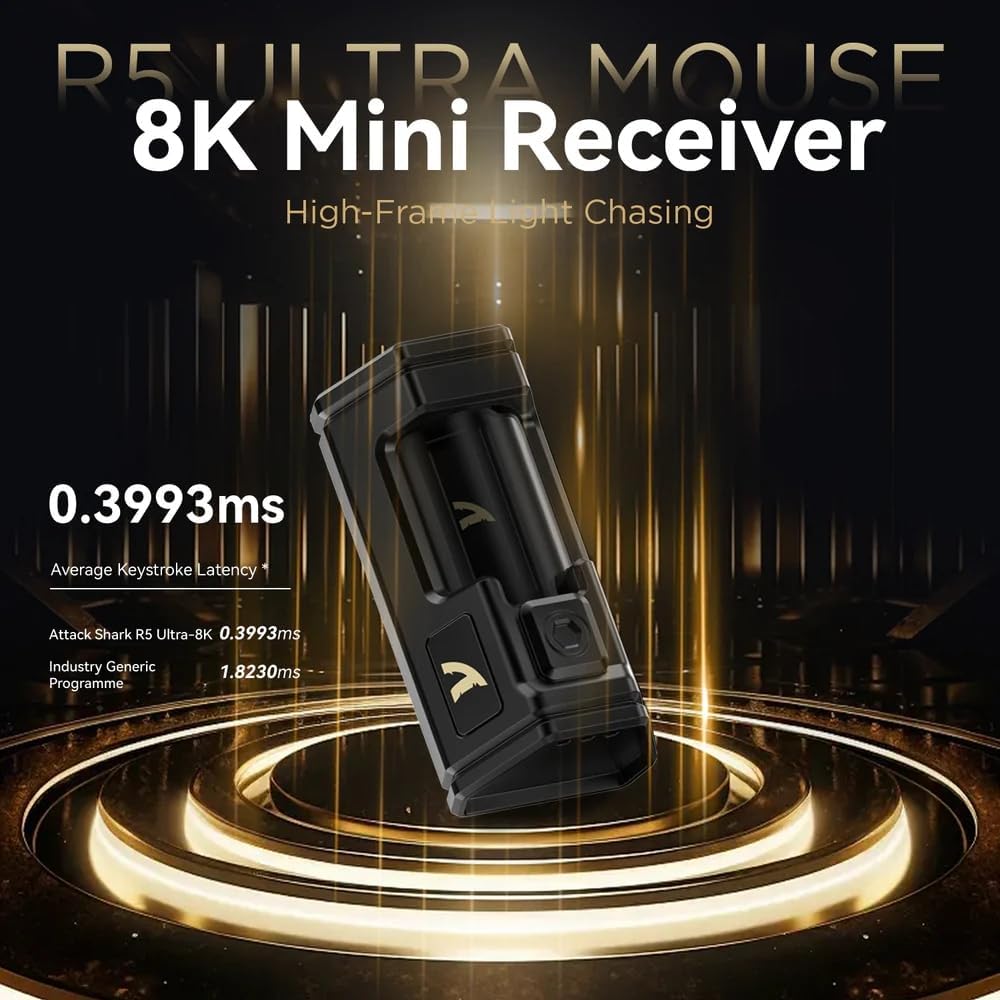
Image: Close-up of the compact 8K Mini Receiver, highlighting its low latency capabilities.
2.2. בלועטאָאָטה מאָדע
- טוישט דעם מאָדע סעלעקטאָר אויף דער אונטערשטער טייל פון דער מויז צום בלועטוט איקאָן.
- אויף אייער קאָמפּיוטער אָדער מיטל, עפֿנט די בלועטוט סעטטינגס און זוכט פֿאַר נײַע דעוויסעס.
- Select "ATTACK SHARK R5Ultra" from the list of available devices to pair.
2.3. Wired USB Mode
- Connect the provided USB-C cable to the mouse and the other end to a USB port on your computer.
- די מויז וועט זיך אויטאמאטיש איבערקערן צו ווייערד מאָדע און אָנהייבן טשאַרדזשינג.
3. Driver and Customization
The R5Ultra utilizes an AI-designed cloud-driven webpage for customization, eliminating the need for traditional software downloads. Access the customization options by visiting the official ATTACK SHARK website and navigating to the R5Ultra product page or driver section. The webpage will automatically detect your system.
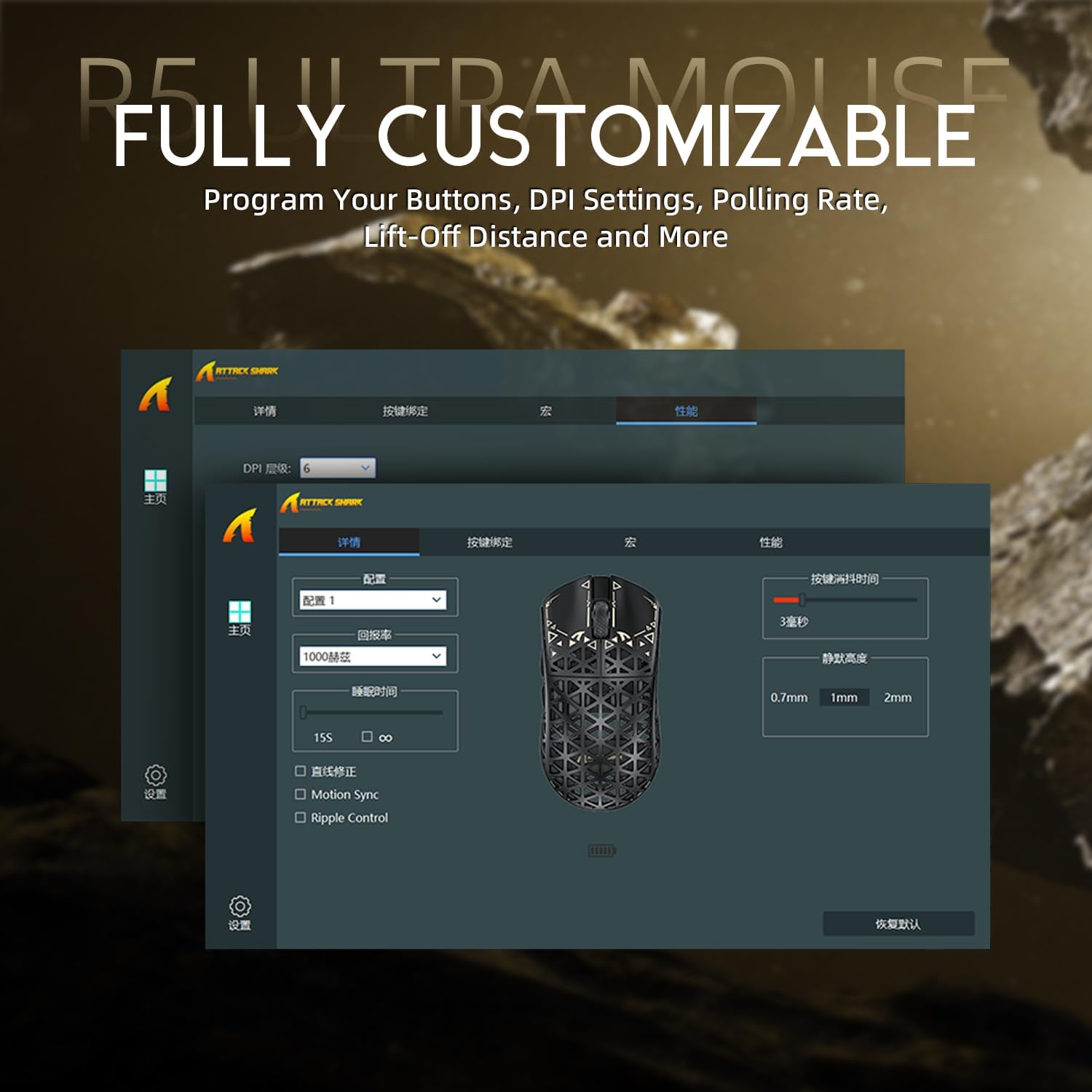
Image: Screenshot of the R5Ultra's web-based customization interface, showing options for DPI, polling rate, and button mapping.
אַפּערייטינג ינסטראַקשאַנז
דפּי אַדזשאַסטמאַנט
The R5Ultra mouse features a PixArt PAW3950 MAX sensor capable of up to 42,000 programmable DPI. DPI settings can be adjusted through the cloud-driven customization webpage. You can set multiple DPI stages and switch between them using a dedicated button on the mouse (if configured) or through the software.

בילד: דעטאַלירט view of the PixArt PAW3950 MAX sensor, highlighting its advanced capabilities for high DPI and acceleration.
פּאָללינג קורס
The mouse supports an 8KHz wireless polling rate, providing extremely low latency and fast data transmission. In wired mode, a 1KHz polling rate is maintained. Higher polling rates consume more battery power. You can adjust the polling rate via the customization webpage to balance performance and battery life.
פּראָגראַממאַבלע קנעפּלעך
The R5Ultra features multiple programmable buttons. Through the cloud-driven customization webבלאַט, איר קענען:
- Remap button functions.
- שאַפֿן און צוטיילן מאַקראָס.
- Adjust lift-off distance.
- קאָנפיגורירן קאַמפּעטיטיוו מאָדעס.
באַטערי מאַנאַגעמענט
To optimize battery life, consider adjusting the polling rate to a lower setting (e.g., 1KHz or 2KHz) when not engaged in competitive gaming. The mouse can be charged while in wired mode, allowing continuous use.
שליסל פֿעיִקייטן
- אולטרא-לייכטע דיזיין: Weighing only 39g, constructed from injection-molded carbon fiber material with a hollow design for enhanced durability and reduced weight.

בילד: קייפל views of the R5Ultra mouse, showcasing its carbon fiber composite housing and lightweight structure.
- אַוואַנסירטע סענסאָר: Features the PixArt PAW3950 MAX sensor, offering up to 42,000 DPI, 750 IPS speed, and 50g acceleration for precise tracking.
- הויך פּאָללינג קורס: Supports an 8KHz wireless polling rate for minimal latency and rapid response, crucial for competitive gaming.
- טריי-מאָד קאַנעקטיוויטי: Seamlessly switch between 2.4GHz wireless, Bluetooth, and wired USB connections for versatile use across various devices and platforms.
- דויערהאפֿטע סוויטשעס: Equipped with OMRON microswitches, rated for over 100 million clicks, ensuring long-lasting performance and crisp feedback.
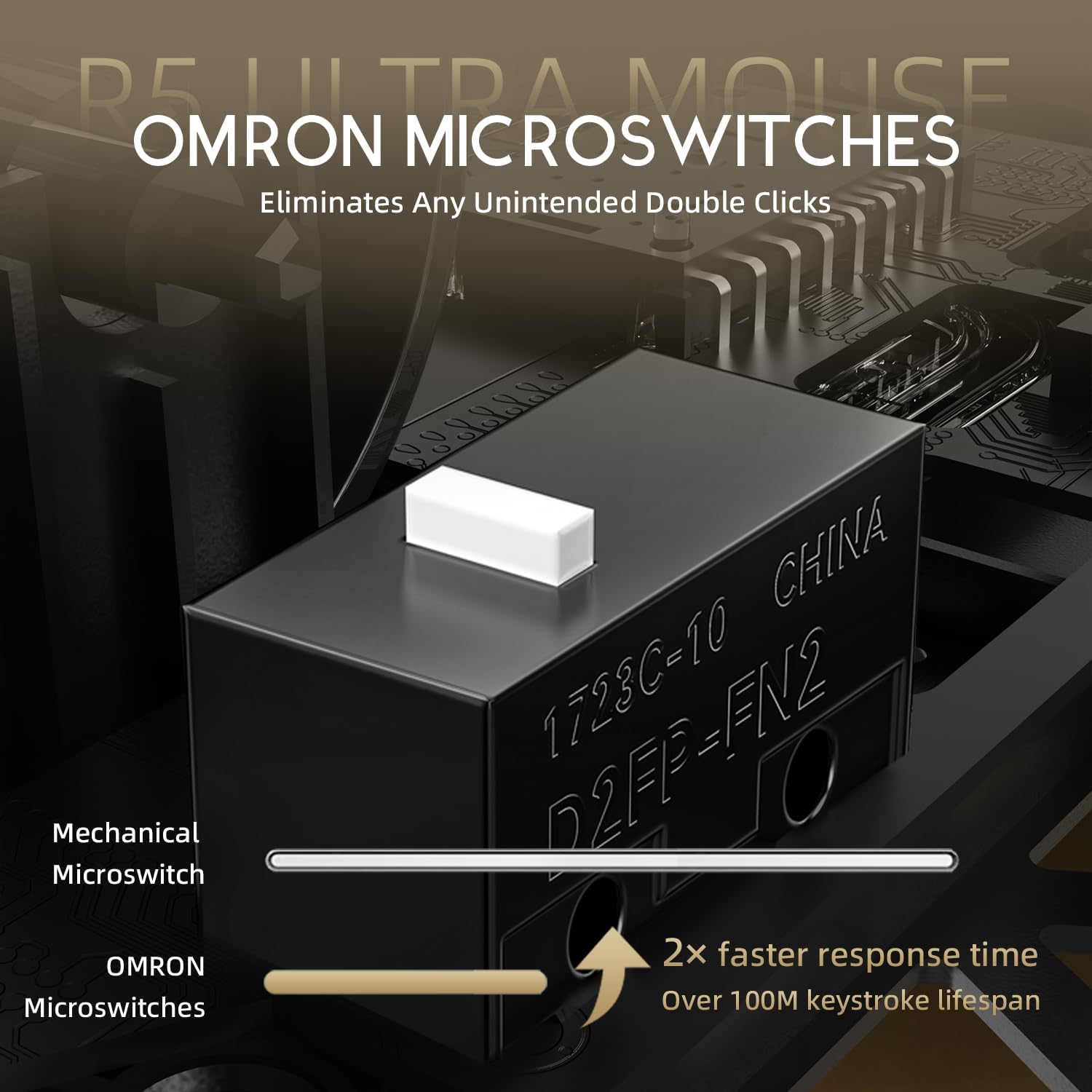
Image: Close-up of the OMRON microswitches, illustrating their mechanical design and durability for over 100 million clicks.
- Cloud-Based Driver: Innovative AI-designed driver accessible via a webpage, allowing for comprehensive customization without software installation.
- PTFE פֿיס: 100% Virgin Grade PTFE feet provide consistent and smooth glide for optimal mouse movement.
וישאַלט און זאָרג
- רייניקונג: ניצט אַ ווייכע, טרוקענע שטאָף צו ווישן די מויז ייבערפלאַך. פֿאַר שווערע שמוץ, אַ ביסל טרוקןamp מען קען ניצן אַ שטאָף, און זיכער מאַכן אַז קיין פליסיקייט גייט נישט אַרײַן אין דער מויז. פֿאַרמײַדט שאַרפֿע כעמיקאַלן אָדער אַברייסיוו מאַטעריאַלן.
- סענסאָר וישאַלט: האַלט די אָפּטישע סענסאָר געגנט אויף דער אונטערשטער טייל פון דער מויז ריין און פריי פון שטויב אָדער דעבריס צו ענשור פּינקטלעכע טראַקינג.
- סטאָרידזש: האַלט די מויז אין אַ קיל, טרוקן אָרט אַוועק פון דירעקט זונשייַן און עקסטרעמע טעמפּעראַטורן.
- באַטערי זאָרגן: Avoid fully discharging the battery frequently. For long-term storage, charge the mouse to about 50% to prolong battery life.
טראָובלעשאָאָטינג
קאַנעקטיוויטי ישוז
- 2.4GHz ווירעלעסס: זיכער מאַכן אַז דער USB ריסיווער איז זיכער אַרײַנגעשטעקט און די מויז איז אויף 2.4GHz מאָדע. פּרוּווט אַרײַנשטעקן דעם ריסיווער אין אַן אַנדער USB פּאָרט.
- בלועטאָאָטה: Verify Bluetooth is enabled on your device and the mouse is in Bluetooth pairing mode. Remove previous pairings and re-pair if necessary.
- ווייערד: Check the USB-C cable connection at both ends. Try a different USB port or cable if available.
טראַקינג פּראָבלעמען
- רייניקט דעם אָפּטישן סענסאָר אויף דער אונטערשטער טייל פֿון דער מויז.
- Ensure you are using the mouse on a suitable surface (e.g., a mouse pad). Highly reflective or uneven surfaces can affect tracking.
- If experiencing issues at higher polling rates (e.g., 8KHz), try reducing the polling rate via the customization webpage to 1KHz, 2KHz, or 4KHz to see if performance improves.
- Check the mouse feet (PTFE skates) for wear or damage. Worn feet can affect glide and tracking consistency.
באַטערי דריינינג געשווינד
- Higher polling rates (e.g., 8KHz) consume more power. Reduce the polling rate if extended battery life is desired.
- זיכער מאַכן אַז די מויז איז גאָר אויפגעלאָדן.
- אויב די אַרויסגעבן בלייַבט, קאָנטאַקט קונה שטיצן.
ספּעסאַפאַקיישאַנז
| שטריך | דעטאַל |
|---|---|
| מאָדעל נומער | R5 |
| קאַנעקטיוויטי | 2.4G ווירעלעס, בלועטוט, USB ווייערד |
| סענסאָר | PixArt PAW3950 MAX Optical Sensor |
| DPI קייט | Up to 42,000 DPI (Programmable) |
| פּאָללינג קורס | 8000Hz Wireless, 1000Hz Wired |
| אַקסעלעריישאַן | 50ג |
| IPS Speed | 750 יפּס |
| סוויטשיז | OMRON Microswitches (100 Million Clicks Lifespan) |
| וואָג | Approximately 39g (Ultra-lightweight) |
| מאַטעריאַל | טשאַד פיברע קאָמפּאָסיטע |
| פֿיס מאַטעריאַל | 100% ווירדזשין גראַד PTFE |
| דימענשאַנז | 6.85 רענטגענ 4.21 X 2.8 אינטשעס (פּאַקע דימענשאַנז) |
| קאַמפּאַטאַבילאַטי | Windows, macOS, PCs, Laptops, Mac, Tablet Devices, Consoles |
וואָראַנטי און שטיצן
For warranty information, please refer to the warranty card included with your product or visit the official ATTACK SHARK website. If you encounter any issues not covered in this manual or require further assistance, please contact ATTACK SHARK customer support through their official webפּלאַץ אָדער די קאָנטאַקט אינפֿאָרמאַציע צוגעשטעלט מיט דיין קויפן.
You can visit the ATTACK SHARK Store for more information and support: אַטאַק שאַרק קראָם אויף אַמאַזאָן


