1. הקדמה
Welcome to the DOOGEE Tab A9 Pro user manual. This guide provides essential information to help you set up, operate, and maintain your new Android tablet. Please read this manual thoroughly before using the device to ensure proper functionality and safety.
2. וואָס איז אין דער קעסטל
The DOOGEE Tab A9 Pro package includes the following items:
- 1 x DOOGEE טאַב A9 פּראָ טאַבלעט
- 1 x וסב טיפּ-C קאַבלע
- 1 רענטגענ טשאַרדזשער
- 1 x סים ארויסווארפער פּין
- 1 x פּאַקקאַגינג באָקס
- 1 x באַניצער מאַנואַל
- 1 רענטגענ וואָראַנטי קאַרד
- קסנומקס סקרין פּראָטעקטאָר (פאַר-געווענדט)
3. פּראָדוקט איבערview
The DOOGEE Tab A9 Pro features a sleek design and powerful components for an optimal user experience.
שליסל פֿעיִקייטן:
- ווייַז: 10.1-inch IPS HD Ultra-Clear Display (1280x800 pixels, 16.7 million colors, 16:10 aspect ratio, 1200:1 contrast, 2.5D cover glass).
- פּראַסעסער: Unisoc T310 Quad-core, 2 GHz.
- זכּרון און סטאָרידזש: 20GB RAM (4GB base + 16GB virtual), 128GB ROM, expandable up to 2TB with microSD.
- באַטערי: 6580 mAh Lithium battery for extended use.
- קאַמעראַס: 8MP Rear Camera, 5MP Front Camera.
- אַפּערייטינג סיסטעם: אַנדרויד 15.
- קאַנעקטיוויטי: Wi-Fi (2.4G/5G), Bluetooth 5.0.
- אַודיאָ: Dual 1217 BOX Speakers, 3.5mm Audio Jack.
- זיכערהייט: פּנים אַנלאַק.
- דימענסיעס: 24.53 x 16.33 x 0.99 cm; 478 grams.
גשמיות קאַמפּאָונאַנץ:
Familiarize yourself with the tablet's physical layout.
פיגור 3.1: פאָרנט און הינטן view of the DOOGEE Tab A9 Pro Tablet.

פיגורע 3.2: זייַט view showing power button, volume controls, and ports.

Figure 3.3: Available color options for the DOOGEE Tab A9 Pro Tablet.
4. סעטאַפּ
4.1 ערשט מאַכט אויף
- דריק און האלט דעם פּאַוער קנעפּל וואָס געפינט זיך אויף דער זייט פון דער טאַבלעט ביז דער DOOGEE לאָגאָ דערשיינט.
- פֿאָלגט די אינסטרוקציעס אויף דעם עקראַן צו אויסקלײַבן אײַער שפּראַך, פֿאַרבינדן זיך צו אַ Wi-Fi נעץ, און אויפֿשטעלן אײַער Google חשבון.
4.2 טשאַרדזשינג די באַטאַרייע
Before first use, fully charge the tablet's battery.
- פֿאַרבינדט דעם USB טיפּ-C קאַבל צום טאַבלעט'ס טשאַרדזשינג פּאָרט.
- Connect the other end of the cable to the provided charger, then plug the charger into a power outlet.
- דער טשאַרדזשינג אינדיקאַטאָר וועט דערשייַנען אויף דעם עקראַן.

Figure 4.1: Illustration of the 6580 mAh high-capacity battery.
4.3 אריינשטעלן א מיקראָSD קאַרטל
To expand storage, insert a microSD card (sold separately).
- געפינט די SIM/microSD קאַרטל טאַץ אויף דער זייט פון דער טאַבלעט.
- שטעקט אריין דעם סים ארויסווארף שטיפט אין דעם קליינעם לאך לעבן דעם טאץ צו עס עפענען.
- לייגט די microSD קאַרטל אין דעם באַשטימטן שפּאַלט אויף דער טאַץ.
- שטופּן דעם טאַץ צוריק אין דער טאַבלעט ביז עס קליקט אַרײַן אין פּלאַץ.

Figure 4.2: Storage capacity details, including expandable memory.
5. אַפּערייטינג ינסטרוקטיאָנס
5.1 נאַוויגירן אַנדרויד 15
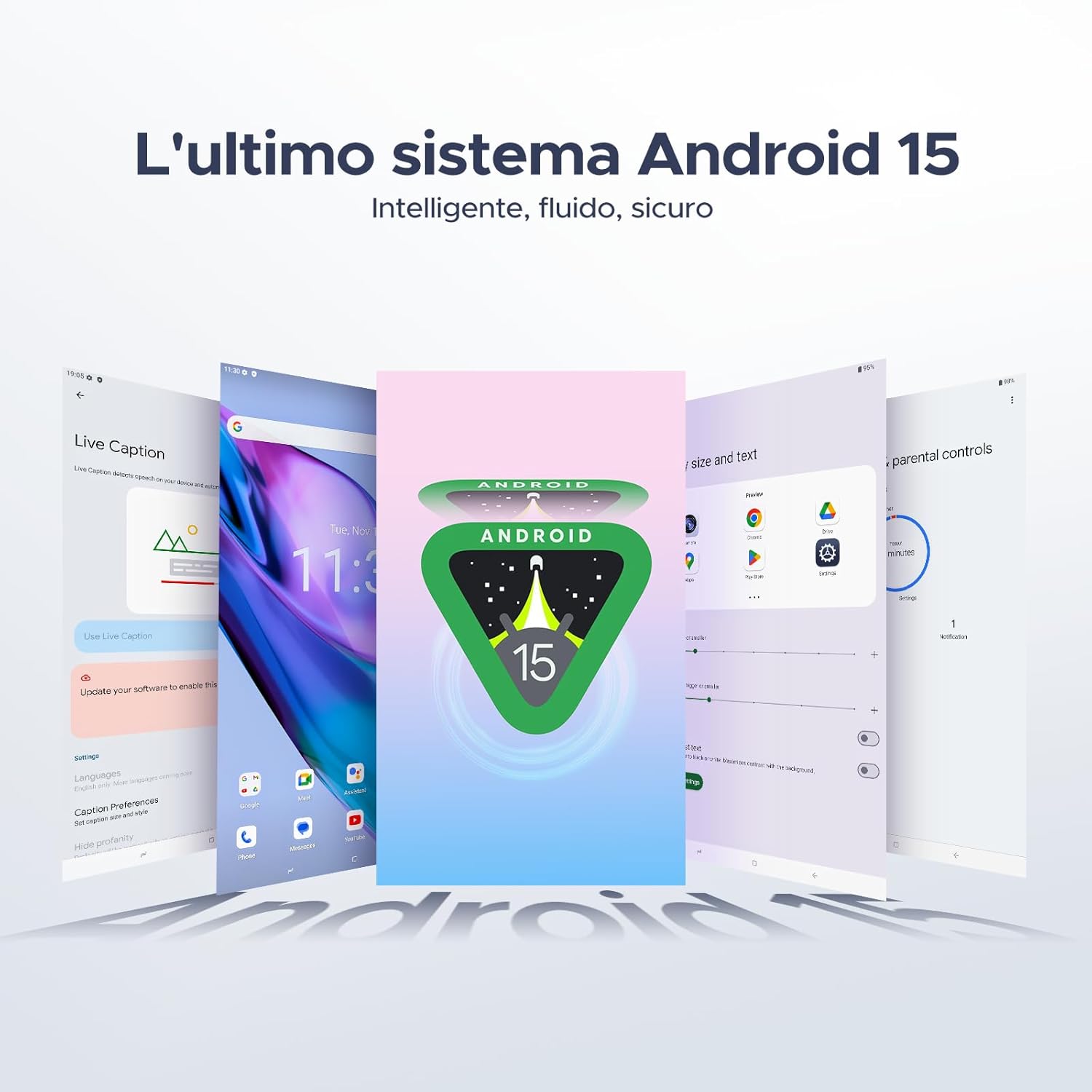
Your tablet runs on the latest Android 15 system, offering an intelligent, fluid, and secure experience.

פיגור 5.1: די אַנדרויד 15 אָפּערייטינג סיסטעם צובינד.
5.2 ווייַז פֿעיִקייטן
The 10.1-inch IPS HD display provides a wide visual field. Utilize features like Eye-Caring Mode and Dark Mode for enhanced viewאין טרייסט.

Figure 5.2: Details of the 10.1-inch IPS HD Ultra-Clear Display.

פיגור 5.3: אויג-זארגנדיק מאָדע און טונקל מאָדע פֿאַר וויזועלן באַקוועמלעכקייט.
5.3 קאַמעראַ באַניץ
Capture moments with the 8MP main camera and take clear selfies or video calls with the 5MP front camera. The tablet also supports Beauty Mode and Google Smart Camera features.

Figure 5.4: The 8MP main camera for clear photos.

Figure 5.5: The 5MP front camera for selfies and video calls.

Figure 5.6: Beauty Mode for enhancing photos.

Figure 5.7: Google Smart Camera features for enhanced photography.
5.4 אַודיאָ און קאָנעקטיוויטי
Enjoy clear audio through the dual 1217 BOX speakers or connect headphones via the 3.5mm audio jack. The tablet supports Wi-Fi 5 (2.4G/5G) for stable and fast internet access.

Figure 5.8: Dual 1217 BOX speakers for crystal clear audio.

Figure 5.9: Standard 3.5mm audio jack for stable, distortion-free transmission.

Figure 5.10: Wi-Fi 5 for seamless connectivity.
5.5 זיכערהייט און פּריוואַטקייט
Unlock your tablet effortlessly using Face Unlock. Android 15 also provides enhanced privacy features, including precise permission control, robust data encryption, and proactive app screening.

Figure 5.11: Face recognition unlock for easy access.

Figure 5.12: Enhanced privacy shield features of Android 15.
5.6 פּראָדוקטיוויטי פֿעיִקייטן
The tablet supports efficient split-screen multitasking and comes with WPS Office integrated for productivity on the go.

Figure 5.13: Efficient split-screen multitasking.

Figure 5.14: WPS Office integrated for PC-level productivity.
5.7 נאָך פֿעיִקייטן
The tablet offers Sleep Mode, Multi-user System, and Parental Control features for a versatile user experience.

Figure 5.15: Discover more with Android 15 features.
5.8 פּראָדוקט ווידעאָס
Watch these official videos for a visual guide to the DOOGEE Tab A9 Pro's features.
Video 5.1: DOOGEE Tab A9 Pro product overview (פאַרview).
Video 5.2: DOOGEE Tab A9 Pro features highlight (Preview).
Video 5.3: DOOGEE Tab A9 Pro design and performance (Preview).
6. וישאַלט
6.1 רייניקן די טאַבלעט
- ניצט אַ ווייכן, לינט-פֿרייע שטאָף צו רייניקן דעם עקראַן און קערפּער פֿון דער טאַבלעט.
- ויסמיידן ניצן האַרב קעמיקאַלז אָדער אַברייסיוו מאַטעריאַלס, ווייַל זיי קען שעדיקן די ייבערפלאַך.
6.2 באַטערי קער
- פֿאַרמײַדן אויסצושטעלן די טאַבלעט צו עקסטרעמע טעמפּעראַטורן.
- פֿאַר אַן אָפּטימאַלן באַטאַרייע לעבן, זאָלט איר נישט אָפט גאָר אויסלאָדן די באַטאַרייע.
6.3 ווייכווארג דערהייַנטיקונגען
Regularly check for and install software updates to ensure your tablet has the latest features and security enhancements. Go to סעטטינגס > סיסטעם > סיסטעם דערהייַנטיקונג צו קאָנטראָלירן פֿאַר דערהייַנטיקונגען.
7. טראָובלעשאָאָטינג
If you encounter issues with your DOOGEE Tab A9 Pro, refer to the following common solutions:
| פּראָבלעם | לייזונג |
|---|---|
| טאַבלעט טוט זיך נישט אנצינדן | Ensure the battery is charged. Connect the charger and wait a few minutes before attempting to power on again. If it still doesn't turn on, press and hold the power button for 10-15 seconds to force a restart. |
| די פאַרשטעלן איז ניט ריספּאַנדאַבאַל | Restart the tablet. If the issue persists, perform a factory reset (note: this will erase all data). |
| ווי-פי קשר ישוז | ריסטאַרט דיין Wi-Fi ראַוטער און די טאַבלעט. פֿאַרגעסט וועגן די נעץ אין די טאַבלעט סעטטינגס און פֿאַרבינדט זיך ווידער. מאַכט זיכער אַז איר זענט אין דער רייך פֿון די Wi-Fi סיגנאַל. |
| אַפּפּס קראַשן אָדער פרירן | Clear the cache and data for the problematic app (Settings > Apps > [App Name] > Storage > Clear Cache/Clear Data). If the issue continues, uninstall and reinstall the app. Ensure your tablet's software is up to date. |
| באַטאַרייע דריינז געשווינד | Reduce screen brightness, close unused apps running in the background, disable Wi-Fi/Bluetooth when not in use, and check for power-intensive apps in battery usage settings. |
If these solutions do not resolve the issue, please contact customer support.
8. ספּעסאַפאַקיישאַנז
Detailed technical specifications for the DOOGEE Tab A9 Pro:
| שטריך | באַשרייַבונג |
|---|---|
| סאָרט | DOOGEE |
| מאָדעל נומער | Tab A9 PRO |
| אָפּערייטינג סיסטעם | אַנדרויד 15 |
| פּראַסעסער | Unisoc T310 Quad-core, 2 GHz |
| באַראַן | 20 גיגאבייט (4 גיגאבייט באַזע + 16 גיגאבייט ווירטועל) |
| אינערלעכער סטאָרידזש (ראַם) | 128 גיגאבייט |
| יקספּאַנדאַבאַל סטאָרידזש | ביז 2 טב דורך מיקראָסד קאַרטל (פאַרקויפט באַזונדער) |
| פאַרשטעלן גרייס | 10.1 אינטשעס |
| פאַרשטעלן האַכלאָטע | 1280 X 800 בילדצעלן |
| דערציען אַפּאַראַט | 8 מפּ |
| פראָנט אַפּאַראַט | 5 מפּ |
| קאַנעקטיוויטי | Wi-Fi (802.11ac, 2.4G/5G), Bluetooth 5.0 |
| באַטאַרייע קאַפּאַציטעט | 6580 מיליamper-hour (mAh) |
| פּראָדוקט דימענשאַנז | 24.53 X 16.33 X 0.99 סענטימעטער |
| פּונקט וואָג | 478 גראַמז |
| קאָליר | BLACK (also available in Glacier Blue, Meteorite Gray) |
9. וואָראַנטי און שטיצן
Your DOOGEE Tab A9 Pro comes with a manufacturer's warranty. Please refer to the included Warranty Card for details on coverage and terms. For technical support, troubleshooting assistance beyond this manual, or warranty claims, please contact DOOGEE customer service through their official webפּלאַץ אָדער די זיצער ווו די פּראָדוקט איז פּערטשאַסט.
פֿאַר מער אינפֿאָרמאַציע, באַזוכן די DOOGEE קראָם אויף עמעזאָן.


