הקדמה
This manual provides instructions for the ProCase Joy-Con Grips, designed specifically for the Nintendo Switch 2 (2025 Released). These grips are engineered to offer enhanced comfort, improved control, and protection for your Joy-Con controllers during gameplay.

Image: ProCase Joy-Con Grips for Nintendo Switch 2.
קאַמפּאַטאַבילאַטי
The ProCase Joy-Con Grips are exclusively designed for the Nintendo Switch 2 (2025 Released). They are not compatible with the original Nintendo Switch (2017) or the Nintendo Switch Lite (2019) models due to differences in controller dimensions.
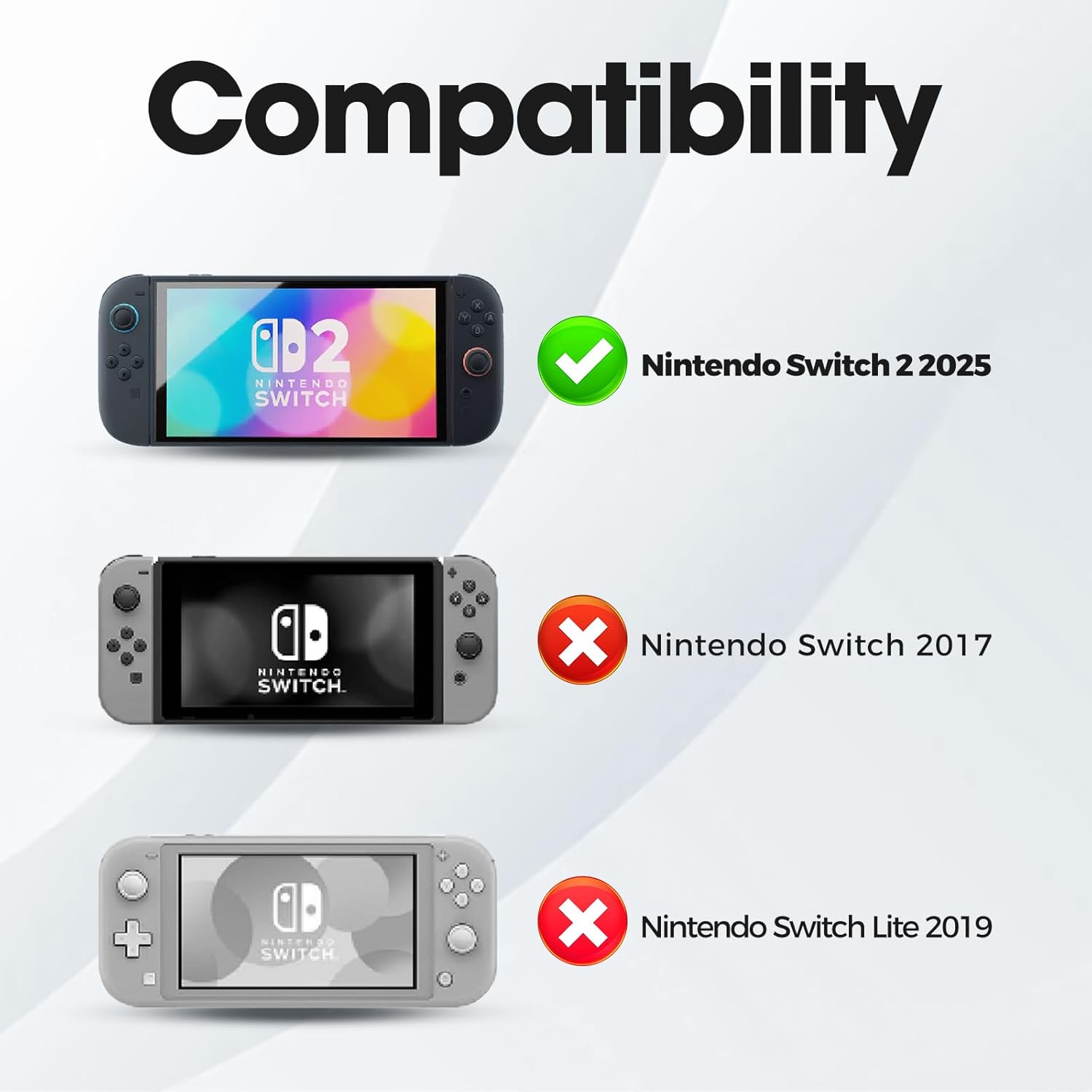
Image: Compatibility chart for ProCase Joy-Con Grips.
סעטאַפּ אינסטרוקציעס
- Identify Left and Right Grips: The grips are designed for specific Joy-Con controllers. Ensure you have the correct grip for the left and right Joy-Con.
- Align Joy-Con: Carefully align your Nintendo Switch 2 Joy-Con controller with the corresponding grip. The Joy-Con should slide smoothly into the grip's slot.
- Insert Joy-Con: Gently slide the Joy-Con down into the grip until it clicks securely into place. Ensure it is fully seated and stable.
- באַשטעטיקן פּאַסיק: Once inserted, confirm that the Joy-Con is firmly held within the grip and that all buttons, including the SL and SR buttons, are accessible and functional.
- באַזייַטיקונג: To remove the Joy-Con, locate the quick-release cutout on the back of the grip. Gently push the Joy-Con upwards from this cutout while holding the grip firmly.

Image: Joy-Con insertion and grip dimensions.
אַפּערייטינג ינסטראַקשאַנז
The ProCase Joy-Con Grips are designed to enhance your gaming experience through ergonomic comfort and improved control.
- ערגאָנאָמיק פּלאַן: The grips feature a curved back and an ergonomic shape that fits comfortably in hands of all sizes, reducing fatigue during extended gaming sessions.
- Responsive Trigger Buttons: The integrated trigger buttons are designed to easily activate the Joy-Con's SL and SR buttons, providing a responsive and lag-free gaming experience.
- Secure and Shockproof: The durable plastic construction provides robust protection against bumps, scratches, and dirt, while the secure fit prevents accidental disconnections.
- אַנטי-סליפּ פּאַדס: Equipped with anti-slip rubber pads, the grips offer a firm and stable hold, preventing accidental drops and improving overall control.

Image: Illustration of seamless control and comfort with the grips.

Image: Shockproof and secure grip features.

Image: Detailed features of the ProCase Joy-Con Grip.
וישאַלט
- רייניקונג: To clean the grips, use a soft, dry cloth. For stubborn dirt, a slightly damp cloth with mild soap can be used, followed by thorough drying. Avoid abrasive cleaners or solvents.
- סטאָרידזש: Store the grips in a cool, dry place away from direct sunlight and extreme temperatures to prevent material degradation.
- דורכקוק: Periodically inspect the grips for any signs of wear or damage. Discontinue use if significant damage is observed.
טראָובלעשאָאָטינג
- Joy-Con does not fit: Ensure you are using the grips with a Nintendo Switch 2 (2025 Released) Joy-Con. These grips are not compatible with older Switch models. Verify the Joy-Con is oriented correctly before insertion.
- די קנעפּלעך זענען נישט ריספּאַנדינג: Check that the Joy-Con is fully seated and clicked into place within the grip. Ensure no debris is obstructing the trigger mechanisms. Remove and re-insert the Joy-Con to confirm proper alignment.
- גריף פילט זיך פריי: If the grip feels loose after insertion, remove the Joy-Con and re-insert it, ensuring it clicks firmly into place. If the issue persists, inspect the grip for any physical damage.
ספּעסאַפאַקיישאַנז
| שטריך | דעטאַל |
|---|---|
| מאָדעל נומער | פּיסי-קסנומקס |
| קאַמפּאַטאַבילאַטי | Nintendo Switch 2 (2025 Released) Joy-Cons |
| פּעקל דימענשאַנז | 6.26 X 4.17 X 3.46 אינטשעס |
| פּונקט וואָג | 7 אונסעס |
| מאַטעריאַל | דוראַבאַל פּלאַסטיק |
| פֿעיִקייטן | Ergonomic Design, Responsive Trigger Buttons, Anti-Slip Pads, Shockproof Protection, Quick Release Cutout |
וואָראַנטי און שטיצן
ProCase products are manufactured with quality and customer satisfaction in mind. For warranty information, technical support, or any inquiries regarding your Joy-Con Grips, please refer to the contact information provided with your purchase or visit the official ProCase webזייטל. ביטע באַהאַלטן אייער קויפן באַווייַז פֿאַר וואָראַנטי קליימז.


