1. וויכטיק סאַפעטי אינפֿאָרמאַציע
Please read this manual carefully before installation and use. Keep it for future reference.
- Do not expose the lock to extreme temperatures outside the specified operating range (-22°F to 158°F).
- Use only the specified battery type (Lithium Polymer) and charging methods.
- Ensure proper installation to prevent damage to the lock or door.
- Keep mechanical keys in a safe place outside the property.
- פֿאַרמײַדן די נוצן פֿון אַברייסיוו רייניגער אָדער סאָלווענטן אויף דער ייבערפֿלאַך פֿונעם שלאָס.
2. פּעקל אינהאַלט
באַשטעטיקן אַז אַלע קאָמפּאָנענטן זענען פאַראַן איידער איר הייבט אָן די אינסטאַלאַציע:
- עקסטעריאָר אַסעמבלי
- ינלענדיש אַסעמבלי
- Lithium Polymer Battery (1)
- מעכאנישע שליסלען (2)
- Installation Hardware (screws, strike plate, etc.)
- באַניצער מאַנואַל
3. פּראָדוקט איבערview און שליסל פֿעיִקייטן
The Lockin Veno Pro is an advanced smart lock system integrating multiple security and convenience features.
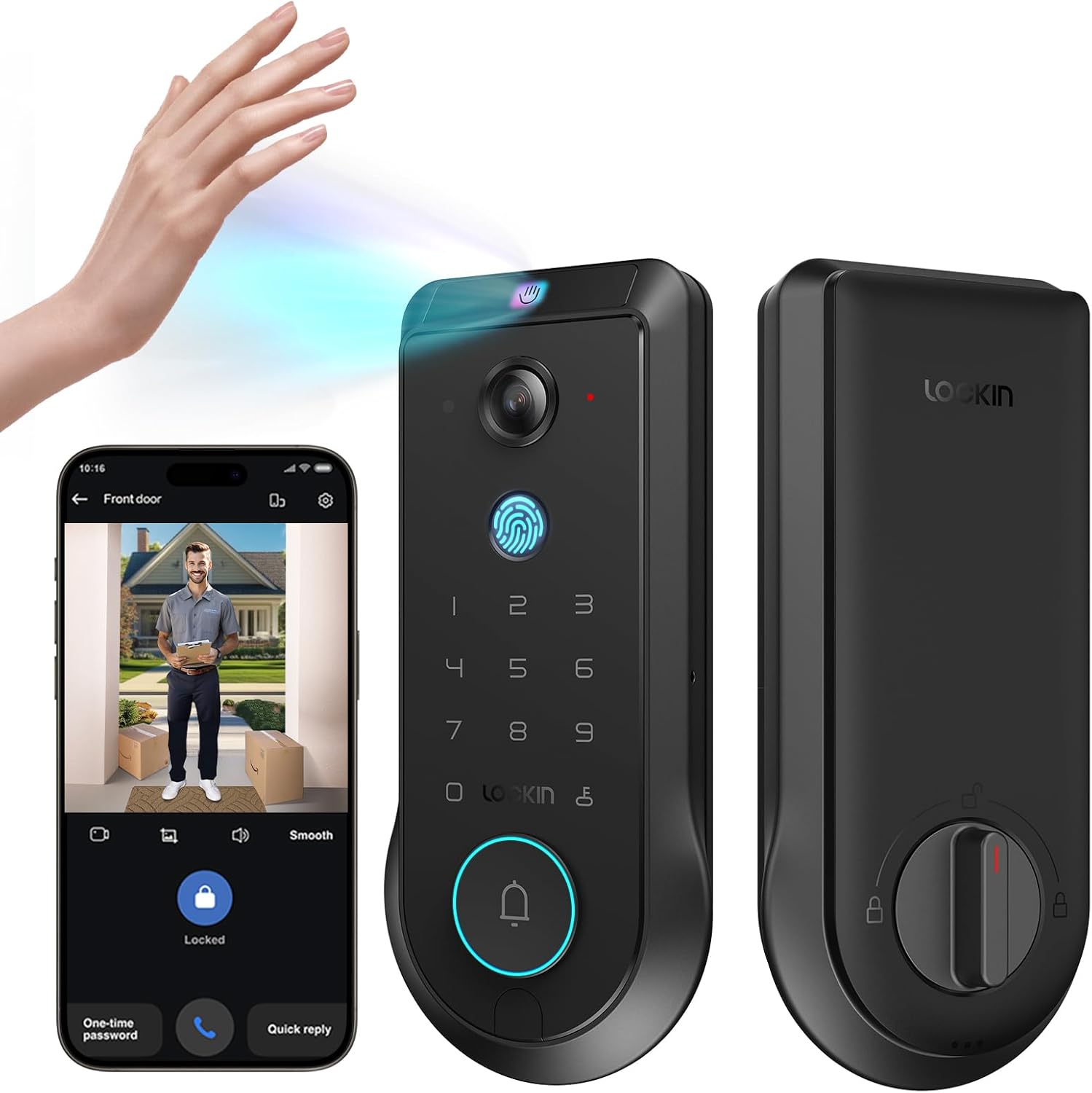
Figure 3.1: Lockin Veno Pro Smart Lock with integrated camera and keypad.
3.1. Integrated 4-in-1 System
The Veno Pro combines a palm vein & fingerprint smart lock, a 2K 180° true panoramic camera, a smart video doorbell with night vision, and a built-in AI hub with 32GB local storage. No additional hub or monthly fees are required.
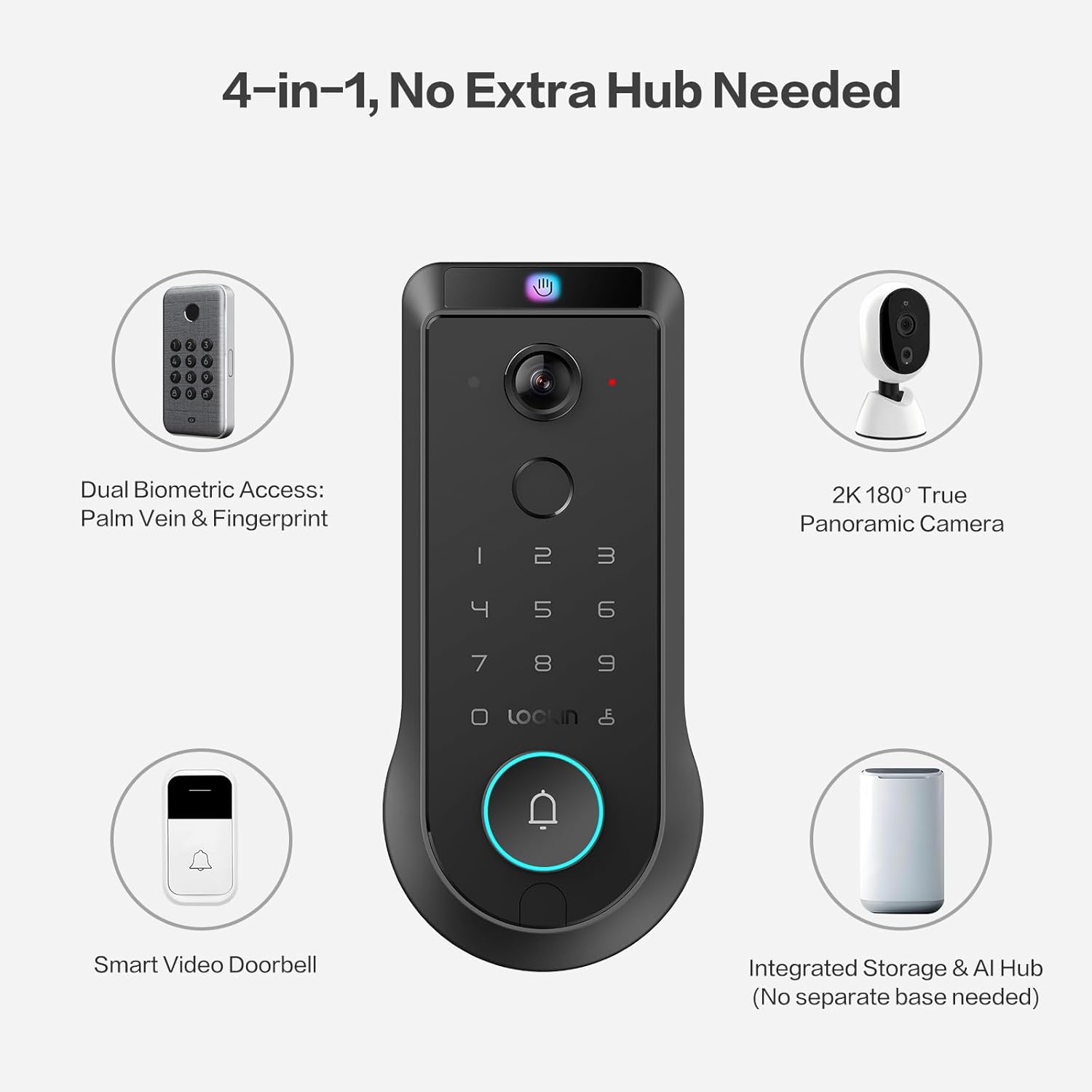
Figure 3.2: The 4-in-1 integrated system of the Veno Pro.
3.2. Venokey Palm Vein Recognition
Experience touchless unlocking with TÜV Rheinland certified 0.17s recognition speed and 99.9% accuracy. This technology works reliably even with soiled hands, peeling fingers, faint fingerprints, or long nails. The False Acceptance Rate (FAR) is less than 0.00001%, ensuring high security.
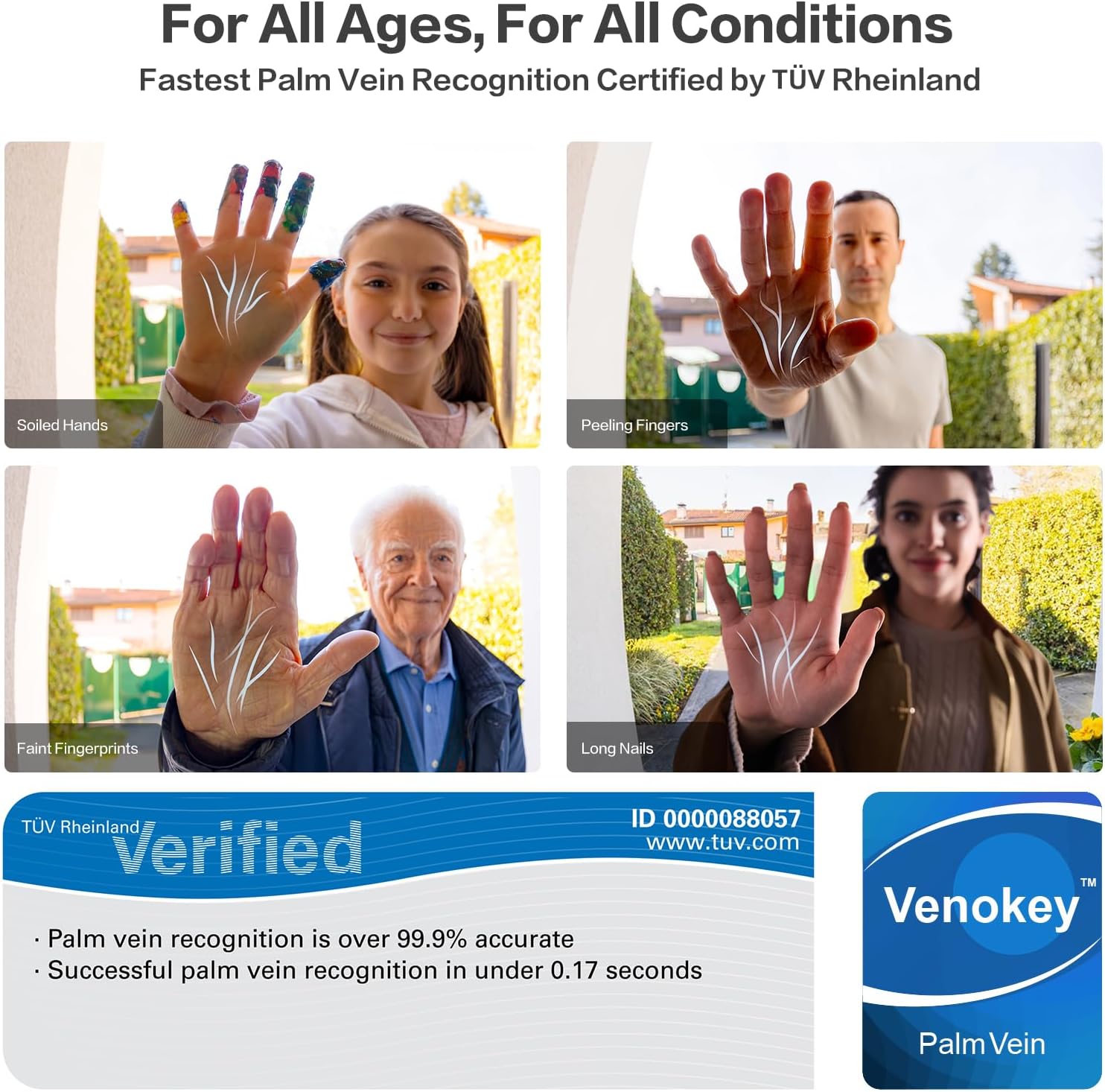
Figure 3.3: Palm vein recognition adapts to various hand conditions.
ווידעא 3.1: אן איבערview of the benefits and technology behind palm vein recognition.
3.3. LockinCam 2K 180° True Panoramic Camera
The revolutionary 180°x180°x180° camera significantly reduces blind spots, providing a head-to-toe, ultra-wide view at your doorstep. Features include local AI motion detection, IR night vision, two-way talk, and 32GB built-in storage, all without monthly fees.
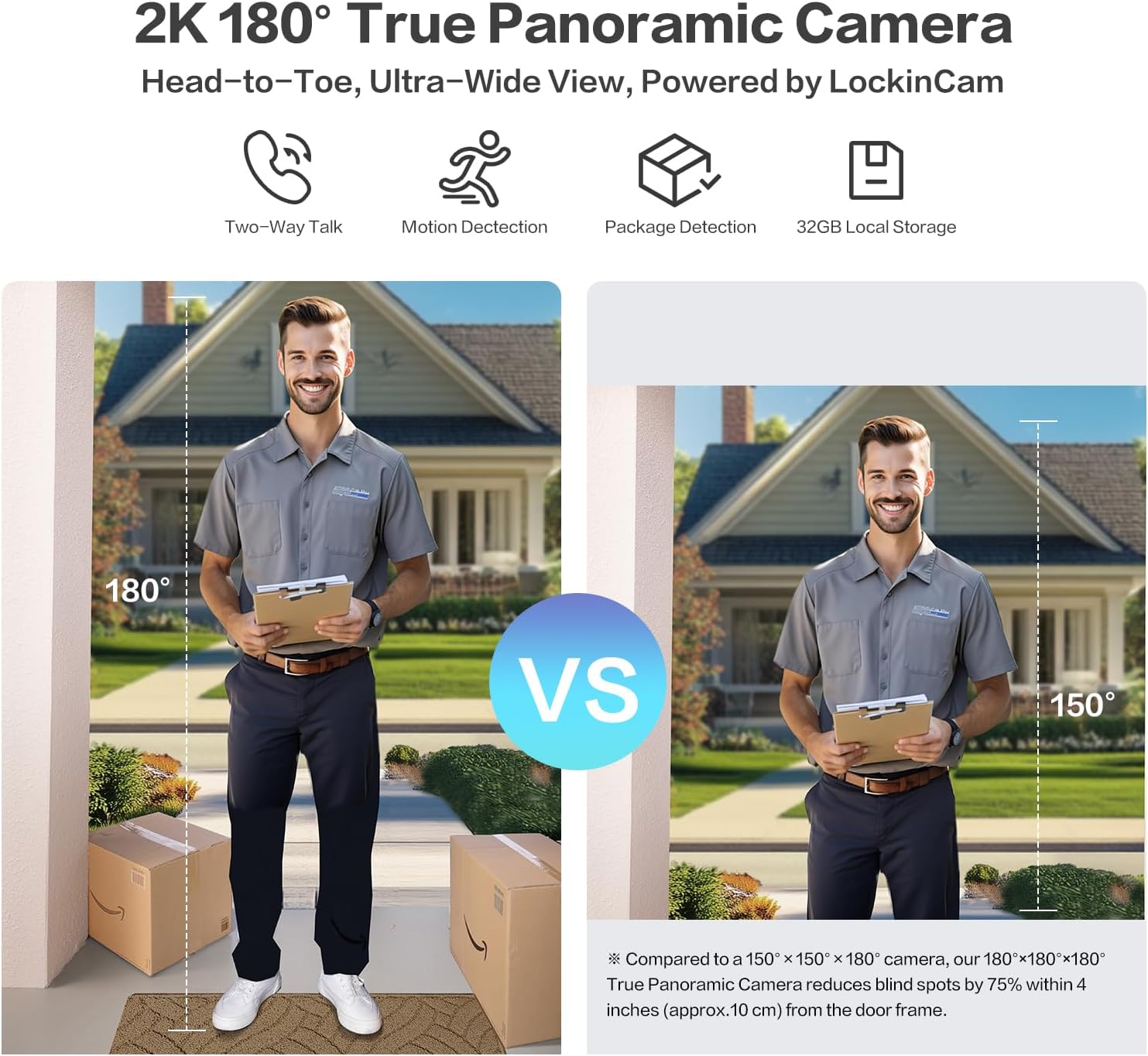
Figure 3.4: Enhanced field of view with the 180° panoramic camera.
3.4. Triple-Layer Security Protection
LockinAI's on-device computation architecture ensures all data processing occurs locally, eliminating cloud dependencies and safeguarding your privacy from unauthorized access and data transmission risks.
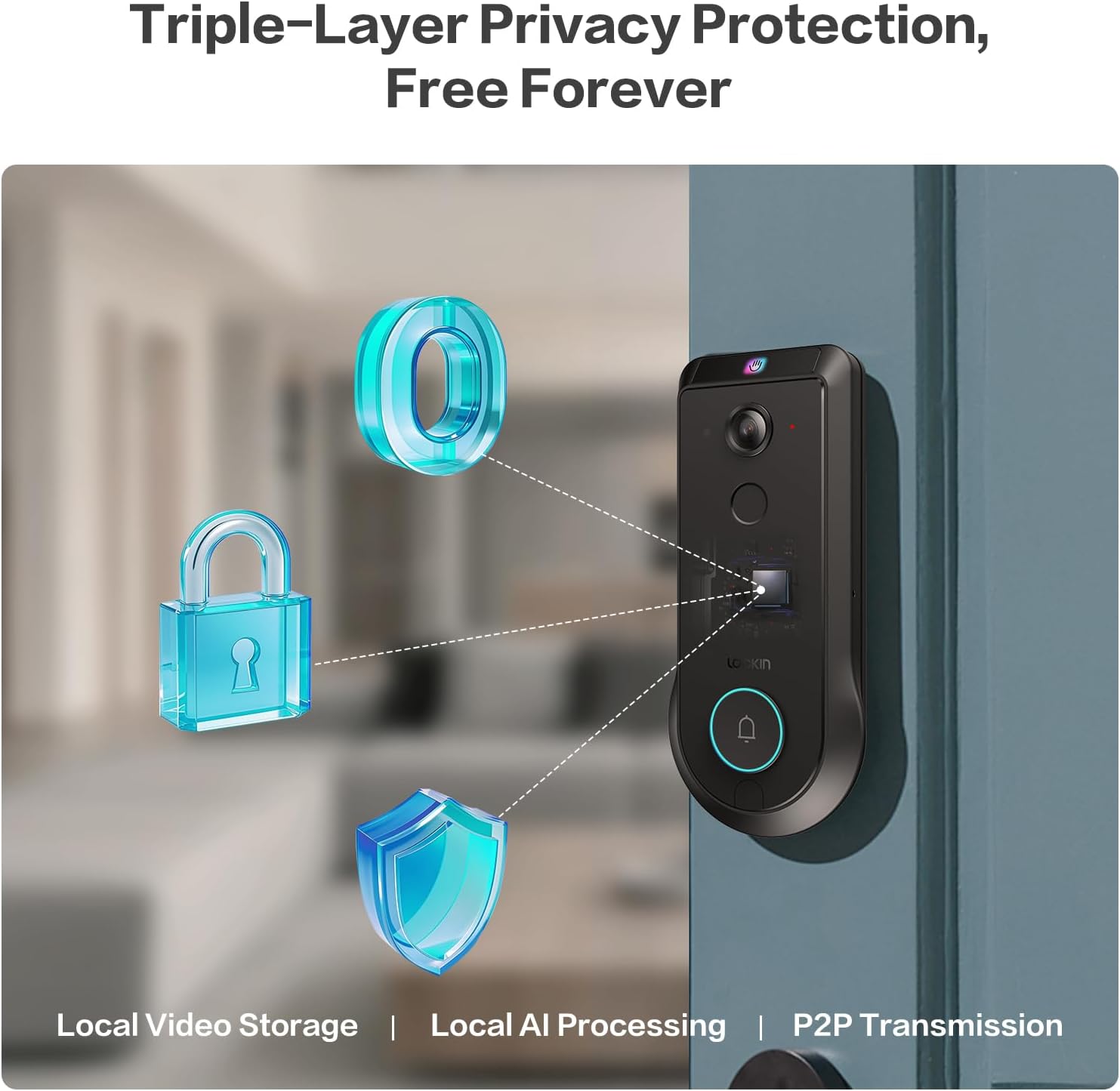
Figure 3.5: Triple-layer privacy protection architecture.
Video 3.2: Detailed information about the Veno Pro's features and capabilities.
4. סעטאַפּ און ייַנמאָנטירונג
Installation is designed to be straightforward, requiring only a screwdriver and approximately 15 minutes.
4.1. פאַר-ינסטאַלירונג טשעקליסט
- זיכער מאַכן אַז אייער טיר טרעפט די פאלגענדע ספּעסיפיקאַציעס:
- טיר האָלע דיאַמעטער: 1 אין / 25.4 מם
- קראָססבאָרע דיאַמעטער: 2⅛ אין / 54 מם
- Door Thickness: 1⅜ in - 2¹¹⁄₆₄ in (35-55 mm)
- באַקסעט: 2⅜ אין / 60 מם אָדער 2¾ אין / 70 מם
- The lock is נישט compatible with round faceplate cutouts, Storm Doors, or Mortise Locks.
- Compatible with Single Cylinder and doors with a rectangular latch faceplate cutout.
- Fully charge the included Lithium Polymer battery before installation.

Figure 4.1: Door measurement requirements for installation.
4.2. ינסטאַלירונג סטעפּס
Refer to the detailed step-by-step instructions provided in the included Quick Start Guide for precise installation. A screwdriver is the only tool typically required.
- Prepare the door by ensuring it meets the specified dimensions.
- אינסטאַלירן די לאַטש און סטרייק פּלאַטע.
- Mount the exterior assembly.
- Install the interior assembly and connect the cables.
- אַרייַנלייגן די באפוילן באַטאַרייע.
- Test the lock's functionality.
5. אַפּערייטינג ינסטרוקטיאָנס
5.1. אַנלאַקינג מעטהאָדס
The Lockin Veno Pro offers six convenient ways to unlock your door:
- Palm Vein: Touchless recognition by simply presenting your palm to the sensor.
- פינגערפּרינט: Fast and secure access using your registered fingerprint.
- PIN קאָד: Enter your personalized code on the keypad.
- אַפּ קאָנטראָל: Unlock remotely via the Lockin App on your smartphone.
- קול קאָנטראָל: Integrate with smart home ecosystems for voice commands (e.g., Alexa, Google Home).
- מעטשאַניקאַל שליסלען: Traditional key access for backup.
5.2. Lockin App Features
The Lockin App provides comprehensive control and monitoring capabilities:
- ווייַט אַקסעס: Control your lock from anywhere.
- אינסטאַנט אַלערץ: Receive notifications for activity at your door.
- One-Time Passcodes: Generate temporary access codes for guests.
- באַניצער פאַרוואַלטונג: Easily add or remove user permissions.
- סמאַרט מאָדעס: Choose from Home, Away, Geofencing, and Party modes to tailor alerts and access.
- צוויי-וועג רעדן: Communicate with visitors via the app.
5.3. Camera and AI Features
The integrated camera and AI enhance your home security:
- 2K HD ווידעא: Clear video feed with a 180° panoramic view.
- קינסטלעכע אינטעליגענץ באַוועגונג דעטעקציע: Local AI processing accurately identifies humans, packages, and vehicles.
- IR נאַכט וויזשאַן: Ensures clear monitoring in low-light conditions.
- 32GB Local Storage: Securely stores video recordings without cloud fees.
Video 5.1: A short demonstration of the Veno Pro's features.
ווידעא 5.2: א קורצע ווידעא ווייַזונגasing the Veno Pro's capabilities.
6. וישאַלט
6.1. באַטערי מאַנאַגעמענט
The Veno Pro includes a removable, rechargeable Lithium Polymer battery that lasts up to 3 months per charge. For continuous power, consider adding the optional Lockin Solar Panel (sold separately).

Figure 6.1: Battery charging options and backup methods.
- Monitor battery levels via the Lockin App.
- Recharge the battery using the provided USB-C cable.
- In case of a dead battery, use the external USB-C port for emergency power or the mechanical keys.
6.2. רייניקונג און קער
The tempered glass finish is designed to resist scratches, fingerprints, and fading. To maintain its appearance:
- ווישן די ייבערפלאַך מיט אַ ווייך, דamp שטאָף.
- ויסמיידן האַרב קעמיקאַלז אָדער אַברייסיוו מאַטעריאַלס.
- Ensure the lock is dry after cleaning, especially around the keypad and sensors.
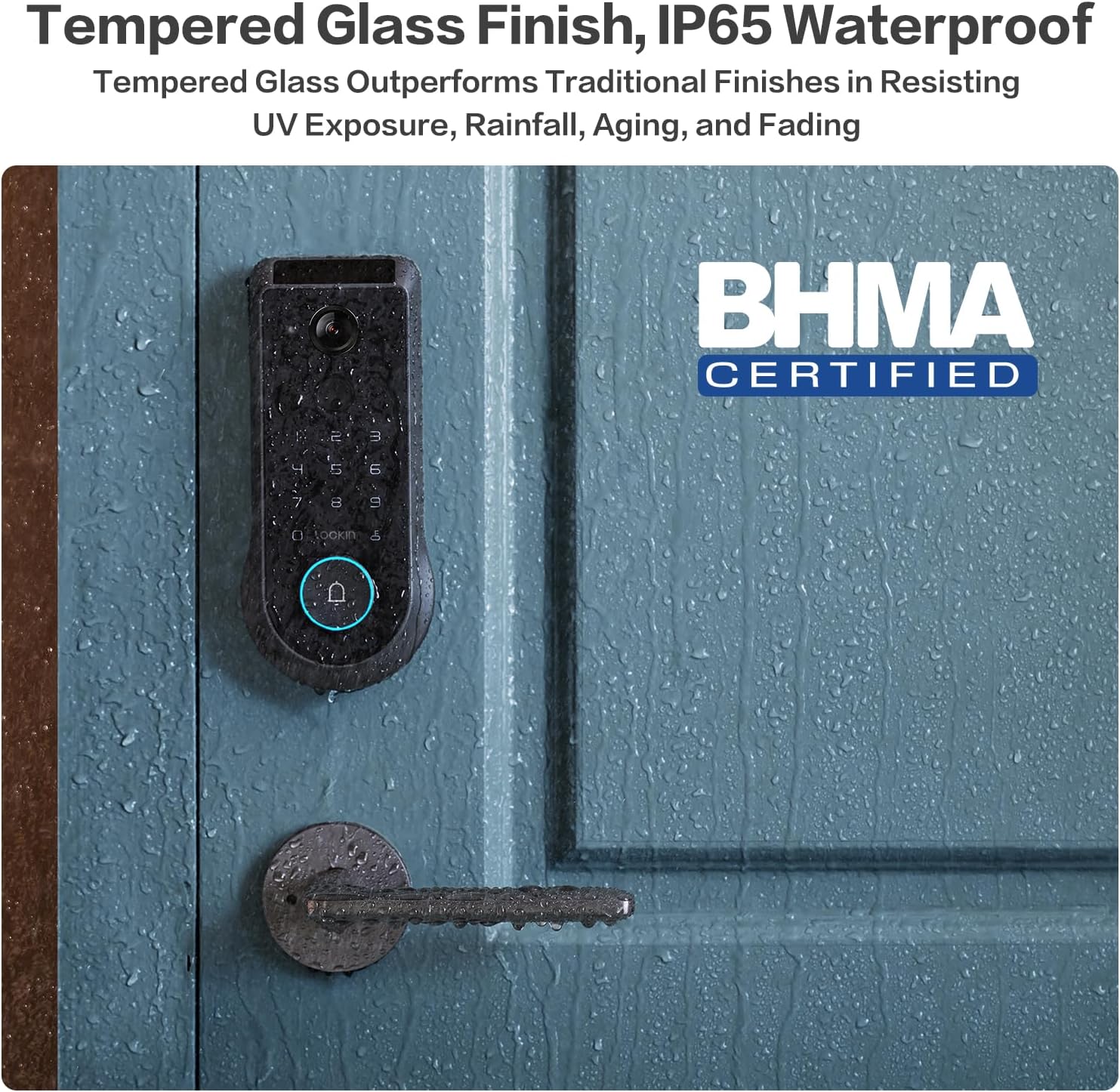
Figure 6.2: Tempered glass finish and IP65 waterproof rating.
7. טראָובלעשאָאָטינג
This section addresses common issues you might encounter with your Lockin Veno Pro Smart Lock.
| פּראָבלעם | מעגלעך סיבה | לייזונג |
|---|---|---|
| "Door Locked" voice prompt is too loud/cannot be disabled. | Firmware setting for auto-lock voice volume/disabling. | Check the Lockin App's audio settings. Ensure all volume controls are set to minimum or muted if possible. Lockin is actively working on firmware updates to provide more control over this feature. |
| Palm Vein recognition requires multiple attempts. | Incorrect hand positioning or environmental factors. | Ensure your palm is approximately 6-8 inches from the camera. Try approaching from about a foot away and slowly moving closer. Re-enroll your palm vein if issues persist. |
| Fingerprint recognition fails. | Dirty sensor, dry/peeling skin, or unregistered fingerprint. | Clean the fingerprint sensor with a soft, dry cloth. Ensure your finger is clean and dry. Re-register your fingerprint if necessary. |
| Lock does not respond (no power). | באַטערי איז דיפּליטיד. | Recharge the battery. Use the external USB-C port with a power bank for emergency power, or use the mechanical keys. |
| אַפּ קאַנעקטיוויטי פּראָבלעמען. | Wi-Fi signal, app version, or lock firmware. | Ensure your Wi-Fi is stable. Update the Lockin App to the latest version. Check for firmware updates for the lock via the app. Restart the lock and your phone. |
| False triggers from camera (rain/sunlight). | סביבה'דיגע אריינמישונג. | The lock features advanced anti-false trigger technology. If issues persist, ensure the camera lens is clean and free from obstructions. Adjust motion detection sensitivity in the app if available. |
8. ספּעסאַפאַקיישאַנז
| שטריך | דעטאַל |
|---|---|
| סאָרט | Lockin |
| מאָדעל נאָמען | ווענאָ |
| נומער מאָדעל נומער | LKMSD411 |
| לאַק טיפּ | Biometric, Deadbolt, KeypadBiometric |
| ספּעציעלע פֿעיִקייטן | Motion Sensor, Night Vision, HD Definition, Palm Vein, Auto-Lock, One-Touch Lock |
| מאַטעריאַל | צינק |
| קאָליר | שוואַרץ |
| נומער דימענשאַנז (L X W X H) | 7.24 X 3.29 X 1.48 אינטשעס |
| פּונקט וואָג | 3.66 פונט |
| רעקאָממענדעד ניצט | פראָנט טיר |
| אַרייַנגערעכנט קאַמפּאָונאַנץ | Interior Assembly, Exterior Assembly |
| קאָנטראָל מעטאָד | אַפּ |
| קאַנעקטיוויטי פּראָטאָקאָל | Bluetooth, Matter, Wi-Fi |
| באַטערי טיפּ | ליטהיום פּאָלימער (אַרייַנגערעכנט) |
| וואָטערפּרוף רייטינג | IP65 |
| אַפּערייטינג טעמפּעראַטור | -22°F צו 158°F |
| BHMA Certification | Grade 2 (10-year mechanical durability) |
9. גאַראַנטיע און קונה שטיצע
Lockin stands behind the quality of its products.
- וואָראַנטי: The Lockin Veno Pro comes with a 1-year warranty.
- קונה שטיצן: Lockin provides round-the-clock customer care. For assistance, please contact:
- בליצפּאָסט: support@lockin.com
- Phone: Refer to Lockin's official website for regional phone support numbers.
The customer support team is available via phone or email to assist with installation, troubleshooting, and any product-related inquiries.


