1. הקדמה
This manual provides instructions for the Belkin Everyday Keyboard Case with Cradle, designed to enhance the functionality and protection of your iPad 10th Generation 10.9". This accessory integrates a backlit Bluetooth keyboard, a multi-gesture trackpad, and a protective case with magnetic Apple Pencil storage, transforming your iPad into a versatile workstation.
2. פּראָדוקט איבערview
שליסל פֿעיִקייטן
- Backlit Bluetooth Keyboard: Enhances productivity in low-light conditions.
- Multi-Gesture Controls: Large, click-anywhere trackpad supports gestures for scrolling, navigating, and zooming.
- Magnetic Apple Pencil Storage: Integrated design ensures secure storage without obstructing the iPad's magnetic charging area.
- מולטימעדיאַ שליסלען: Dedicated keys for quick access to common functions.
- פּראַטעקטיוו פאַל: Premium faux leather exterior and soft anti-slip interior protect your device.
פּעקל אינהאַלט
- 1 x Belkin Everyday Keyboard Case with Cradle for iPad 10th Generation 10.9"
- 1 x USB-C טשאַרדזשינג קאַבל (פֿאַר קלאַוויאַטור)
3. סעטאַפּ
3.1 Check iPad Compatibility
Ensure your iPad is compatible with this keyboard case. This product is designed for the iPad 10th Generation 10.9".

Image: Compatible iPad models. This case is specifically for iPad 10th Gen (A2696/A2757).
To find your iPad model number:
- אופֿן 1: Look on the back of your iPad for the model number.
- אופֿן 2: Open Settings > General > About. Tap the part number to reveal the model number.
3.2 אנשטעלן דעם אייפּאַד
The case features a magnetic snap-on attachment for easy and secure installation of your iPad.
- Align your iPad with the protective cradle portion of the case.
- The iPad will magnetically snap into place, securing it within the case.

Image: Magnetic snap-on attachment for the iPad.
3.3 בלועטאָאָטה פּערינג
The keyboard connects to your iPad via Bluetooth. It needs to be paired independently.
- Ensure the keyboard is charged (see section 3.4).
- Turn on the keyboard (if applicable, usually by opening the case or a dedicated power button).
- אויף אייער אייפּאַד, גייט צו סעטטינגס> בלועטאָאָטה.
- Look for "Belkin Keyboard" or a similar name in the list of available devices and tap to connect.
- גיי קיין פּראַמפּס אויף דעם עקראַן צו פאַרענדיקן דעם פּערינג פּראָצעס.
3.4 אויפלאָדן די קלאַוויאַטור
The keyboard has an internal rechargeable battery and must be charged separately from your iPad.
- געפינט דעם USB-C טשאַרדזשינג פּאָרט אויף דער קלאַוויאַטור.
- Connect the provided USB-C cable to the keyboard and a compatible USB power adapter (not included).
- די טשאַרדזשינג אינדיקאַטאָר ליכט וועט ווייַזן דעם טשאַרדזשינג סטאַטוס.

Image: The keyboard features a 450mAh battery for long-lasting power.
4. אַפּערייטינג ינסטרוקטיאָנס
4.1 קלאַוויאַטור באַניץ
The keyboard provides a tactile typing experience with several useful features.
- באַקלייט שליסלען: Press the dedicated backlight key (often represented by a sun icon) to cycle through brightness levels or turn the backlight off to conserve battery.
- מולטימעדיאַ שליסלען: Use the dedicated function keys for quick access to media playback controls, volume adjustment, and other system functions.

Image: Backlit Bluetooth Keyboard and Multimedia Keys in use.
4.2 באַניץ פון טראַקפּאַד
The large, click-anywhere trackpad supports multi-gesture controls for intuitive navigation on your iPad.
- סקראָללינג: ניצט צוויי פינגער צו סקראָלן אַרויף אָדער אַראָפּ.
- נאַוויגאַציע: Swipe with three fingers to switch between open applications.
- פארגרעסער: צוקניפּן מיט צוויי פינגער צו פארגרעסערן אדער פארקלענערן אינהאַלט.
- קליקינג: Press down on any part of the trackpad for a click action.

Image: Multi-Gesture Controls on Touchpad.
4.3 Stand Functionality
The integrated cradle and kickstand allow for adjustable viewינג אַנגלעס.
- Open the case and position the iPad in the cradle.
- Adjust the kickstand at the back of the keyboard portion to achieve your desired viewינג ווינקל.
4.4 עפּל פּענסיל סטאָרידזש
The case is designed with compatibility for Apple Pencil storage.
- Place your Apple Pencil on the designated magnetic strip on the side of the iPad.
- The case ensures the Apple Pencil remains securely attached and accessible.
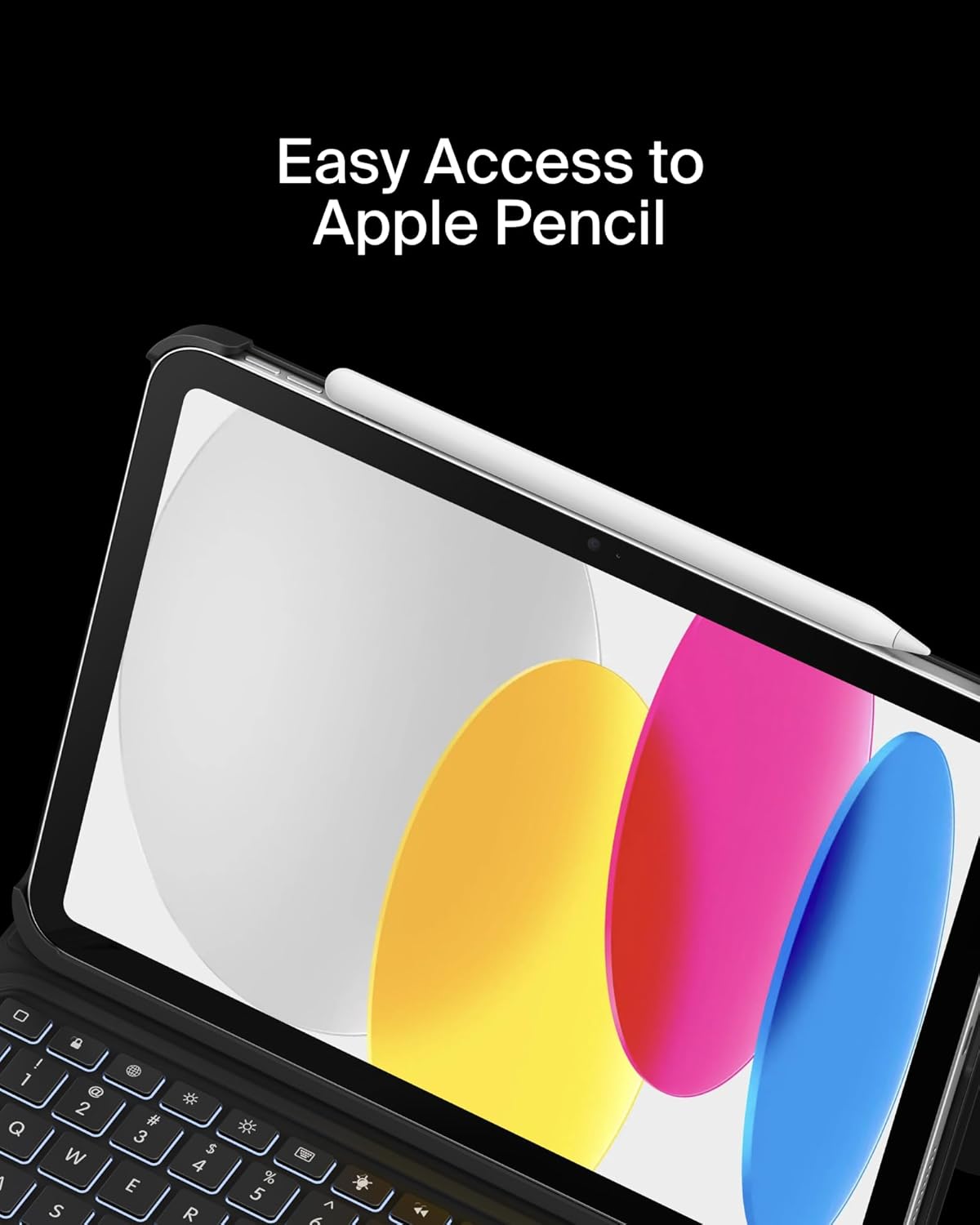
Image: Easy Access to Apple Pencil.
5. וישאַלט
5.1 רייניקונג
כדי צו אויפהאלטן דעם אויסזען און פונקציאנאליטעט פון אייער קלאַוויאַטור קעסטל:
- ווישן די יקסטיריער מיט אַ ווייך, דamp שטאָף. ויסמייַדן האַרב קעמיקאַלז.
- For the keyboard keys and trackpad, use a soft, dry cloth or a gentle brush to remove dust and debris.
5.2 באַטערי קער
די קלאַוויאַטור איז אויסגעשטאַט מיט אַ 450mAh ליטהיום באַטאַרייע.
- טשאַרדזש די קלאַוויאַטור גאָר איידער ערשטער נוצן.
- Recharge the keyboard when the battery indicator shows low power.
- פֿאַר אַן אָפּטימאַלן באַטאַרייע לעבן, זאָלט איר נישט אָפט גאָר אויסליידיקן די באַטאַרייע.
- If not in use for an extended period, charge the keyboard every few months to prevent deep discharge.
6. טראָובלעשאָאָטינג
6.1 קלאַוויאַטור רעאַגירט נישט
- קאָנטראָלירן די באַטאַרייע: זייט זיכער אז די קלאַוויאַטור איז גענוג אויפגעלאָדן.
- ווידער-פארבינדן בלוטוט: Go to iPad Settings > Bluetooth, forget the device, and re-pair the keyboard.
- ריסטאַרט דיווייסאַז: ריסטאַרט ביידע דיין iPad און די קלאַוויאַטור.
6.2 Trackpad Not Working
- קוק בלועטאָאָטה קאַנעקשאַן: זיכער מאַכן אַז די קלאַוויאַטור איז ריכטיק געפּאָרט דורך בלועטוט.
- רייניקן טראַקפּאַד: Ensure the trackpad surface is clean and free of obstructions.
- אייפּאַד סעטטינגס: Verify trackpad settings in iPadOS are enabled and configured as desired.
6.3 Backlight Not Functioning
- קאָנטראָלירן די באַטאַרייע: Backlight consumes power; ensure the keyboard has enough charge.
- ברייטנאַס אַדזשאַסטמאַנט: Use the dedicated backlight key to increase brightness.
7. ספּעסאַפאַקיישאַנז
| סאָרט | בעלקין |
| מאָדעל נומער | BBZ001tt-V3 |
| קאַמפּאַטאַבאַל דעוויסעס | iPad 10th Generation 10.9" |
| קאַנעקטיוויטי טעכנאָלאָגיע | בלועטאָאָטה |
| קלאַוויאַטור באַשרייַבונג | מולטימעדיאַ |
| ספּעציעלע פֿעיִקייטן | Apple Pencil Storage, Backlit, Multimedia Keys, Trackpad |
| קאָליר | שוואַרץ |
| קלאַוויאַטור באַקלייטינג קאָליר סופּפּאָרט | איין קאָליר |
| סטייל | Case w/ Cradle |
| מאַטעריאַל | Faux Leather (Exterior), Soft Non-Slip Material (Interior) |
| פּונקט וואָג | 1.6 פונט |
| פּראָדוקט דימענשאַנז (LxWxH) | 10.9 X 7.7 X 0.9 אינטשעס |
| מאַכט מקור | באַטאַרייע פּאַוערד |
| באַטערי | 450mAh lithium battery (standby time: 365 days) |

Image: Slim, Portable Design with approximate dimensions and weight.
8. וואָראַנטי & שטיצן
8.1 לימיטעד וואָראַנטי
This Belkin Everyday Keyboard Case with Cradle comes with a 2-יאָר לימיטעד וואָראַנטי. די וואָראַנטי קאָווערס חסרונות אין מאַטעריאַלס און ווערקמאַנשיפּ אונטער נאָרמאַל נוצן.

Image: Belkin Product Protection - 2 Year Coverage.
8.2 קונה שטיצן
For technical assistance, warranty claims, or further information, please visit the official Belkin support webפּלאַץ אָדער קאָנטאַקט זייער קונה דינסט.
בעלקין שטיצן: www.belkin.com/support/


