1. הקדמה
This manual provides detailed instructions for the safe and effective use of your pTron Funk Rap 10W Mini Bluetooth Speaker. Please read this manual thoroughly before operating the device and retain it for future reference.
The pTron Funk Rap is a compact and portable Bluetooth speaker designed to deliver clear audio with a 10W output. It features multiple playback options, including Bluetooth 5.4, TF card, and USB, along with a True Wireless Stereo (TWS) function for enhanced sound. The speaker is equipped with a Type-C port for convenient charging and offers up to 8 hours of playtime.
2. פּעקל אינהאַלט
זיכער מאַכן אַז אַלע זאכן זענען פאַראַן אין פּעקל:
- pTron Funk Rap 10W Mini Bluetooth Speaker
- Power Cable (Type-C USB)
- שנעל אָנהייב גייד
3. פּראָדוקט איבערview
The pTron Funk Rap speaker features a durable design with a front metal grill and multi-function control buttons for easy operation. Its compact size and lightweight construction make it suitable for various environments.

Image: The pTron Funk Rap 10W Mini Bluetooth Speaker, shown in blue from an angled perspective, highlighting its compact form factor and design.
3.1 קאָנטראָלן און פּאָרטן
מאַכט זיך באַקאַנט מיט די רעדנער'ס קאָנטראָלן און פּאָרץ:
- מאַכט קנעפּל: דריק און האלט אן צו אנצינדן אדער אויסלעשן דעם רעדנער.
- שפּיל / פּויזע קנעפּל: דרוק צו שפּילן אָדער פּויזע אַודיאָ.
- באַנד אַרויף/נעקסטע ליד קנעפּל: Press to increase volume; press and hold for next track.
- באַנד אַראָפּ/פֿריִערדיקע ליד קנעפּל: Press to decrease volume; press and hold for previous track.
- מאָדע קנעפּל: Press to switch between Bluetooth, TF Card, and USB modes. Long press for TWS pairing.
- טיפּ C טשאַרדזשינג פּאָרט: פֿאַר טשאַרדזשינג די רעדנער.
- טף קאַרד שפּעלטל: For inserting a MicroSD/TF card.
- וסב פּאָרט: For connecting a USB drive.

Image: An infographic illustrating the main features of the pTron Funk Rap speaker, including its 10W sound, portable design, multi-playback modes, Type-C charging, 66mm drivers, 8 hours playtime, Bluetooth 5.4 connectivity, and TWS function.
4. סעטאַפּ
4.1 אויפלאָדן דעם רעדנער
- פֿאַרבינדט דעם צוגעשטעלטן טיפּ-C USB קאַבל צום טשאַרדזשינג פּאָרט אויף דעם רעדנער.
- פֿאַרבינדט דעם אַנדערן עק פֿונעם קאַבל צו אַ USB מאַכט אַדאַפּטער (נישט אַרייַנגערעכנט) אָדער אַ קאָמפּיוטער'ס USB פּאָרט.
- די טשאַרדזשינג אינדיקאַטאָר ליכט וועט זיך אָנצינדן.
- A full charge typically takes approximately 2 hours. The indicator light will change or turn off once charging is complete.
4.2 פּאַוערינג אויף / אַוועק
- צו מאַכט אויף: Press and hold the Power button for a few seconds until you hear an audible prompt or see an indicator light.
- צו מאַכט אַוועק: דריק און האלט דעם פּאַוער קנעפּל ווידער פֿאַר אַ פּאָר סעקונדעס ביז איר הערט אַן אָובארן פּראָמפּט אָדער ביז די אינדיקאַטאָר ליכט גייט אויס.
4.3 בלועטאָאָטה פּערינג
צו פאַרבינדן די רעדנער צו דיין מיטל דורך בלועטאָאָטה:
- Ensure the speaker is powered on and in Bluetooth pairing mode (indicated by a flashing LED light and an audible prompt). If not, press the Mode button to switch to Bluetooth mode.
- אויף אייער סמאַרטפאָון, טאַבלעט, אָדער לאַפּטאַפּ, אַקטיווירט בלועטוט.
- זוכן פֿאַר בנימצא בלועטאָאָטה דעוויסעס.
- Select "pTron Funk Rap" from the list of devices.
- אַמאָל פארבונדן, וועט איר הערן אַ באַשטעטיקונג גערויש, און די LED אינדיקאַטאָר וועט אויפהערן צו בלינקען.
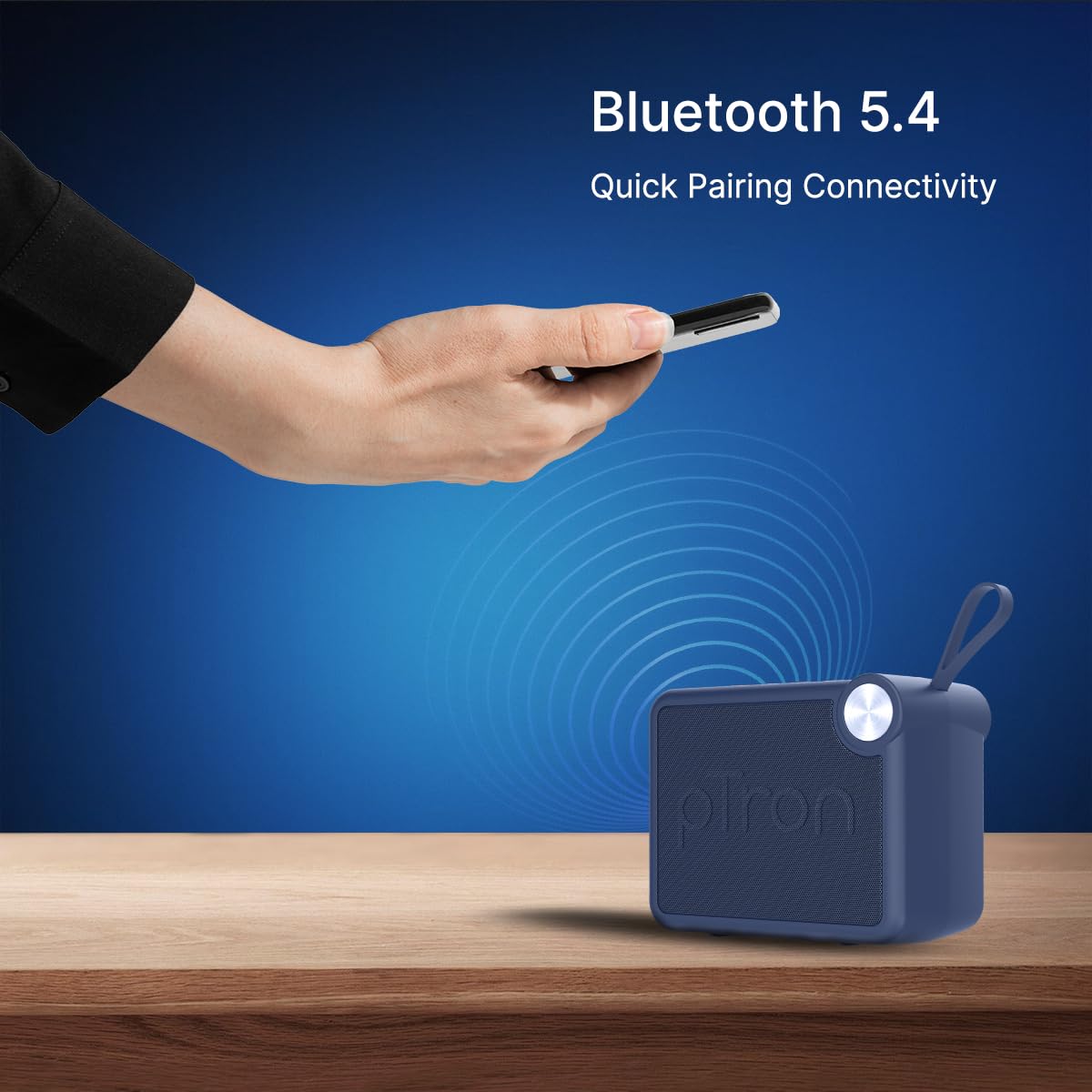
Image: A visual representation of a hand holding a smartphone, indicating the process of connecting to the pTron Funk Rap speaker via Bluetooth 5.4 for quick pairing.
5. אַפּערייטינג ינסטרוקטיאָנס
5.1 בלועטאָאָטה מאָדע
- שפּיל / פּויזע: דרוק דעם שפּיל / פּויזע קנעפּל.
- באַנד אַדזשאַסטמאַנט: דריקן די Volume Up אָדער Volume Down קנעפּלעך.
- ווייַטער שפּור: דריק און האַלט די באַנד אַרויף קנעפּל.
- פֿריִערדיקע שפּור: דריקן און האַלטן די Volume Down קנעפּל.
5.2 TF קאַרטל מאָדע
- אַרײַנשטעלן אַ TF (MicroSD) קאַרטל מיט אַודיאָ fileס אין די TF קאָרט שפּעלטל.
- The speaker will automatically switch to TF Card mode or you may need to press the Mode button.
- Playback controls (Play/Pause, Volume, Next/Previous Track) function as in Bluetooth mode.
5.3 USB Playback Mode
- אַרייַנלייגן אַ וסב בליץ פאָר מיט אַודיאָ fileס אין די וסב פּאָרט.
- The speaker will automatically switch to USB mode or you may need to press the Mode button.
- Playback controls (Play/Pause, Volume, Next/Previous Track) function as in Bluetooth mode.
5.4 True Wireless Stereo (TWS) Mode
To pair two pTron Funk Rap speakers for stereo sound:
- זיכער מאַכן אַז ביידע רעדנערס זענען אנגעצונדן און נישט פארבונדן צו קיין בלוטוט דעווייס.
- On both speakers, long press the Mode button for approximately 2 seconds.
- You will hear an audible prompt indicating TWS pairing mode. The speakers will automatically connect to each other.
- Once paired, one speaker will act as the master. Connect your device to this master speaker via Bluetooth as described in section 4.3.
- אַודיאָ וועט איצט שפּילן אין סטעריאָו איבער ביידע רעדנערס.

Image: Two pTron Funk Rap speakers are depicted, illustrating their ability to connect in True Wireless Stereo (TWS) mode to provide a more immersive audio experience.
5.5 רופן פאַנגקשאַנז
ווען פארבונדן צו א סמאַרטפאָון דורך בלועטוט:
- ענטפער רופן: דריקן די שפּיל / פּויזע קנעפּל אַמאָל.
- סוף רופן: דריק דעם שפּיל/פּויזע קנעפּל איין מאָל בעת אַ רוף.
- אָפּוואַרפן רופן: דריקן און האַלטן די שפּיל / פּויזע קנעפּל.
6. וישאַלט
- רייניקונג: ניצט אַ ווייכע, טרוקענע שטאָף צו רייניקן דעם רעדנער. ניצט נישט קיין שרײַבנדיקע רייניגערס אדער סאָלווענטן.
- סטאָרידזש: האַלט דעם רעדנער אין אַ קיל, טרוקן אָרט אַוועק פון דירעקט זונשייַן און עקסטרעמע טעמפּעראַטורן.
- באַטערי זאָרגן: To prolong battery life, charge the speaker fully before first use and at least once every three months if not used regularly. Avoid fully discharging the battery frequently.
- וואַסער קעגנשטעל: די רעדנער איז נישט וואַסערפּרוף. פֿאַרמייַדט אויסשטעלונג צו וואַסער אָדער איבעריקע פֿײַכטקייט.
7. טראָובלעשאָאָטינג
אויב איר טרעפט פּראָבלעמען מיט אייער רעדנער, זעט די פאלגענדע געוויינטלעכע פּראָבלעמען און לייזונגען:
- רעדנער טוט זיך נישט אן: זיכער מאַכן אַז די באַטאַרייע איז אָנגעלאָדן. פֿאַרבינדט דעם רעדנער צו אַ מאַכט מקור מיטן טיפּ-C קאַבל.
- קען נישט צוזאמענשטעלן דורך בלוטוט:
- זיכער מאַכן אַז דער רעדנער איז אין בלועטוט פּערינג מאָדע (בלינקען LED).
- זייט זיכער אז בלועטוט איז ענייבאַלד אויף אייער דעווייס און עס איז אינערהאלב 10 מעטער פון דעם רעדנער.
- אויסלעשן און אן ביידע דעם רעדנער און אייער דעווייס'ס בלועטוט.
- ויסמעקן די בלועטוט פּערינג ליסטע אויף אייער דעווייס און פּרוּווט ווידער פּערינג.
- קיין קול:
- קאָנטראָלירט דעם וואָלומען לעוועל אויף ביידע דעם רעדנער און אייער פֿאַרבונדענעם מיטל.
- Ensure the speaker is correctly connected to your device.
- If using TF card or USB, ensure the audio files are in a supported format and the media is inserted correctly.
- נעבעך געזונט קוואַליטעט:
- ריקט דעם רעדנער נענטער צו אייער בלוטוט דעווייס צו רעדוצירן אריינמישונג.
- זיכער מאַכן אַז עס זענען נישטאָ קיין שטערונגען צווישן דעם רעדנער און דיין דעווייס.
- קאָנטראָלירט די קוואַליטעט פֿון דער אַודיאָ מקור.
- TWS פּאָרינג פּראָבלעמען:
- Ensure both speakers are fully charged and not connected to any other Bluetooth device before initiating TWS pairing.
- איבערחזרן די TWS פּערינג טריט פֿאָרזיכטיק.
8. ספּעסאַפאַקיישאַנז
| שטריך | דעטאַל |
|---|---|
| מאָדעל נאָמען | Funk Rap |
| רעדנער טיפּ | פּאָרטאַטיוו ספּיקער |
| קאַנעקטיוויטי טעכנאָלאָגיע | בלועטאָאָטה 5.4, וסב |
| אַודיאָ רעזולטאַט מאָדע | סטערעאָ (מיט TWS) |
| רעדנער מאַקסימום רעזולטאַט מאַכט | 10 וואטס |
| אַודיאָ דרייווער גרייס | 66 מילאַמיטערז |
| ימפּידאַנס | 4 Ohm |
| סיגנאַל-צו-נויז ראַטיאָ | 85 דב |
| אָפטקייַט ענטפער | 20000 KHz |
| בלועטאָאָטה קייט | 10 מעטער |
| מאַכט מקור | באַטאַרייע פּאַוערד |
| באַטערי טיפּ | ליטיום פּאָלימער (1 x 9V אַרייַנגערעכנט) |
| באַטערי דורכשניטלעך לעבן | 8 שעה |
| טשאַרדזשינג צייט | 2 שעה |
| קאָנטראָל מעטאָד | ריר קנעפּלעך |
| מאַטעריאַל | אַקרילאָניטרילע בוטאַדיענע סטירענע (אַבס) |
| פּראָדוקט דימענשאַנז | 10.4D x 8.6W x 5.8H סענטימעטער |
| פּונקט וואָג | 271 גראַמז |
| לאַנד פון אָריגין | אינדיע |
9. וואָראַנטי און שטיצן
9.1 וואָראַנטי אינפֿאָרמאַציע
The pTron Funk Rap 10W Mini Bluetooth Speaker comes with a 6-חודש פאַבריקאַנט וואָראַנטי from the date of purchase, covering manufacturing defects. This warranty is limited and does not cover damage caused by misuse, accidents, unauthorized modifications, or normal wear and tear.
9.2 קונה שטיצן
For any product-related queries, technical assistance, or warranty claims, please contact pTron customer support:
- טעלעפֿאָן: 040-67138888
- בליצפּאָסט: support@ptron.in
- פאַבריקאַנט אַדרעס: פּאַלרעד עלעקטראָניקס פּריוואַט לימיטעד, SY.NO. 56, 1טער שטאָק, גונדלאַפּאָטשAMPאַלי ווילעדזש, טעק פּאַרק MTP, TSIIC-IALA NACHARAM, הײַדעראַבאַד - 500076, טעלאַנגאַנאַ, אינדיע


