הקדמה
This manual provides essential information for the safe and efficient use of your Qubo X-10BL mobile phone. Designed with ease of use in mind, this phone is particularly suitable for elderly users, featuring a clear 2.4-inch screen, a robust design, and essential communication functions. Please read this manual thoroughly before operating your device.
שליסל פֿעיִקייטן:
- מאָדעל: X-10BL
- פאַרשטעלן: 2.4-inch display (6.1 cm diagonal)
- באַראַן: 32 מב
- באַטערי: 900 מאַה קאַפּאַציטעט
- קאַנעקטיוויטי: בלועטאָאָטה
- פּאָרץ: 3.5mm Jack, Micro USB
- פּלאַן: Includes a protective cover
- קאָליר: בלוי
פּראָדוקט איבערview
The Qubo X-10BL is a compact and user-friendly mobile phone. Below is an image illustrating the device's general appearance.
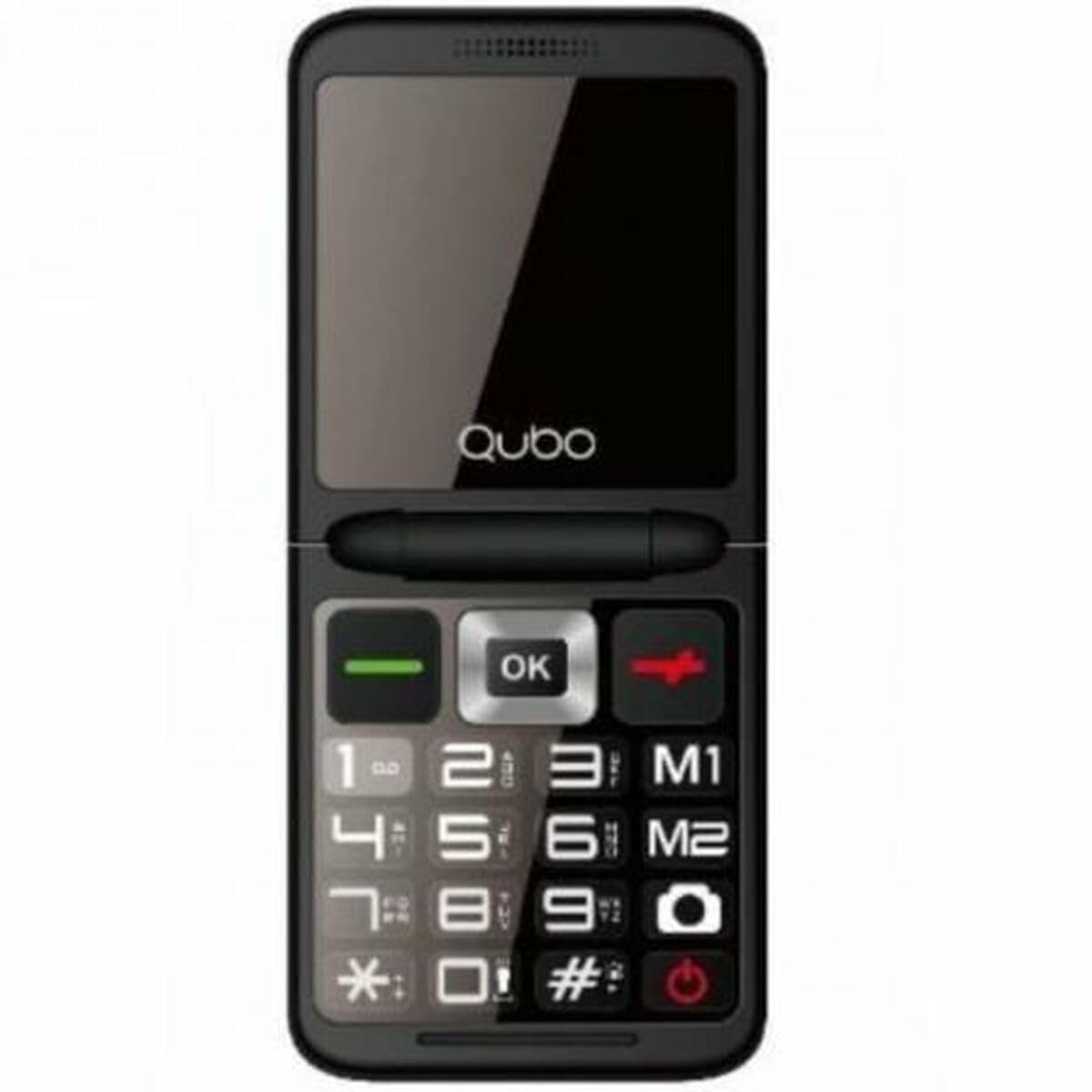
פיגורע 1: פראָנט view of the Qubo X-10BL mobile phone. The image displays the phone in blue, featuring a clear screen, a numerical keypad, and navigation buttons. The phone is designed for straightforward operation.
Familiarize yourself with the phone's buttons and ports before proceeding with setup. Typically, these include a power button, call/end call buttons, navigation keys, a numerical keypad, and charging/headphone ports.
סעטאַפּ
1. Install SIM Card and Battery
- פֿאָרזיכטיק אַראָפּנעמען די הינטערשטע דעקל פֿון טעלעפֿאָן.
- Insert your SIM card into the designated slot. Ensure it is correctly oriented as indicated by the diagram near the slot.
- Place the battery into its compartment, aligning the contacts.
- לייג צוריק דעם הינטערשטן דעקל ביז עס קליקט זיכער אריין אין פלאץ.
2. לאָדן דעם מיטל
- Connect the Micro USB cable to the charging port on your phone.
- Plug the other end of the cable into the provided European plug adapter, then into a wall outlet.
- Allow the phone to charge fully before first use. The charging indicator on the screen will show the battery status.
3. מאַכט אויף / אויסגעלאשן
- צו מאַכט אויף: דריק און האלט דעם פּאַוער/ענד רוף קנעפּל ביז דער עקראַן צינדט זיך אָן.
- צו מאַכט אַוועק: Press and hold the Power/End Call button until the power-off options appear, then select 'Power Off' or continue holding until the device shuts down.
אַפּערייטינג ינסטראַקשאַנז
מאַכן און באַקומען קאַללס
- צו מאַכן אַ רוף: Enter the phone number using the keypad and press the Call button (usually a green phone icon).
- צו ענטפֿערן אַ רוף: When the phone rings, press the Call button.
- צו ענדיקן אַ רוף: Press the End Call button (usually a red phone icon).
שיקן און באַקומען SMS מעסעדזשעס
- גיי צו צום מעניו "מעסעדזשעס".
- אויסקלייבן 'נײַע מעסעדזש' אדער 'שרײַבן מעסעדזש'.
- אַרייַן די נומער פון דעם באַקומער אָדער סעלעקטירן פון קאָנטאַקטן.
- טיפּ דיין אָנזאָג ניצן די קיפּאַד.
- דריק 'שיקן'.
בלועטאָאָטה קאַנעקטיוויטי
The Qubo X-10BL supports Bluetooth for connecting to compatible devices such as headsets or other phones.
- Go to 'Settings' and then 'Bluetooth'.
- צינדט אָן בלועטוט.
- אויסקלייבן 'זוכן פֿאַר דעווייסעס' אדער 'פארבינדן א נייעם דעווייס'.
- Choose the desired device from the list and follow the on-screen prompts to pair.
Using the Phone Cover
The phone comes with a protective cover. Ensure the phone is securely placed within the cover to protect it from minor impacts and scratches. The cover may also feature cutouts for easy access to buttons and ports.
וישאַלט
רייניקונג
- ניצט אַ ווייכע, טרוקענע שטאָף צו רייניקן דעם טעלעפאָן'ס עקראַן און קערפּער.
- Avoid using liquid cleaners, aerosols, or harsh chemicals, as these can damage the device.
באַטערי קער
- To prolong battery life, avoid exposing the phone to extreme temperatures.
- Do not leave the phone charging for excessively long periods after it is fully charged.
- אויב דער טעלעפאָן וועט נישט ווערן גענוצט פֿאַר אַ לענגערע צייט, לאָדן עס אויף צו אַרום 50% איידער איר לייגט עס אַוועק.
סטאָרידזש
Store the phone in a cool, dry place away from direct sunlight and moisture when not in use.
טראָובלעשאָאָטינג
If you encounter issues with your Qubo X-10BL, refer to the table below for common problems and solutions.
| פּראָבלעם | מעגלעך סיבה | לייזונג |
|---|---|---|
| דער טעלעפאָן טוט נישט קער אויף | Low battery; Battery not installed correctly | Charge the battery; Reinstall the battery |
| קיין נעץ סיגנאַל | SIM card issue; Out of network coverage | Check SIM card installation; Move to an area with better coverage |
| קען נישט מאַכן/באַקומען רופן | No network; Incorrect number dialed; Call barring activated | Check network signal; Verify number; Check call settings |
| די באַטאַרייע איז נישט טשאַרדזשינג | Charger faulty; Charging port damaged | Try a different charger; Contact support if port is damaged |
ספּעסאַפאַקיישאַנז
Detailed technical specifications for the Qubo X-10BL mobile phone.
| שטריך | דעטאַל |
|---|---|
| סאָרט | קוובאָ |
| מאָדעל נאָמען | X-10BL |
| נומער מאָדעל נומער | S9914467 |
| פּראָדוקט טיפּ | באַר פאָון |
| פאָרם פאַקטאָר | בַּר |
| פאַרשטעלן גרייס | 6.1 סענטימעטער (2.4 אינטשעס) |
| אינסטאַלירטע ראַם גרייס | 32 מב |
| דראָטלאָזע נעץ טעכנאָלאָגיע | בלועטאָאָטה |
| פאַבריקאַנט | קוובאָ |
| לאַנד פון אָריגין | ספּאַין |
| דאַטע ערשטער בנימצא אויף Amazon.com.be | 11 יאנואר 2025 |
| ספּער פּאַרץ אַוואַילאַביליטי | אינפֿאָרמאַציע נישט פֿאַראַן |
| ווייכווארג דערהייַנטיקונגען געראַנטיד ביז | אינפֿאָרמאַציע ניט בנימצא |
וואָראַנטי און שטיצן
פֿאַר וואָראַנטי אינפֿאָרמאַציע און קונה שטיצע, ביטע זען די דאָקומענטאַציע וואָס איז צוגעשטעלט געוואָרן מיט אייער קויפן אָדער קאָנטאַקט דעם הענדלער. האַלט אייער באַווייַז פון קויפן פֿאַר קיין וואָראַנטי קליימז.


