הקדמה
Thank you for choosing Raycon Bone Conduction Headphones. This manual provides essential information for the proper use, setup, and maintenance of your device. Please read it thoroughly before use.
These headphones utilize bone conduction technology, allowing you to hear audio while keeping your ears open to your surroundings. They are designed for active lifestyles, featuring a lightweight, water-resistant build and a secure fit.
פּעקל אינהאַלט
- Raycon Bone Conduction Headphones
- מאַגנעטיק טשאַרדזשינג קאַבלע
- באַניצער מאַנואַל (דעם דאָקומענט)
פּראָדוקט איבערview
Familiarize yourself with the components of your Raycon Bone Conduction Headphones.

פיגורע 1: פראָנט view of the Raycon Bone Conduction Headphones. The image shows the purple headphones with the Raycon logo visible on the left side, highlighting the open-ear design and the flexible band connecting the two ear pieces.

פיגורע 2: זייַט view of the Raycon Bone Conduction Headphones. This image displays the control buttons located on the right ear piece, along with the charging port area. The overall lightweight and ergonomic design is visible.
שליסל פֿעיִקייטן:
- עפענען אויער פּלאַן: Allows situational awareness.
- ביין קאַנדאַקשאַן טעכנאָלאָגיע: Delivers audio through cheekbones.
- IP68 וואַסער קעגנשטעל: Protection against sweat, rain, and spills.
- לייטווייט בילד: Comfortable for extended wear.
- Adjustable Conduction Buds: For personalized sound and awareness balance.
- בלועטאָאָטה 5.3: Stable wireless connectivity.
- 13 שעה שפּיל צייט: Extended battery life.
סעטאַפּ
1. טשאַרדזשינג די כעדפאָונז
פארן ערשטן באַנוץ, זאָלט איר גאָר אויפלאָדן אייערע כעדפאָונז.
- Connect the magnetic charging cable to the charging port on your headphones.
- פֿאַרבינדט דעם אַנדערן עק פֿונעם קאַבל צו אַ USB מאַכט אַדאַפּטער (נישט אַרייַנגערעכנט) אָדער אַ קאָמפּיוטער'ס USB פּאָרט.
- די LED אינדיקאַטאָר וועט ווייַזן די טשאַרדזשינג סטאַטוס (למשל, רויט פֿאַר טשאַרדזשינג, בלוי פֿאַר גאָר טשאַרדזשד).
- א פולע אויפלאדונג נעמט געווענליך בערך 1.5-2 שעה.
2. פּאָווערינג אויף / אויסגעלאשן
- צו מאַכט אויף: Press and hold the Power button for 3 seconds until the LED indicator flashes blue and you hear a power-on prompt.
- צו מאַכט אַוועק: Press and hold the Power button for 5 seconds until the LED indicator flashes red and you hear a power-off prompt.
3. בלועטאָאָטה פּערינג
Pair your headphones with your Bluetooth-enabled device (smartphone, tablet, laptop).
- מאַכן זיכער אַז די כעדפאָונז זענען פּאַוערד אַוועק.
- Press and hold the Power button for 5-7 seconds until the LED indicator flashes red and blue alternately, indicating pairing mode.
- אויף אייער דעווייס, גייט צו בלועטוט סעטינגס און אקטיוויזירט בלועטוט.
- זוכן פֿאַר available devices and select "Raycon Bone Conduction" (or similar name).
- Once connected, the LED indicator will flash blue slowly, and you will hear a connection confirmation.
- The headphones will automatically reconnect to the last paired device when powered on, if within range.
אַפּערייטינג ינסטראַקשאַנז
ווערינג די כעדפאָונז
Place the headphones with the transducers resting on your cheekbones, just in front of your ears. The band should wrap around the back of your head.
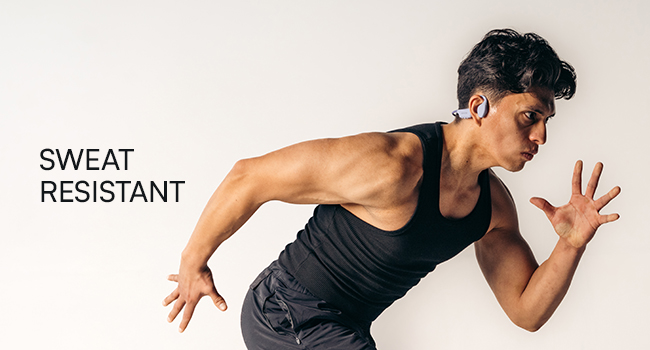
Figure 3: Illustration demonstrating the correct placement of the bone conduction headphones on the head, with the transducers positioned on the cheekbones near the ears. This image emphasizes the open-ear design.
The adjustable conduction buds allow you to slide them closer to your ear for louder sound or pull them back for increased environmental awareness. Experiment to find your preferred balance.
קנעפּל פאַנגקשאַנז
| קנעפּל / קאַמף | פֿונקציע |
|---|---|
| Power Button (Press & Hold 3s) | מאַכט אויף |
| Power Button (Press & Hold 5s) | Power Off / Enter Pairing Mode |
| מולטי-פונקציאָנעל קנעפּל (איין דריק) | שפּילן/פּויזירן מוזיק, ענטפֿערן/ענדיגן רוף |
| מולטי-פונקציע קנעפּל (צוויי דריק) | ווייַטער שפּור |
| מולטי-פונקציאָנעל קנעפּל (דרייפאַך דרוק) | פֿריִערדיקע שפּירט |
| Volume Up (+) Button (Single Press) | פאַרגרעסערן באַנד |
| Volume Down (-) Button (Single Press) | פאַרמינערן די באַנד |
| Volume Up (+) Button (Press & Hold) | אַקטאַווייט די קול אַססיסטאַנט |
מאַכן און באַקומען קאַללס
- ענטפער רופן: דריק איין מאל דעם מולטי-פונקציע קנעפל.
- סוף רופן: דריק דעם מולטי-פונקציע קנעפּל איין מאָל בעת אַ רוף.
- אָפּוואַרפן רופן: דריקן און האַלטן די מולטי-פונקציע קנעפּל פֿאַר 2 סעקונדעס.
- שטימע אַססיסטאַנט: Press and hold the Volume Up (+) button to activate your device's voice assistant (Siri, Google Assistant, etc.).
וישאַלט און זאָרג
- רייניקונג: ווישן די כעדפאָונז מיט אַ ווייך, דamp שטאָף. דו זאלסט נישט נוצן האַרב קעמיקאַלז אָדער אַברייסיוו קלינערז.
- וואַסער קעגנשטעל (IP68): These headphones are IP68 rated, meaning they are protected against dust and can withstand immersion in water up to 1.5 meters for up to 30 minutes. However, they are not designed for swimming or prolonged underwater use. Ensure the charging port is dry before charging.
- סטאָרידזש: האַלט די כעדפאָונז אין אַ קיל, טרוקן אָרט אַוועק פון דירעקט זונשייַן און עקסטרעמע טעמפּעראַטורן.
- באַטערי זאָרגן: כדי צו פארלענגערן די לעבן פון די באַטעריע, זאָלט איר נישט אָפט אויסלאָדן די קאָפּהערער. לאָדט זיי אָפט אויף, אפילו אויב זיי ווערן נישט גענוצט פאר לענגערע צייטן.
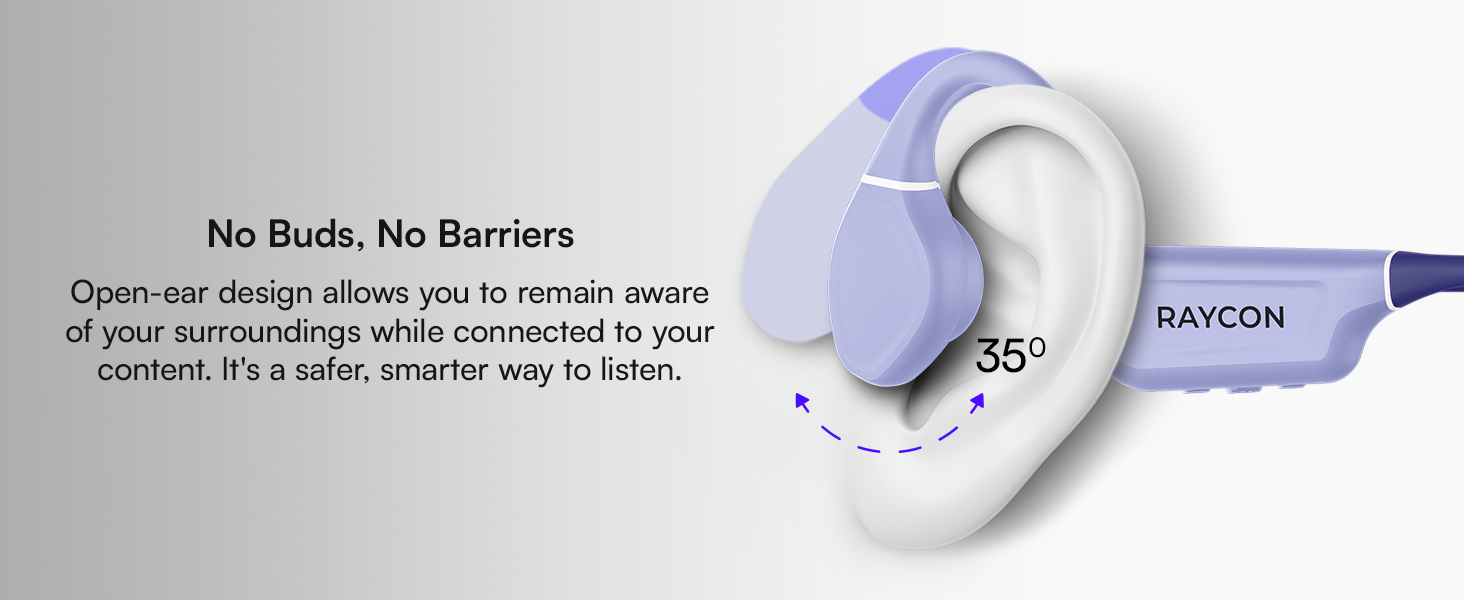
Figure 4: Image illustrating the water-resistant feature of the Raycon Bone Conduction Headphones, with water droplets splashing around them. This visually confirms their suitability for use in various weather conditions or during workouts.
טראָובלעשאָאָטינג
| פּראָבלעם | מעגלעך לייזונג |
|---|---|
| די קאָפּהערער ווערן נישט אנגעצינדן. | Ensure the headphones are charged. Connect to the charging cable and check the LED indicator. |
| קען נישט צופּאַסן מיטן דעווייס. |
|
| קיין קלאַנג אָדער נידעריקע וואָלומען. |
|
| שלעכטע רוף קוואַליטעט. |
|
ספּעסאַפאַקיישאַנז
| שטריך | דעטאַל |
|---|---|
| מאָדעל נאָמען | ביין קאַנדאַקשאַן כעדפאָונז |
| מאָדעל נומער | RBB842-24E |
| קאַנעקטיוויטי טעכנאָלאָגיע | ווירעלעס (בלוטוט 5.3) |
| בלועטאָאָטה קייט | אַרויף צו 33 פֿיס (10 מעטער) |
| אַודיאָ דרייווער טיפּ | ביין קאַנדאַקשאַן דרייווער |
| אַודיאָ דרייווער גרייס | 16 מילאַמיטערז |
| אָפטקייַט ראַנגע | 20 הערץ - 20 קילאָהערץ |
| סענסיטיוויטי | 91 דב |
| ימפּידאַנס | 8 Ohm |
| באַטערי לעבן | אַרויף צו 13 שעה |
| וואַסער קעגנשטעל מדרגה | IP68 |
| מאַטעריאַל | אַקרילאָניטרילע בוטאַדיענע סטירענע (אַבס), סיליקאָנע |
| פּונקט וואָג | 5.6 אונסעס |
| אַרייַנגערעכנט קאַמפּאָונאַנץ | מאַגנעטיק טשאַרדזשינג קאַבלע |
| UPC | 811162032804 |
וואָראַנטי און שטיצן
For warranty information and customer support, please refer to the official Raycon webזייטל אדער קאנטאקט זייער קאסטומער סערוויס גלייך. האלט אייער באווייז פון קויפן פאר גאראנטיע פארלאנגען.
אָנליין שטיצן: באַזוכן Raycon Global Support פֿאַר אָפֿט געשטעלטע פֿראַגעס, טראָובלעשווטינג גיידס, און קאָנטאַקט אָפּציעס.
זיכערקייַט אינפֿאָרמאַציע
- דו זאלסט נישט דיסאַסעמבאַל, פאַרריכטן אָדער מאָדיפיצירן די פּראָדוקט.
- Do not expose the product to fire or extreme heat.
- ויסמיידן צוגעהערט אין הויך וואַליומז פֿאַר עקסטענדעד פּיריאַדז צו פאַרמייַדן געהער שעדיקן.
- Use caution when using headphones in situations requiring awareness of your surroundings.
- האַלטן אויס פון דערגרייכן פון קינדער.