1. הקדמה
This manual provides essential information for the setup, operation, and maintenance of your VIMTAG 8310 5G/2.4G 4MP Camera. Please read thoroughly before use to ensure proper functionality and safety.

Figure 1: VIMTAG 8310 5G/2.4G 4MP Camera
2. וואָס איז אין דער קעסטל
באַשטעטיקן אַז אַלע זאכן זענען פאַראַן אין פּעקל:
- Camera Body with power cable
- ינסטראַקשאַנז מאַנואַל
- מאַונטינג שרויף
- מאַכט אַדאַפּטער
3. פּראָדוקט איבערview
The VIMTAG 8310 camera features a compact design suitable for both indoor and outdoor use. Key components include:
- לענס: Captures 2.5K (4MP) video.
- אינפֿראַרויט און ווײַס ליכט: פֿאַר נאַכט זעאונג מעגלעכקייטן.
- מיקראָפאָן: פֿאַר צוויי-וועג אַודיאָ קאָמוניקאַציע.
- רעדנער: For two-way audio communication and alerts.
- SD Card Slot: Supports Micro SD cards up to 512GB for local storage.
- באַשטעטיק קנעפּל: פֿאַר פֿאַבריק ריסעט.
- מאַכט פּאָרט: Micro USB for continuous power supply.

Figure 2: Camera features overview
4. סעטאַפּ און ייַנמאָנטירונג
4.1 אַפּ דאַונלאָוד און חשבון רעגיסטראַציע
- Download the 'Canny Cam' app from your device's app store (iOS/Android).
- Register a new account using your email address and follow the on-screen instructions.
- לאָגט זיך איין אין אייער ניי געשאַפענעם חשבון.

Figure 3: App download and registration process
4.2 Powering On and Device Connection
- Connect the camera to the power adapter using the provided USB cable and plug it into a power outlet.
- Open the 'Canny Cam' app and tap the '+' icon to add a new device.
- Follow the in-app instructions to connect the camera to your 5G/2.4G Wi-Fi network. This typically involves scanning a QR code displayed on your phone with the camera lens.
- Once connected, you can name your camera and assign it to a specific room.
Video 1: Why choose Vimtag Mini G3 Outdoor Security Camera? (Seller)
4.3 מאָונטינג די אַפּאַראַט
The camera comes with a versatile stand that allows for various mounting options:
- Tabletop/Free Standing: Place the camera on any flat surface. The stand has padded feet for stability.
- וואנט / סטעליע בארג: The base of the stand can be detached and screwed into a wall or ceiling using the provided mounting screws. The camera then easily attaches to the mounted base.

Figure 4: Easy setup and mounting options

Figure 5: Mounting the camera to a wall
5. אַפּערייטינג די קאַמעראַ
5.1 לעבן View און צוויי-וועג אַודיאָ
Access the live video feed anytime, anywhere through the Canny Cam app. Use the built-in microphone and speaker for two-way communication.

פיגור 6: צוויי-וועג אודיאָ אין אַקציע
5.2 נאַכט זעאונג מאָדעס
The camera offers full-color night vision, enhanced by a built-in LED light, and traditional infrared night vision. Switch between modes via the app settings.

Figure 7: Comparison of Color and Infrared Night Vision
Video 2: How to set full-color night vision of Vimtag Mini G3 (Seller)
5.3 קלוגע דעטעקציע און וואָרענונגען
Configure motion, human, and sound detection settings within the app. Receive instant alerts on your mobile device when activity is detected.
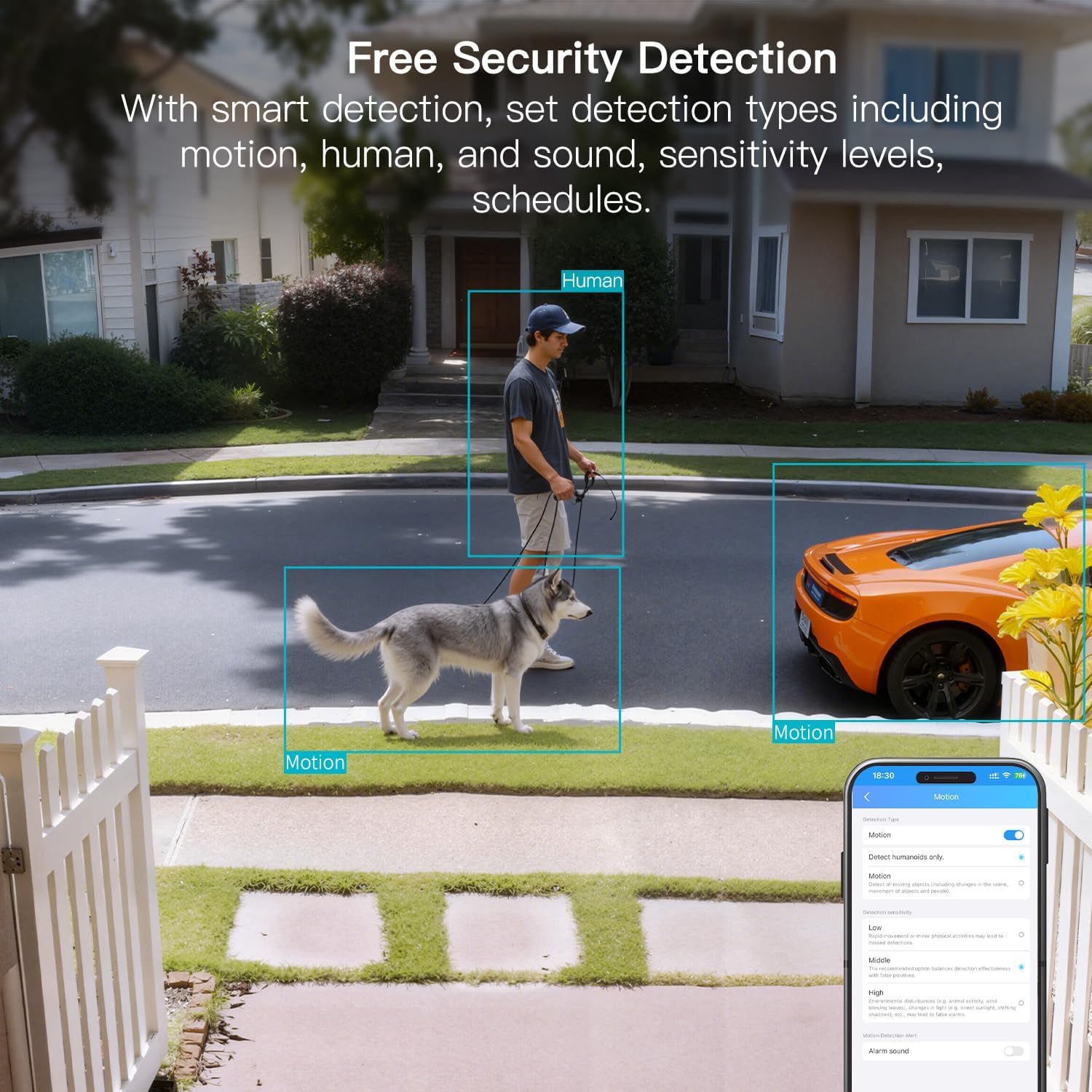
Figure 8: AI Detection capabilities

Figure 9: Smart alarm modes with sound and light
5.4 סטאָרידזש אָפּציעס
The camera supports continuous 24/7 recording to a Micro SD card (up to 512GB, sold separately) or secure Cloud storage (subscription required).

Figure 10: Local and Cloud storage options
6. ספּעסאַפאַקיישאַנז
| שטריך | דעטאַל |
|---|---|
| מאָדעל נאָמען | 8310 |
| דרינענדיק / דרויסנדיק באַניץ | אינדרויסן (IP65 וועטערפּרוף) |
| ווידעא קאַפּטורע רעסאָלוטיאָן | 2.5K (1440p) |
| עפעקטיוו נאָך האַכלאָטע | 4 מפּ |
| קאַנעקטיוויטי טעכנאָלאָגיע | Wi-Fi (2.4 & 5G Hz, Dual Band, Wi-Fi 6) |
| ספּעציעלע פֿעיִקייטן | 2-Way Audio, HD Resolution, Motion Sensor, Color Night Vision, AI Detection, Alexa Support |
| Viewינג אַנגלע | 130 דיגריז |
| נאַכט וויזשאַן ראַנגע | 33 פֿיס |
| מאַכט מקור | עלעקטריש מיט שנור (5 וואלט, 5 וואטס) |
| Max Flash Memory Supported | 512 גיגאבייט (מיקראָ סד) |
| פּראָדוקט דימענשאַנז | 1.57 X 2.28 X 2.76 אינטשעס |
7. וישאַלט
- רייניקונג: Use a soft, dry cloth to clean the camera lens and body. Avoid harsh chemicals.
- Firmware דערהייַנטיקונגען: Regularly check the Canny Cam app for firmware updates to ensure optimal performance and security.
- סד קאַרד מאַנאַגעמענט: If using a Micro SD card, periodically check its status and format it via the app to maintain recording quality.
8. טראָובלעשאָאָטינג
- קאַנעקטיוויטי ישוז: Ensure the camera is within range of your Wi-Fi router. Verify Wi-Fi password and network stability. The camera supports both 2.4GHz and 5GHz bands.
- רעקאָרדינג פּראָבלעמס: Check if the Micro SD card is inserted correctly and has sufficient space. If using Cloud storage, verify your subscription status.
- קיין וואָרענונגען: Confirm motion/human/sound detection is enabled in the app settings and notification permissions are granted for the Canny Cam app on your phone.
- נעבעך בילד קוואַליטעט: Ensure the lens is clean. Check network stability for optimal streaming resolution.
- באַשטעטיק דיווייס: If issues persist, use the reset button on the camera to restore factory settings. You will need to reconfigure the device after a reset.
9. וואָראַנטי און שטיצן
VIMTAG offers a 2-year warranty and lifetime technical support for this product. For assistance, please contact VIMTAG קאסטומער הילף:
- בליצפּאָסט: Customer@vimtag.קאָם
- אין-אַפּ שטיצע: Access the 'Message Center' within the Canny Cam app for direct support.
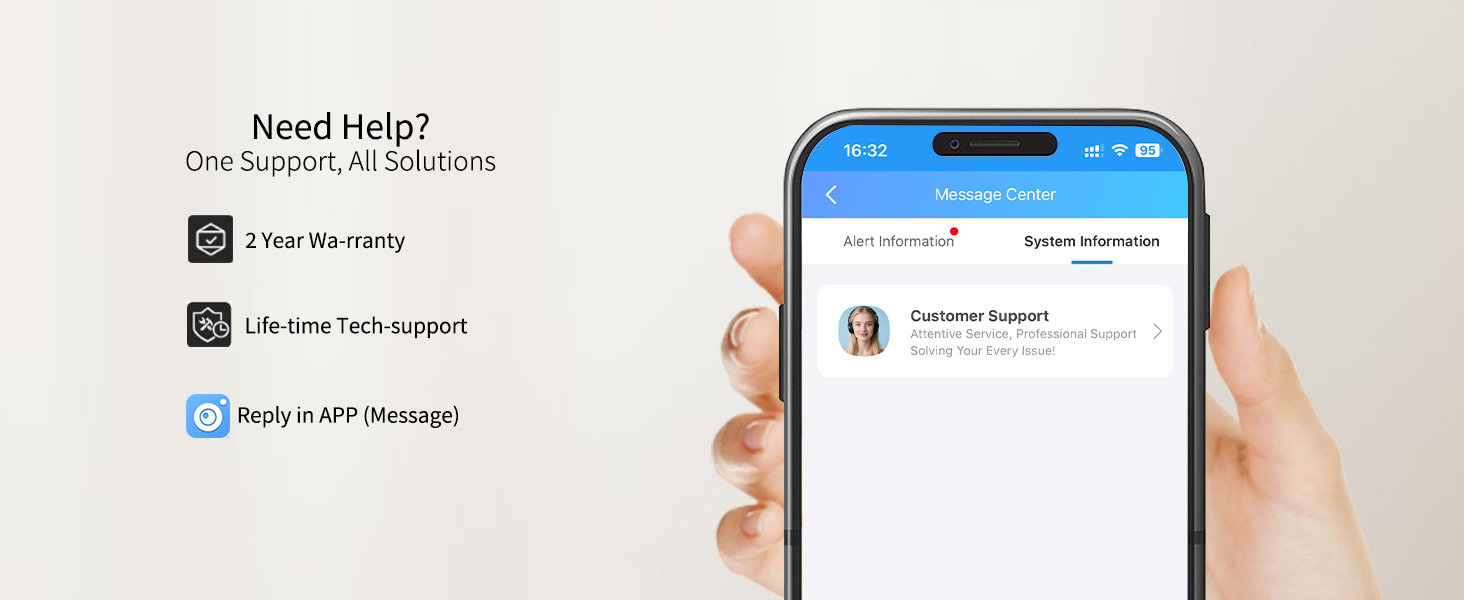
Figure 11: VIMTAG קונה שטיצן


