1. הקדמה
א דאנק פארן קויפןasing the ZEBRONICS Sound Feast 55 Portable Bluetooth Speaker. This manual provides detailed instructions for the proper use, setup, and maintenance of your device. Please read this manual carefully before operation to ensure optimal performance and longevity of your speaker.
The Sound Feast 55 is designed to deliver powerful audio with its 14W RMS output, dual 5.7cm drivers, and dual passive radiators for enhanced bass. It features multiple connectivity options including Bluetooth v5.3, USB, microSD, AUX, and a built-in FM radio. Enjoy hands-free calls, vibrant RGB lighting, and up to 10 hours of playback on a single charge. The TWS function allows for pairing two speakers for a true stereo experience.

בילד 1.1: The speaker on a wooden surface, illustrating its dual 5.7cm drivers and 14W RMS output for dynamic sound.

בילד 1.2: The speaker near water, highlighting its deep bass capabilities and dual passive radiators.
2. פּעקל אינהאַלט
- ZEBRONICS Sound Feast 55 Speaker - 1 unit
- Charging cable (Type-C) - 1 unit
- QR Code Guide - 1 unit
3. פּראָדוקט איבערview
מאַכט זיך באַקאַנט מיט די רעדנער'ס קאָמפּאָנענטן און קאָנטראָלס.

בילד 3.1: פראָנט view of the ZEBRONICS Sound Feast 55 speaker, showcasinג זײַן צילינדרישן פּלאַן און קאָנטראָל פּאַנעל.
קאָנטראָל פּאַנעל און פּאָרץ:

בילד 3.2: Top panel showing media and volume controls, and an end view highlighting the RGB light mode and fabric finish.

בילד 3.3: דערציען view displaying the multi-connectivity ports: TF (microSD) card slot, USB port, AUX input, and Type-C charging port.
- מאַכט קנעפּל: דריקן און האַלטן צו מאַכט אויף / אַוועק.
- שפּיל / פּויזע קנעפּל: דרוק צו שפּילן אָדער פּויזע מוזיק.
- באנד אַרויף/ווייַטער טראַק: קורץ דריקן צו פארגרעסערן די קול, לאנג דריקן פארן נעקסטן ליד.
- באנד אַראָפּ/פרייַערדיק שפּור: קורץ דריקן צו פארמינערן די קול, לאנג דריקן פארן פריערדיגן ליד.
- מאָדע קנעפּל (M): Press to switch between Bluetooth, USB, MicroSD, AUX, and FM radio modes.
- RGB ליכט קנעפּל: דריקן צו דורכגיין RGB ליכט מאָדעס אדער זיי אויסלעשן.
- מיקראָפאָן: פֿאַר הענט-פֿרײַ רופן.
- טף קאַרד שפּעלטל: פֿאַר מיקראָSD קאַרטל ווידערשפּיל.
- וסב פּאָרט: פֿאַר USB דרייוו ווידערשפּיל.
- AUX פּאָרט: פֿאַר דראָטיקער אַודיאָ אַרייַנגאַנג.
- טיפּ C טשאַרדזשינג פּאָרט: פֿאַר טשאַרדזשינג די רעדנער.
4. סעטאַפּ
4.1 אויפלאָדן דעם רעדנער
Before first use, fully charge the speaker. Use the provided Type-C charging cable.
- פֿאַרבינדט דעם טיפּ-C עק פֿונעם טשאַרדזשינג קאַבל צום רעדנער'ס טשאַרדזשינג פּאָרט.
- Connect the USB-A end of the cable to a 5V DC power adapter (not included) or a computer's USB port.
- די טשאַרדזשינג אינדיקאַטאָר ליכט וועט זיך אָנצינדן בעת טשאַרדזשינג און זיך אויסלעשן אַמאָל גאָר אָנגעלאָדן.
Charging time is approximately 2.5 hours. A full charge provides up to 10 hours of playback at 50% volume with LED lights off.
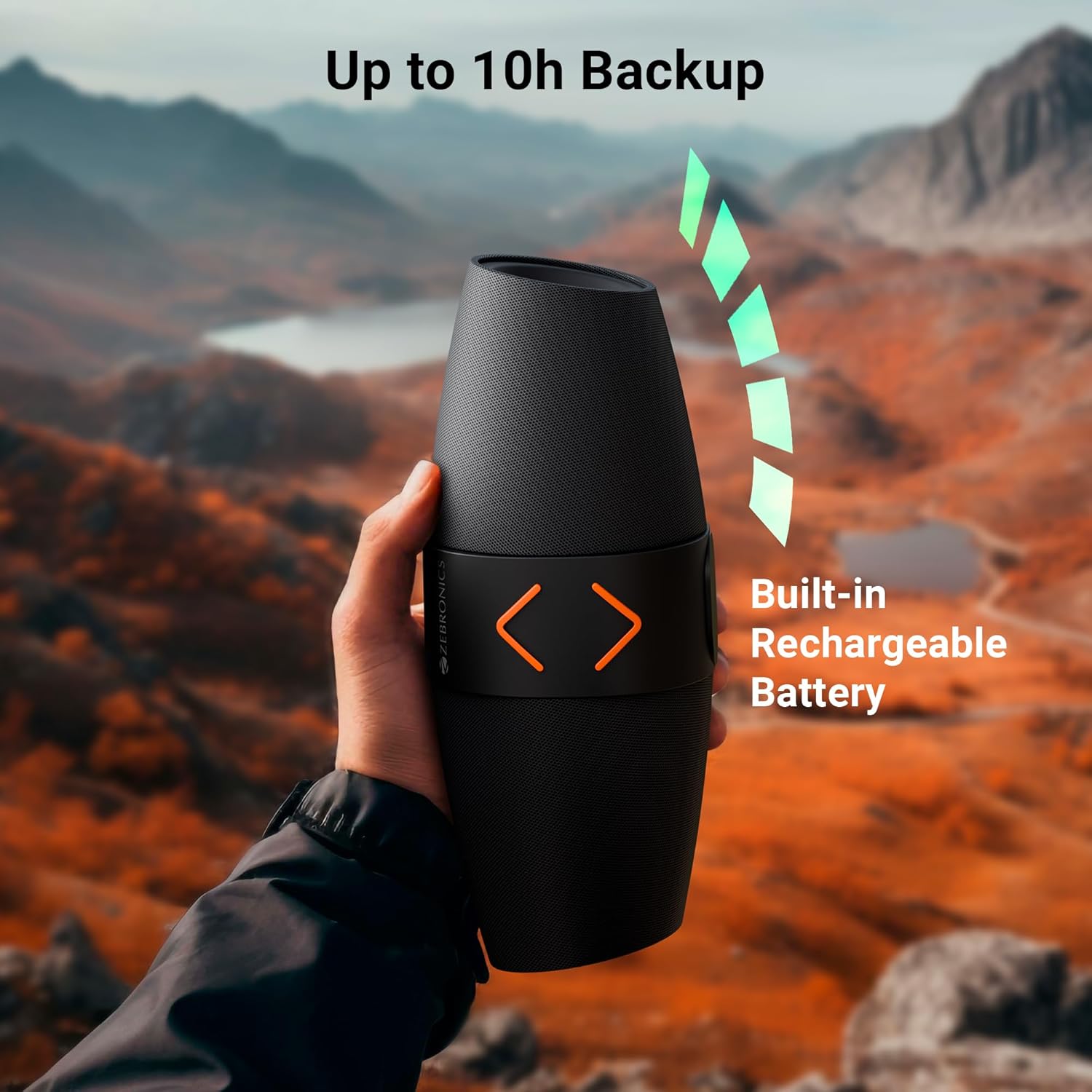
בילד 4.1: The speaker being held outdoors, illustrating its portability and highlighting the built-in rechargeable battery and up to 10 hours of backup.
4.2 מאַכט אויף / אַוועק
- To power on, press and hold the Power button until you hear an audible prompt.
- To power off, press and hold the Power button again until you hear an audible prompt.
4.3 בלועטאָאָטה פּערינג
- צינדט אן דעם רעדנער. עס וועט אויטאמאטיש אריינגיין אין בלוטוט פארבינדונג מאָדוס, אנגעצייכנט דורך א בלינקנדיקע LED ליכט.
- אויף דיין רירעוודיק מיטל, געבן בלועטאָאָטה און זוכן פֿאַר בנימצא דעוויסעס.
- Select "ZEB-SOUND FEAST 55" from the list of devices.
- Once paired, you will hear a confirmation tone, and the LED light will stop flashing.
The speaker will automatically reconnect to the last paired device if it is within range and Bluetooth is enabled.
4.4 אמתע ווירעלעס סטערעאָ (TWS) פּאָרינג
TWS allows you to connect two ZEB-SOUND FEAST 55 speakers for a stereo audio experience.
- Ensure both ZEB-SOUND FEAST 55 speakers are powered on and in Bluetooth mode, but not connected to any device.
- On one of the speakers (this will be the primary speaker), press and hold the Play/Pause button for a few seconds. You will hear a prompt indicating TWS pairing mode.
- די צוויי רעדנערס וועלן זיך אויטאמאטיש פארבינדן איינער צום צווייטן. אזוי שנעל ווי זיי זענען פארבונדן, וועט איר הערן א באשטעטיגונגס טאן.
- איצט, פֿאַרבינדט אייער מאָבילן מיטל צום הויפּט רעדנער דורך בלועטוט ווי באַשריבן אין סעקציע 4.3.
- אַודיאָ וועט איצט שפּילן אין סטעריאָו דורך ביידע רעדנערס.

בילד 4.2: Top image shows the speaker on a desk with a phone displaying a call, indicating the call function. Bottom image shows two speakers paired, illustrating the TWS function for stereo sound.
5. אַפּערייטינג ינסטרוקטיאָנס
5.1 מאָדע סעלעקציע
דרוק די מאָדע (מ) button to cycle through available input modes: Bluetooth, USB, MicroSD, AUX, and FM Radio.
5.2 בלועטאָאָטה מאָדע
- Ensure the speaker is paired with your device (refer to section 4.3).
- שפּילט אַודיאָ פֿון אייער פֿאַרבונדענעם מיטל.
- Use the speaker's Play/Pause, Volume Up/Next Track, and Volume Down/Previous Track buttons to control playback.
5.3 USB/MicroSD Mode
- Insert a USB drive or MicroSD card into the respective port.
- The speaker will automatically switch to USB or MicroSD mode and begin playing audio fileס. אויב נישט, דריק די מאָדע (מ) קנעפּל צו אויסקלייבן דעם ריכטיקן מאָדע.
- Use the speaker's Play/Pause, Volume Up/Next Track, and Volume Down/Previous Track buttons to control playback.
5.4 AUX מאָדע
- Connect an audio device (e.g., smartphone, MP3 player) to the speaker's AUX port using a 3.5mm audio cable (not included).
- דרוק די מאָדע (מ) קנעפּל צו אויסקלייבן AUX מאָדע.
- Control playback from your connected audio device. Volume can be adjusted on both the speaker and the connected device.
5.5 עפעם ראַדיאָ מאָדע
- דרוק די מאָדע (מ) קנעפּל צו אויסקלייבן FM ראַדיאָ מאָדע.
- To auto-scan and save available FM channels, press the Play/Pause button once. The speaker will scan and store channels.
- Use the Volume Up/Next Track and Volume Down/Previous Track buttons to navigate between saved channels.
5.6 רופן פֿונקציע
- When a call comes in during Bluetooth mode, press the Play/Pause button to answer the call.
- דריק נאכאמאל דעם שפיל/פאוזע קנעפל צו ענדיגן דעם רוף.
- דריקן און האַלטן די שפּיל / פּויזע קנעפּל צו אָפּוואַרפן אַ ינקאַמינג רופן.
5.7 RGB ליכט מאָדעס
- Press the RGB Light button to cycle through different light modes.
- Continue pressing the button to turn the RGB lights off.
6. וישאַלט
- רייניקונג: Use a soft, dry cloth to clean the speaker. Do not use harsh chemicals or abrasive cleaners.
- סטאָרידזש: האַלט דעם רעדנער אין אַ קיל, טרוקן אָרט אַוועק פון דירעקט זונשייַן און עקסטרעמע טעמפּעראַטורן.
- באַטערי זאָרגן: כדי צו פארלענגערן די לעבן פון די באַטעריע, זאָלט איר נישט אָפט אויסלאָדן דעם רעדנער. לאָדט עס אָפט אויף, אפילו אויב עס ווערט נישט גענוצט פאר לענגערע צייטן.
- וואַסער ויסשטעלן: די רעדנער איז נישט וואַסערפּרוף. פֿאַרמייַדט אויסשטעלונג צו וואַסער אָדער איבעריקע פֿײַכטקייט.
- האַנדלינג: Do not drop, disassemble, or attempt to repair the speaker yourself. This may void the warranty and cause damage.
7. טראָובלעשאָאָטינג
| פּראָבלעם | מעגלעך סיבה | לייזונג |
|---|---|---|
| דער רעדנער גייט נישט אן. | נידעריק באַטאַרייע. | לאָדט דעם רעדנער גאָר אויף. |
| קען נישט פארבינדן דורך בלוטוט. | בלועטוט נישט איינגעשטעלט אויף דעם אפאראט; רעדנער נישט אין פארבינדונג מאָד; צו ווייט פון דעם אפאראט. | Ensure Bluetooth is enabled. Put speaker in pairing mode. Move device closer to speaker (within 10 meters). |
| קיין געזונט. | קול צו נידעריג; אומרעכטע מאָדע אויסגעקליבן; דעווייס שפּילט נישט אַודיאָ. | Increase speaker and device volume. Ensure correct input mode (BT, USB, mSD, AUX, FM) is selected. Verify audio is playing on the source device. |
| נעבעך עפעם אָפּטראָג. | שוואַך סיגנאַל. | Move the speaker to a location with better signal reception. Re-scan channels. |
| TWS פּאָרינג פיילז. | Speakers already connected to a device; incorrect pairing procedure. | Ensure both speakers are disconnected from other devices. Follow TWS pairing steps precisely (section 4.4). |
8. ספּעסאַפאַקיישאַנז
| מאָדעל נאָמען | זעב-סאָונד סעודה 55 |
| רעזולטאַט מאַכט (RMS) | 14 וואטס |
| דרייווער גרייס | Dual 5.7 cm |
| בלועטאָאָטה ווערסיע | v5.3 |
| קאַנעקטיוויטי אָפּציעס | Bluetooth, USB, MicroSD, AUX, FM Radio |
| פּלייַבאַקק צייט | Up to 10 hours (at 50% volume, LED off) |
| טשאַרדזשינג צייט | בעערעך 2.5 שעה |
| טשאַרדזשינג טיפּ | טיפּ-C |
| אָפטקייַט ענטפער | 18 KHz |
| פּראָדוקט דימענשאַנז (ד רענטגענ וו רענטגענ ה) | 13.7D x 29.2W x 19H סענטימעטער |
| פּונקט וואָג | 678 גראַמז |
| פֿעיִקייטן | Dual Passive Radiators, Call Function, RGB Light Modes, TWS Function |
9. זיכערקייַט אינפֿאָרמאַציע
- שטעלט נישט אויס דעם רעדנער צו עקסטרעמע טעמפּעראַטורן, דירעקטע זונשייַן, אדער אפענע פלאַמען.
- ויסמיידן דראַפּינג אָדער ונטערטעניק די רעדנער צו שטאַרק ימפּאַקץ.
- Do not immerse the speaker in water or expose it to rain or excessive moisture.
- האַלטן די רעדנער אַוועק פון קינדער און פּעץ.
- ניצט נאָר דעם צוגעשטעלטן טשאַרדזשינג קאַבל אָדער אַ סערטיפיצירטן עקוויוואַלענט.
- Do not attempt to disassemble, repair, or modify the speaker. This may result in electric shock, fire, or product damage.
- אַוועקוואַרפן דעם פּראָדוקט פאַראַנטוואָרטלעך לויט די לאָקאַלע רעגולאַציעס. נישט אַוועקוואַרפן מיטן הויזגעזינדלעכן מיסט.
10. וואָראַנטי און שטיצן
The ZEBRONICS Sound Feast 55 comes with a limited warranty. Please refer to the warranty card included in your package or visit the official ZEBRONICS webזייטל פֿאַר דעטאַלירטע וואָראַנטי טערמינען און באדינגונגען.
For technical support, service, or inquiries, please contact ZEBRONICS customer service through their official webזייטל אדער די קאָנטאַקט אינפֿאָרמאַציע וואָס איז צוגעשטעלט אין אייער פּראָדוקט דאָקומענטאַציע.
פאַבריקאַנט: AJZ Industries Pvt. Ltd.
אימפארטירער: AJZ Industries Pvt. Ltd. Survey No 508/2, Door No 50/2, Inner Ring Road, Madhavaram, Chennai - 600060


