הקדמה
The Celly FLIP3WH are compact, wireless in-ear earbuds designed for comfortable use with mobile phones, tablets, and computers. They feature integrated microphones for calls and media control, utilizing Bluetooth 5.2 technology for a stable connection. This manual provides essential instructions for setting up, operating, and maintaining your earbuds.
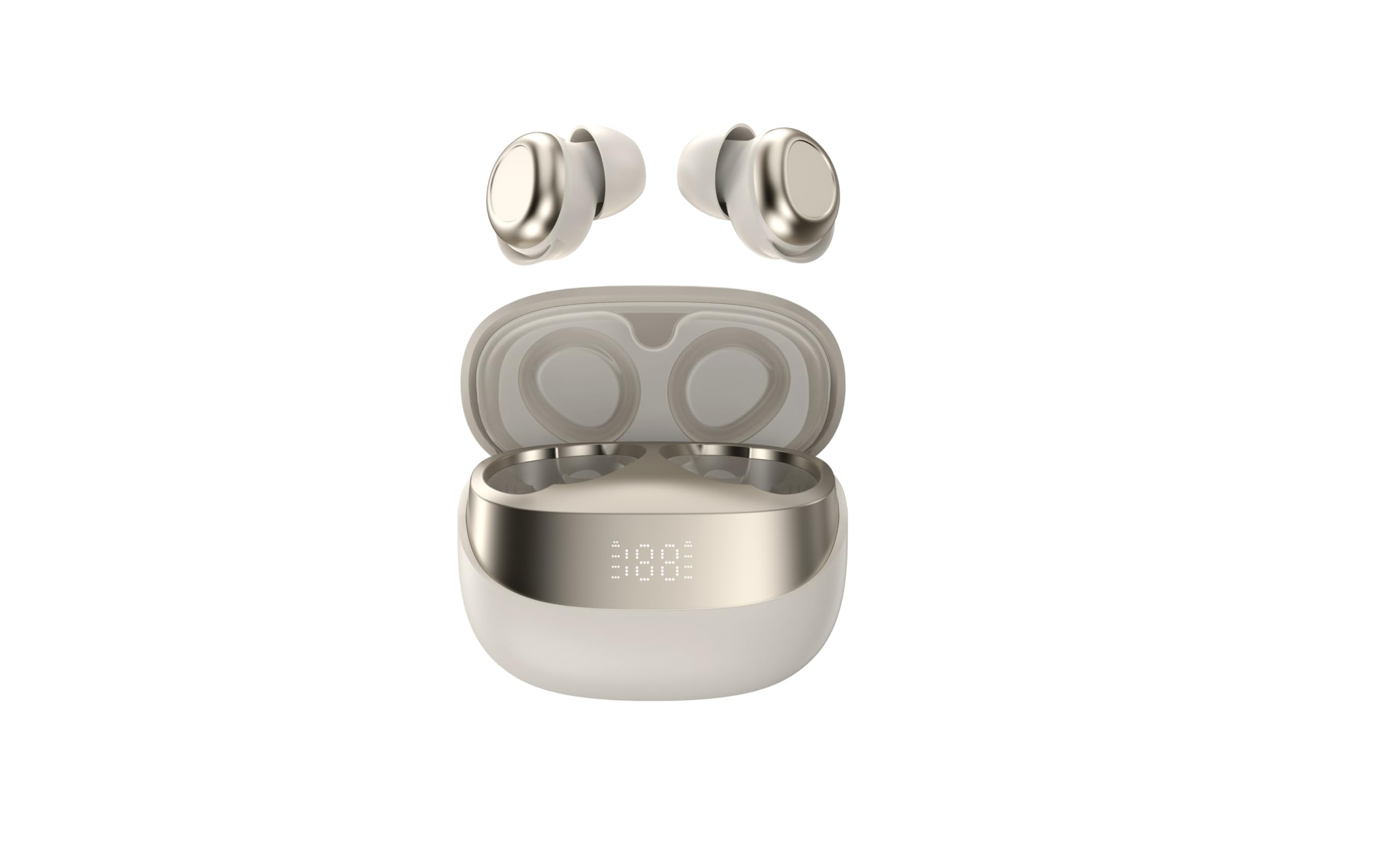
Image showing the Celly FLIP3WH wireless Bluetooth earbuds, highlighting their compact in-ear design and white color.
פּראָדוקט איבערview
The Celly FLIP3WH earbuds offer a secure in-ear fit and connect wirelessly via Bluetooth 5.2, providing a stable connection up to 12 meters. They include an integrated microphone for hands-free calls and remote controls for volume and music playback. The lightweight design, weighing 33 grams, ensures comfort during extended use.
- In-Ear Design: Secure and comfortable fit.
- בלועטאָאָטה 5.2: Stable wireless connectivity up to 12 meters.
- ינטעגראַטעד מיקראָפאָן: פֿאַר הענט-פריי קאַללס.
- ווייַט קאָנטראָלס: For calls, volume, and music playback.
- לייטווייט: Weighs 33 grams for extended comfort.
סעטאַפּ
טשאַרדזשינג די עאַרבודז
Before first use, fully charge your Celly FLIP3WH earbuds. Connect the charging cable to the earbuds and a compatible USB power source. The charging indicator will show the charging status. A full charge typically takes approximately 1.5 to 2 hours.
פּערינג מיט אַ מיטל
To connect your Celly FLIP3WH earbuds to a mobile phone, tablet, or computer:
- Ensure the earbuds are charged and powered on. They should automatically enter pairing mode, indicated by a flashing LED light.
- אַקטיווירן בלועטוט אויף אייער מאָביל טעלעפאָן, טאַבלעט אָדער קאָמפּיוטער.
- זוכן פֿאַר available Bluetooth devices in your device's Bluetooth settings.
- Select 'Celly FLIP3WH' from the list of found devices to initiate pairing.
- Once connected, the earbuds will indicate successful pairing with an audible prompt or a solid LED light.
אַפּערייטינג
מאַכט אויף / אַוועק
- מאַכט אויף: Press and hold the multi-function button for approximately 3 seconds until you hear an audible prompt and the LED indicator lights up.
- מאַכט אַוועק: Press and hold the multi-function button for approximately 5 seconds until you hear an audible prompt and the LED indicator turns off.
מוזיק פּלייַבאַקק
- שפּיל / פּויזע: דריקן די מולטי-פונקציע קנעפּל אַמאָל.
- ווייַטער שפּור: דריקט צוויי מאָל דעם מולטי-פונקציע קנעפּל.
- פֿריִערדיקע שפּור: דריק דריי מאָל דעם מולטי-פֿונקציע קנעפּל.
רופן פאַרוואַלטונג
- ענטפֿערן / סוף רופן: דריקן די מולטי-פונקציע קנעפּל אַמאָל.
- אָפּוואַרפן רופן: דריקן און האַלטן די מולטי-פונקציע קנעפּל פֿאַר 2 סעקונדעס.
באַנד קאָנטראָל
Adjust the volume directly from your connected device. Some earbuds may feature dedicated volume buttons; refer to the product diagram for specific controls if available.
וישאַלט
רייניקונג
Gently wipe the earbuds with a soft, dry, lint-free cloth. Do not use abrasive cleaners, solvents, or immerse the earbuds in water, as they are not water-resistant. Regularly clean the ear tips to ensure optimal sound quality and hygiene.
סטאָרידזש
Store the earbuds in a cool, dry place away from direct sunlight, extreme temperatures, and humidity. When not in use for extended periods, charge them periodically (e.g., once every three months) to maintain battery health and prevent deep discharge.
טראָובלעשאָאָטינג
- אויערקנעפּלעך נישט פּערינג:
- זיכער מאַכן אַז בלועטוט איז ענייבאַלד אויף דיין מיטל און די אויערקנעפּלעך זענען אין פּערינג מאָדע.
- Check if the earbuds are sufficiently charged.
- פּרוּווט ריסטאַרטן ביידע די אויערקנעפּלעך און דיין דעווייס.
- זיכער מאַכן אַז די אויערקנעפּלעך זענען נישט שוין פארבונדן צו אן אנדער דעווייס.
- קיין קול:
- קאָנטראָלירט דעם באַנד אויף ביידע די אויערקנעפּלעך און אייער פֿאַרבונדענעם מיטל.
- זיכער מאַכן אַז די אויערקנעפּלעך זענען ריכטיק געפּאָרט און פארבונדן צו דיין מיטל.
- פרובירט צו שפּילן פֿאַרשידענע אַודיאָ קוועלער אָדער אַפּליקאַציעס.
- שלעכטע אַודיאָ קוואַליטעט אָדער דיסקאַנעקשאַנז:
- זיכער מאַכן אַז עס זענען נישטאָ קיין פיזישע שטערונגען צווישן די אויערקנעפּלעך און דיין מיטל.
- Move closer to your device to reduce potential interference.
- Check for other active Bluetooth devices in the vicinity that might cause interference.
ספּעסאַפאַקיישאַנז
| סאָרט | סעללי |
| מאָדעל | FLIP3WH |
| קאַנעקטיוויטי | בלועטאָאָטה 5.2 |
| ווירעלעסס ראַנגע | אַרויף צו 12 מעטער |
| באַטעריע לעבן (מוזיק ווידערשפּיל) | אַרויף צו 6 שעה |
| באַטאַרייע לעבן (סטאַנדביי) | אַרויף צו 30 שעה |
| אָפטקייַט ענטפער | 20-20,000 הז |
| וואָג | 33 גראַמז |
| מיקראָפאָן | ינטעגראַטעד |
| וואַסער קעגנשטעל | ניין |
| קאָליר | ווייַס |
וואָראַנטי און שטיצן
For detailed warranty information, technical support, and customer service, please refer to the documentation provided with your purchase or visit the official Celly webזייטל. האַלט דיין קויפן באַווייַז פֿאַר קיין וואָראַנטי קליימז.


