1. הקדמה
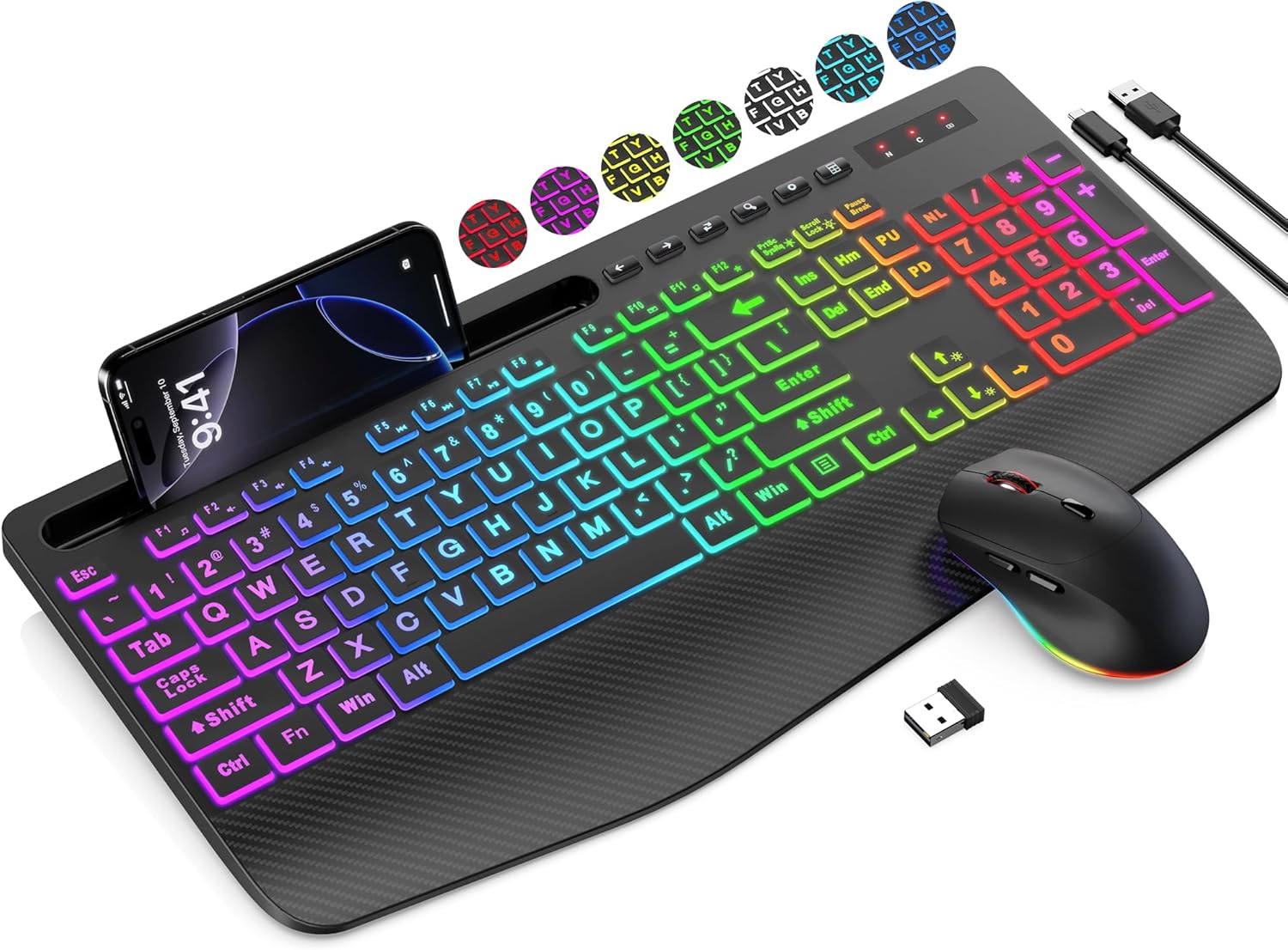
Thank you for choosing the SABLUTE Wireless Keyboard and Mouse Combo. This product is designed to provide a comfortable and efficient computing experience with its ergonomic features, large print keys, and versatile backlight options. This manual will guide you through the setup, operation, maintenance, and troubleshooting of your new device.
2. פּעקל אינהאַלט
- ווירעלעסס קיבאָרד
- ווירעלעסס מאַוס
- USB ריסיווער (געהאַלטן אין די מויז באַטאַרייע אָפּטייל)
- יו-עס-בי טשאַרדזשינג קאַבל (טיפּ-א צו טיפּ-C)
- באַניצער מאַנואַל
3. סעטאַפּ גייד
Follow these steps to set up your SABLUTE Wireless Keyboard and Mouse Combo:
- לאָד די דעוויסעס: Before first use, ensure both the keyboard and mouse are fully charged. Connect the included USB charging cable to the charging ports on the keyboard and mouse, and then to a USB power source (e.g., computer USB port, USB wall adapter). The charging indicator will typically turn off or change color when fully charged.
- געפינט דעם USB ריסיווער: The 2.4G USB receiver is typically stored in the battery compartment of the mouse for safekeeping during transport. Carefully open the mouse's battery cover and remove the small USB receiver.
- פאַרבינדן די וסב ופנעמער: Insert the USB receiver into an available USB-A port on your computer, laptop, or compatible device.
- מאַכט אויף: Turn on the keyboard and mouse using their respective power switches. The power switch for the keyboard is usually located on the top edge, and for the mouse, it's on the bottom.
- אָטאַמאַטיק קשר: The keyboard and mouse should automatically connect to your device within a few seconds. No additional drivers are typically required for most operating systems.
Note: A USB-C dongle is not included. This keyboard and mouse combo cannot connect directly to tablets or phones that only have USB-C ports without an appropriate adapter (not supplied).
4. אַפּערייטינג ינסטרוקטיאָנס
4.1 קלאַוויאַטור פֿעיִקייטן
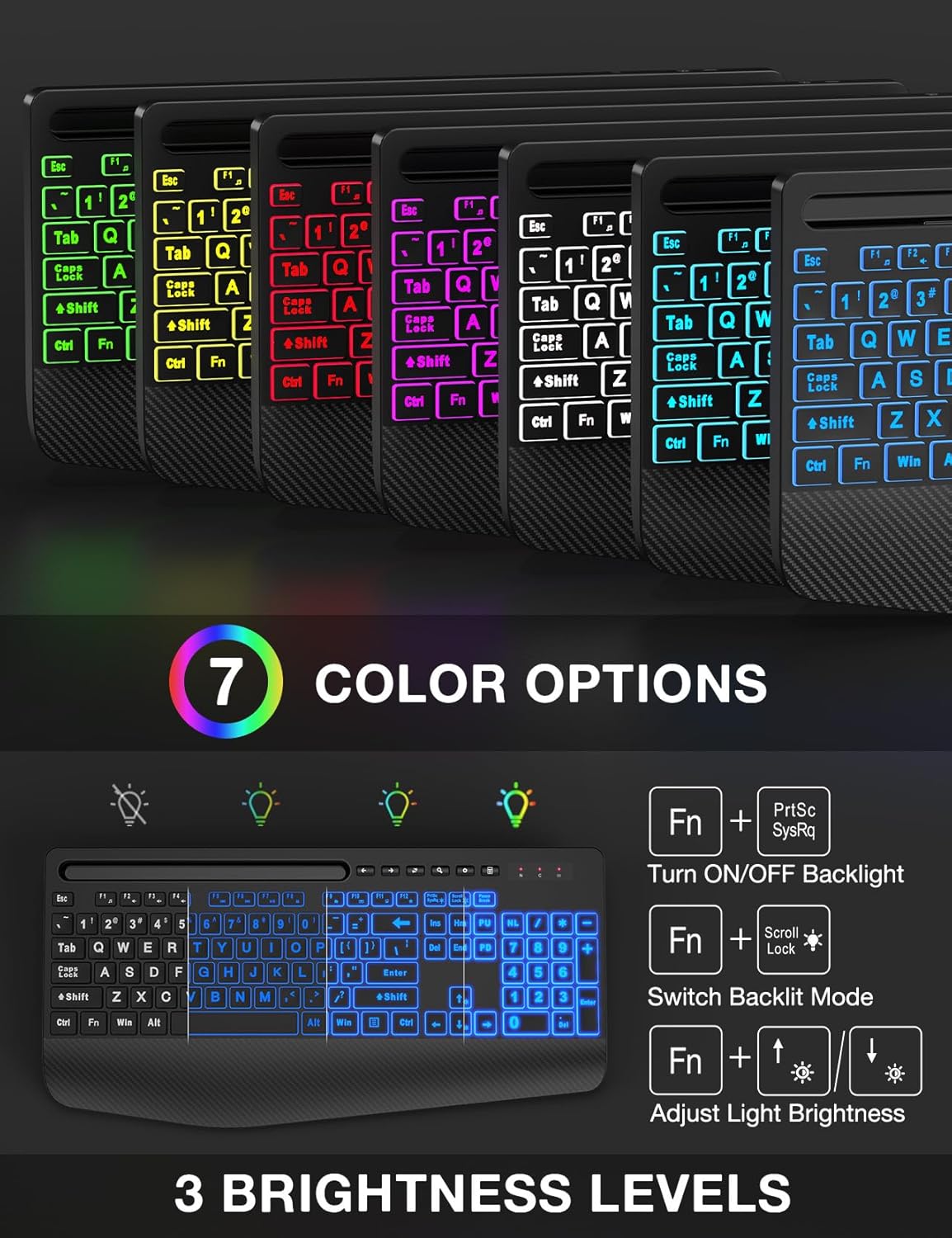
- באַקלייט קאָנטראָל: The keyboard features 7 solid color lights and 1 rainbow backlight. You can switch between lighting effects using the FN + מעגילע לאַק keys. To turn off the backlight, press פן + פּרצק. אַדזשאַסטירן העלקייט מיט FN + אַרויף/אַראָפּ פײַל שליסלען.
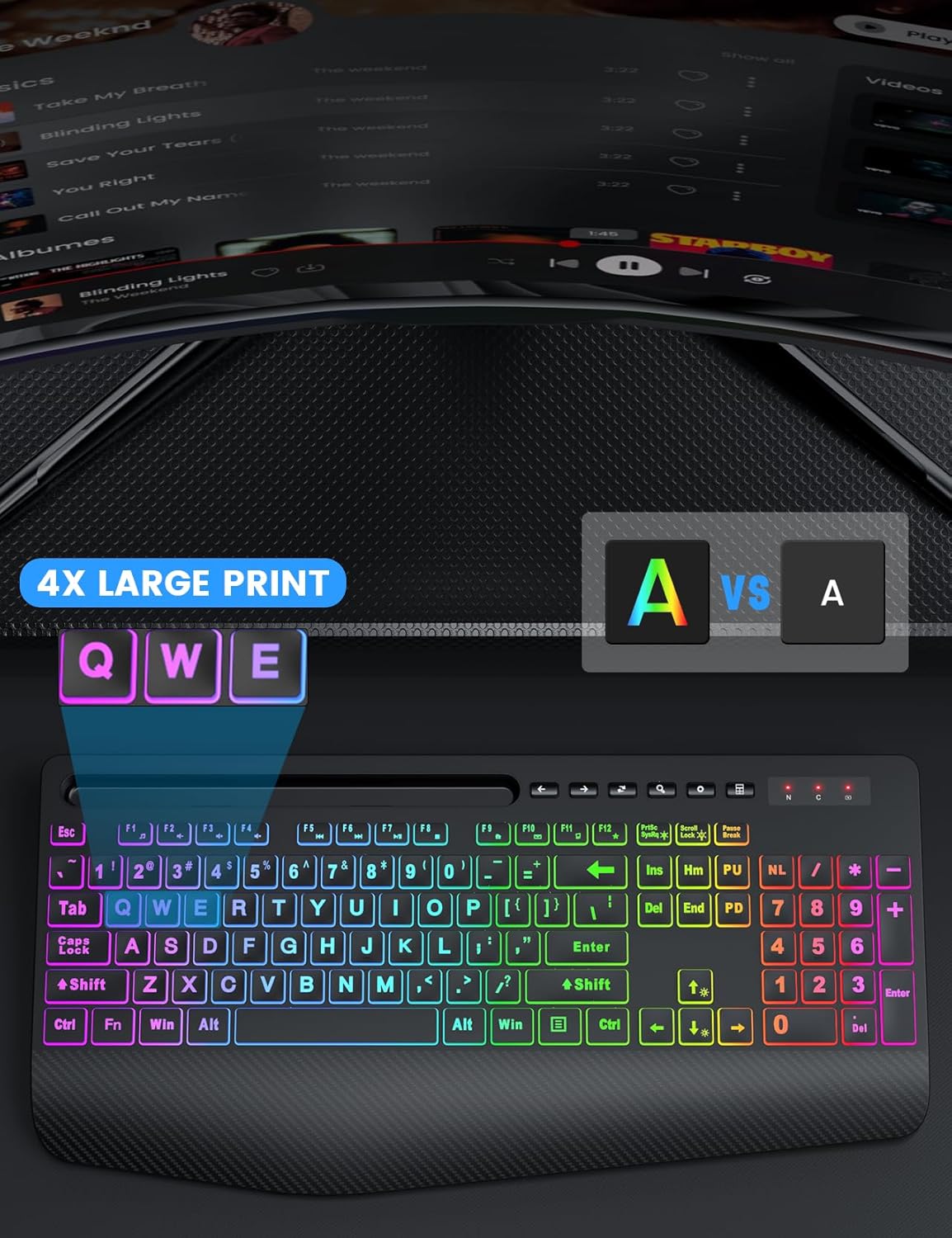
- גרויסע דרוק קנעפּלעך: The keys feature characters that are 4 times larger than standard, enhancing readability and making typing easier for users with low vision, seniors, or beginners.
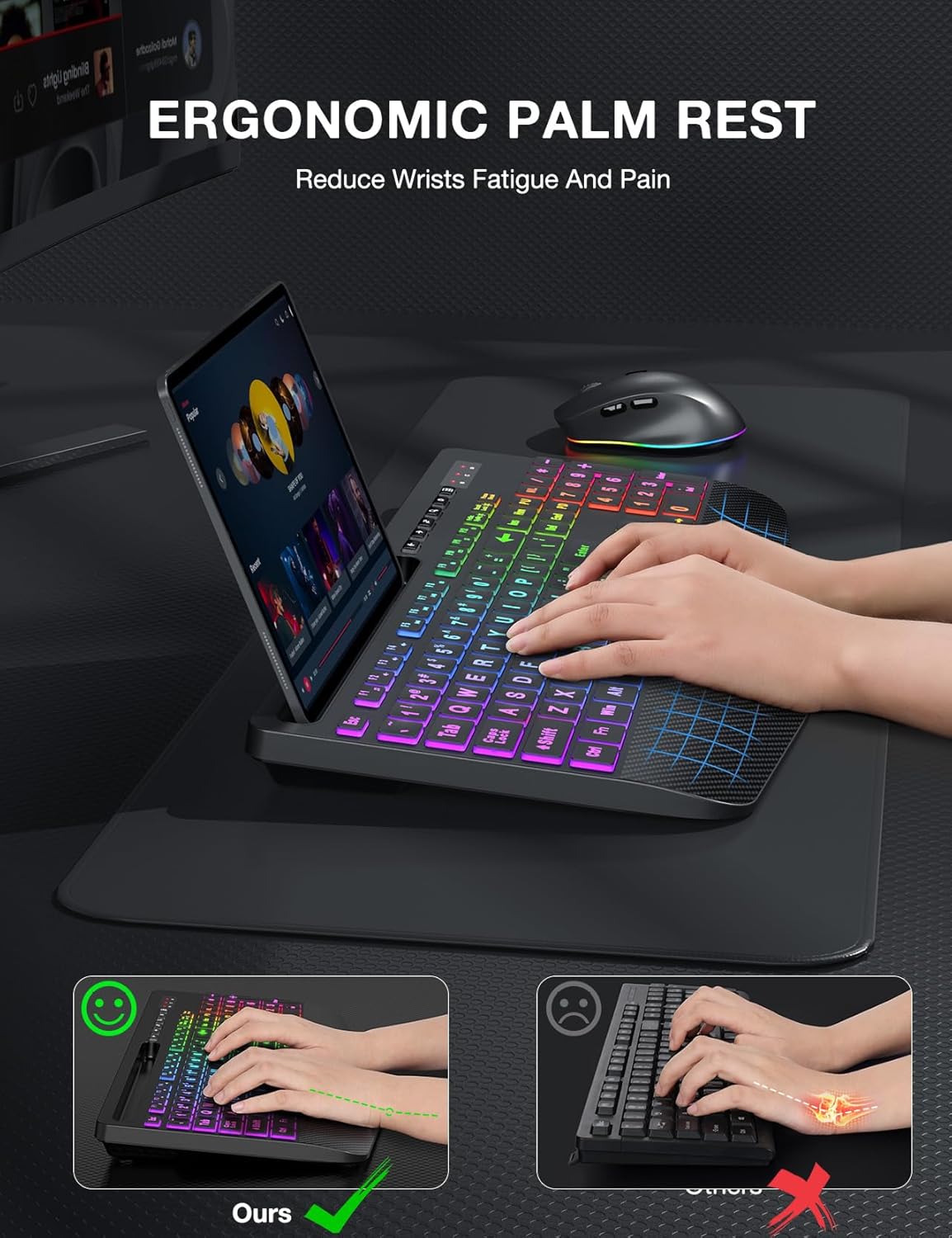
- ערגאָנאָמיש האַנטגעלענק רו: The keyboard is equipped with an extra-large wrist rest (2.8'' at its widest edge) to provide significant wrist support and reduce strain during prolonged use.
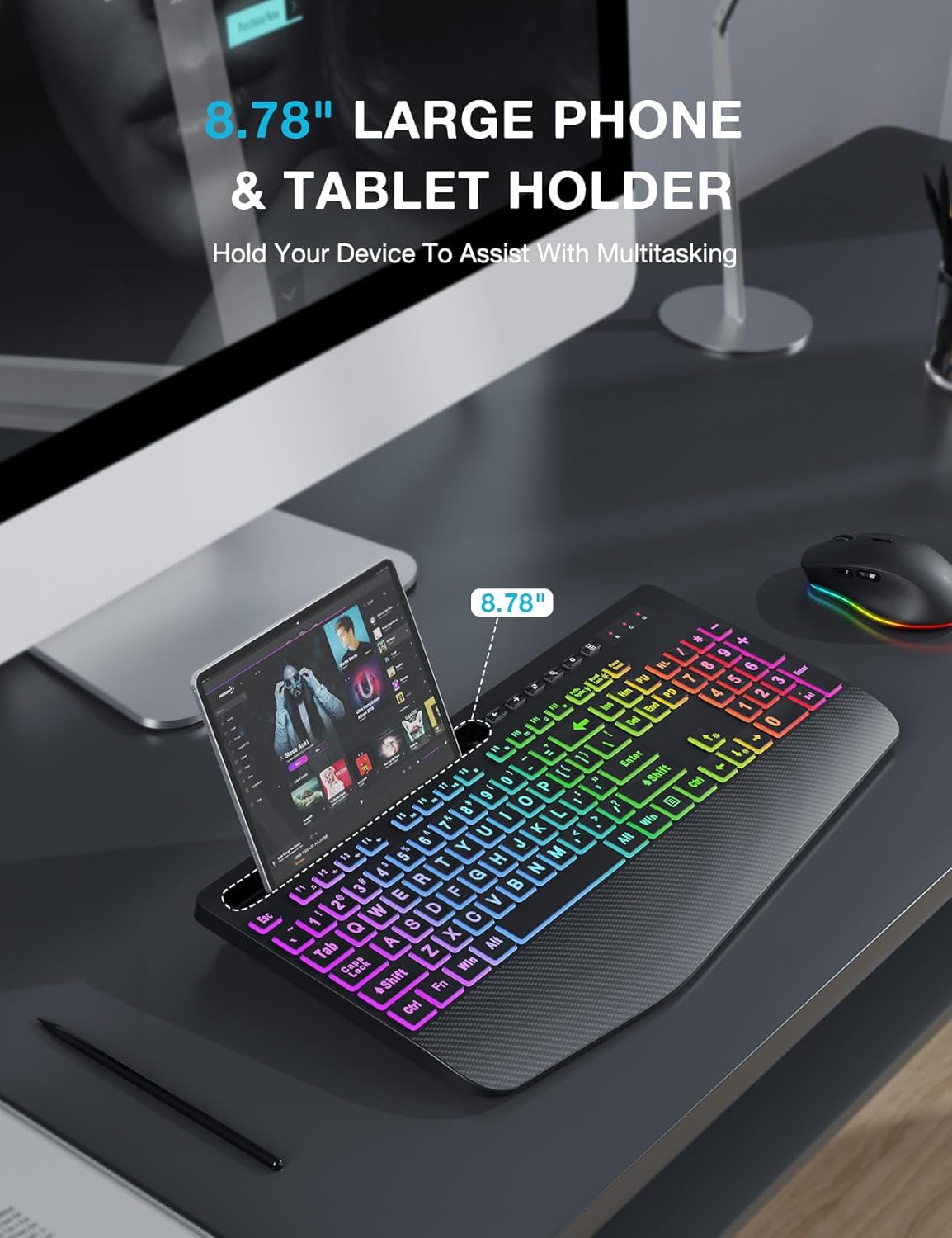
- Integrated Device Holder: A built-in holder accommodates phones and tablets up to 11.9 inches, allowing for convenient multitasking.
- Efficient Hotkeys: In addition to standard F1-F12 shortcut keys, the keyboard includes 6 one-touch hotkeys for quick access to common functions.
4.2 מויז פֿעיִטשערז
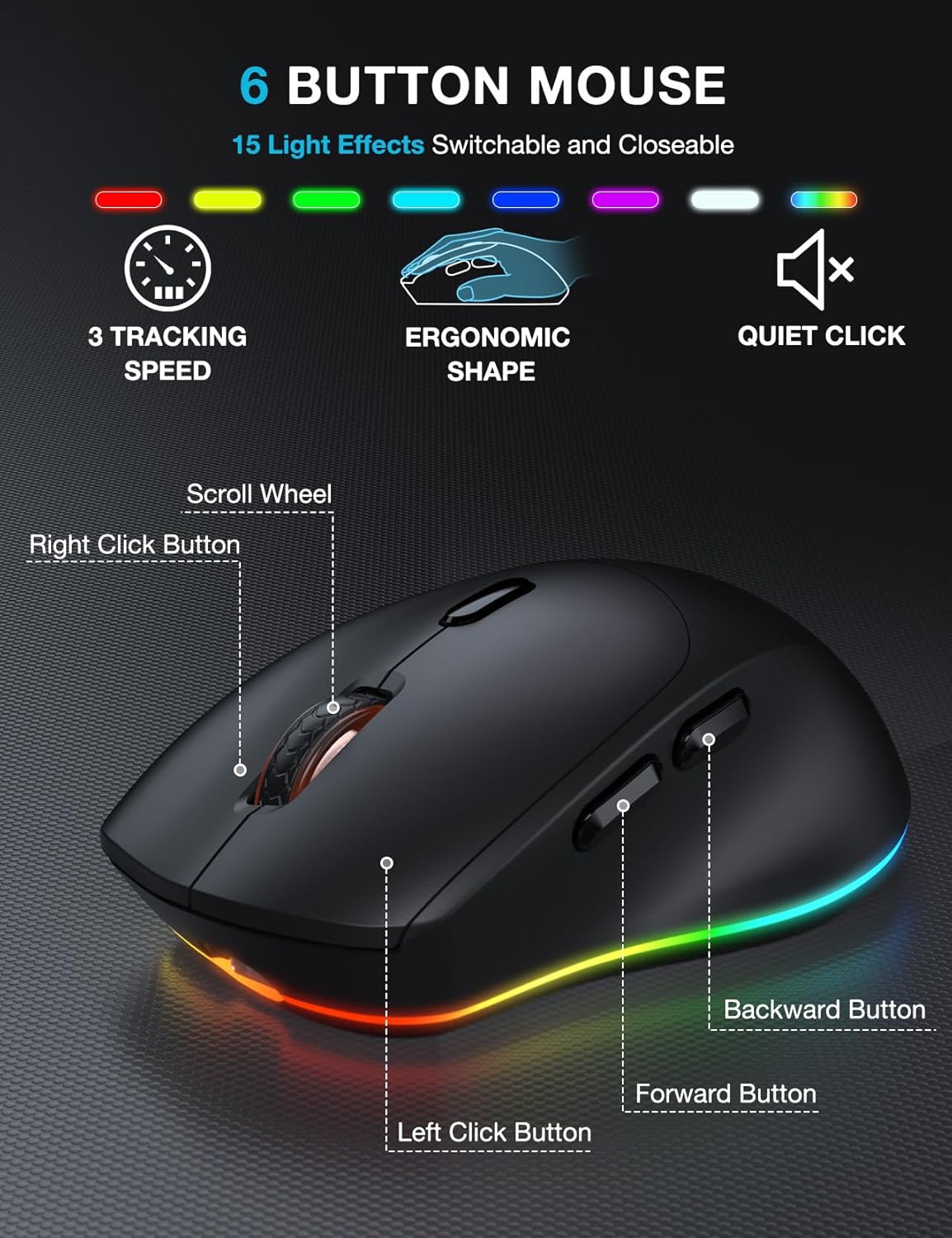
- 6-קנעפל דיזיין: The mouse features a standard left and right click, scroll wheel, and dedicated forward/backward buttons for enhanced navigation.
- Adjustable Tracking Speed: Cycle through 3 levels of tracking speed (DPI) to suit your preference for precision or speed.
- שטילע קליקן: The mouse utilizes silent micro motion technology, significantly reducing click noise for a quieter working environment.
4.3 מאַכט מאַנאַגעמענט
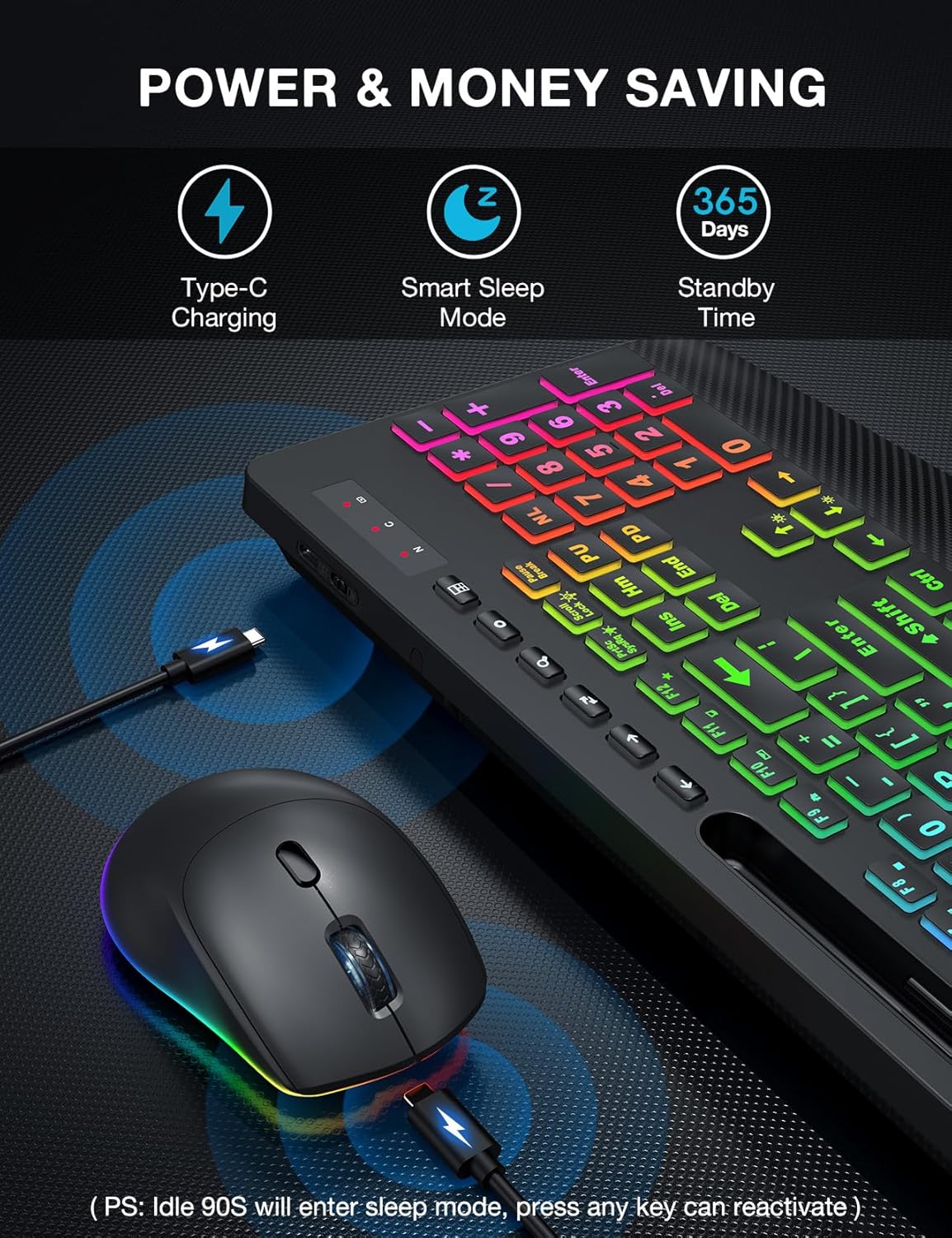
- קריקאָנלאָדלעך באַטערי: Both the keyboard and mouse have built-in rechargeable batteries. Use the provided USB charging cable to recharge them when the battery is low.
- קלוגע שלאָף מאָדע: To conserve energy, both devices will enter a smart sleep mode after 90 seconds of inactivity. To wake them up, simply press any button or key.
5. וישאַלט
To ensure the longevity and optimal performance of your keyboard and mouse combo, follow these maintenance tips:
- רייניקונג: ניצט אַ ווייכע, טרוקענע שטאָף צו ווישן די ייבערפלאַכן פון דער קלאַוויאַטור און מויז. פֿאַר שווערע שמוץ, אַ ביסל טרוקן.amp cloth with mild soap can be used, but ensure no liquid enters the device. Do not use harsh chemicals or abrasive cleaners.
- באַזייַטיקונג פון שטויב: Use compressed air to remove dust and debris from between the keys and around the mouse sensor.
- סטאָרידזש: ווען נישט אין באַנוץ פֿאַר לענגערע פּעריאָדן, זאָל מען האַלטן די דעווייסעס אין אַ קיל, טרוקן אָרט, אַוועק פֿון דירעקטער זון און עקסטרעמע טעמפּעראַטורן.
- טשאַרדזשינג: Avoid overcharging. Disconnect the charging cable once the devices are fully charged.
6. טראָובלעשאָאָטינג
If you encounter any issues with your SABLUTE Wireless Keyboard and Mouse Combo, please refer to the following common problems and solutions:
- קיין פֿאַרבינדונג/פֿאַרהאַלטונג:
- Ensure the USB receiver is securely plugged into a working USB-A port on your computer.
- Make sure both the keyboard and mouse are powered on and fully charged.
- Move the keyboard and mouse closer to the USB receiver. The effective range is approximately 33 feet (10 meters).
- פרובירט אריינצושטעקן דעם USB ריסיווער אין אן אנדער USB פארט אויף אייער קאמפיוטער.
- ריסטאַרט דיין קאָמפּיוטער.
- באַקלייט ניט ארבעטן:
- זייט זיכער אַז די קלאַוויאַטור איז אויפגעלאָדן.
- דרוק פן + פּרצק צו באַשטימען די באַקלייט אויף / אַוועק.
- אַדזשאַסטירן ליכטיקייט ניצן FN + אַרויף/אַראָפּ פײַל שליסלען.
- Mouse Cursor Jumps or is Unresponsive:
- Check the mouse battery level and recharge if necessary.
- זיכער מאַכן אַז דער מויז סענסאָר איז ריין און פריי פון דעבריס.
- ניצט די מויז אויף אַ פּאַסיקער ייבערפלאַך (נישט שטאַרק רעפלעקטיוו אָדער טראַנספּאַרענט).
- Keyboard or Mouse Enters Sleep Mode Too Quickly:
- This is a power-saving feature. Simply press any key or button to wake the device.
- Cannot Connect to Tablet/Phone:
- This combo is designed for computers and laptops via the 2.4G USB receiver. It does not support direct Bluetooth connection to tablets or phones. A USB-C dongle is not included, and direct connection to USB-C only devices is not supported without an external adapter.
7. ספּעסאַפאַקיישאַנז
| שטריך | באַשרייַבונג |
|---|---|
| סאָרט | SABLUTE |
| מאָדעל | B0DQ8LS43V |
| קאָליר | טעקסטשערד שווארצע |
| קאַנעקטיוויטי טעכנאָלאָגיע | 2.4G וסב ווירעלעסס |
| ספּעציעלע פֿעיִקייטן | Large Print, Backlit, Ergonomic Wrist Rest, Phone Holder, Shortcut Keys, Low-profile keycap, Water Repellent |
| קאַמפּאַטאַבאַל דעוויסעס | Laptop, Personal Computer, Television |
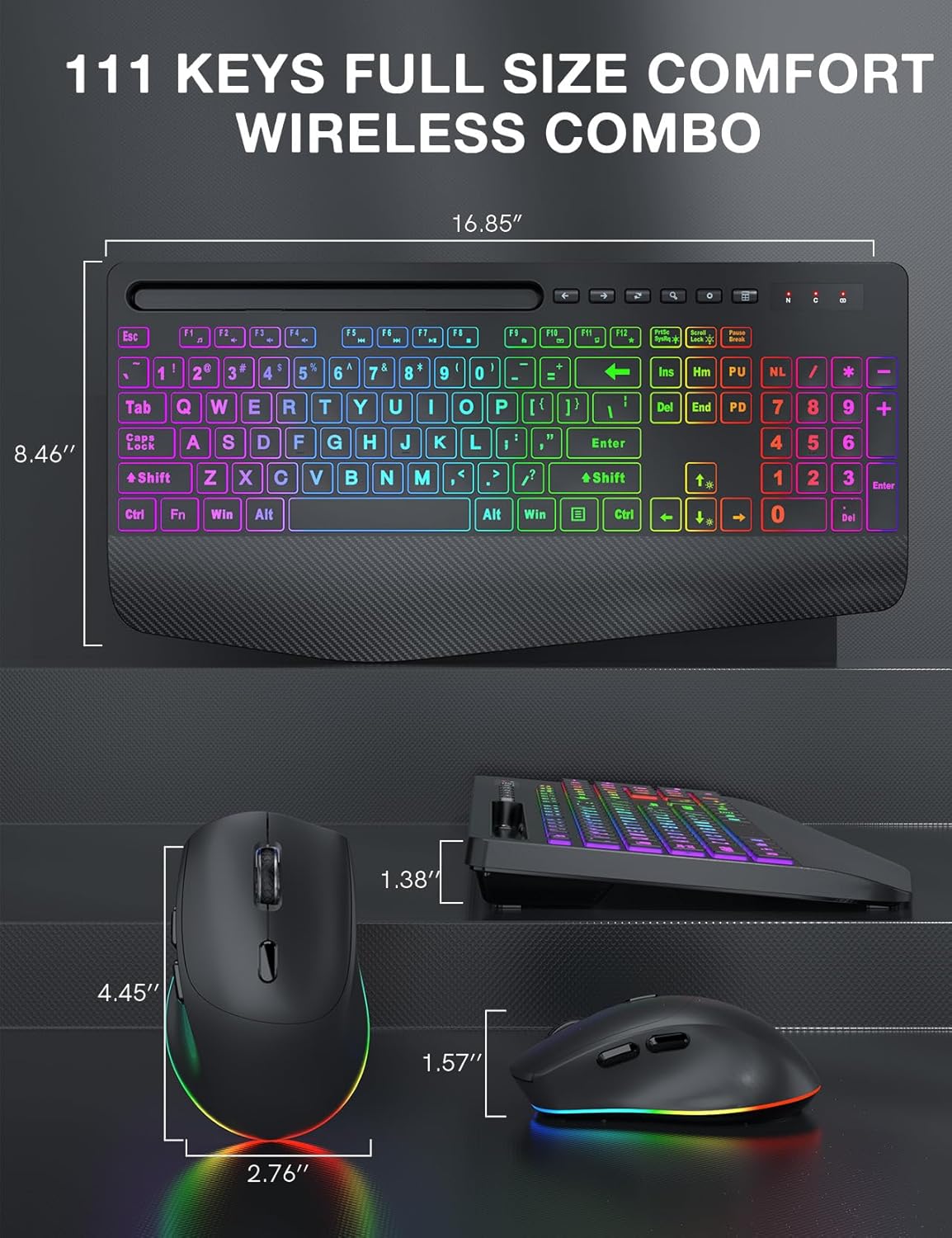
| קלאַוויאַטור דימענסיאָנס | אומגעפער 16.85" x 8.46" |
| מויז דימענשאַנז | אומגעפער 4.45" x 2.76" x 1.57" |
| באַטערי טיפּ | Rechargeable (Built-in) |
| ווירעלעסס ראַנגע | אַרויף צו 33 פֿיס (10 מעטער) |
8. וואָראַנטי און שטיצן
SABLUTE products are manufactured to high-quality standards. For information regarding warranty coverage, technical support, or any product-related inquiries, please refer to the contact information provided on the product packaging or the official SABLUTE webזייטל. ביטע באַהאַלטן אייער קויפן באַווייַז פֿאַר וואָראַנטי קליימז.