1. הקדמה
Thank you for choosing the DreamSky DS2208 Wooden Digital Alarm Clock. This manual provides detailed instructions for setting up and operating your new alarm clock. Please read it thoroughly to ensure proper use and to maximize the features of your device. Keep this manual for future reference.

בילד 1.1: פראָנט view of the DreamSky DS2208 Wooden Digital Alarm Clock.
2. זיכערקייַט אינפֿאָרמאַציע
- זיכער מאַכן אַז דער מאַכט אַדאַפּטער איז פארבונדן צו אַ פּאַסיק מאַכט ווענטיל.
- Do not expose the clock to water or excessive moisture.
- פֿאַרמײַדט צו שטעלן דעם זייגער אין דירעקטער זון אָדער לעבן היץ־קוואַלן.
- ניצן בלויז די צוגעשטעלט מאַכט אַדאַפּטער.
- האַלטן אויס פון דערגרייכן פון קינדער.
3. פּעקל אינהאַלט
ביטע טשעק די פּאַקעט פֿאַר די פאלגענדע זאכן:
- דרעאַמסקי דס2208 וואָאָדען דיגיטאַל שרעק זייגער
- 5V/1.2A מאַכט אַדאַפּטער
- באַניצער מאַנואַל
Note: AAA batteries for alarm backup are not included.

Image 3.1: Included items and product dimensions.
4. פּראָדוקט איבערview
The DreamSky DS2208 features a clear digital display and intuitive controls for ease of use.
4.1 ווייַז עלעמענץ
- Large LED Numbers: Displays time, 1.8 inches tall for high visibility.
- AM/PM אינדיקאַטאָר: פֿאַר 12-שעה פֿאָרמאַט.
- שרעק ייקאַן: Indicates when the alarm is active.
- DST ינדיקאַטאָר: Shows when Daylight Saving Time is enabled.
4.2 קאָנטראָלן און פּאָרטן
- SNOOZE קנעפּל: Located on top, used for snooze and display brightness adjustment.
- Time Set Button: Typically on the back, for setting time.
- אַלאַרם שטעל קנעפּל: Typically on the back, for setting alarm.
- באַנד קאָנטראָל: For adjusting alarm volume.
- DST ON/OFF Button: For enabling/disabling Daylight Saving Time.
- 12/24 שעה קנעפל: For switching between 12-hour and 24-hour time formats.
- DC אין פּאָרט: פֿאַר קאַנעקטינג די מאַכט אַדאַפּטער.
- וסב טשאַרדזשינג פּאָרט: פֿאַר טשאַרדזשינג עקסטערנע דעוויסעס.
- באַטערי אָפּטייל: For AAA backup batteries (not supplied).
5. סעטאַפּ
5.1 מאַכט קאַנעקשאַן
- Insert 2 AAA batteries (not included) into the battery compartment for alarm backup during power outages. These batteries do not power the main display.
- Connect the provided 5V/1.2A power adapter to the DC IN port on the back of the clock.
- שטעקט אריין דעם עלעקטרישן אדאפטער אין א געווענליכע עלעקטרישע ווענטיל. דער דיספלעי וועט זיך באלויכטן.
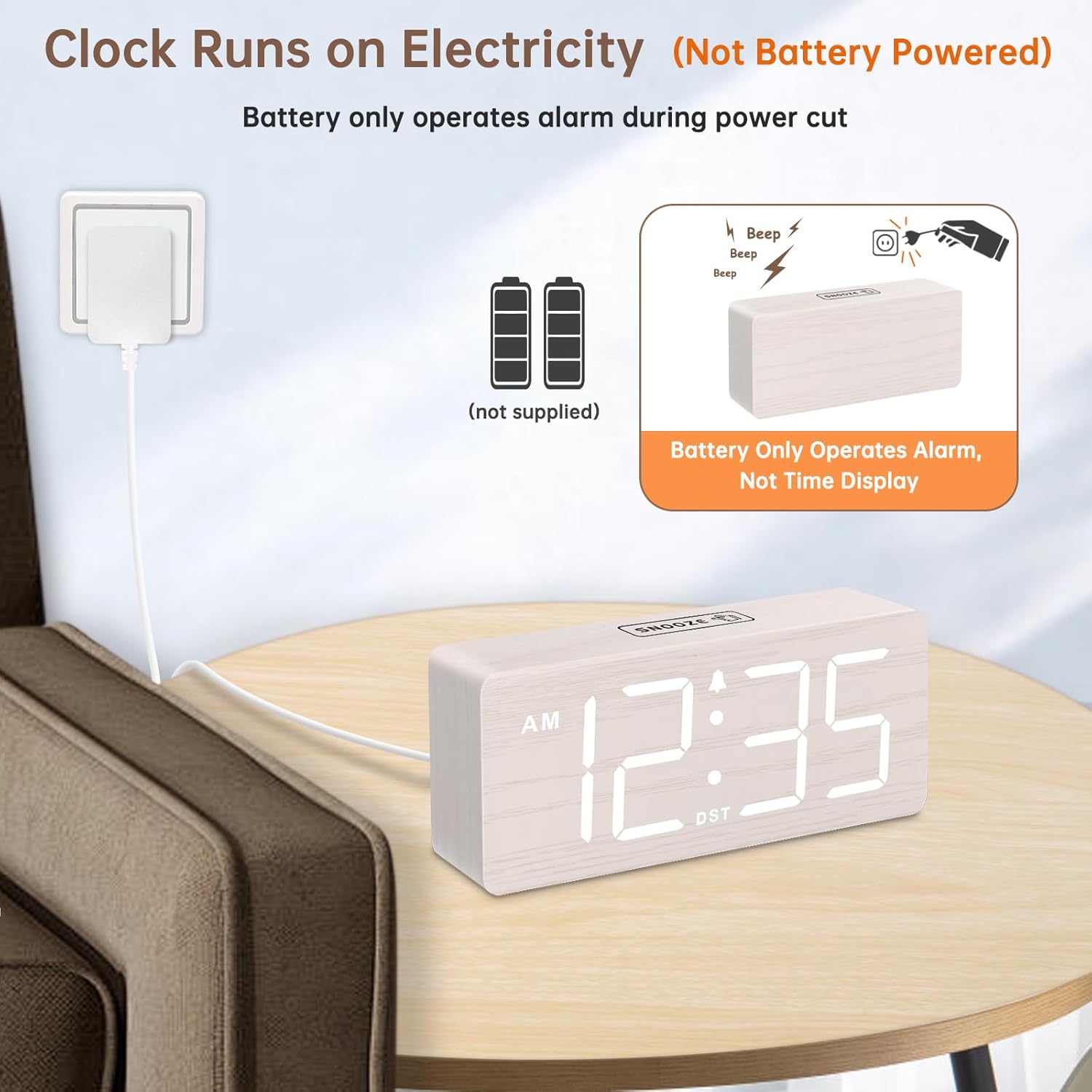
Image 5.1: Powering the clock via the included adapter. Batteries provide alarm backup only.
6. אַפּערייטינג ינסטרוקטיאָנס
6.1 באַשטעטיקן די צייט
- דריקן און האַלטן די צייט באַשטעטיקט button (location typically on the back). The hour digits will flash.
- ניצן די +/- buttons (or similar, refer to specific button labels on your unit) to adjust the hour.
- דרוק צייט באַשטעטיקט again to confirm the hour and move to minute adjustment. The minute digits will flash.
- ניצן די +/- קנעפּלעך צו סטרויערן די מינוט.
- דרוק צייט באַשטעטיקט once more to save the time and exit time setting mode.
6.2 12/24 שעה פֿאָרמאַט
To switch between 12-hour (AM/PM) and 24-hour (military) time formats, press the 12/24HR button (typically on the back).

Image 6.1: Adjusting DST and 12/24-hour time format.
6.3 באַשטעטיקן די שרעק
- דריקן און האַלטן די שרעק באַשטעטיקט קנעפּל. די אַלאַרם שעה ציפערן וועלן בלינקען.
- ניצן די +/- קנעפּלעך צו סטרויערן די שרעק שעה.
- דרוק שרעק באַשטעטיקט again to confirm the alarm hour and move to minute adjustment. The alarm minute digits will flash.
- ניצן די +/- קנעפלעך צו סטרויערן די אַלאַרם מינוטן.
- דרוק שרעק באַשטעטיקט once more to save the alarm time. The alarm icon will appear on the display, indicating the alarm is active.
- צו אויסלעשן דעם אלארם, דריק די שרעק באַשטעטיקט button briefly until the alarm icon disappears.
6.4 אַדזשאַסטירן אַלאַרם באַנד
The alarm volume can be adjusted to 5 levels (V1 to V5), ranging from 70dB to 105dB. While the alarm is sounding, press the באַנד קאָנטראָל button (or a designated +/- button) to cycle through the volume levels.

Image 6.2: Adjustable alarm volume and snooze feature.
6.5 סנוז פונקציע
ווען דער שרעק סאָונדס, דריקן די SNOOZE button on top of the clock. The alarm will pause for 9 minutes and then sound again. To cancel the snooze and turn off the alarm completely, press any other button (e.g., Alarm Set button).
6.6 אַדזשאַסטירן די ברייטקייט פון דעם עקראַן
The clock features 6 dimmable brightness levels (OFF, L1-L5). To adjust the brightness, press the SNOOZE button (or a dedicated dimmer button) repeatedly to cycle through the levels. Level OFF turns the display off completely.
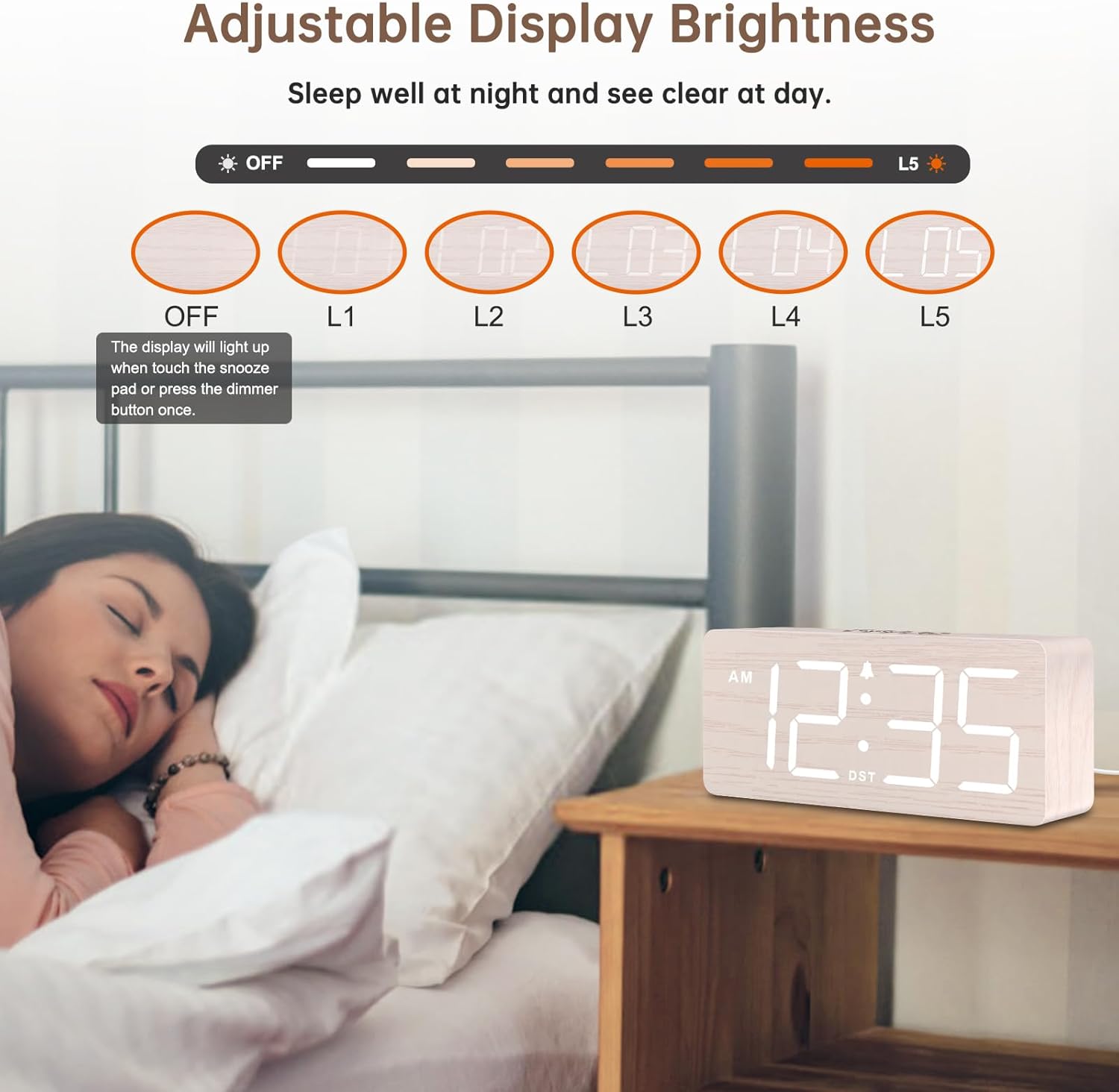
Image 6.3: Adjustable display brightness levels.
6.7 זומערצייט (DST)
To enable or disable Daylight Saving Time, press the דסט אויף / אַוועק button (typically on the back). The time will adjust by one hour forward or backward, and the DST indicator will appear/disappear.
6.8 וסב טשאַרדזשינג פּאָרט
The clock includes an extra USB charging port on the back. You can use this port to charge your mobile devices (e.g., smartphone, tablet) while the clock is plugged into power.

Image 6.4: Using the extra USB charging port.
7. וישאַלט
- רייניקט די זייגער מיט אַ ווייכן, טרוקענעם שטאָף. ניצט נישט קיין שרײַבנדיקע רייניגערס אדער סאָלווענטן.
- If not in use for an extended period, unplug the clock and remove the backup batteries.
8. טראָובלעשאָאָטינג
| פּראָבלעם | מעגלעך סיבה | לייזונג |
|---|---|---|
| Display is off / Clock not working | נישט איינגעשטאכן; אויסגעלאשןtage; Display brightness set to OFF. | Ensure power adapter is securely plugged in. Check power outlet. Press SNOOZE button to adjust brightness. |
| שרעק טוט נישט געזונט | Alarm not set; Alarm volume too low; Alarm turned off. | Verify alarm time is set and alarm icon is displayed. Adjust alarm volume. Ensure alarm is not deactivated. |
| צייט איז פאַלש | Time not set correctly; DST enabled/disabled incorrectly. | Reset the time following section 6.1. Check DST setting. |
| וסב טשאַרדזשינג איז נישט ארבעטן | Clock not powered; Device cable faulty. | Ensure clock is plugged into a wall outlet. Try a different USB cable or device. |
9. ספּעסאַפאַקיישאַנז
- סאָרט: דרעאַמסקי
- מאָדעל: DS2208
- ווייַז טיפּ: דיגיטאַל געפירט
- מאַכט מקור: Corded Electric (5V/1.2A adapter)
- באַטאַרייע באַקאַפּ: 2 x AAA batteries (not included, for alarm only)
- פּראָדוקט דימענשאַנז: 6.1" ברייט x 2.8" הויך x 1.6" טיף
- נומער וואָג: 9.9 אונסעס (0.28 קג)
- ספּעציעלע פֿעיִקייטן: Large numbers, 6-level dimmer, 5-level adjustable alarm volume, Snooze, DST, 12/24-hour format, USB charging port.
- מאַטעריאַל: האָלץ (ענדיקונג)
10. וואָראַנטי און שטיצן
This DreamSky product comes with a 1 יאָר פאַרבייַט וואָראַנטי פון די דאַטע פון קויפן.
For technical support, warranty claims, or any questions regarding your DreamSky DS2208 alarm clock, please contact DreamSky customer service through the retailer's platform or visit the official DreamSky webפּלאַץ פֿאַר קאָנטאַקט אינפֿאָרמאַציע.
ביטע באַהאַלטן אייער קויף קוויטל ווי אַ באַווייַז פון קויפן פֿאַר גאַראַנטיע צוועקן.


