הקדמה
This manual provides essential information for the setup, operation, and maintenance of your Incase Modern Mobile Mouse. Designed for portability and precision, this wireless Bluetooth mouse is compatible with Windows 8, 10, 11, and Mac OS 10.7+ devices.
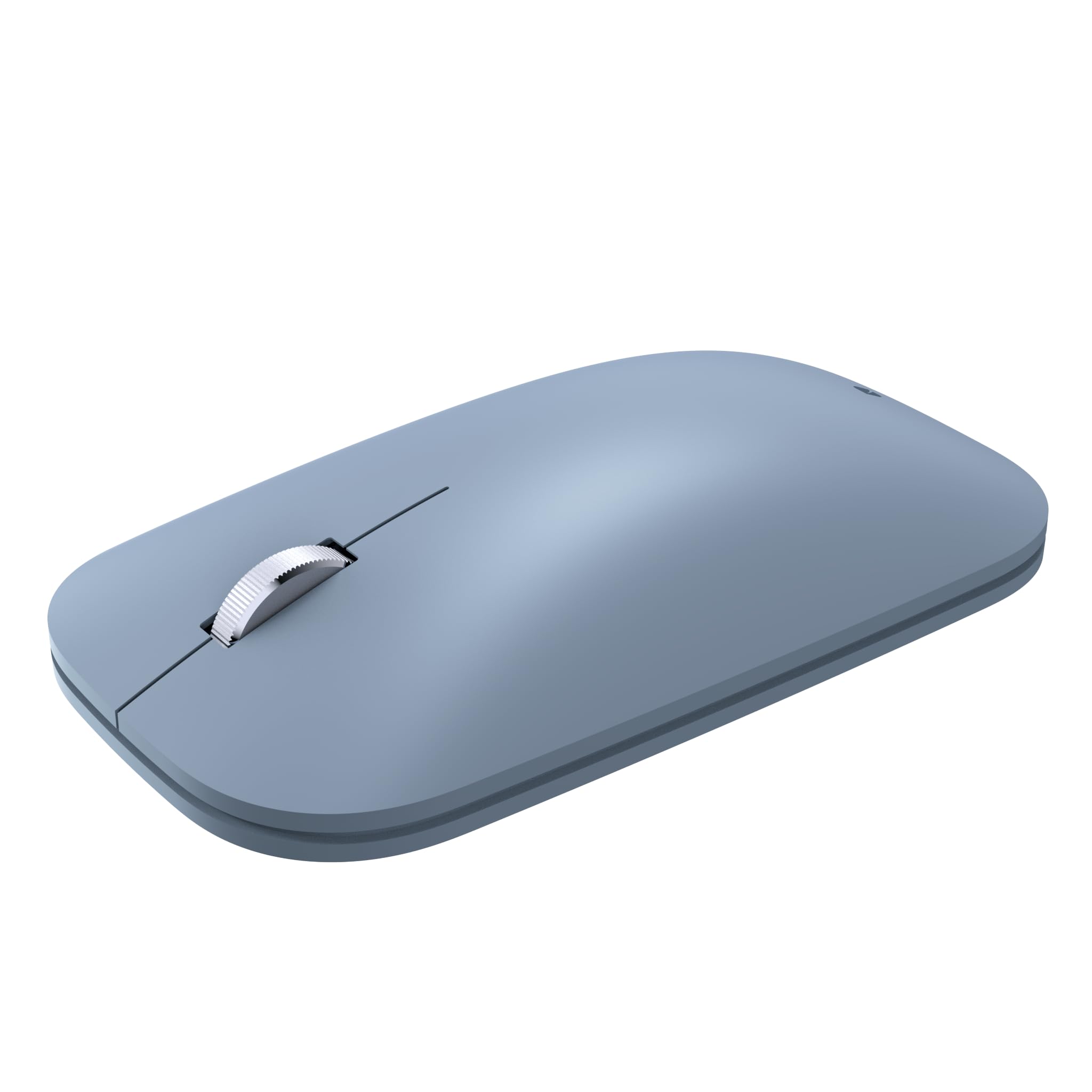
Image: The Incase Modern Mobile Mouse, showcasinג עס איז גלאַט, נידעריק-פּראָfile design in Ice Blue.
שליסל פֿעיִקייטן
- Thin and Lightweight Design: Offers precise navigation without the bulk, ideal for on-the-go use.
- Smooth and Comfortable Scrolling: Provides a streamlined scrolling experience for enhanced productivity.
- ווירעלעסס פרייהייט: Utilizes wireless connectivity for a minimalist workspace and easy transport.
- סימלאַס בלועטאָאָטה קאַנעקשאַן: Connects wirelessly to Windows 11 Home/Pro, Windows 10 PC, and Mac OS 10.7+ devices via Bluetooth.
- BlueTrack טעכנאָלאָגיע: Combines optical power with laser precision for tracking on nearly any surface.

Image: Diagram highlighting key features of the Incase Modern Mobile Mouse, including its low-profile design, metal scroll wheel, Bluetooth pairing, and BlueTrack Technology.
סעטאַפּ
1. ינסטאַלירן באַטעריז
- געפינען די באַטאַרייע אָפּטייל אויף די אַנדערסייד פון די מויז.
- רוק די באַטאַרייע דעקן עפענען.
- אַרײַנשטעלן צוויי AAA באַטעריעס, און זיכער מאַכן אַז די פּאָלאַריטעט איז ריכטיק (+/-).
- פאַרמאַכן די באַטאַרייע דעקן סיקיורלי.

Image: The underside of the Incase Modern Mobile Mouse, displaying the battery compartment and power switch.
2. Power On and Pair via Bluetooth
- צינדט אָן די מויז מיטן אָן/אויס קנעפּל וואָס געפינט זיך אויף דער אונטערשטער זייט.
- אויף דיין קאָמפּיוטער אָדער מיטל, נאַוויגירן צו די בלועטאָאָטה סעטטינגס.
- אַקטיווירן בלועטוט און זוכן פֿאַר נייַע דעוויסעס.
- Select "Incase Modern Mobile Mouse" from the list of available devices to pair.
- גיי קיין פּראַמפּס אויף דעם עקראַן צו פאַרענדיקן דעם פּערינג פּראָצעס.
אַפּערייטינג ינסטראַקשאַנז
יקערדיק פאַנגקשאַנז
- לינק קליקט: Press the left side of the mouse button to select items or activate functions.
- רעכט גיט: Press the right side of the mouse button to open context menus or access additional options.
- סקראָל ראָד: Roll the metal scroll wheel up or down to navigate through documents and web בלעטער.
- BlueTrack טעכנאָלאָגיע: The mouse utilizes BlueTrack Technology for precise tracking on a wide variety of surfaces, excluding clear glass or mirrored surfaces.
וישאַלט
באַטערי פאַרבייַט
When the mouse performance degrades or it stops responding, it may be time to replace the batteries. Follow the steps in the 'Install Batteries' section under Setup to replace the two AAA batteries. Average battery life is approximately 6 months, but may vary based on usage.
רייניקונג
To clean your mouse, gently wipe the exterior with a soft, damp cloth. Avoid using harsh chemicals or abrasive materials. Ensure the mouse is powered off before cleaning.
טראָובלעשאָאָטינג
- מויז ענטפערט נישט: Ensure the mouse is powered on and has fresh batteries. Re-establish the Bluetooth connection by unpairing and re-pairing the device in your computer's Bluetooth settings.
- אומגעריכטע פֿאַרבינדונג: Move the mouse closer to your device. Ensure there are no other devices causing interference. Check for updated Bluetooth drivers on your computer.
- נישט פּינקטלעכע טראַקינג: Ensure the surface you are using is suitable for BlueTrack Technology (avoid clear glass or mirrored surfaces). Clean the optical sensor on the underside of the mouse.
ספּעסאַפאַקיישאַנז
| סאָרט | ינקאַסע |
| מאָדעל נאָמען | Incase Modern Mobile Mouse |
| טייל נומער | KTF-00104 |
| אַפּערייטינג סיסטעם קאַמפּאַטאַבילאַטי | Windows 8, 10, 11, Mac OS 10.7+ |
| ייַזנוואַרג פּלאַטפאָרמע | מעק, פּיסי |
| קאַנעקטיוויטי טעכנאָלאָגיע | בלועטאָאָטה |
| באַוועגונג דעטעקשאַן טעכנאָלאָגיע | Laser (BlueTrack Technology) |
| נומער פון קנעפּלעך | 3 |
| מאַכט מקור | באַטעריע געטריבן (2 AAA באַטעריעס, אַרייַנגערעכנט) |
| באַטערי דורכשניטלעך לעבן | 6 חדשים (קען זיין אַנדערש) |
| מאַטעריאַל טיפּ | פּלאַסטיק |
| האַנט אָריענטירונג | אַמבידעקסטראַס |
| פּראָדוקט דימענשאַנז | 13.46 רענטגענ 8.89 רענטגענ 0.25 סענטימעטער; 90.72 ג |

Image: Dimensions of the Incase Modern Mobile Mouse, showing its length (4.2 in), width (2.4 in), and height (1.0 in).
וואָראַנטי און שטיצן
The Incase Modern Mobile Mouse comes with a 1-year limited warranty.
For customer service and support, please contact Incase:
- בליצפּאָסט: support@incase.com
- Toll-Free Phone (US): 1 (888) 893-1638 (Monday - Friday / 6am - 5pm PST)
- Toll-Free Phone (UK): +44 2081962428
- Toll-Free Phone (HK): +852 30509024


