1. הקדמה
The Xigmatek Aqua V AIR is a high-performance mid-tower PC case designed for gaming enthusiasts. It features a spacious interior, optimized airflow, and tempered glass panels on the front and side to showcase your components. Equipped with seven 120mm ARGB fans, it supports graphics cards up to 410mm in length and is compatible with motherboards featuring hidden connectors for a clean build.
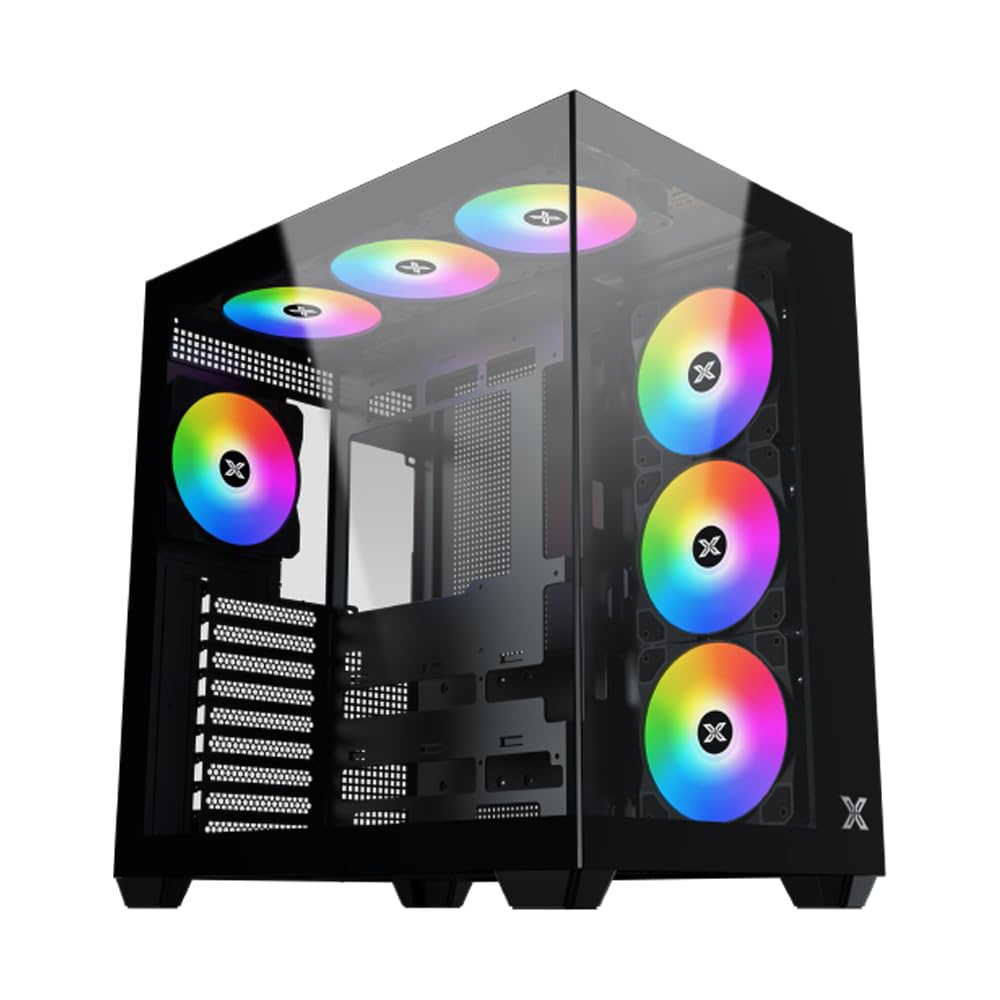
פיגורע 1: קוילעלדיק view of the Xigmatek Aqua V AIR PC Case.
2. שליסל פֿעיִקייטן
- מאַטעריאַל: Constructed from high-quality steel for durability and reliability.
- דימענסיעס: 427 x 285 x 455 mm (L x W x H), offering a spacious interior.
- קאָאָלינג סיסטעם: Supports up to three 120mm or two 140mm fans for optimal cooling performance.
- ראַדיאַטאָר שטיצן: Compatible with 240/280/360mm radiators on the top, bottom, and rear for versatile cooling options.
- I/O פּאַנעל: Features 2x USB 3.0 ports, 1x USB-C port, and HD audio for convenient connectivity.
- מאָטהערבאָאַרד קאַמפּאַטאַבילאַטי: Supports ATX, Micro ATX, and Mini ITX motherboards, including those with hidden connectors.
- גפּו לענג: אַקאַמאַדירט גראַפיקס קאַרדס ביז 410 מם אין לענג.
- Storage Support: גיט ample space for multiple storage drives.
3. ספּעסאַפאַקיישאַנז
| שטריך | דעטאַל |
|---|---|
| סאָרט | קסיגמאַטעק |
| מאָדעל נומער | EN45820 |
| סעריע | Aqua V AIR BLACK |
| קאָליר | שוואַרץ |
| דימענסיעס (L X W X H) | 42.7 X 28.5 X 45.5 סענטימעטער |
| פּראָדוקט וואָג | 8.8 קילאָגראַמס |
| מאַטעריאַל | צומיש שטאָל, טעמפּערד גלאָז |
| מאָטהערבאָאַרד קאַמפּאַטאַבילאַטי | ATX, מיקראָ ATX, מיני ITX |
| טיפּ פון קאַסטן | מיטן טורעם |
| רעקאָממענדעד ניצט | Gaming, High-Performance Computing |
| וסב 3.0 פּאָרץ | 2 |
| וסב-C פּאָרץ | 1 |
| קאָאָלינג אופֿן | Water (Liquid Cooling Support) |
| פאָכער גרייס | 120 Millimeters (Pre-installed ARGB fans) |
| פּסו מאַונטינג טיפּ | דנאָ בארג |
4. סעטאַפּ און ייַנמאָנטירונג
This section provides general guidance for installing components into your Xigmatek Aqua V AIR PC case. Always refer to the specific manuals for your motherboard, power supply, and other components for detailed instructions.
4.1 צוגרייטן דעם פאַל
- Unpack the PC case and remove all packaging materials.
- Carefully remove the tempered glass side panel(s) and front panel (if applicable) to access the interior. Store them safely to prevent damage.
- Identify the accessory box, which typically contains screws, cable ties, and other small parts.
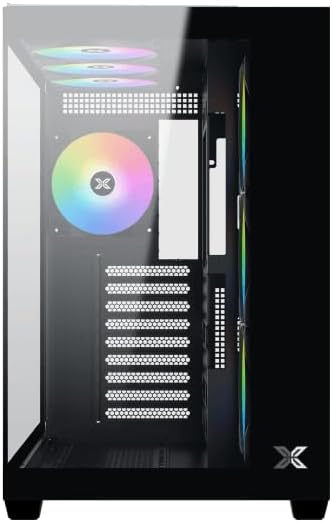
פיגורע 2: ינלענדיש view מיט זייַט טאַפליע אַוועקגענומען.
4.2 מאָטהערבאָאַרד ינסטאַללאַטיאָן
- אינסטאלירט דעם I/O שילד (אויב נישט פאר-אינסטאלירט אויף אייער מוטערבאָרד) אין דער הינטערשטער עפענונג פון דעם קעיס.
- Align your ATX, Micro ATX, or Mini ITX motherboard with the standoffs inside the case. Ensure all standoffs match the screw holes on your motherboard.
- Secure the motherboard with the appropriate screws provided in the accessory kit.

Figure 3: Motherboard tray and cable management area.
4.3 מאַכט סופּפּלי יוניט (פּסו) ינסטאַלירונג
- Locate the PSU mounting area at the bottom rear of the case.
- Slide your PSU into position, ensuring the fan faces downwards (if the case has a bottom vent) or upwards.
- באַפֿעסטיקן די PSU מיט שרויפֿן פֿון דער הינטערשטער זײַט פֿון דער קעיס.
4.4 סטאָרידזש דרייוו אינסטאַלאַציע
The case supports various storage configurations. Refer to the case diagram for specific drive bay locations.
- Install 2.5" SSDs or 3.5" HDDs into the designated drive bays or mounting brackets.
- Secure the drives with screws.
4.5 גראַפיקס קאַרטל (GPU) ינסטאַלירונג
- אַראָפּנעמען די נייטיקע PCIe סלאָט דעקל פון די הינטערשטע טייל פון די קעסטל.
- שטעל אַרײַן אײַער גראַפיקס קאַרטל אין דעם פּאַסיקן PCIe סלאָט אויף דער מוטערבאָרד.
- באַזײַטיקט די גראַפיקס קאַרטל מיט שרויפן.
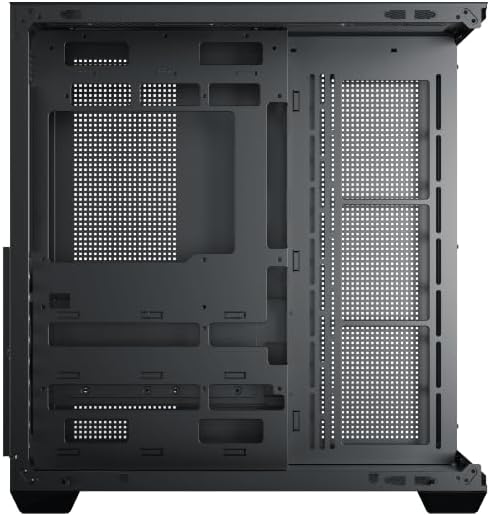
Figure 4: Components installed inside the case.
4.6 קאַבלע מאַנאַגעמענט
Utilize the cable routing cutouts and tie-down points behind the motherboard tray to manage cables for improved airflow and aesthetics.
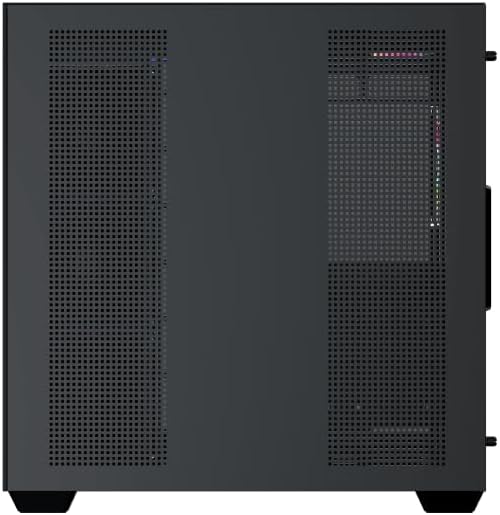
Figure 5: Top panel and I/O ports.
5. אַפּערייטינג ינסטרוקטיאָנס
5.1 מאַכט אויף
Once all components are securely installed and connected, close the side panels. Connect your power cable to the PSU and press the power button on the case's front I/O panel.
5.2 ARGB פען קאָנטראָל
The Xigmatek Aqua V AIR comes with pre-installed ARGB fans. These fans can typically be controlled via:
- מוטערבאָרד ווייכווארג: If your motherboard supports ARGB synchronization, connect the fan's ARGB cables to the motherboard's 3-pin 5V ARGB header and use the motherboard's software (e.g., ASUS Aura Sync, MSI Mystic Light, Gigabyte RGB Fusion) to customize lighting effects.
- Integrated Controller: If your case includes a built-in ARGB controller, use the dedicated button on the I/O panel to cycle through various lighting modes and colors.
6. וישאַלט
רעגולערע אויפהאלטונג העלפט זיכער מאכן די בעסטע פאָרשטעלונג און לאַנגלעבעדיקייט פון אייערע פּיסי קאָמפּאָנענטן.
6.1 שטויב פילטער רייניקונג
The Xigmatek Aqua V AIR case is equipped with dust filters to prevent dust buildup. Locate and gently remove the dust filters (typically on the top, front, and bottom). Clean them with compressed air or by rinsing with water. Ensure they are completely dry before reattaching.
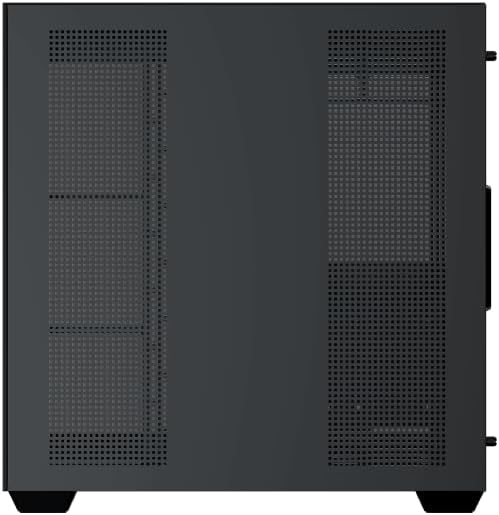
Figure 6: Bottom dust filter.
6.2 אַלגעמיינע רייניקונג
Use a soft, dry cloth to wipe down the exterior of the case. For tempered glass panels, use a glass cleaner and a microfiber cloth to avoid streaks. Avoid using abrasive cleaners or solvents.
7. טראָובלעשאָאָטינג
אויב איר טרעפט פּראָבלעמען, באַטראַכט די פאלגענדע געוויינטלעכע טראָובלעשווטינג טריט:
- קיין מאַכט:
- Ensure the PSU is switched on and properly connected to the wall outlet and motherboard.
- Check all power connections to components (motherboard, CPU, GPU, drives).
- Verify the front panel power switch cable is correctly connected to the motherboard.
- פעןס דרייען זיך נישט / RGB ארבעט נישט:
- Check if fan power cables are securely connected to the motherboard or fan controller.
- Ensure ARGB cables are connected to the correct 3-pin 5V ARGB header (not 4-pin 12V RGB).
- If using a controller, ensure it has power and is functioning correctly.
- איבערהייצונג:
- Ensure all fans are spinning and oriented correctly for optimal airflow (intake/exhaust).
- רייניקן שטויב פילטערס און אינעווייניקסטע קאָמפּאָנענטן.
- Verify CPU cooler and GPU cooler are properly seated and functioning.
8. וואָראַנטי און שטיצן
The Xigmatek Aqua V AIR PC Case comes with a 2-יאָר פאַבריקאַנט ס וואָראַנטי. For technical support, warranty claims, or further assistance, please contact Xigmatek customer service or visit their official webפּלאַץ.
ביטע באַהאַלטן אייער קויפן-באַווייַז פֿאַר גאַראַנטיע צוועקן.


