1. הקדמה
Thank you for choosing the MESWAO 15.6 inch Android 14 Tablet Pro. This tablet is designed to provide a superior visual and performance experience with its large Full HD display, powerful octa-core processor, and extended battery life. This manual will guide you through the setup, operation, maintenance, and troubleshooting of your new device, ensuring you get the most out of its advanced features.
2. וואָס איז אין דער קעסטל
ביטע קאָנטראָלירט דעם אינהאַלט פֿון אייער פּעקל. אויב עס פֿעלן אָדער זענען געשעדיגט עפּעס, קאָנטאַקטירט קונה שטיצע.
- 1 x MESWAO 15.6 inch Android Tablet
- 1 x מאַכט אַדאַפּטער
- 1 רענטגענ טיפּ-C קאַבלע
- 1 x באַניצער מאַנואַל
- 1 X טיפּ-C צו וסב אַדאַפּטער
- 1 x Stuck pin (SIM ejector tool)

Image: Visual representation of the MESWAO tablet and its included accessories.
3. פּראָדוקט איבערview
3.1 שליסל פֿעיִקייטן
- 15.6-inch 1080P FHD IPS Display: Large screen with 1920x1080p resolution, 16:9 aspect ratio, 85% screen-to-body ratio, and 350 nits adjustable brightness for clear visuals.
- אַנדרויד 14 אַס: Latest Android version for faster app launches, intuitive user interface, split-screen multitasking, and GMS certification for Google Play access.
- MediaTek Helio G99 CPU: Octa-core processor (6nm, up to 2.2GHz) and ARM Mali-G57 GPU for smooth performance in multitasking, streaming, and gaming.
- 12,000mAh Mega Battery & 30W Fast Charging: Provides up to 15 hours of video playback and 12+ hours of daily use, with 90% charge in 3 hours.
- 6 גיגאבייט ראַם + 128 גיגאבייט ראָם (אויסברייטבאר ביז 1 טב): Ample storage for apps, photos, and videos, with expandable memory via microSD card (FAT32 format).
- Dual-band Wi-Fi & Bluetooth 5.0: High-speed 2.4G/5G Wi-Fi and efficient Bluetooth connectivity for peripherals.
- 5MP Front + 32MP Rear Cameras: Capture moments and conduct clear video calls.
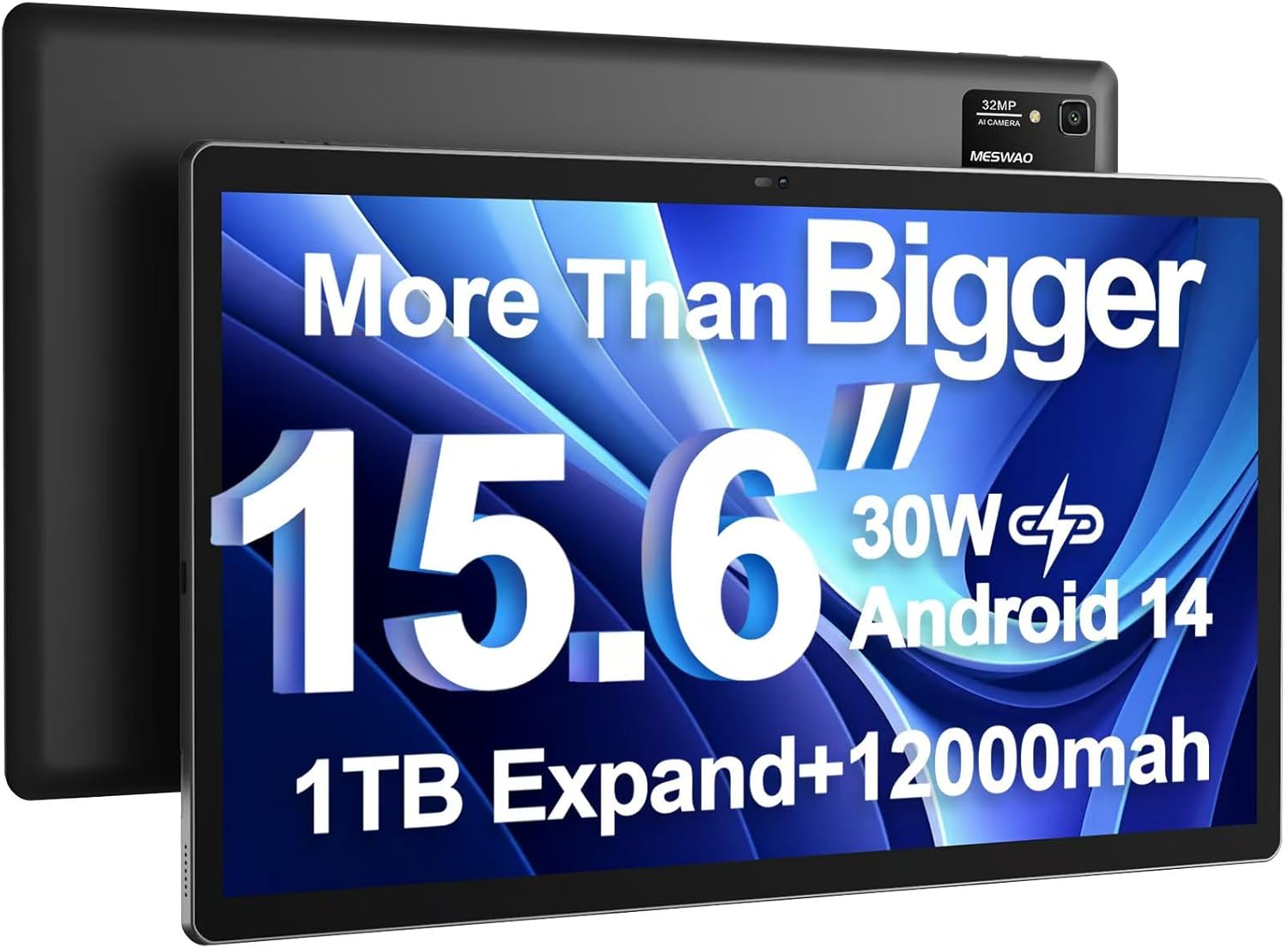
Image: The MESWAO 15.6 inch Android 14 Tablet Pro, showcasinג זײַן גרויסער אַרויסווייַז און הינטערשטער קאַמעראַ מאָדול.

Image: Visual comparison highlighting the significantly larger screen area of the 15.6-inch tablet compared to a standard 10-inch tablet.

Image: Illustration of the tablet's 12,000mAh ultra-large capacity battery and 30W fast charging, indicating quick charge times and extended usage.
3.2 Tablet Components
Familiarize yourself with the physical components of your MESWAO tablet:
- מאַכט קנעפּל: געפינען זיך אויף דער זייט, גענוצט צו אנצינדן/אויסלעשן דעם טאבלעט אדער אויפוועקן/שלאפן דעם עקראן.
- באַנד קנעפּלעך: Adjust audio output levels.
- פראָנט אַפּאַראַט: 5MP camera for video calls and selfies.
- דערציען אַפּאַראַט: 32MP camera with flash for high-resolution photos and videos.
- טיפּ-C פּאָרט: פֿאַר טשאַרדזשינג און דאַטן אַריבערפירן.
- טף קאַרד שפּעלטל: For expanding storage with a microSD card.
- סטערעאָ ספּיקערז: Quad speakers for enhanced audio experience.
- 3.5 מם כעדסעט דזשאַק: For wired audio connection (requires included Type-C to 3.5mm adapter).
4. סעטאַפּ
4.1 ערשט מאַכט אויף
- דריקן און האַלטן די מאַכט קנעפּל until the MESWAO logo appears on the screen.
- פֿאָלגט די אינסטרוקציעס אויף דעם עקראַן צו אויסקלײַבן אײַער שפּראַך, ראַיאָן און זיך פֿאַרבינדן צו אַ Wi-Fi נעץ.
- Sign in with your Google account or create a new one to access Google Play Store and other services.
4.2 אויפלאָדן די טאַבלעט
Before first use, fully charge the tablet. Use the provided power adapter and Type-C cable.
- Connect the Type-C cable to the tablet's Type-C port.
- צאַפּן די מאַכט אַדאַפּטער אין אַ וואַנט ווענטיל.
- The charging indicator will appear on the screen. A full charge takes approximately 3 hours with the 30W fast charger.
4.3 אריינשטעלן א מיקראָSD קאַרטל
To expand storage, insert a microSD card (FAT32 format, up to 1TB, sold separately).
- געפינט די TF קאַרטל שפּעלטל אויף דער זייט פון די טאַבלעט.
- Use the provided stuck pin to gently press into the small hole next to the slot to eject the tray.
- לייגט די microSD קאַרטל אין די טאַץ מיט די גאָלדענע קאָנטאַקטן אַראָפּ.
- פֿאָרזיכטיק צוריקשטעלט דעם טאַץ אין דעם שפּאַלט ביז עס קליקט אַרײַן אין פּלאַץ.
5. אַפּערייטינג ינסטרוקטיאָנס
5.1 יקערדיק נאַוויגאַציע
- היים פאַרשטעלן: סווייפּ לינקס אָדער רעכטס צו נאַוויגירן צווישן היים סקרינז.
- אַפּ שופלאָד: Access all installed applications (if using a launcher with an app drawer, otherwise apps are on home screens).
- נאָטיפיקאַציעס און שנעלע סעטטינגס: Swipe down from the top of the screen to access notifications and quick settings toggles (Wi-Fi, Bluetooth, Brightness, etc.).
- לעצטע אַפּפּס: צאַפּן אויף דעם קוואַדראַטישן איקאָן (אָדער סווייפּ אַרויף און האַלט פֿון אונטן אויב איר ניצט דזשעסטשער נאַוויגאַציע) צו view און באַשטימען צווישן לעצטנס גענוצטע אַפּליקאַציעס.
5.2 Multitasking with Split Screen
The Android 14 OS supports split-screen functionality for enhanced productivity.
- עפֿנט די ערשטע אַפּ וואָס איר ווילט נוצן.
- Go to the Recent Apps view.
- Tap the app icon at the top of the first app's card and select 'Split screen'.
- Choose the second app from your recent apps or app drawer to open it in the other half of the screen.
- סטרויערן די גרייס פון יעדער אַפּ דורך שלעפּן דעם טיילער אין מיטן.

בילד: איבערview of key features of the Android 14 operating system on the tablet, including multitasking capabilities.
5.3 קאַנעקטיוויטי
- ווי-פי: גיין צו סעטטינגס > נעץ און אינטערנעט > Wi-Fi to connect to available networks. Supports 2.4Ghz and 5Ghz bands.
- בלועטאָאָטה: גיין צו סעטטינגס> קאָננעקטעד דעוויסעס> קאַנעקשאַן פּרעפֿערענצן> בלועטאָאָטה to pair with Bluetooth headphones, keyboards, or other devices.
- סקרין קאַסטינג: The tablet supports wireless screen casting to compatible displays. Access this feature from Quick Settings or Settings > Connected devices > Connection preferences > Cast.

Image: Depiction of the tablet's stable dual-band Wi-Fi and Bluetooth 5.0 capabilities, enabling seamless wireless connections.
6. וישאַלט
6.1 באַטערי קער
- פֿאַרמײַדט עקסטרעמע טעמפּעראַטורן (הײַס אָדער קאַלט) ווײַל זיי קענען פֿאַרערגערן די לעבן פֿון דער באַטעריע.
- לאָזט נישט די באַטאַרייע גאָר אויסליידיקן אָפט. לאָדט עס אויף איידער עס דערגרייכט 0%.
- Use only the provided charger or a certified 30W PD fast charger.
6.2 רייניקונג
- ניצט אַ ווייכן, לינט-פֿרייע שטאָף צו רייניקן דעם עקראַן און קערפּער.
- פֿאַר שווערע פֿלעקן, אַ ביסל דampווישט דעם שטאָף מיט וואַסער אָדער אַ פאַרשטעלן רייניגער. פֿאַרמייַדט שטרענגע כעמיקאַליעס.
- שפריצט נישט פליסיקייטן גלייך אויף דער טאַבלעט.
6.3 ווייכווארג דערהייַנטיקונגען
קאָנטראָלירט און אינסטאַלירט רעגולער סיסטעם דערהייַנטיקונגען צו ענשור אָפּטימאַלע פאָרשטעלונג און זיכערהייט.
- Connect your tablet to a stable Wi-Fi network.
- גיין צו סעטטינגס > סיסטעם > סיסטעם דערהייַנטיקונג.
- פֿאָלגט די אינסטרוקציעס אויף דעם עקראַן צו דאַונלאָודן און ינסטאַלירן אַלע בנימצא דערהייַנטיקונגען.
7. טראָובלעשאָאָטינג
אויב איר טרעפט פּראָבלעמען מיט אייער טאַבלעט, זעט די פאלגענדע געוויינטלעכע לייזונגען:
| פּראָבלעם | מעגלעך סיבה | לייזונג |
|---|---|---|
| טאַבלעט וועט נישט זיך אָנצינדן | נידעריגע באַטאַרייע; סיסטעם קראַך | לאָדט אויף די טאַבלעט פֿאַר לפּחות 30 מינוט. דריק און האַלט די פּאַוער קנעפּל פֿאַר 10-15 סעקונדעס צו צווינגען ריסטאַרט. |
| Slow performance/Lag | צו פיל אַפּפּס לויפן; ווייניק סטאָרידזש; אַלטמאָדישע ווייכווארג | Close background apps. Clear cache. Free up storage. Check for system updates. |
| ווי-פי קשר ישוז | Incorrect password; Router issue; Tablet Wi-Fi off | Ensure Wi-Fi is on. Re-enter password. Restart router. Forget and reconnect to network. |
| באַטאַרייע דריינז געשווינד | High screen brightness; Background apps; Heavy usage | Reduce screen brightness. Close unused apps. Limit background data. Check battery usage in settings. |
| Touchscreen unresponsive/Phantom touches | Temporary software glitch; Defective unit | Restart the tablet. If the issue persists, contact MESWAO customer support for assistance. |
If the problem persists after trying these solutions, please contact MESWAO customer support for further assistance.
8. ספּעסאַפאַקיישאַנז
| שטריך | דעטאַל |
|---|---|
| מאָדעל נאָמען | MES-B3 Pro |
| אָפּערייטינג סיסטעם | אַנדרויד 14 |
| פאַרשטעלן גרייס | 15.6 אינטשעס |
| פאַרשטעלן האַכלאָטע | 1920 x 1080 פּיקסעלס (פול HD IPS) |
| פּראַסעסער | מעדיאַטעק העליאָ G99 אָקטאַ-קאָר (ביז 2.2GHz) |
| גראַפיקס קאָופּראַסעסער | אָרעם מאַלי-G57 |
| באַראַן | 6 גיגאבייט |
| אינערלעכער סטאָרידזש (ראַם) | 128 גיגאבייט |
| יקספּאַנדאַבאַל סטאָרידזש | Up to 1TB via MicroSD card (FAT32 format) |
| באַטאַרייע קאַפּאַציטעט | 12,000 מאַה |
| באַטעריע לעבן (דורכשניטלעך) | 13 שעה (ביז 15 שעה ווידעא ווידערשפּיל) |
| טשאַרדזשינג | 30W PD שנעלע טשאַרדזשינג |
| ווירעלעסס קאַנעקטיוויטי | 802.11a/b/ac/ax (2.4G/5G Dual-band Wi-Fi), Bluetooth 5.0 |
| פראָנט אַפּאַראַט | 5MP |
| דערציען אַפּאַראַט | 32MP |
| פּונקט וואָג | 4.42 פונט (אומגעפער 2 ק"ג) |
| פּראָדוקט דימענשאַנז | 14.49 X 8.66 X 0.39 אינטשעס (36.8 X 22 X 1 סענטימעטער) |
9. וואָראַנטי און שטיצן
MESWAO products come with a standard manufacturer's warranty. Please refer to the warranty card included in your package for specific terms and conditions. For technical support, troubleshooting assistance, or warranty claims, please contact MESWAO customer service through the contact information provided on the official MESWAO webוועבזייטל אדער אייער קויפן פּלאַטפאָרמע.
קאָנטאַקט אינפֿאָרמאַציע: Please visit the official MESWAO website or refer to the support card included in your product packaging for the most up-to-date contact details.


