הקדמה
Thank you for choosing the Amazon Basics Pro Series 4-in-1 USB-C Hub. This compact and versatile hub is designed to expand the connectivity of your PC, MacBook, laptops, phones, monitors, and projectors, offering high-speed data transfer and seamless peripheral integration. This manual provides essential information for proper setup, operation, and maintenance of your device.
פּראָדוקט איבערview
The Amazon Basics Pro Series 4-in-1 USB-C Hub features a durable aluminum alloy and ABS housing, ensuring both portability and resilience. It includes a built-in 150mm USB-C cable for convenient connection to your host device.

בילד: איבערview of the 4-in-1 versatile hub, highlighting its port configuration.
שליסל פֿעיִקייטן:
- USB-C האָסט קאַנעקשאַן: Provides a versatile bridge between your laptop and peripherals.
- Two USB-C Ports: Both support USB 3.2 Gen 2 standard for data transfer speeds up to 10 Gbps.
- Two USB-A Ports: פֿאַר פֿאַרבינדן נאָרמאַלע USB דעוויסעס.
- הויך-גיכקייַט דאַטן אַריבערפירן: Enables rapid transfer of large files.
- פּלוג און שפּיל: No drivers required for installation.
- דוראַבאַל קאַנסטראַקשאַן: Aluminum alloy and ABS housing with a flexible TPE cable.
סעטאַפּ
The Amazon Basics Pro Series 4-in-1 USB-C Hub is designed for immediate use with its plug-and-play functionality. No software drivers are required for installation.
- קאָננעקט די הוב: Insert the built-in USB-C cable of the hub into an available USB-C port on your host device (PC, MacBook, laptop, phone, etc.).
- דיווייס דערקענונג: Your operating system will automatically detect and configure the hub. This process usually takes a few seconds.
- פאַרבינדן פּעריפעראַלס: Once the hub is recognized, you can connect your USB-C and USB-A peripherals (e.g., external drives, keyboards, mice) to the corresponding ports on the hub.

Image: The USB-C hub connected to a laptop, demonstrating peripheral connections.
אַפּערייטינג ינסטראַקשאַנז
The hub facilitates high-speed data transfer and expands connectivity for various devices.
דאַטאַ אַריבערפירן:
- Connect USB 3.2 Gen 2 compatible devices to the USB-C ports for data transfer speeds up to 10 Gbps.
- Connect USB-A devices to the USB-A ports for standard data transfer.
- Ensure your host device's USB-C port supports the required data transfer speeds to achieve optimal performance.

Image: The hub emphasizing its ultra-fast 10Gbps data transfer capability.
וניווערסאַל קאַמפּאַטאַבילאַטי:
The hub is compatible with a wide range of devices, including:
- PC
- מאַקבאָאָק
- לאַפּטאָפּס
- פאָנעס
- מאָניטאָרס
- פּראַדזשעקטערז
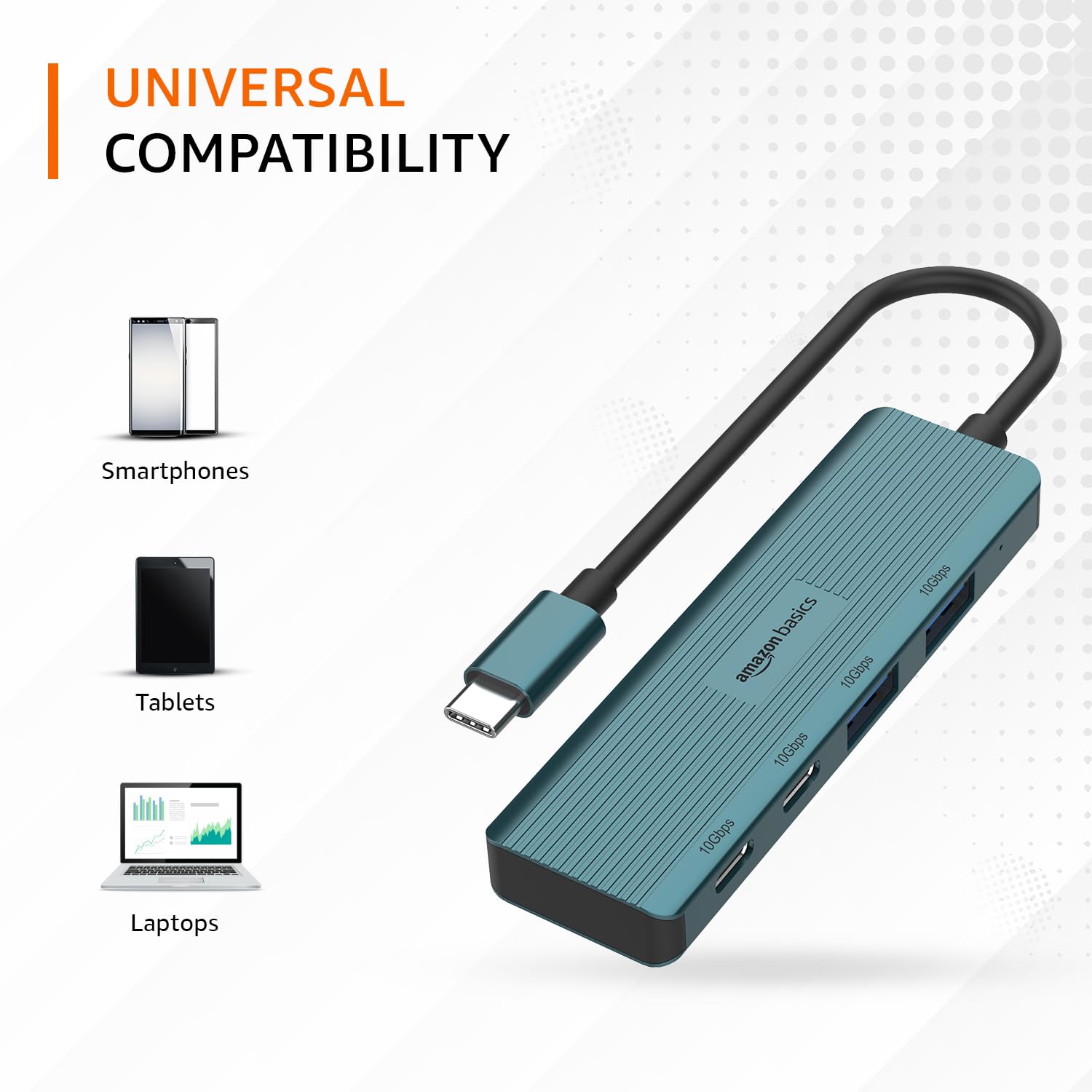
Image: The hub illustrating its compatibility with various devices like smartphones, tablets, and laptops.
וישאַלט
To ensure the longevity and optimal performance of your USB-C hub, follow these maintenance guidelines:
- רייניקונג: Use a soft, dry cloth to clean the exterior of the hub. Avoid using liquid cleaners or solvents, as they may damage the finish or internal components.
- סטאָרידזש: ווען נישט אין באַנוץ, האַלט די כאַב אין אַ קיל, טרוקן אָרט אַוועק פון דירעקט זונשייַן און עקסטרעמע טעמפּעראַטורן.
- האַנדלינג: Avoid dropping the hub or subjecting it to strong impacts. Do not bend the integrated cable excessively.
- ווענטילאַטיאָן: Ensure the hub has adequate ventilation during operation to prevent overheating, especially during prolonged high-speed data transfers.
טראָובלעשאָאָטינג
If you encounter issues with your Amazon Basics Pro Series 4-in-1 USB-C Hub, refer to the following common troubleshooting steps:
- מיטל ניט דערקענט:
- Ensure the hub's USB-C cable is fully inserted into your host device's USB-C port.
- פרובירט צו פאַרבינדן דעם כאַב צו אַן אַנדער USB-C פּאָרט אויף אייער האָסט דעווייס.
- Restart your host device (computer, laptop, phone).
- Verify that the connected peripheral devices are functioning correctly when connected directly to your host device (if applicable).
- לאַנגזאַמע דאַטן טראַנספער גיכקייטן:
- Confirm that both your host device's USB-C port and the connected peripheral support USB 3.2 Gen 2 (10 Gbps) for optimal speeds.
- Avoid connecting multiple high-bandwidth devices simultaneously if you experience performance degradation.
- Ensure the cables used for connecting peripherals are of high quality and support the desired data transfer speeds.
- ינטערמיטאַנט קשר:
- Check for loose connections at both the hub and the host device.
- Ensure the hub is not being subjected to physical stress or excessive cable bending.
- If using with a power-intensive device, ensure your host device can supply sufficient power, as this hub is not externally powered.
ספּעסאַפאַקיישאַנז
| סאָרט | אַמאַזאָן באַסיקס |
| מאָדעל | 4-אין -1 וסב- C כאַב |
| האָסט צובינד | וסב-C |
| רעזולטאַט פּאָרץ | 2 x USB-C (USB 3.2 Gen 2), 2 x USB-A (USB 3.2 Gen 2) |
| דאַטאַ טראַנספער ספּיד | אַרויף צו 10 גבפּס (וסב 3.2 גענ 2) |
| קאַבלע לענג | 150mm (built-in) |
| מאַטעריאַל | Aluminum Alloy, ABS Housing, TPE Cable |
| קאָליר | טערקווויז |
| פּונקט וואָג | 20 ג |
| קאַמפּאַטאַבאַל דעוויסעס | PC, MacBook, Laptops, Phones, Monitors, Projectors |
| אָפּערייטינג סיסטעם | MAC OS (and generally compatible with Windows, Linux, Android) |

Image: Physical dimensions of the USB-C hub.
וואָראַנטי און שטיצן
For warranty information and customer support regarding your Amazon Basics Pro Series 4-in-1 USB-C Hub, please refer to the Amazon Basics official webזייטל אדער קאנטאקטירט עמעזאן קאסטומער סערוויס גלייך. האלט אייער קויף קוויטל פאר גאראנטיע טענות.


