1. הקדמה
This manual provides detailed instructions for the setup, operation, and maintenance of your ATTACK SHARK X98PRO Wireless Mechanical Keyboard. The X98PRO features tri-mode connectivity (Bluetooth, 2.4GHz wireless, USB-C wired), hot-swappable switches, a customizable TFT screen, and a multi-function CNC knob, designed for both gaming and productivity across various operating systems.
2. פּעקל אינהאַלט
- ATTACK SHARK X98PRO Mechanical Keyboard
- USB-C to USB-A Braided Cable
- 2.4 גהז ווירעלעסס ופנעמער
- קייקאַפּ פּולער
- באַשטימען פּולער
- באַניצער מאַנואַל (דעם דאָקומענט)
3. Keyboard Layout and Components
The X98PRO features a compact 98-key layout, integrating a numeric keypad while maintaining a smaller footprint than a full-size keyboard. Key components include:
- 1.14-אינטש TFT פאַרשטעלן: Located above the numeric keypad, this screen displays various information and allows for customization.
- CNC Multi-Function Knob: Positioned next to the TFT screen, this knob controls volume, brightness, RGB effects, and connection modes.
- וסב- C פּאָרט: פֿאַר דראָטיקער פֿאַרבינדונג און טשאַרדזשינג.
- 2.4GHz Wireless Receiver Storage: Typically located in a dedicated slot on the keyboard for safekeeping.


4. סעטאַפּ
4.1. אויפלאָדן די קלאַוויאַטור
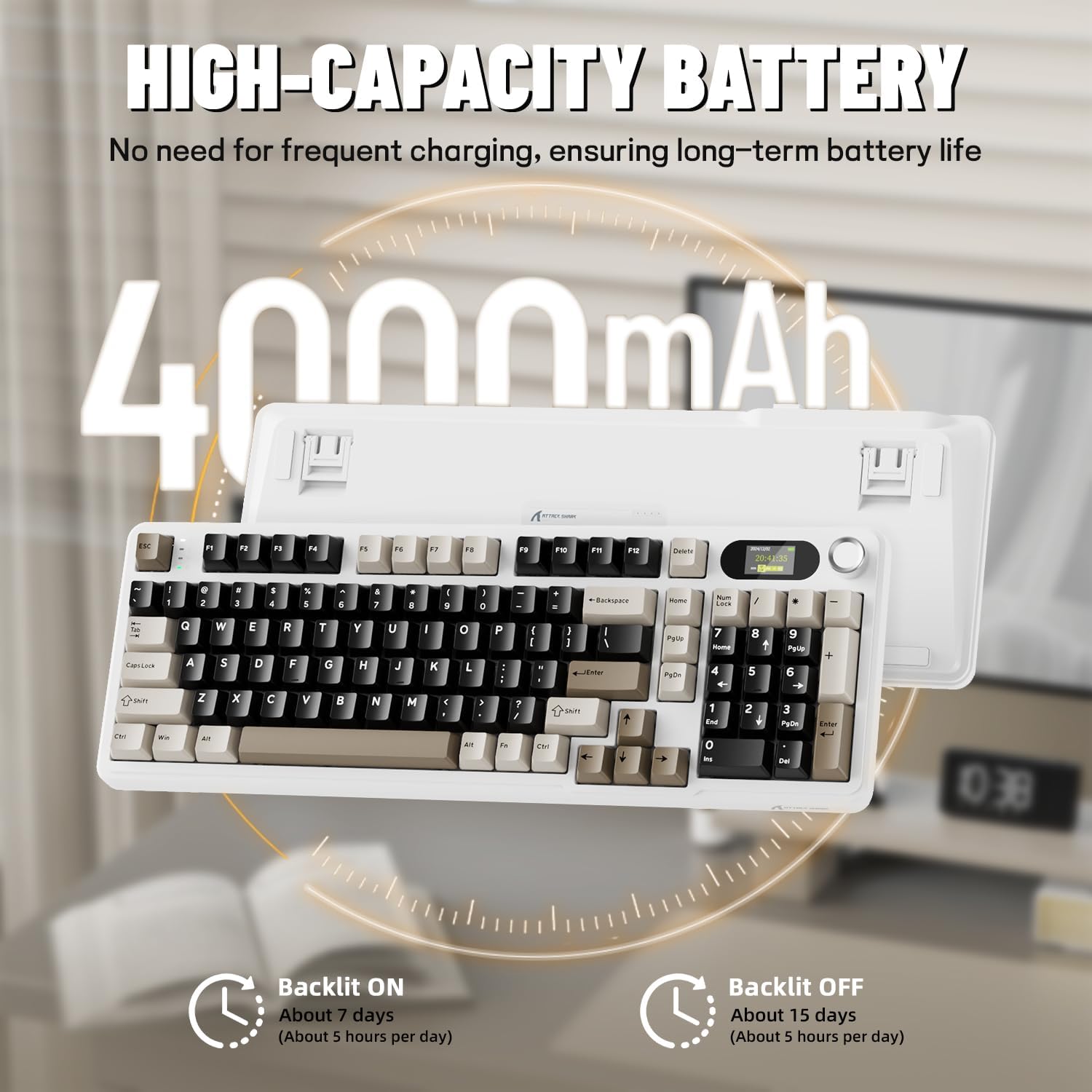
Before first use, it is recommended to fully charge the keyboard. Connect the provided USB-C cable to the keyboard's USB-C port and the other end to a USB-A power source (e.g., computer, wall adapter). The TFT screen will indicate charging status. The keyboard features a 4000mAh battery for extended wireless use.
4.2. קאָנעקטיוויטי מאָדעס
דער X98PRO שטיצט דריי פֿאַרבינדונג מאָדעס:
- USB-C ווייערד מאָדע: פֿאַרבינדט די קלאַוויאַטור גלייך צו אייער דעווייס מיטן USB-C קאַבל. די מאָדע לאָדט אויך אויף די קלאַוויאַטור.
- 2.4GHz ווירעלעסס מאָדע:
- Insert the 2.4GHz wireless receiver into an available USB port on your computer.
- Switch the keyboard's mode selector to 2.4G. The keyboard should automatically connect.
- בלועטוט 5.0 מאָדע: The keyboard can pair with up to three Bluetooth devices.
- טוישט דעם קלאַוויאַטור'ס מאָדע סעלעקטאָר צו בלועטוט.
- דריקן און האַלטן fn+1, fn+2, אָדער fn+3 פֿאַר 3-5 סעקונדעס ביז די אינדיקאַטאָר ליכט בלינקט, וואָס ווײַזט אויף פּערינג מאָדע.
- On your device (PC, Mac, Tablet), search for Bluetooth devices and select "ATTACK SHARK X98PRO" to pair.
- צו בייטן צווישן פארבינדענע בלוטוט דעווייסעס, דריק fn+1, fn+2, אָדער fn+3 בעקיצער.

4.3. ערשטע קאָנפיגוראַציע (Web-based Driver)
The X98PRO utilizes an intuitive web-based driver for advanced customization. This allows you to edit, upload, and switch display content for the TFT screen, customize RGB lighting, remap keys, and set macros without installing dedicated software. Access the official ATTACK SHARK webפּלאַץ פֿאַר די web driver interface.

5. אַפּערייטינג ינסטרוקטיאָנס
5.1. TFT Screen Functions
The 1.14-inch TFT screen can display various information:
- סיסטעם סטאַטוס: Connection mode (wired, 2.4G, BT1/2/3), operating system (Win/Mac).
- באַטאַרייע לעבן: Real-time battery level.
- צייט: איצטיקע צייט.
- Custom GIFs: Upload personalized animations via the web שאָפער.
To navigate the TFT screen menu, rotate the CNC knob to scroll through options and press the knob to confirm a selection.
5.2. CNC Multi-Function Knob
The CNC knob provides intuitive control over several keyboard features:
- באַנד קאָנטראָל: By default or after switching, rotate to adjust system volume.
- ברייטנאַס קאָנטראָל: סטרויערן די ברייטנאַס פון די באַקלייט.
- RGB עפֿעקטן: Cycle through different RGB lighting effects.
- קאַנעקשאַן מאָדעס: Switch between wired, 2.4GHz, and Bluetooth modes.
To switch the knob's function (e.g., between volume and RGB control), press Fn + קנעפּל (press the knob down).
5.3. RGB Backlighting
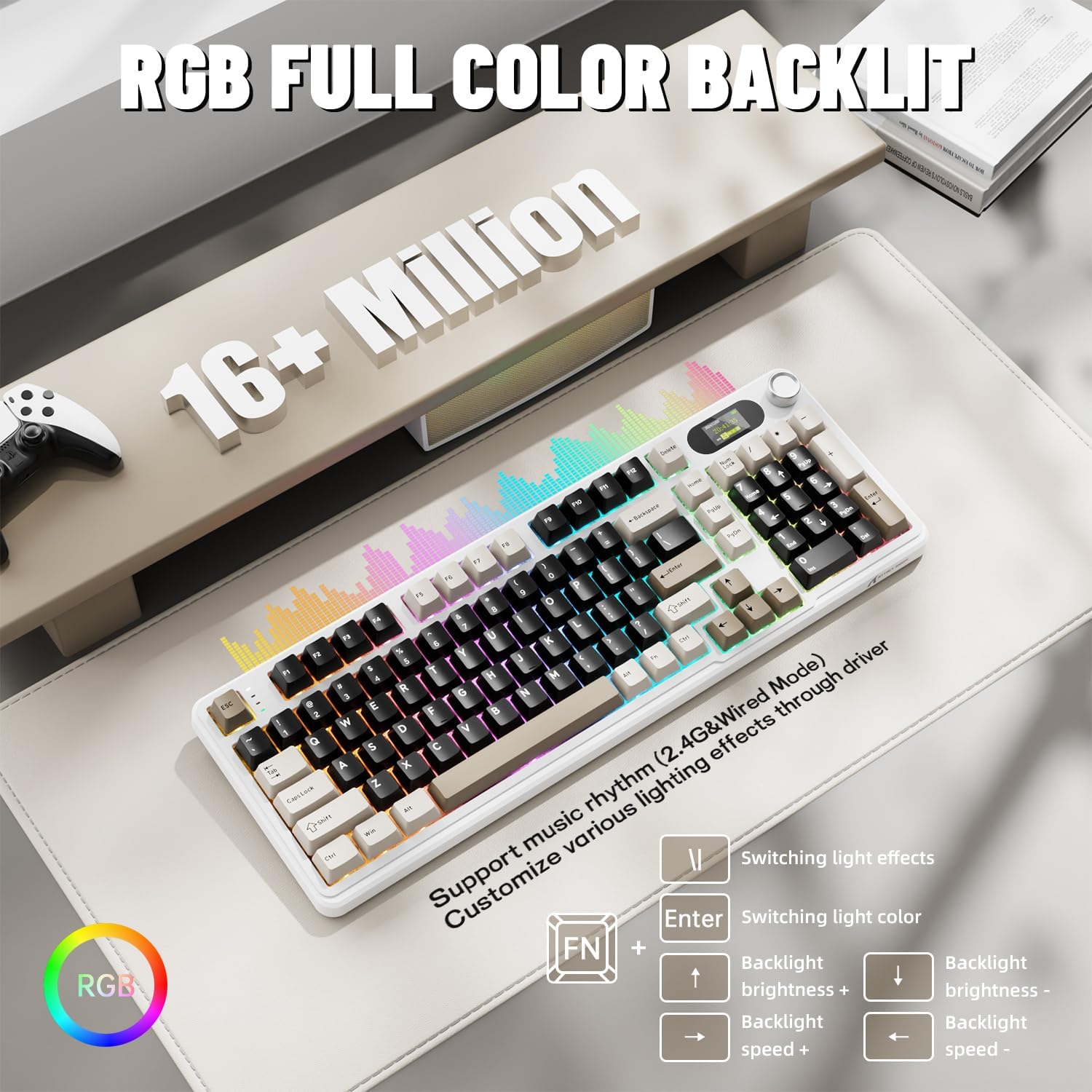
The X98PRO features full RGB backlighting with multiple effects. Control options include:
- באַשטימען ליכט יפעקץ: דרוק Fn + אַרייַן.
- Switching Light Color: דרוק Fn + \|.
- ברייטנאַס פון באַקלייט: דרוק Fn + אַרויף עראָו (פאַרגרעסערן) אדער Fn + אַראָפּ עראָו (פאַרקלענערן).
- באַקלייט גיכקייַט: דרוק Fn + לינקס עראָו (פאַרמינערן) אָדער Fn + רעכט עראָו (פאַרגרעסערן).
Further customization of RGB lighting, including per-key lighting and custom profiles, is available through the web-באזירט דרייווער.
5.4. הייס-סוואַפּאַבל סוויטשיז
The X98PRO features a hot-swappable PCB, allowing you to easily change mechanical switches without soldering. It is compatible with most 3-pin and 5-pin mechanical switches.
- Using the provided switch puller, carefully grip the switch and pull it straight up to remove it.
- גלייכט אויס די פּינס פון דעם נייעם סוויטש מיט די לעכער אויף דער פּקב. מאַכט זיכער אַז די פּינס זענען גלייך.
- Gently press the new switch into place until it clicks. Do not force it.

6. וישאַלט
6.1. רייניקונג
- טרענט אפ די קלאַוויאַטור פון אַלע מאַכט קוועלער איידער רייניקונג.
- ניצט אַ קלאַוויאַטור-אויסציער צו אַראָפּנעמען די קלאַוויאַטור-קאַפּס פֿאַר אַ גרינטלעכע רייניקונג.
- ווישט די קלאַוויאַטור ייבערפלאַך מיט אַ ווייכן, דamp שטאָף. ויסמייַדן האַרב קעמיקאַלז.
- ניצט קאמפרעסט לופט צו באזייטיגן שטויב און דעבריס פון צווישן די קנעפלעך.
6.2. סוויטש און קלאַוויאַטור פאַרבייַט
Refer to Section 5.4 for instructions on replacing switches. Keycaps can be removed using the provided keycap puller and replaced with compatible sets.
7. טראָובלעשאָאָטינג
- קלאַוויאַטור רעאַגירט נישט: Ensure the keyboard is charged. Check the connection mode (wired, 2.4G, BT) and ensure it matches your device. For 2.4GHz, ensure the receiver is properly inserted. For Bluetooth, re-pair if necessary.
- TFT screen not updating/syncing: Ensure the keyboard is connected to a device. For time synchronization or custom GIFs, use the web-באזירט דרייווער.
- קורץ באַטאַרייע לעבן: Ensure the keyboard is fully charged. Reduce backlight brightness or disable RGB effects to conserve battery.
- שליסלען רעגיסטרירט זיך נישט: If a specific key is not working, try removing and re-inserting its switch. If the issue persists, consider replacing the switch.
- קאַסטאַמייזיישאַן פּראָבלעמען: Ensure you are using the official web-based driver. Clear browser cache or try a different browser if experiencing issues.
8. ספּעסאַפאַקיישאַנז
| סאָרט | באַפאַלן שאַרק |
| מאָדעל | קס 98 פּראָ |
| קאַנעקטיוויטי טעכנאָלאָגיע | 2.4GHz, Bluetooth 5.0, USB-C Wired |
| קלאַוויאַטור באַשרייַבונג | מעטשאַניקאַל |
| באַשטימען טיפּ | Linear (Blueberry switches) |
| הייס-סוואַפּפּאַבלע | Yes (3-pin and 5-pin compatible) |
| באַטאַרייע קאַפּאַציטעט | 4000 מאַה |
| ספּעציעלע פֿעיִקייטן | Customizable TFT Display, Multi-Function CNC Knob, RGB Backlit, Gasket Mount |
| קאַמפּאַטאַבאַל דעוויסעס | Laptop, PC, Tablet (Windows, Mac, Linux) |
| דימענשאַנז | 16.4 X 5.8 X 1.8 אינטשעס (בעערעך) |
| פּונקט וואָג | 2.9 פונט |
9. וואָראַנטי און שטיצן
פֿאַר וואָראַנטי אינפֿאָרמאַציע און טעכנישע שטיצע, ביטע זען די באַאַמטער אַטאַק שאַרק webזייטל אדער קאנטאקט זייער קאסטומער סערוויס. האלט אייער קויף קוויטל פאר גאראנטיע טענות.


