1. הקדמה
This manual provides detailed instructions for the MESWAO Active Stylus Pen, designed to enhance your interaction with compatible MESWAO tablets. Please read this manual thoroughly before using the product to ensure proper operation and longevity.
פּעקל אינהאַלט:
- 1 x MESWAO Active Stylus Pen
- 3 x פאַרבייַט ניבס
- 1 x באַניצער מאַנואַל (דאָס דאָקומענט)

Image: The MESWAO Active Stylus Pen, a sleek white digital pen with a button on the side and a USB-C port at the top.
2. קאַמפּאַטאַבילאַטי
The MESWAO Active Stylus Pen is specifically designed for use with the following MESWAO tablet models:
- MESWAO 14-inch Tablet (Support Tablet with G99 CPU Only)
- MESWAO 15.6-inch Tablet (Support Tablet with G99 CPU Only)
Important: This stylus is NOT compatible with 14.1-inch tablets, other tablet models, iPhones, Android phones, Microsoft devices, or any other non-specified devices. Please verify your tablet model before use.

Image: Two MESWAO tablets, one 15.6-inch and one 14-inch, displayed side-by-side, illustrating the compatible tablet sizes for the stylus.
3. סעטאַפּ
3.1 אויפלאָדן דעם סטיילוס
The stylus features a built-in rechargeable battery. Before first use, or when the battery is low, charge the stylus using a USB-C cable (not included).
- Locate the USB-C port at the top end of the stylus.
- Insert a USB-C cable into the port.
- פֿאַרבינדט דעם אַנדערן עק פֿונעם USB-C קאַבל צו אַ מאַכט מקור (למשל, USB וואַנט אַדאַפּטער, קאָמפּיוטער USB פּאָרט).
- The indicator light on the stylus will illuminate during charging.
- A full charge takes approximately one hour and provides up to 100 hours of continuous use.
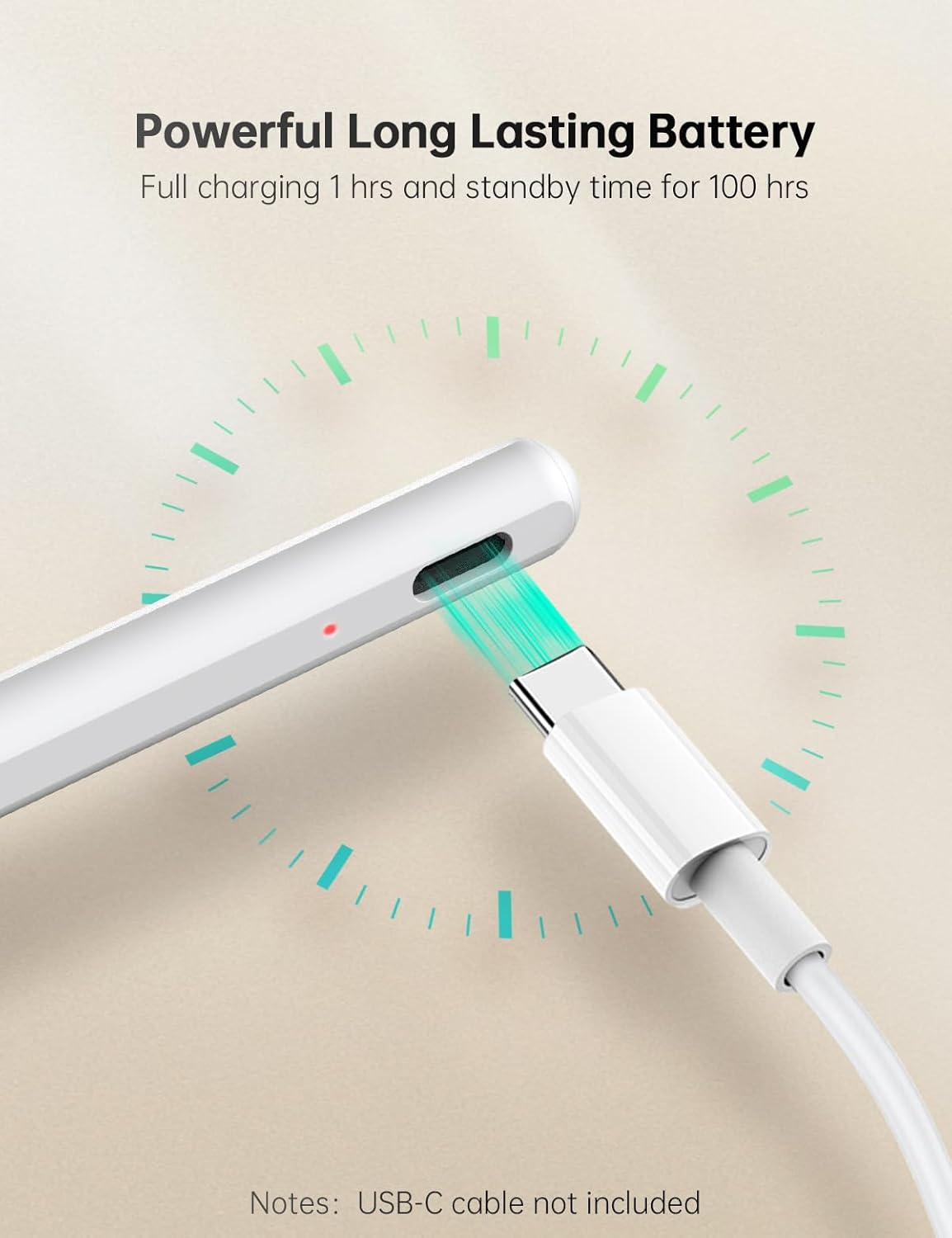
בילד: נאָענט-אַרויף view of the stylus pen's USB-C charging port with a USB-C cable inserted, showing a red indicator light and a circular graphic representing fast charging.
3.2 ערשט נוצן
The MESWAO Active Stylus Pen does not require any drivers or Bluetooth pairing. Simply power it on and begin using it with your compatible MESWAO tablet.
- Press the On/Off button located on the side of the stylus to power it on. The indicator light will turn off when the stylus is ready for use.
- The stylus will automatically power off and enter sleep mode after 3 minutes of inactivity to conserve battery.
4. אַפּערייטינג ינסטרוקטיאָנס
4.1 אַלגעמיינע אָפּעראַציע
The stylus provides a natural writing and drawing experience on your MESWAO tablet.

Image: A hand holding the stylus pen, writing notes on a MESWAO tablet screen, demonstrating smooth and precise input.
4.2 שליסל פֿעיִקייטן
- High Precision and Smoothness: With 4096 levels of pressure sensitivity, the stylus delivers precise and detailed strokes. Ink flows smoothly from the fine tip with minimal lag or delay, ideal for note-taking, sketching, and professional work.
- פאלם רידזשעקשאַן: Rest your hand comfortably on the tablet screen while writing or drawing without worrying about accidental touches or marks. This feature allows for a natural and uninterrupted creative process.

Image: A hand holding the stylus and resting on a tablet screen, with a green dashed line indicating the palm rejection area, allowing comfortable writing or drawing.
- טילט סענסיטיוויטי: The stylus supports tilt sensitivity, allowing you to shade and adjust line thickness by tilting the pen, similar to a traditional pencil. This is particularly useful for artists and designers for creating realistic shadows and detailed drawings.

Image: Two examples demonstrating tilt sensitivity: one showing the stylus at a 90-degree angle for note-taking, and another at a 60-degree angle for drawing, illustrating how tilting affects input.
- Eraser Button: A conveniently located button near your thumb allows for quick corrections and erasing.
- אויף / אַוועק קנעפּל: Used to power the stylus on and off.
4.3 Stylus Components Overview

Image: A detailed diagram of the stylus pen, highlighting its components: Replaceable Pen Tip, Eraser Button, On/Off Button, Indicator Light, and USB-C Port. Also shows how to replace the pen tip and the light behavior.
5. וישאַלט
5.1 רייניקונג
To maintain the stylus's performance and appearance:
- Wipe the stylus body with a soft, dry, lint-free cloth.
- Do not use abrasive cleaners, alcohol, or chemical solvents, as these may damage the stylus.
5.2 Replacing the Pen Nib
If the pen nib becomes worn or damaged, it can be replaced with one of the included replacement nibs.
- Gently pull the old nib straight out from the stylus.
- Insert a new nib firmly into the stylus until it clicks into place.
Refer to the "More Details" image in Section 4.3 for a visual guide on nib replacement.
5.3 סטאָרידזש
Store the stylus in a cool, dry place away from direct sunlight and extreme temperatures. Avoid dropping the stylus or subjecting it to strong impacts.
6. טראָובלעשאָאָטינג
| פּראָבלעם | מעגלעך סיבה | לייזונג |
|---|---|---|
| סטילוס ענטפערט נישט | נידעריק באַטאַרייע Stylus is off Incompatible tablet | Charge the stylus fully. Press the On/Off button to turn it on. Ensure your tablet is a compatible MESWAO 14-inch or 15.6-inch model with G99 CPU. |
| Inaccurate or delayed input | וואָרן אָדער דאַמידזשד ניב Screen protector interference | Replace the pen nib. Ensure your screen protector is compatible with stylus use. |
| פאלם רידזשעקשאַן נישט ארבעטן | Software issue on tablet אומרעכט באַניץ | Restart your tablet. Ensure your hand is resting naturally on the screen. |
| סטילוס איז נישט טשאַרדזשינג | פאָלטי קאַבלע אָדער מאַכט מקור דאַמידזשד טשאַרדזשינג פּאָרט | Try a different USB-C cable and power adapter. If the issue persists, contact customer support. |
7. ספּעסאַפאַקיישאַנז
| שטריך | דעטאַל |
|---|---|
| מאָדעל נומער | AEM-089MSII |
| דימענסיעס (L X W X H) | 6.5 X 0.04 X 0.04 אינטשעס (16.51 X 0.10 X 0.10 סענטימעטער) |
| פּונקט וואָג | 14 ג (0.03 לבס) |
| דרוק סענסיטיוויטי | 4096 לעוועלס |
| באַטערי טיפּ | Rechargeable (1 CR5 equivalent internal battery) |
| טשאַרדזשינג צייט | בעערעך. 1 שעה |
| קעסיידערדיק נוצן צייט | אַרויף צו 100 שעה |
| אַוטאָ סליפּ | נאָך 3 מינוט פון ינאַקטיוויטי |
| קאָליר | ווייַס |
| מאַטעריאַל | פּאָליקאַרבאָנאַט (PC), אַקרילאָניטריל בוטאַדין סטירען (ABS) |
| קאַמפּאַטאַבילאַטי | MESWAO 14-inch and 15.6-inch Tablets (G99 CPU only) |
8. וואָראַנטי און שטיצן
MESWAO is committed to product quality and customer satisfaction. If you encounter any product problems while using this stylus, please contact our customer support team.
- נאָך-פארקויפונג סערוויס: We provide assistance and solutions within 24 hours for any product issues.
- קאָנטאַקט אינפֿאָרמאַציע: Please refer to the contact details provided on the MESWAO official website or your purchase platform for support.
For more information about MESWAO products and support, visit the official MESWAO store: MESWAO Store on Amazon.


