1. הקדמה
This manual provides detailed instructions for the setup, operation, and maintenance of your TUINYO WH-819 Wireless Over-Ear Bluetooth Headphones. Please read this manual thoroughly before using the product to ensure proper function and longevity.
2. פּראָדוקט איבערview
The TUINYO WH-819 headphones offer high-fidelity stereo sound, comfortable over-ear design, and versatile connectivity options. They are designed for extended listening periods, featuring a long-lasting battery and a foldable structure for portability.
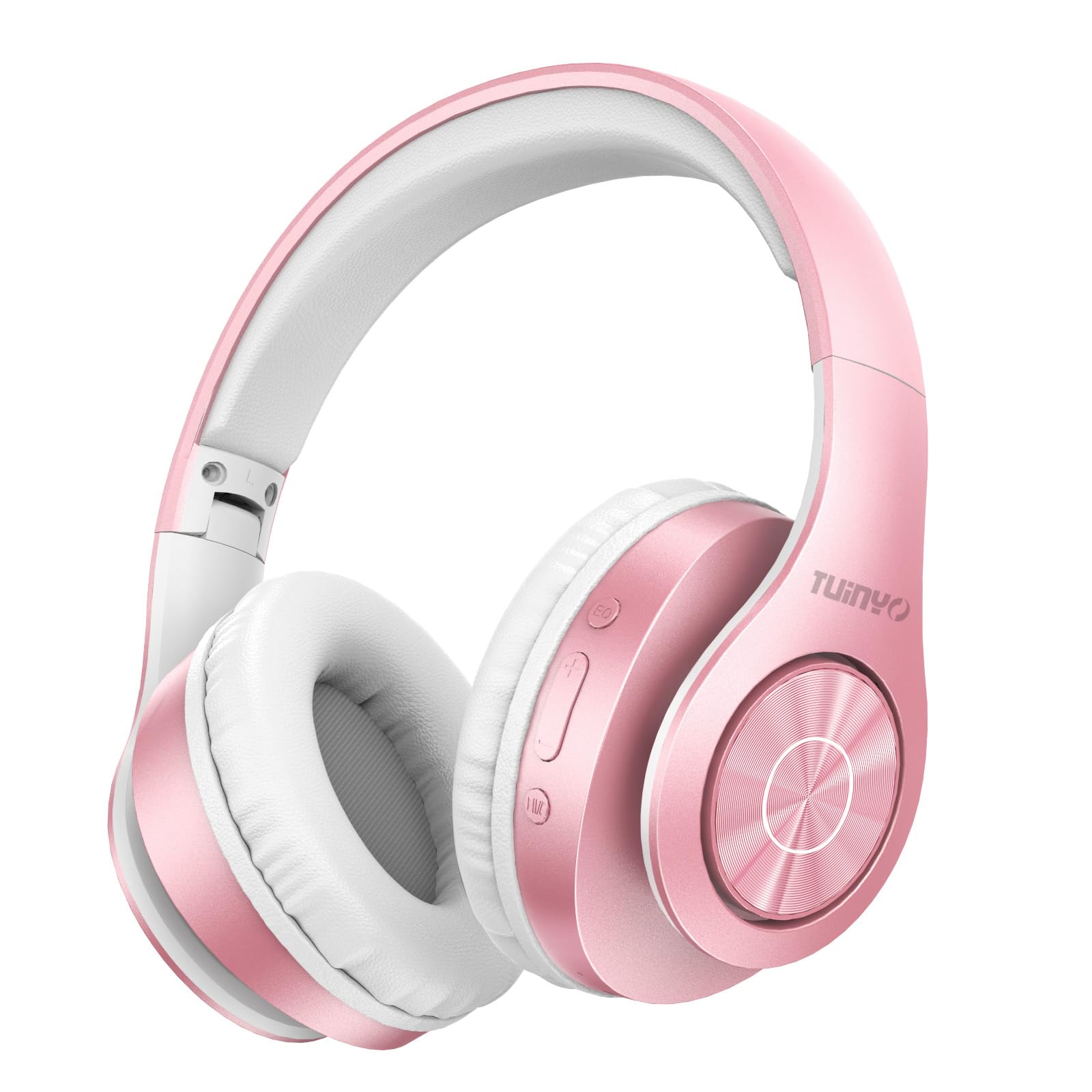
Figure 2.1: TUINYO WH-819 Rose Gold Wireless Over-Ear Bluetooth Headphones.
ווידעא 2.1: אן איבערview of the TUINYO wireless Bluetooth headphones, highlighting their design and features.
3. פּעקל אינהאַלט
זיכער מאַכן אַז אַלע זאכן זענען פאַראַן אין פּעקל:
- TUINYO WH-819 Wireless Over-Ear Bluetooth Headphones
- וסב טשאַרדזשינג קאַבלע
- 3.5 מם אַודיאָ קאַבלע
- Protective Premium Case
- באַניצער מאַנואַל

Figure 3.1: Included accessories with the TUINYO WH-819 headphones.
4. קאָנטראָלן און פּאָרטן
מאַכט זיך באַקאַנט מיט די כעדפאָון קאָנטראָלס און פּאָרץ:
- מאַכט קנעפּל: לאַנג דריקן צו אנצינדן/אויסלעשן. קורץ דריקן צו שפּילן/פּויזירן מוזיק אָדער ענטפֿערן/ענדיגן רופן.
- באַנד אַרויף/נעקסטע ליד קנעפּל: קורץ דריקן צו פארגרעסערן די קול. לאנג דריקן פארן נעקסטן ליד.
- באַנד אַראָפּ/פֿריִערדיקע ליד קנעפּל: קורץ דריקן צו פארמינערן די קול. לאנג דריקן צו פארן פריערדיגן ליד.
- עק קנעפּל: Press to cycle through different equalizer modes (Normal, Rock, Pop, Classic, Jazz, Country).
- 3.5 מם אַודיאָ דזשאַק: פֿאַר דראָטיקער פֿאַרבינדונג.
- וסב טשאַרדזשינג פּאָרט: פֿאַר טשאַרדזשינג די כעדפאָונז.
- מיקראָסד קאָרט שפּעלטל: For direct music playback from a MicroSD card.

פיגורע 4.1: דעטאַילעד view of headphone controls and features.
Video 4.1: A demonstration of the TUINYO headphones' folding mechanism and button controls.
5. סעטאַפּ
5.1 אויפלאָדן די קאָפּהערער
- Connect the USB charging cable to the headphone's charging port.
- פֿאַרבינדט דעם אַנדערן עק פֿונעם USB קאַבל צו אַ קאָמפּאַטיבלע USB מאַכט מקור (למשל, קאָמפּיוטער, וואַנט אַדאַפּטער).
- די LED אינדיקאַטאָר וועט ווייַזן די טשאַרדזשינג סטאַטוס (למשל, רויט פֿאַר טשאַרדזשינג, בלוי פֿאַר גאָר טשאַרדזשד).
- א פול אָפּצאָל טיפּיקלי נעמט 2-2.5 שעה.
5.2 בלועטאָאָטה פּערינג
- זיכער מאַכן אַז די כעדפאָונז זענען גאָר אויפגעלאָדן.
- Long press the Power button until the LED indicator flashes blue and red, indicating pairing mode.
- אויף אייער דעווייס (סמאַרטפאָן, טאַבלעט, לאַפּטאָפּ), אַקטיווירט בלועטוט און זוכט פֿאַר פֿאַראַן דעווייסעס.
- Select "WH-819" from the list of devices.
- Once connected, the LED indicator will flash blue slowly, and a voice prompt will confirm successful pairing.
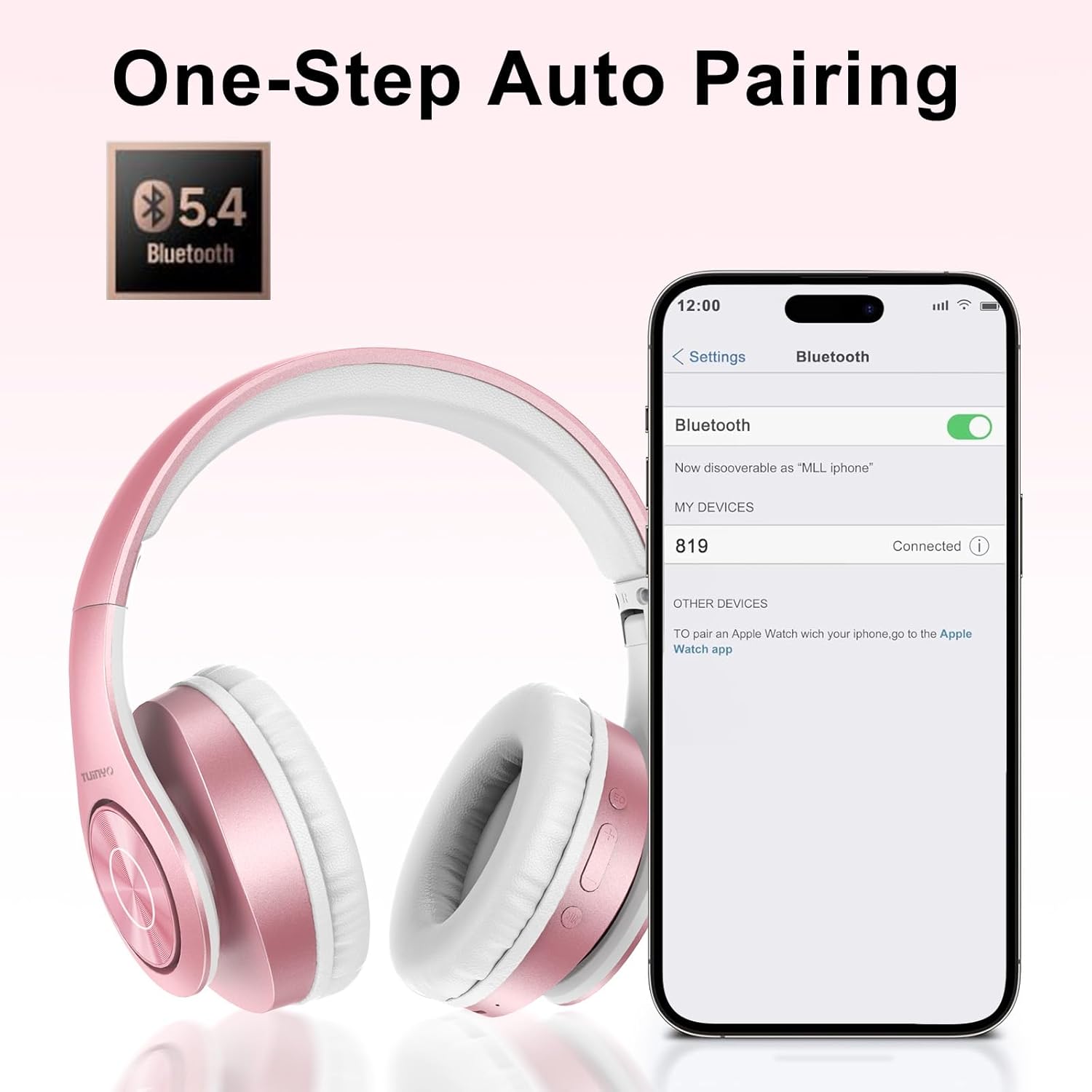
פיגור 5.1: בלועטוט פּערינג פּראָצעס אויף אַ סמאַרטפאָון.
6. אַפּערייטינג ינסטרוקטיאָנס
6.1 מאַכט אויף / אַוועק
- מאַכט אויף: Long press the Power button until the LED indicator lights up blue.
- מאַכט אַוועק: Long press the Power button until the LED indicator turns off.
6.2 מוזיק פּלייבאַק
- שפּיל / פּויזע: קורץ דריקן די מאַכט קנעפּל.
- ווייַטער שפּור: לאַנג דריקן די באַנד אַרויף קנעפּל.
- פֿריִערדיקע שפּור: לאַנג דריקן די באַנד אַראָפּ קנעפּל.
- באַנד אַדזשאַסטמאַנט: Short press the Volume Up or Volume Down buttons.
6.3 רוף פאַרוואַלטונג
- ענטפֿערן / סוף רופן: קורץ דריקן די מאַכט קנעפּל.
- אָפּוואַרפן רופן: לאַנג דריקן די מאַכט קנעפּל.
6.4 EQ מאָדע
- Press the EQ button to switch between different sound equalizer modes (Normal, Rock, Pop, Classic, Jazz, Country) to optimize your listening experience.
6.5 ווייערד מאָדע
- Insert the 3.5mm audio cable into the headphone's audio jack and the other end into your audio device.
- The headphones will automatically switch to wired mode, and Bluetooth functionality will be disabled.
6.6 מיקראָSD קאַרטל ווידערשפּיל
- Insert a MicroSD card with MP3 audio files into the MicroSD card slot.
- The headphones will automatically detect the card and begin playing music.
- Use the music playback controls (Play/Pause, Next/Previous Track, Volume) to manage your audio.
7. וישאַלט
- רייניקט די כעדפאָונז רעגולער מיט אַ ווייכן, טרוקענעם שטאָף.
- ויסמיידן ניצן אַברייסיוו קלינערז אָדער סאָלוואַנץ.
- לייגט די קאָפּהערער אין זייער שוץ־קעסטל ווען זיי ווערן נישט גענוצט, כדי צו פאַרמייַדן שאָדן.
- האַלטן אַוועק פון עקסטרעם טעמפּעראַטורעס און נעץ.
8. טראָובלעשאָאָטינג
| פּראָבלעם | לייזונג |
|---|---|
| די קאָפּהערער ווערן נישט אנגעצינדן. | זיכער מאַכן אַז די כעדפאָונז זענען אויפגעלאָדן. פאַרבינדן צו אַ מאַכט מקור און פּרובירן ווידער. |
| קען נישט פארבינדן דורך בלוטוט. | Ensure headphones are in pairing mode (LED flashing blue/red). Turn off and on Bluetooth on your device. Move closer to the device. |
| קיין געזונט אין בלועטאָאָטה מאָדע. | Check volume levels on both headphones and connected device. Ensure headphones are successfully paired. |
| קיין קלאַנג אין דראָט מאָדע. | Ensure the 3.5mm audio cable is fully inserted into both the headphones and the audio device. Check the audio source. |
| MicroSD card not playing. | Ensure the MicroSD card is inserted correctly and contains compatible MP3 audio files. |
9. ספּעסאַפאַקיישאַנז
| שטריך | דעטאַל |
|---|---|
| מאָדעל נאָמען | WH-819 |
| קאַנעקטיוויטי טעכנאָלאָגיע | ווירעלעס (בלוטוט), ווייערד (3.5 מ"מ דזשעק) |
| ווירעלעסס קאָמוניקאַציע טעכנאָלאָגיע | בלועטאָאָטה 4.0 |
| אַודיאָ דרייווער טיפּ | Dynamic Driver (40mm neodymium) |
| באַטערי לעבן | Up to 40 hours of music time (800mAh battery) |
| טשאַרדזשינג צייט | 2-2.5 שעה |
| עאַרפּיעסע פאָרעם | איבער-אויער |
| מאַטעריאַל | פּלאַסטיק, זכּרון-פּראָטעין אויערמאַפס |
| וואָג | 13.4 אונסעס |
| דימענשאַנז | 8.5 x 6.22 x 4.25 אינטשעס (פּאַקעט) |
| קאַמפּאַטאַבאַל דעוויסעס | Tablets, Laptops, Desktops, Smartphones, Bluetooth-enabled devices |
| וואַסער קעגנשטעל מדרגה | ניט וואַסער קעגנשטעליק |
10. וואָראַנטי און שטיצן
Your TUINYO WH-819 headphones are covered by a 30-day warranty from the date of purchase. For any product inquiries, technical support, or warranty claims, please refer to the contact information provided with your purchase or visit the official TUINYO webפּלאַץ.


