KLIM K8

KLIM K8 Cassette Player Instruction Manual

מאָדעל: K8

1. וויכטיק סאַפעטי אינסטרוקציעס

2. פּעקל אינהאַלט

באַשטעטיקן אַז אַלע זאכן זענען פאַראַן און אין גוטן צושטאַנד:

3. פּראָדוקט איבערview

KLIM K8 Cassette Player with included earbuds and a cassette tape inserted

בילד 3.1: The KLIM K8 Cassette Player, showing the cassette compartment, main controls, and included earbuds.

3.1. קאָנטראָלן און פּאָרטן

4. סעטאַפּ

4.1. פּאַוערינג די מיטל

The KLIM K8 can be powered by two AA batteries or via a USB Type-C cable connected to a compatible AC-DC adapter (not included) or USB power source.

  1. ייַנמאָנטירונג פון באַטאַרייע:
    • עפענען די באַטאַרייע אָפּטייל דעקן אויף די צוריק פון די מיטל.
    • אַרײַנשטעלן צוויי AA באַטעריעס, און זיכער מאַכן אַז די פּאָלאַריטעט (+/-) איז ריכטיק ווי אָנגעוויזן אין דעם אָפּטייל.
    • פאַרמאַכן די באַטאַרייע אָפּטייל דעקן סיקיורלי.
    KLIM K8 Cassette Player showing 2x AA batteries and a USB Type-C cable

    בילד 4.1: Powering options for the KLIM K8, including AA batteries and USB Type-C cable.

  2. פונדרויסנדיק מאַכט:
    • Connect the provided USB Type-C cable to the DC IN port on the device.
    • פֿאַרבינדט דעם אַנדערן עק פֿונעם USB קאַבל צו אַ קאָמפּאַטיבלע USB מאַכט מקור (למשל, וואַנט אַדאַפּטער, קאָמפּיוטער USB פּאָרט).

4.2. אריינלייגן א קאסעטע טייפ

  1. Gently slide open the cassette compartment door.
  2. Insert a standard audio cassette tape with the open edge facing the playback head and the desired side (A or B) facing outwards.
  3. Close the cassette compartment door until it clicks securely.

5. אַפּערייטינג ינסטרוקטיאָנס

5.1. Cassette Playback

  1. זייט זיכער אַז אַ קאַסעטע טייפּ איז ריכטיק אַרײַנגעלייגט.
  2. Set the AM/FM/TAPE selector to "TAPE".
  3. דרוק די שפּיל קנעפּל צו אָנהייבן פּלייבאַק.
  4. סטרויערן די VOL קאָנטראָל צו דיין געוואונטשענע הערן לעוועל.
  5. צו שנעל פאָרויס, דריקן די F.FWD button. To rewind, press the REW קנעפּל. דרוק האַלטן to resume playback after fast forwarding or rewinding.
  6. דרוק די האַלטן קנעפּל צו ענדיקן ווידערשפּיל.

5.2. Cassette Recording

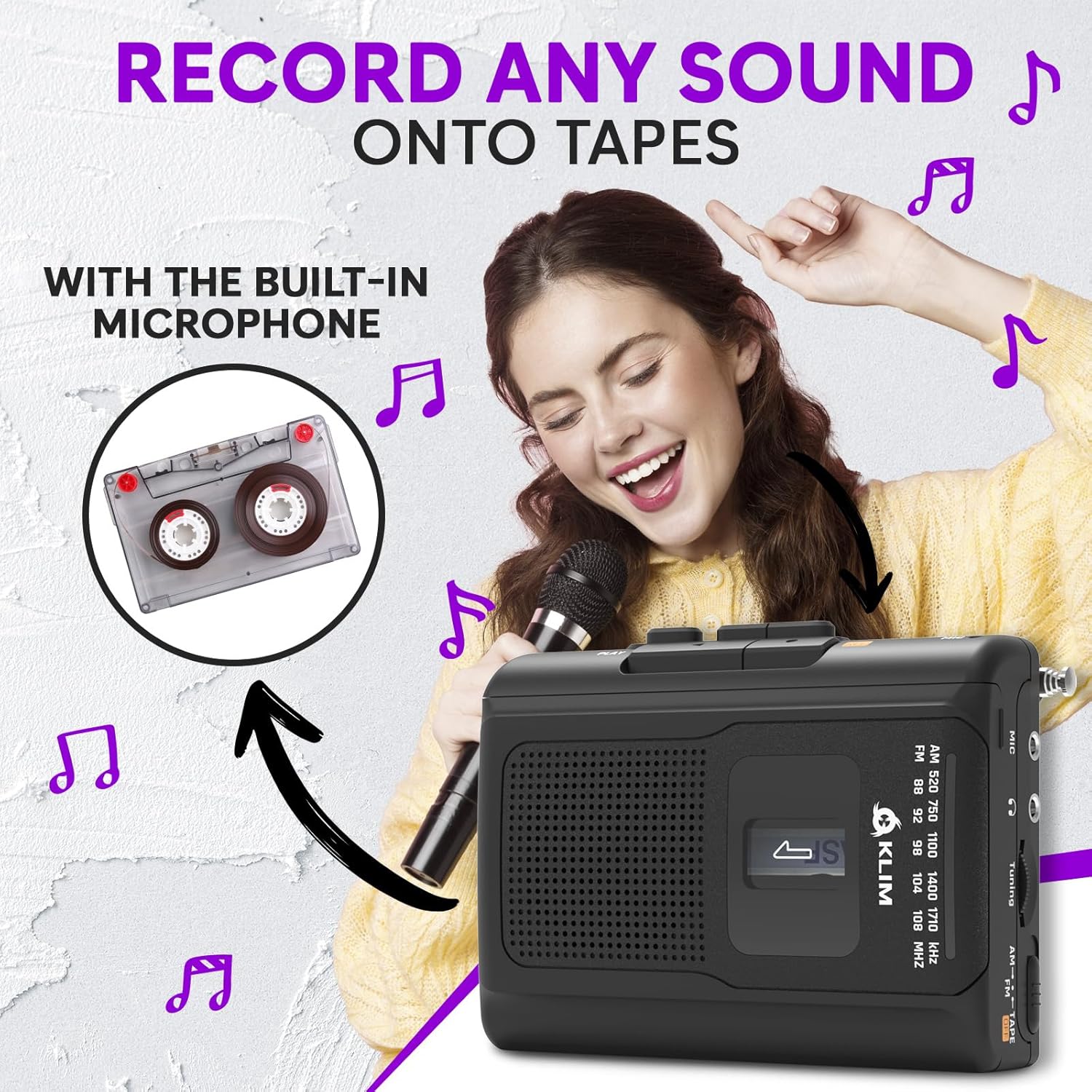
The KLIM K8 allows recording audio directly onto a cassette tape using its built-in microphone.

  1. Insert a blank or recordable cassette tape. Ensure the tape's erase protection tabs are intact if you intend to record over existing content.
  2. Set the AM/FM/TAPE selector to "TAPE".
  3. דרוק די REC קנעפּל גלײַכצײַטיק מיטן שפּיל button. The tape will start moving, and recording will begin.
  4. Speak clearly into the built-in microphone (MIC).
  5. דרוק די האַלטן קנעפּל צו ענדיגן רעקאָרדינג.
Woman smiling and holding a microphone, with an inset image of a cassette tape, illustrating the recording function of the KLIM K8

בילד 5.1: Recording audio onto a cassette tape using the integrated microphone.

5.3. AM/FM ראַדיאָ אָפּעראַציע

  1. Set the AM/FM/TAPE selector to "AM" or "FM".
  2. Extend the telescopic antenna for optimal FM reception. For AM reception, rotate the unit for best signal.
  3. דרייען די טונינג קנופּ צו סקענען ראַדיאָ סטאַנציעס.
  4. סטרויערן די VOL קאָנטראָל צו דיין געוואונטשענע הערן לעוועל.
KLIM K8 Cassette Player with an extended antenna, showing the AM/FM tuning dial, indicating radio functionality

בילד 5.2: Tuning into AM/FM radio stations with the KLIM K8.

5.4. ניצן כעדפאָונז

For private listening, connect the included KLIM Fusion earbuds or any standard 3.5mm headphones to the headphone jack on the side of the device. The built-in speaker will automatically mute when headphones are connected.

Person listening to music with headphones connected to the KLIM K8, highlighting the 3.5mm jack port

בילד 5.3: Enjoying audio privately with headphones.

6. וישאַלט

7. טראָובלעשאָאָטינג

פּראָבלעםמעגלעך סיבהלייזונג
קיין מאַכט / די דעוויס צינדט זיך נישט אָן.
  • באַטעריעס זענען טויט אָדער נישט ריכטיק אַרײַנגעשטעלט.
  • USB power cable is not connected or faulty.
  • טוישן די באַטעריעס אדער קאָנטראָלירן די פּאָלאַריטעט.
  • זיכער מאַכן אַז דער USB קאַבל איז זיכער פארבונדן און אַז דער מאַכט מקור איז אַקטיוו.
Poor sound quality from cassette.
  • טייפּ קעפּ זענען שמוציק.
  • Cassette tape is old or damaged.
  • די באַנד איז צו נידעריק.
  • Clean tape heads and pinch rollers.
  • Try a different cassette tape.
  • פאַרגרעסערן באַנד.
נעבעך ראַדיאָ אָפּטראָג.
  • אַנטענע נישט אויסגעשטרעקט (FM).
  • אריינמישונג אדער שוואכער סיגנאל.
  • פאַרברייטערן די טעלאַסקאָפּיק אַנטענע גאָר.
  • Rotate the device for AM reception.
  • Try moving to a different location.
די רעקאָרדירונג אַרבעט נישט.
  • REC and PLAY buttons not pressed simultaneously.
  • Cassette tape is write-protected (tabs removed).
  • Ensure both buttons are pressed together.
  • Use a recordable tape or cover the write-protect tabs with adhesive tape.

8. ספּעסאַפאַקיישאַנז

סאָרטKLIM
מאָדעלK8
פאַנגקשאַנזCassette Player, Cassette Recorder, AM/FM Radio
מיקראָפאָןגעבויט-אין
כעדפאָון דזשאַק3.5mm Universal
מאַכט מקור2x AA Batteries (included) or USB Type-C (DC IN)
קאָלירשוואַרץ
דימענסיעס (בעערעך)4.7" x 3.4" x 1.5" (based on image PT06)
וואָג (בעערעך)6.8 oz (based on image PT06)
KLIM K8 Cassette Player showing dimensions of 4.7 inches by 3.4 inches by 1.5 inches and a weight of 6.8 ounces

בילד 8.1: Approximate dimensions and weight of the KLIM K8.

9. וואָראַנטי און שטיצן

The KLIM K8 Cassette Player comes with a 5 יאָר וואָראַנטי. This warranty covers manufacturing defects and ensures the quality and durability of your device.

For technical support, warranty claims, or any questions regarding your KLIM K8, please contact KLIM Technologies France, the seller, through your purchase platform or visit the official KLIM webפּלאַץ פֿאַר קאָנטאַקט אינפֿאָרמאַציע.

ביטע באַהאַלטן אייער קויפן-באַווייַז פֿאַר גאַראַנטיע צוועקן.

פֿאַרבונדענע דאָקומענטן - K8

Preview KLIM K7 Cassette Player User Manual
This user manual provides comprehensive instructions for the KLIM K7 Portable Cassette Player, covering setup, operation, features like SD card recording and MP3 conversion, maintenance, and troubleshooting.
Preview KLIM דזשורני סי-די שפּילער באַניצער מאַנואַל
א פולשטענדיגע באַניצער מאַנואַל פֿאַר די KLIM Journey טראָגבאַרע CD שפּילער, וואָס דעקט סעטאַפּ, אָפּעראַציע, פֿעיִקייטן און פּראָבלעם לייזונג. לערנט ווי צו שפּילן CDs און TF קאַרדס, פאַרבינדן בלועטוט דעוויסעס, נוצן די FM טראַנסמיטער און מער.
Preview KLIM Speaker User Manual: High-Fidelity Portable CD Player with Rechargeable Battery
Comprehensive user manual for the KLIM Speaker, a portable CD player offering high-fidelity sound reproduction. Learn about its features, operation, charging, playback options, and troubleshooting. Includes package contents, technical specifications, and safety guidelines.
Preview KLIM דיסקמאַן באַניצער מאַנואַל: פּאָרטאַטיוו סי-די שפּילער גייד
אן אויספירלעכע באניצער מאנואל פארן KLIM דיסקמאן טראגבארן סי-די שפילער, וואס באדעקט אויפשטעלן, אפערירן, אייגנשאפטן, און פראבלעם-לייזונג. כולל זיכערהייט אינסטרוקציעס און טעכנישע ספעציפיקאציעס.
Preview KLIM Nomad Portable CD Player User Manual
Comprehensive user manual for the KLIM Nomad portable CD player, covering safety instructions, product features, specifications, operation, troubleshooting, and more. Includes multilingual support.
Preview KLIM Discover Portable CD Player User Manual
Comprehensive user manual for the KLIM Discover portable CD player, covering setup, playback options, features, FM transmitter, Bluetooth connectivity, and troubleshooting.